
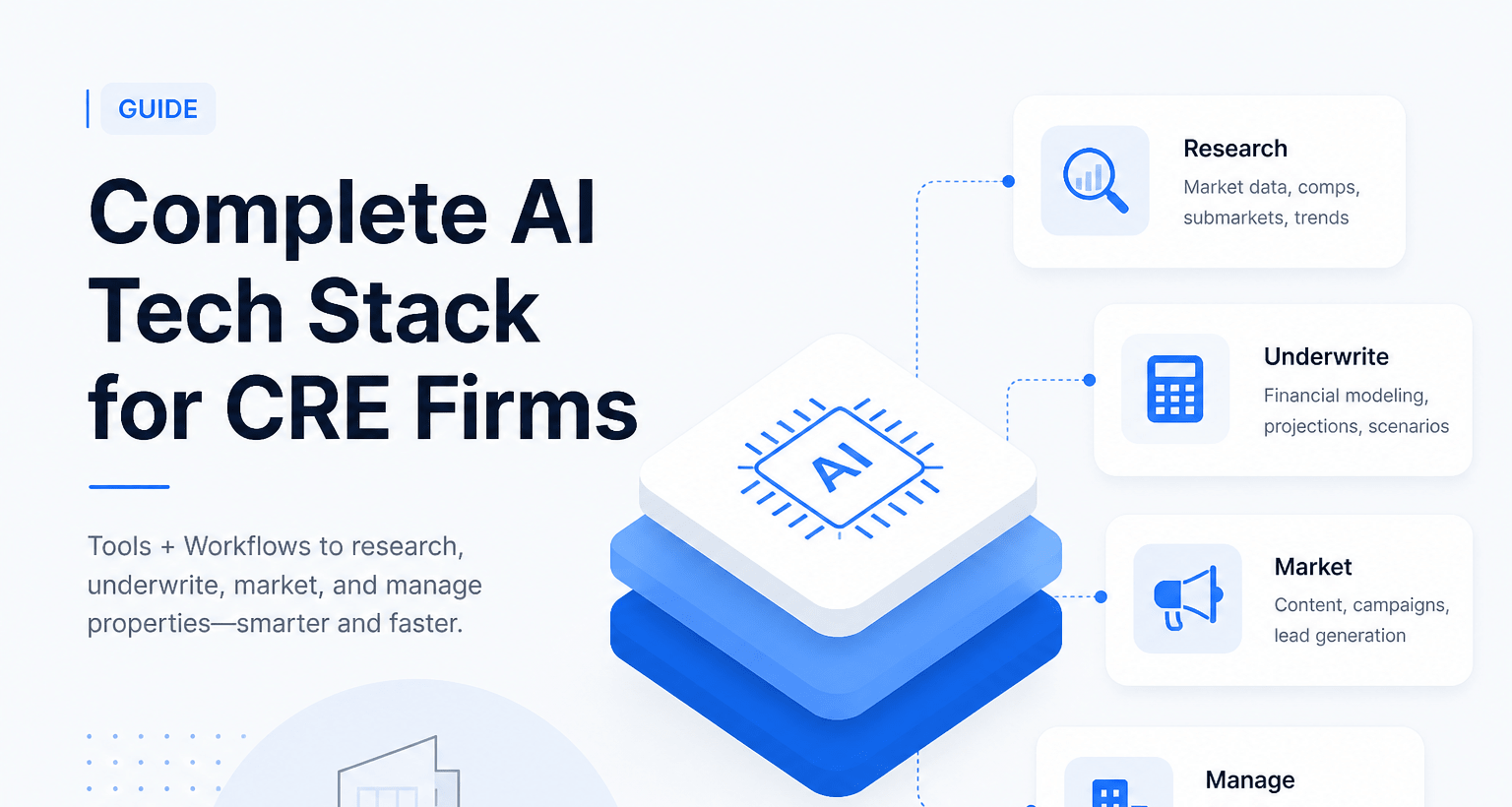
Complete AI tech stack for CRE firms (tools + workflows)
The complete AI tech stack for CRE firms is no longer a future concept. It is a current competitive advantage. Many commercial real estate teams already use AI tools. Yet most still struggle to connect them into a working system. The result is wasted time, scattered data, and inconsistent outputs.
CRE professionals do not need more tools. They need structured workflows. A proper AI tech stack brings order to data, automation to tasks, and speed to decisions. It replaces manual effort with repeatable systems.
This guide breaks everything down in a practical way. You will learn which tools matter, how they connect, and how to implement them quickly. More importantly, you will see how real CRE workflows operate using AI. By the end, you will have a clear blueprint to build your own system without guesswork.
What “AI Tech Stack for CRE” Actually Means
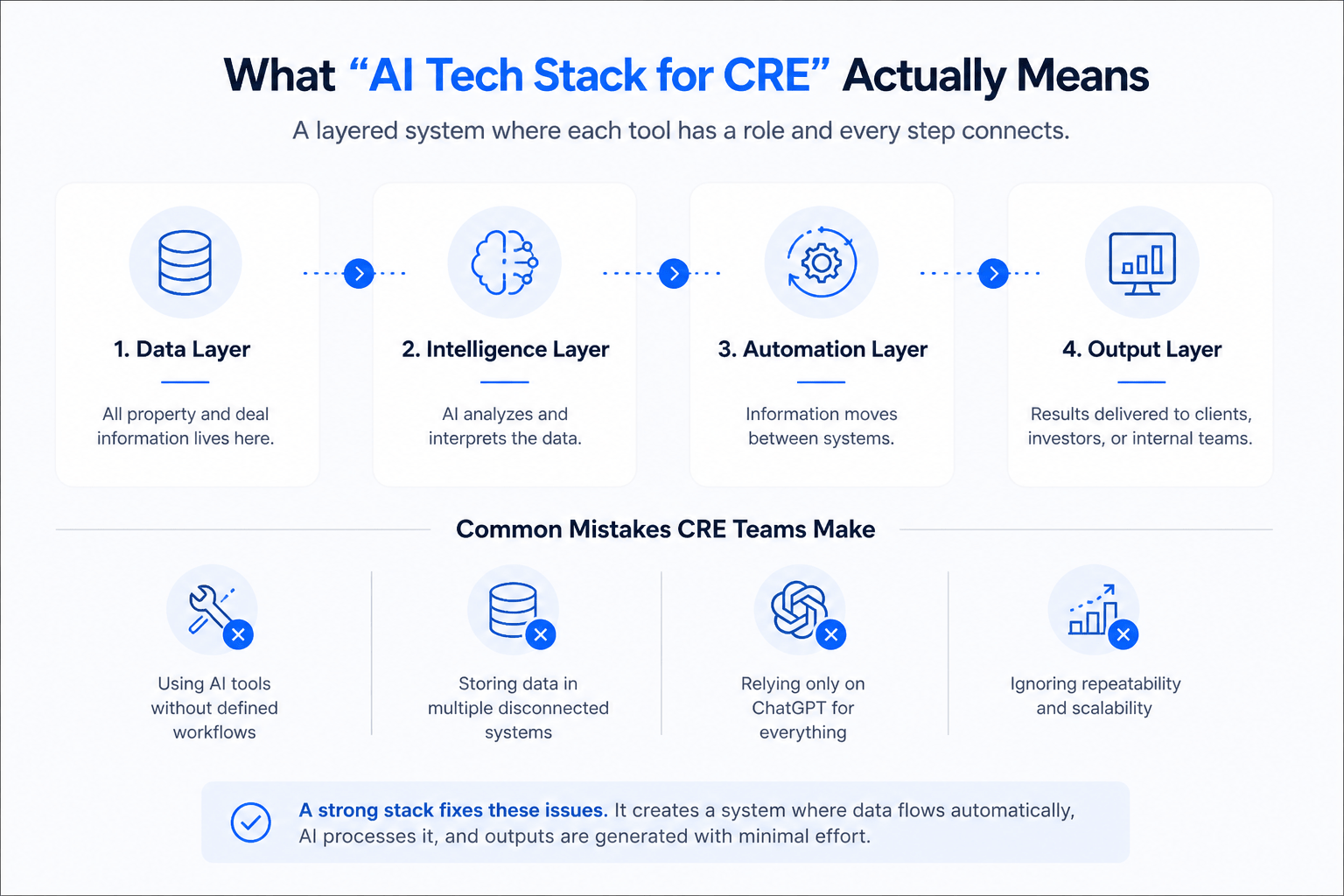
An AI tech stack is not a collection of random tools. It is a layered system where each tool plays a defined role. Think of it like a deal pipeline. Every step connects and flows into the next.
At its core, a CRE AI stack has four key layers. The first is the data layer, where all property and deal information lives. The second is the intelligence layer, where AI analyzes and interprets that data. The third is the automation layer, which moves information between systems. The fourth is the output layer, where results are delivered to clients, investors, or internal teams.
Most CRE professionals misunderstand this concept. They start with tools instead of workflows. They subscribe to multiple platforms but never connect them. As a result, they still rely on manual processes.
Here are the most common mistakes:
-
Using AI tools without defined workflows
-
Storing data in multiple disconnected systems
-
Relying only on ChatGPT for everything
-
Ignoring repeatability and scalability
A strong stack fixes these issues. It creates a system where data flows automatically, AI processes it, and outputs are generated with minimal effort.
Core Layers of a Complete AI CRE Stack
1. Data & Knowledge Layer (Foundation)
Every AI system depends on clean and structured data. Without it, even the best tools produce weak results. This layer acts as the foundation of your entire stack.
CRE firms handle large amounts of data. This includes property details, financials, tenant information, and market trends. If this data is scattered, AI cannot use it effectively. That is why centralization is critical.
Popular tools for this layer include Airtable, Notion, and Google Drive. Airtable works well as a flexible database. Notion is useful for documentation and internal knowledge. Google Drive stores raw files like OMs and reports.
A good data layer should follow a simple structure. Each deal should have consistent fields. Naming conventions should be standardized. Files should be easy to locate and update.
Checklist for a strong data layer:
-
Centralized storage for all deal data
-
Standardized fields for properties and financials
-
Clear naming system for files and folders
-
Regular data cleaning and updates
When this layer is built correctly, everything else becomes easier. AI tools perform better, automation flows smoothly, and teams waste less time searching for information.
2. AI Intelligence Layer (Brain)
This layer is where real value begins. The intelligence layer uses AI tools to analyze, summarize, and generate insights from your data. It acts as the brain of your stack.
Tools like ChatGPT, Claude, and Perplexity are commonly used here. Each has its strengths. ChatGPT is flexible and works well for structured outputs. Claude handles long documents better. Perplexity excels at real-time research.
In CRE, this layer supports several key tasks. It can analyze deals, summarize offering memorandums, and generate investment insights. It can also assist with market research and reporting.
Effective prompts make a big difference. Basic prompts lead to generic results. Strong prompts produce actionable insights.
Examples of high-quality prompts:
-
“Analyze this multifamily deal. Identify risks, upside potential, and missing data points.”
-
“Summarize this OM into a structured investment memo with key financial metrics.”
-
“Compare this property to local market trends and highlight pricing gaps.”
These prompts guide the AI toward specific outputs. They reduce ambiguity and improve consistency.
The intelligence layer should not operate in isolation. It must connect to your data layer and automation layer. This ensures that insights are based on real data and delivered efficiently.
3. Automation Layer (Execution Engine)
The automation layer connects everything. It moves data between tools and triggers actions without manual input. This is where workflows become powerful.
Tools like Zapier, Make, and n8n are commonly used. Zapier is simple and easy to set up. Make offers more flexible. n8n is ideal for advanced users who want full control.
In CRE, automation can handle repetitive tasks. For example, when a new deal is uploaded, the system can extract key data, store it, and trigger analysis. This removes the need for manual data entry.
A typical workflow might look like this:
-
Upload an OM to Google Drive
-
AI extracts property and financial data
-
Data is stored in Airtable
-
A summary report is generated automatically
This process can run in minutes instead of hours. It also reduces human error.
The key to success in this layer is simplicity. Start with one workflow. Test it. Improve it. Then expand gradually. Many firms fail because they try to automate everything at once. Here’s a real example of what automation looks like when applied to CRE workflows.
4. Communication & Output Layer
This layer focuses on delivering results. It turns processed data into usable outputs. These outputs can be internal reports, investor updates, or marketing materials.
Tools like Gmail AI, Loom, and Canva AI are useful here. Gmail AI helps draft emails quickly. Loom allows you to record personalized video messages. Canva AI supports design and presentation tasks.
In CRE, communication is critical. Investors expect clear and timely updates. Clients want personalized outreach. AI helps deliver both at scale.
For example, you can use AI to generate investor updates based on deal data. You can also create personalized outreach emails for potential buyers or tenants.
This layer ensures that all the work done in earlier stages is delivered effectively. Without it, even the best insights lose impact.
5. Deal Analysis & Financial Modeling Layer
Deal analysis is at the core of CRE. This layer focuses on financial modeling and underwriting. AI enhances this process by speeding up calculations and improving accuracy.
Tools often include Excel with AI integrations or specialized platforms. Data from earlier layers feeds into these models. AI can assist with projections, scenario analysis, and risk assessment.
The biggest advantage is time savings. Traditional underwriting can take several hours. With AI assistance, it can be reduced to under an hour.
Before vs after comparison:
-
Manual underwriting: 3–5 hours
-
AI-assisted underwriting: 20–40 minutes
This improvement allows teams to evaluate more deals. It also improves consistency across analyses.
Complete AI Workflows for CRE Firms (Step-by-Step)
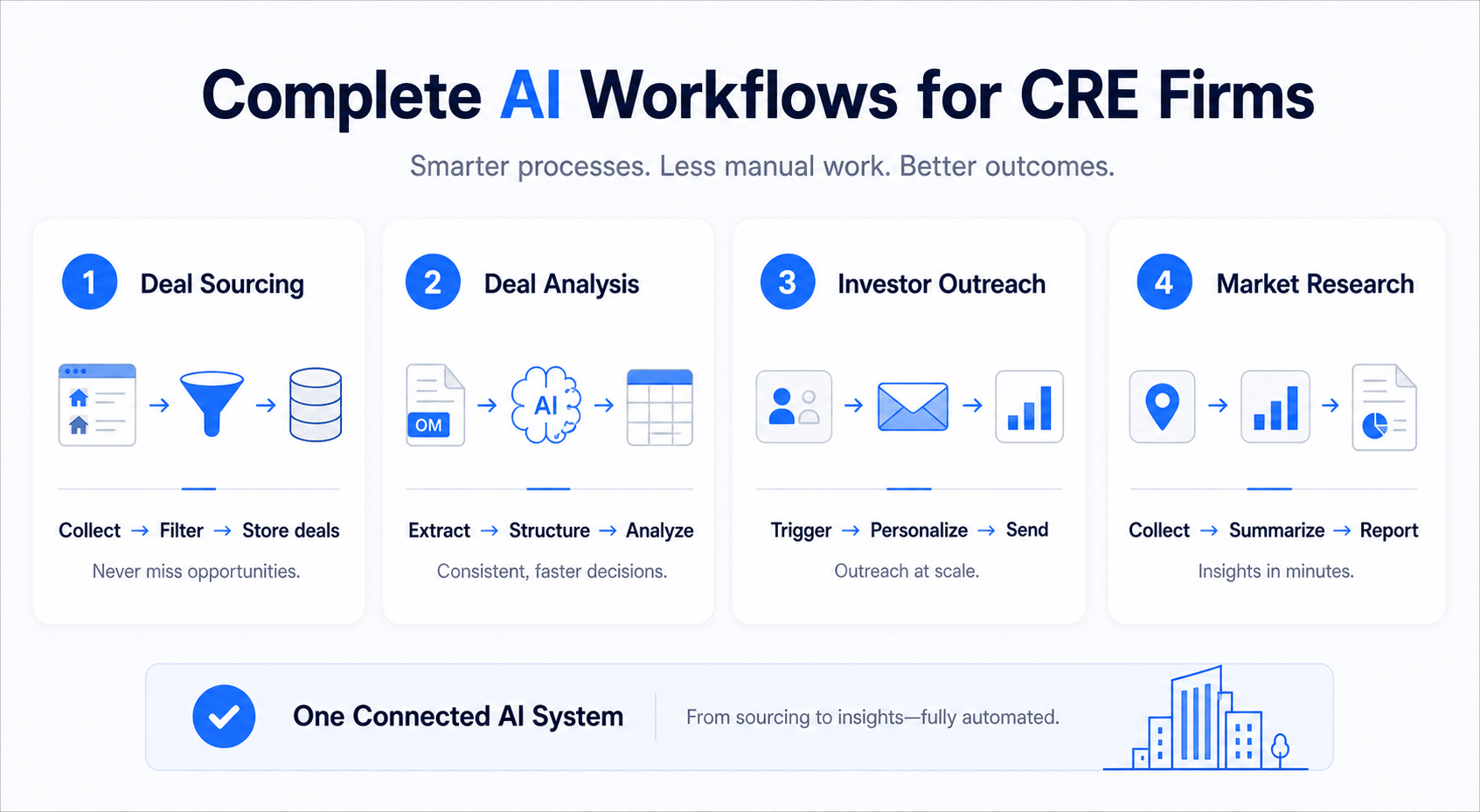
Workflow 1: Deal Sourcing Automation
Deal sourcing is often time-consuming. It involves scanning listings, filtering opportunities, and storing relevant data. AI simplifies this process.
The workflow starts with data collection. Listings can be gathered from multiple sources. AI then filters these listings based on predefined criteria. Only relevant deals are stored.
Step-by-step process:
-
Collect listings from online platforms
-
Use AI to filter based on investment criteria
-
Store qualified deals in Airtable
-
Trigger alerts for new opportunities
This system ensures that no deal is missed. It also reduces time spent on manual screening.
Workflow 2: Automated Deal Analysis
Deal analysis is one of the most time-intensive parts of CRE. It often requires reviewing long offering memoranda, extracting financials, and building structured summaries. With the right AI workflow, this entire process becomes faster and more consistent.
The workflow begins when a new OM is uploaded. Instead of manually reading through dozens of pages, AI tools scan the document and extract key data points. These include purchase price, NOI, cap rate, rent roll, and expense breakdowns. The extracted data is then structured into a clean format for analysis.
Step-by-step process:
-
Upload OM to Google Drive or data repository
-
AI parses the document and extracts key financials
-
Store structured data in Airtable or CRM
-
Generate a summarized investment memo
-
Flag missing or unclear data points
The real advantage is consistency. Every deal is analyzed using the same framework. This reduces bias and improves decision-making speed.
A strong prompt improves output quality significantly. For example:
-
“Extract all financial metrics from this OM and structure them into a table with assumptions clearly labeled.”
-
“Generate a one-page investment summary with risks, upside, and key numbers.”
This workflow allows CRE teams to review more deals without increasing workload. It also creates standardized outputs that are easier to compare. In addition, these AI due diligence workflows show how firms structure analysis beyond basic summaries and move toward full automation.
Workflow 3: Investor Outreach System
Investor communication is essential in CRE. However, writing personalized emails and updates takes time. AI can automate much of this process while maintaining a personal tone.
This workflow connects your CRM with AI tools. When a new deal is ready, the system generates tailored outreach messages. These messages can be customized based on investor preferences, past activity, or deal type.
Step-by-step process:
-
Store investor data in CRM or Airtable
-
Trigger workflow when a new deal is added
-
AI generates personalized email drafts
-
Send emails through Gmail integration
-
Track engagement and responses
This system ensures that every investor receives relevant information quickly. It also improves response rates by keeping communication consistent.
Example prompt:
-
Write a personalized email for an investor interested in multifamily assets. Highlight projected returns, location benefits, and risk factors.”
The result is faster outreach without sacrificing quality. Teams can focus on building relationships instead of writing repetitive emails. Similarly, many firms are now building AI CRM automation systems to connect outreach, deal tracking, and investor communication into one workflow.
Workflow 4: Market Research System
Market research is critical for making informed decisions. It often involves collecting data from multiple sources and compiling it into a report. AI simplifies this process by gathering and summarizing information quickly.
This workflow uses AI tools to collect market data such as rent trends, occupancy rates, and demographic insights. The data is then structured into a clear report.
Step-by-step process:
-
Input location and property type
-
AI gathers market data from reliable sources
-
Summarize trends and key metrics
-
Generate a structured report
-
Store report for future use
The output is a concise, data-driven overview. It can be used for underwriting, investor presentations, or strategic planning.
A useful prompt:
-
“Create a market analysis report for multifamily properties in this city. Include rent trends, occupancy rates, and growth indicators.”
This workflow reduces research time from hours to minutes. It also ensures that decisions are based on up-to-date information.
Tools That Actually Work vs Hype
Not all AI tools deliver real value. Some look impressive but fail in practical use. CRE professionals need tools that integrate well and support workflows, not just standalone features.
The key difference lies in usability and integration. Tools that connect easily with others tend to perform better. They allow data to flow smoothly and support automation.
Best AI Tools for CRE Firms by Use Case
| Category | Tools That Work | Overhyped Tools | Why |
|---|---|---|---|
| Research | Perplexity | Generic scrapers | Better accuracy and sources |
| Writing | ChatGPT | Basic AI writers | More flexible outputs |
| Automation | Zapier | Standalone bots | Strong integrations |
| Data | Airtable | Spreadsheets only | Scalable and structured |
Tools that “actually work” share a few traits. They are reliable, easy to integrate, and support real workflows. Overhyped tools often lack these qualities. They may look advanced but fail to deliver consistent results.
The goal is not to use many tools. It is to use the right ones. A lean stack often performs better than a complex one.
How to Implement This Stack in 24 Hours
Many CRE professionals delay implementation because they think it takes weeks. In reality, a basic AI tech stack can be set up in one day. The key is to focus on essentials and avoid overcomplication.
Start with the data layer. Set up a simple database using Airtable or a similar tool. Define fields for property data, financials, and notes. Keep the structure clean and consistent.
Next, connect an AI tool. Use it to analyze deals or generate summaries. This forms your intelligence layer. Once this is working, add automation.
A simple 24-hour plan:
-
Hour 1–3: Set up data structure and storage
-
Hour 4–8: Connect AI tools and test prompts
-
Hour 9–16: Build one automation workflow
-
Hour 17–24: Test, refine, and document process
Quick-start checklist:
-
Choose one data platform
-
Choose one AI tool
-
Build one workflow only
-
Test before scaling
This approach reduces overwhelm. It allows you to see results quickly and build confidence.
Stop guessing which tools to use. Join CRE professionals building real AI workflows:
Real-World Use Cases (CRE Firms Using AI)
AI is already being used across different roles in CRE. Each role benefits in a unique way, depending on its responsibilities.
Brokers use AI to prepare deal packages faster. Instead of manually compiling data, they generate summaries and presentations in minutes. This allows them to focus more on client interactions.
Investors benefit from faster underwriting. AI helps analyze deals quickly and identify risks. This improves decision-making speed and allows them to evaluate more opportunities.
Developers use AI for feasibility analysis. They can assess project viability using automated models. This reduces time spent on initial planning.
Operators use AI to manage tenant communication. Automated systems handle routine inquiries and updates. This improves efficiency and tenant satisfaction.
These use cases show a clear pattern. AI does not replace professionals. It enhances their capabilities and reduces manual work.
Common Mistakes When Building an AI Stack
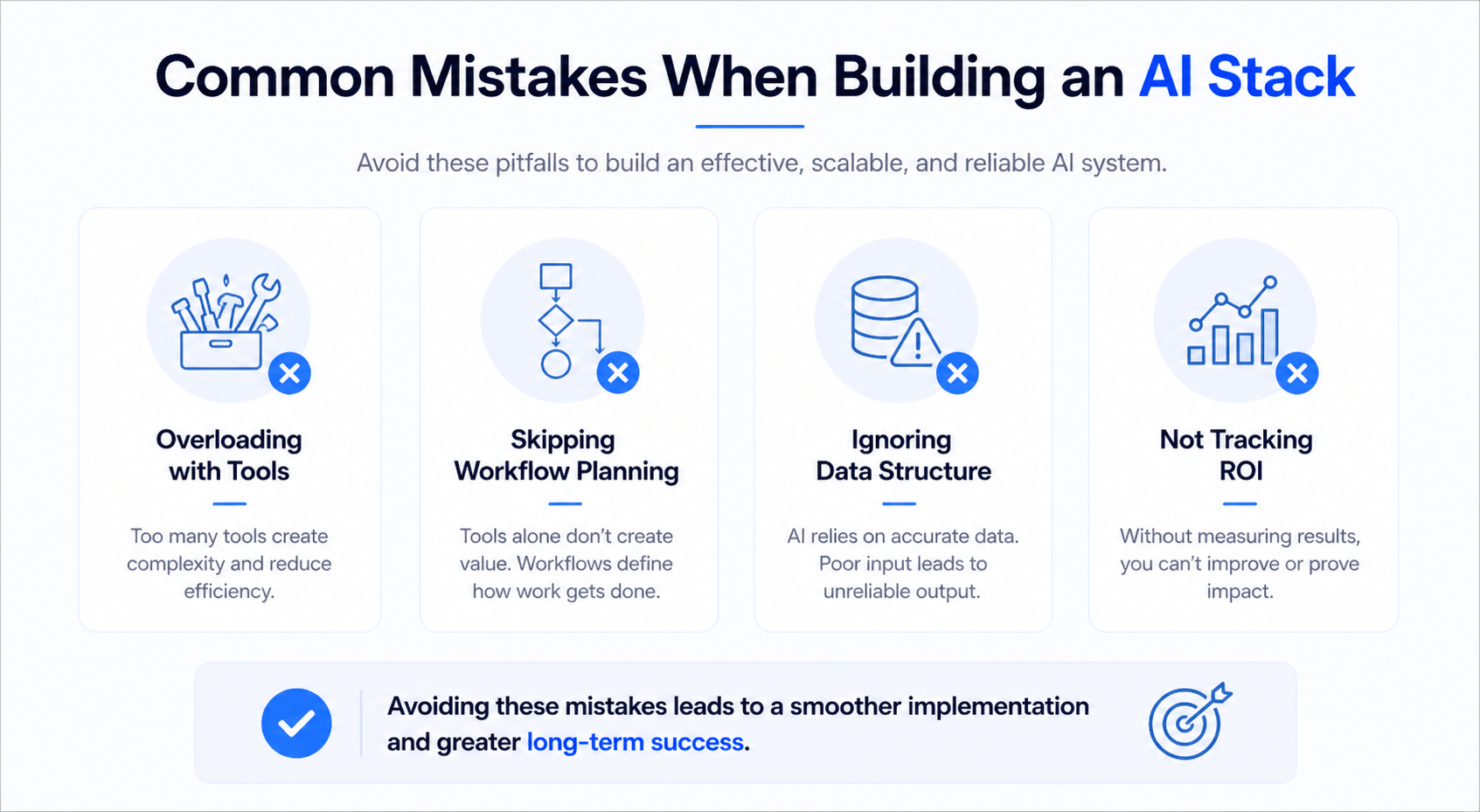
Many CRE firms struggle with AI adoption because of avoidable mistakes. Understanding these mistakes helps build a more effective system.
One common issue is using too many tools. This creates complexity and reduces efficiency. A smaller, well-integrated stack works better.
Another mistake is ignoring workflow design. Tools alone do not create value. Workflows define how tasks are completed and how data moves.
Poor data quality is also a major problem. AI relies on accurate data. If the input is flawed, the output will be unreliable.
Key mistakes to avoid:
-
Overloading with tools
-
Skipping workflow planning
-
Ignoring data structure
-
Not tracking ROI
Avoiding these issues leads to a smoother implementation. It also increases the chances of long-term success.
Future Trends in CRE AI Tech Stacks
AI in CRE is evolving quickly. New tools and capabilities are emerging, making systems more powerful and easier to use.
One major trend is AI-native CRMs. These platforms combine data storage, automation, and intelligence in one system. They reduce the need for multiple tools.
Another trend is autonomous deal analysis. AI systems are becoming capable of analyzing deals with minimal input. This will further reduce manual effort.
Predictive market intelligence is also gaining traction. AI can forecast trends based on historical data and current indicators. This helps firms make proactive decisions.
Finally, vertical-specific AI tools are becoming more common. These tools are designed specifically for CRE, making them more relevant and effective.
Staying updated with these trends is important. It helps firms maintain a competitive edge and adapt to changing technologies.
Conclusion
The complete AI tech stack for CRE firms is not about chasing every new tool. It is about building a simple, connected system that solves real problems. When data flows smoothly, AI produces better insights. When workflows are clear, teams move faster and make better decisions.
Start small and stay focused. Build one workflow, test it, and refine it. Then expand step by step. This approach reduces risk and creates momentum. Over time, your stack becomes a reliable engine that supports deal sourcing, analysis, and communication.
The firms that succeed with AI are not the most technical. They are the most consistent. They focus on execution, not experimentation. If you apply the structure in this guide, you will move ahead of most CRE teams still relying on manual processes.
Want plug-and-play CRE AI workflows? Join the community and see real systems in action
FAQs
What is an AI tech stack in CRE?
An AI tech stack in CRE is a structured system of tools and workflows. It helps manage data, automate tasks, and generate insights. Instead of using isolated tools, the stack connects them into a single process.
At its core, the stack includes four layers. These are data storage, AI analysis, automation, and output. Each layer plays a specific role. Data feeds into AI, automation moves information, and outputs deliver results.
A well-built stack improves speed and consistency. It reduces manual work and helps teams focus on high-value tasks. For CRE professionals, this means faster deal analysis, better communication, and more efficient operations.
Which AI tools are best for CRE firms?
The best AI tools for CRE firms depend on the workflow. However, a few tools consistently perform well across use cases.
For analysis and writing, ChatGPT is highly flexible. Claude works well for long documents like offering memorandums. Perplexity is useful for research and sourcing reliable data.
For automation, Zapier and Make are strong options. They connect different tools and enable workflows. Airtable is often used for data management because it is structured and scalable.
The key is not the number of tools. It is how well they work together. A small, connected stack often delivers better results than a large, disconnected one.
How much does an AI stack cost?
The cost of an AI stack can vary widely. A basic setup can cost under $100 per month. This typically includes one AI tool, one data platform, and one automation tool.
More advanced setups can cost several hundred dollars per month. These may include multiple tools, integrations, and premium features. However, the return on investment is often significant.
CRE firms save time on analysis, research, and communication. This leads to faster deal cycles and better decision-making. In many cases, the efficiency gains outweigh the costs.
It is best to start small. Build a simple stack and expand as needed. This keeps costs manageable while delivering immediate value.
Can small CRE firms use AI effectively?
Yes, small CRE firms can benefit greatly from AI. In fact, they often see faster results because they have fewer layers of complexity.
A lean AI stack allows small teams to compete with larger firms. Tasks that once required multiple people can now be handled by one person using AI tools.
For example, deal analysis, market research, and investor outreach can all be automated. This frees up time for strategic work and relationship building.
The key is to focus on high-impact workflows. Start with one process, such as deal analysis. Once it is working, expand to other areas.
How long does implementation take?
Implementation time depends on the complexity of the stack. A basic setup can be completed in one day. This includes setting up data storage, connecting an AI tool, and building a simple workflow.
More advanced systems may take several weeks. These involve multiple integrations, custom workflows, and team training.
The best approach is to start small. Build a simple system first. Test it, refine it, and then expand. This reduces risk and ensures that each part of the stack works properly.
Over time, the system becomes more advanced. However, the initial setup should always remain simple and focused.
What workflows should I build first?
The best workflows to start with are those that deliver immediate value. In CRE, this usually means deal analysis and lead generation.
Deal analysis workflows save time and improve consistency. They allow teams to evaluate more opportunities quickly. Lead generation workflows help identify and organize potential deals.
Start with one workflow. Build it step by step and test it thoroughly. Once it works, you can add more workflows.
This approach prevents overwhelm. It also ensures that each workflow delivers real value before moving on to the next.
Is AI replacing CRE professionals?
AI is not replacing CRE professionals. It is enhancing their capabilities. The goal is to reduce manual work and improve efficiency.
Tasks like data entry, document review, and basic analysis can be automated. This allows professionals to focus on higher-value activities such as negotiation and strategy.
AI acts as a tool, not a replacement. It supports decision-making and improves productivity. CRE professionals who use AI effectively gain a competitive advantage.
Those who ignore it may fall behind as the industry evolves.
How do I integrate AI with my CRM?
Integrating AI with a CRM involves connecting tools through automation platforms. Zapier and Make are commonly used for this purpose.
The process usually starts by linking your CRM to an AI tool. When new data is added, it triggers an AI action. For example, a new deal entry can trigger a summary or analysis.
The output can then be stored in the CRM or sent via email. This creates a seamless workflow where data moves automatically.
Integration improves efficiency and reduces manual work. It also ensures that information is consistent across systems.
What data is needed for AI in CRE?
AI relies on accurate and structured data. In CRE, this includes property details, financial metrics, and market information.
Property data may include location, size, and tenant details. Financial data includes income, expenses, and projections. Market data covers trends, rents, and demographics.
The quality of this data is critical. Poor data leads to poor results. That is why data cleaning and organization are essential steps.
A strong data foundation improves the performance of the entire AI stack.
What are the risks of using AI?
AI offers many benefits, but it also comes with risks. One of the main risks is relying on inaccurate data. If the input is wrong, the output will be unreliable.
Another risk is over-automation. Not all tasks should be automated. Some require human judgment and expertise.
There is also the risk of tool overload. Using too many tools can create complexity and reduce efficiency.
To manage these risks, focus on simple workflows. Validate outputs and maintain human oversight. This ensures that AI supports, rather than replaces, decision-making.
How do I train my team on AI tools?
Training should be simple and practical. Start with one tool and one workflow. Show your team how it works and let them practice.
Provide clear instructions and examples. Encourage experimentation, but keep it focused. Avoid overwhelming the team with too many tools at once.
Regular feedback is important. Identify what works and what needs improvement. Over time, the team becomes more comfortable with AI.
A structured approach ensures successful adoption and long-term use.
Can AI help with underwriting?
Yes, AI can support underwriting in several ways. It can extract financial data, perform calculations, and generate summaries. This speeds up the process and improves consistency.
However, AI should not replace human judgment. It is a tool that assists with analysis, not a decision-maker.
CRE professionals still need to review results and make final decisions. AI provides insights, but expertise is required to interpret them.
When used correctly, AI enhances underwriting without compromising accuracy.
