
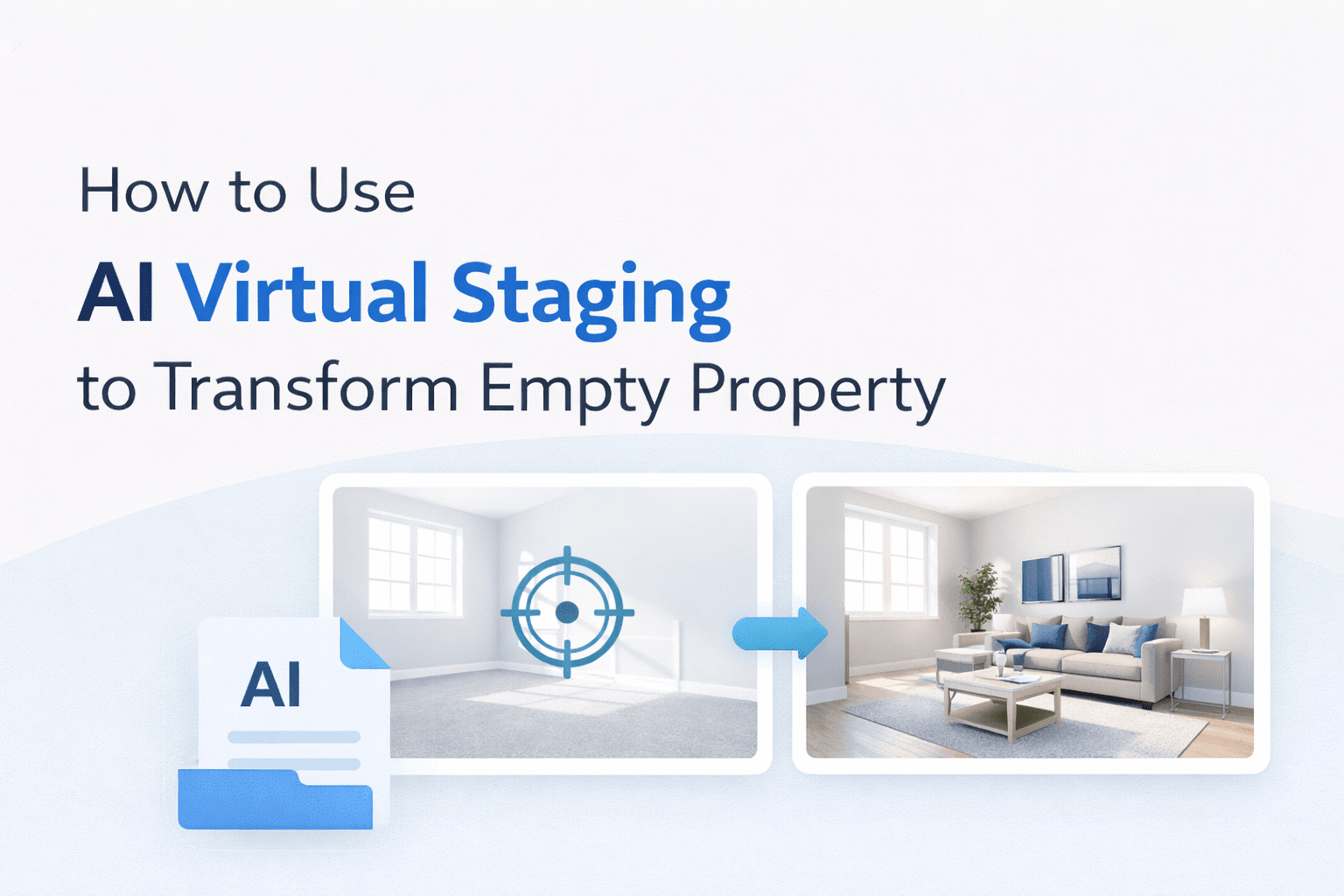
How to Use AI Virtual Staging to Transform Empty Property
Selling an empty home is harder than it looks. Buyers scroll through hundreds of listings online every day. When they land on a property with bare rooms and blank walls, most of them scroll right past it. This is where AI virtual staging makes a major difference. It helps buyers visualize how a space could actually look when fully furnished and styled.
This is exactly why staging matters, and why AI virtual staging is changing the game for real estate agents, developers, and property managers everywhere. You no longer need to spend thousands of dollars moving furniture into a vacant property. You no longer need to wait a week for a staging company to show up. With AI virtual staging, you upload a photo of an empty room and get a fully furnished, buyer-ready image back in under a minute.
How AI Virtual Staging Is Changing Real Estate Marketing
The numbers back this up. According to Precedence Research, AI virtual staging can increase property inquiries by up to 200% compared to traditional methods. The virtual staging market, valued at USD 359.48 million in 2024, is projected to surpass USD 2.96 billion by 2033, growing at a CAGR of 26.4%. Zillow, one of the biggest names in real estate, acquired Virtual Staging AI Inc. in October 2024, a clear signal that this technology is no longer a niche tool.
This guide will walk you through everything you need to know. You will learn what AI virtual staging is, why it works, how to use it step by step, which tools deliver the best results, and how to apply it across different property types. Whether you are an individual agent or managing a full brokerage, this guide gives you the practical knowledge to start using AI virtual staging today.
What Is Virtual Staging and Why Does It Matter for Real Estate
How AI-Powered Virtual Staging Works
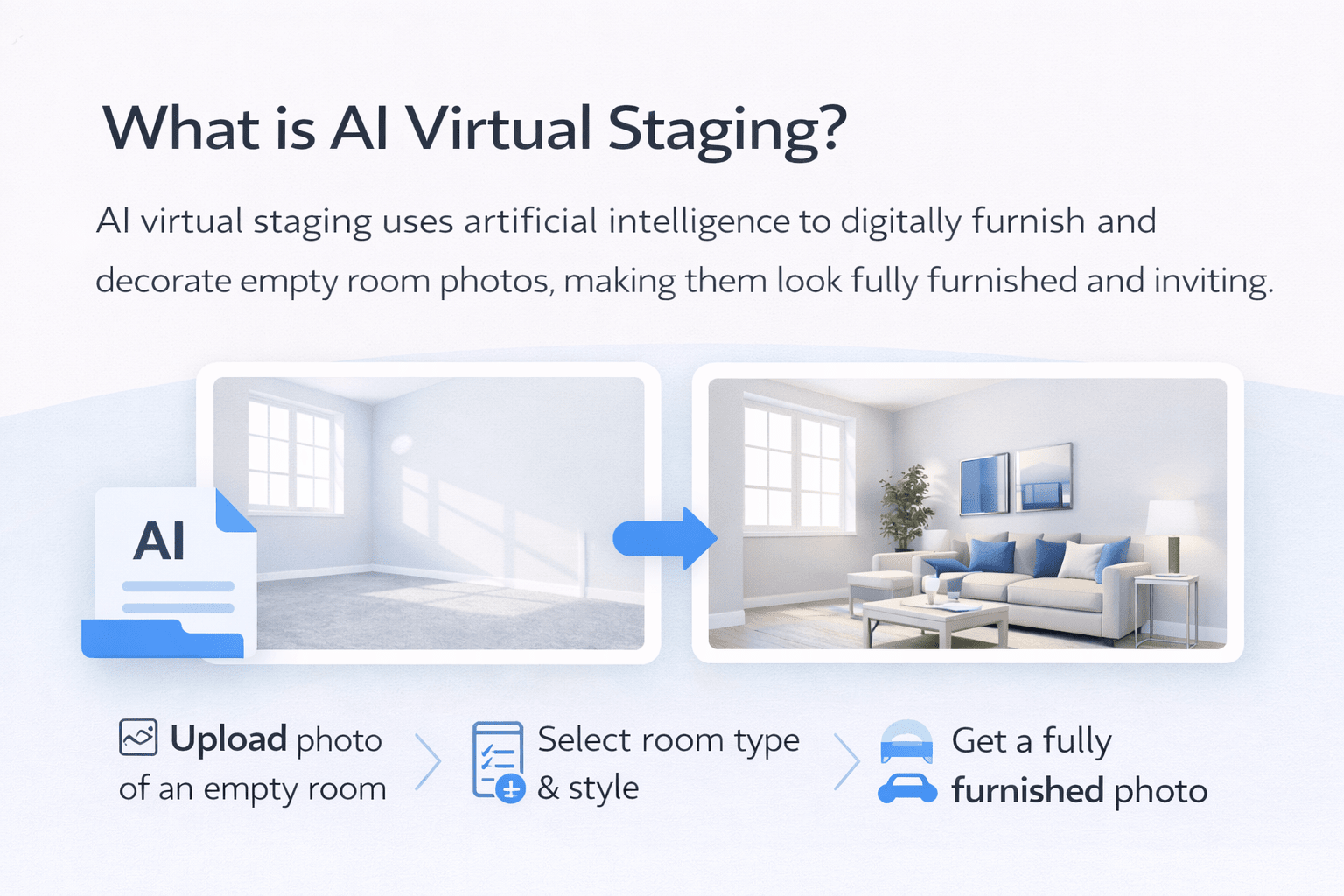
AI virtual staging is the process of using artificial intelligence to digitally furnish and decorate photos of empty or outdated rooms. Instead of physically moving furniture into a property or hiring a graphic designer to manually place digital furniture into images, an AI model analyzes the photo, identifies the room type and dimensions, and automatically generates a fully furnished version within seconds.
The Technology Behind AI Virtual Staging
The technology behind it is computer vision and machine learning. The AI has been trained on thousands of real interior design photos. It learns how furniture is proportioned, how shadows fall, how lighting interacts with surfaces, and what styles appeal to different buyer types. When you upload a room photo, the AI applies those learnings to produce a staged image that looks natural and realistic.
Step-by-Step AI Virtual Staging Workflow
Here is what the process typically looks like from start to finish:
- Upload your photo: Take a standard real estate photo of the empty or unfurnished room
- Select a room type: Identify whether it is a living room, bedroom, kitchen, home office, etc.
- Choose a design style: Pick from options like Modern, Scandinavian, Farmhouse, Traditional, or Luxury
- Let the AI run: The tool generates a fully staged version, usually in 15 seconds to 10 minutes
- Download and publish: Use the image directly on MLS, Zillow, social media, and your marketing materials
AI Furniture Removal and Restaging
Most tools today also allow furniture removal. If a room has old or mismatched furniture, the AI strips it out and replaces it with fresh, on-trend decor. This is just as useful as staging from scratch — especially for occupied properties where the existing furniture is not helping the listing. According to MyArchitectAI’s guide to AI virtual staging apps, the cost of AI virtual staging ranges from as low as $0.30 to $5 per image, compared to traditional physical staging costs of $800 to $2,900 per property. That is a cost reduction of over 95% — and a turnaround time that goes from days to seconds.
Why Empty Property Underperforms Without Staging
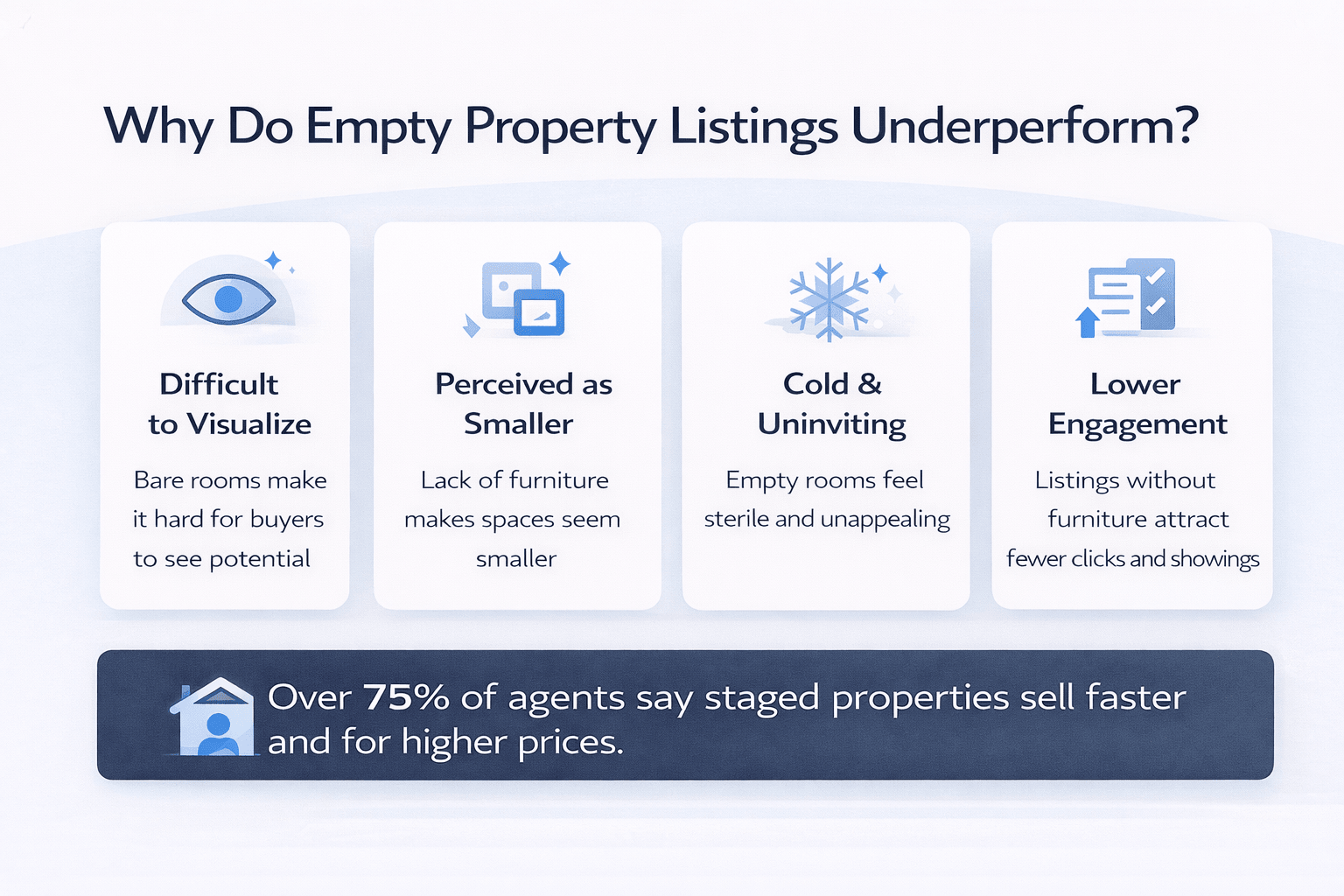
Empty rooms create a problem for buyers that most agents underestimate. When a room has no furniture, buyers cannot judge scale. A bedroom that could comfortably fit a king bed and two nightstands looks small and awkward when it is completely bare. A living room with tall ceilings and great natural light feels cold and clinical without furniture to anchor it.
Data Showing the Impact of Home Staging
Research consistently shows that staging directly impacts buyer behaviour. According to the National Association of Realtors (NAR) 2025 Profile of Home Staging, 83% of buyer’s agents said staging made it easier for buyers to visualize the property as their future home. Property with professional photography — including virtually staged images — sold for $934 to $116,076 more than unstaged listings and gained 1,200% more social shares.Key Stat: Over 75% of real estate agents report that properties staged virtually sell faster and often for higher prices compared to listings without any staging. Virtual Staging Solution Market Report, 2024
The emotional connection is what drives offers. Buyers do not fall in love with square footage. They fall in love with a beautifully lit bedroom photo where they can already picture waking up. They connect with a dining area that looks warm and inviting. AI virtual staging creates that emotional pull, at a fraction of the cost and time of physical staging. There is also the digital reality to consider. More than 97% of home buyers today use the internet during their home search. Your listing photos are the first impression — often the only impression- a buyer gets before deciding whether to book a showing. A vacant listing with empty rooms is not just unappealing. It is actively costing you showings and offers.
| Listing Issue | Why It Happens | Impact on Buyers |
|---|---|---|
| Empty rooms | No furniture for scale | Buyers struggle to visualize |
| Cold atmosphere | No décor or lighting balance | Less emotional connection |
| Lower engagement | Listings look unfinished | Fewer clicks and showings |
| Perceived smaller space | Lack of reference objects | Rooms appear smaller |
| Lower listing interest | Competing staged listings | Reduced offers |
Common problems buyers face when viewing empty property listings without staging.
AI Virtual Staging vs. Traditional Staging: A Full Comparison
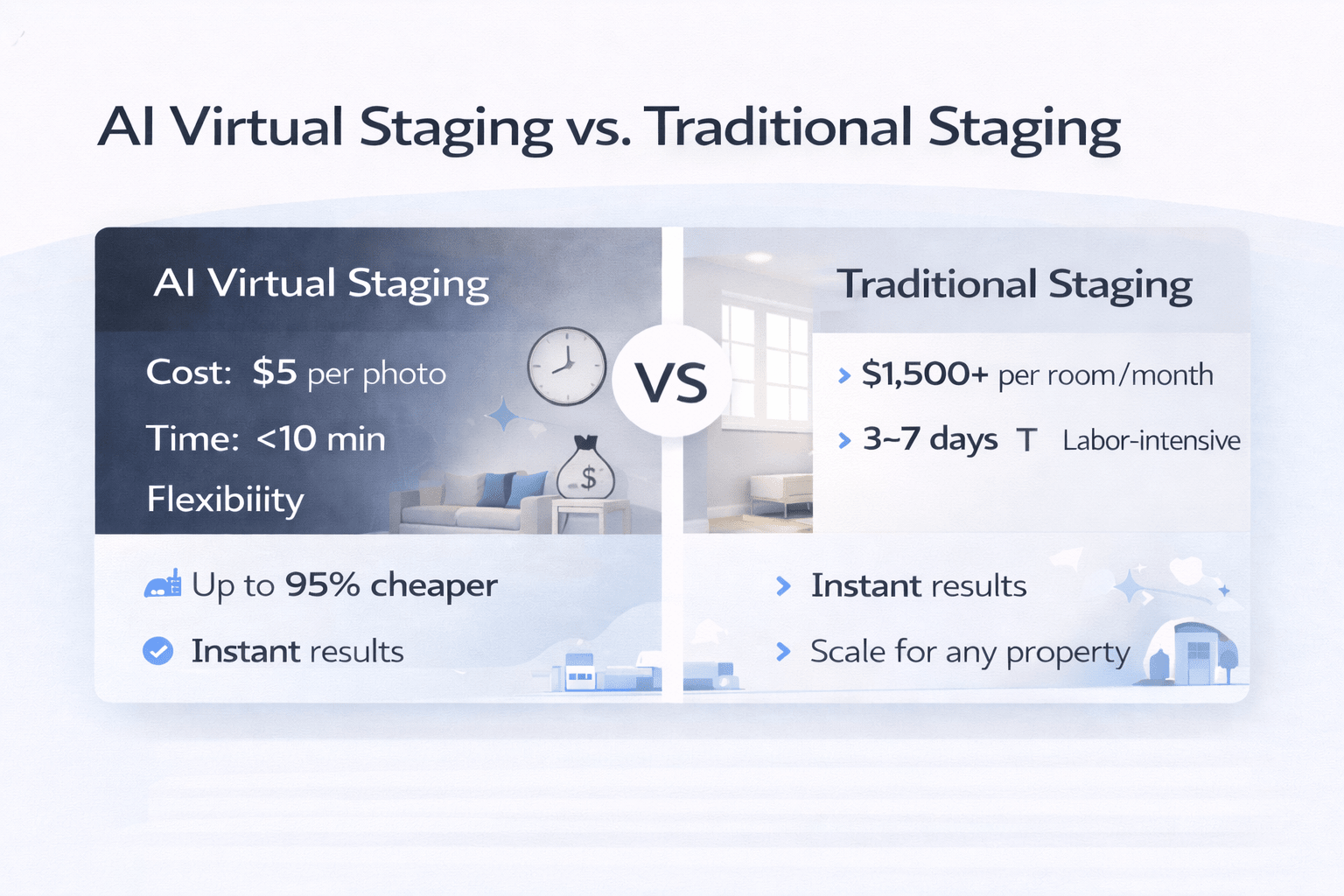
To make the right decision for your listings, it helps to see the key differences side by side. Below is a detailed comparison of all major staging methods, including cost, time, realism, and best use cases.
| Method | Cost Per Room | Turnaround Time | Realism Level | Best For |
| Traditional Physical Staging | $1,500–$4,000/month | 3–7 days | Very High | High-end listings, open houses |
| Human Virtual Staging (Designer-led) | $24–$150/image | 24–72 hours | High | Luxury & bespoke listings |
| AI Virtual Staging (Subscription) | $0.28–$5/image | 15 sec – 10 min | Good to Very High | High-volume agents, MLS listings |
| AI Virtual Staging (Pay-per-image) | $20–$50/image | Under 1 minute | Good | One-time or occasional use |
| No Staging (Empty Photos) | $0 | Instant | N/A | Not recommended — buyers disengage |
The table makes the case clearly. For most real estate agents managing multiple listings, AI virtual staging offers the best balance of cost, speed, and quality. Physical staging still has its place — particularly for high-end open houses where buyers will walk through in person. But for online listings, which is where over 97% of buyers begin their search, AI virtual staging is the more practical and scalable choice. For a deeper look at how virtual staging compares to physical staging across ROI and buyer perception, DreamHouseAI’s guide to virtual staging in real estate is a thorough and up-to-date resource.
Step-by-Step Guide to Staging Your Listings with AI
Step 1 — Choose the Right Virtual Staging Tool
Not all AI virtual staging tools deliver the same quality. Some are built for speed and volume. Others prioritize photorealism and design accuracy. Choosing the wrong tool for your workflow can mean wasted credits, poor-quality images, and frustrated clients. Start by identifying what you actually need before signing up for anything.
How to Evaluate AI Virtual Staging Tools
Here are the key questions to ask when evaluating a tool:
- How many listings do you manage per month? High-volume agents benefit from subscription plans with credit rollover. Low-volume agents may prefer pay-per-image pricing.
- What property types do you typically list? Luxury listings need higher realism and design accuracy. Budget or starter homes need speed and cost efficiency.
- Do you need furniture removal? If your listings often have outdated or cluttered furniture, choose a tool that includes decluttering in the base price.
- What design styles do your buyers prefer? Look for tools with at least 15–30 style options covering Modern, Farmhouse, Scandinavian, Traditional, and Luxury
- Do you need MLS compliance tools? Some tools automatically add a ‘virtually staged’ watermark label to keep you compliant with MLS disclosure requirements
Here are the top AI virtual staging tools worth knowing about in 2026:
Virtual Staging AI — One-click staging with 30+ design styles, unlimited regenerations, and plans starting at $16/month for 6 images. Ideal for agents who want fast, consistent results with minimal setup.
Spacely AI — A versatile tool that handles virtual staging, room redesign, and concept visualization. Strong for both residential and commercial properties.
Decor8 AI — Excellent for design-forward agents who want highly customizable results across multiple interior styles.
REimagineHome by Styldod — Starts from $7 with 5 free image credits. Strong AI with professional human designer backup for premium listings.
Most tools offer a free trial or free credits to start. Use the trial period to test quality on one or two of your actual listings before committing to a paid plan.
| Tool | Best For | Key Feature |
|---|---|---|
| Virtual Staging AI | Real estate agents | Fast automated staging |
| Spacely AI | Residential & commercial | Furniture removal + redesign |
| Decor8 AI | Interior styling | Highly customizable styles |
| REimagineHome | Entry-level users | Free trial credits |
| Hausing AI | Budget listings | Fast turnaround |
Step 2 — Prepare Your Property Photos for Best AI Results
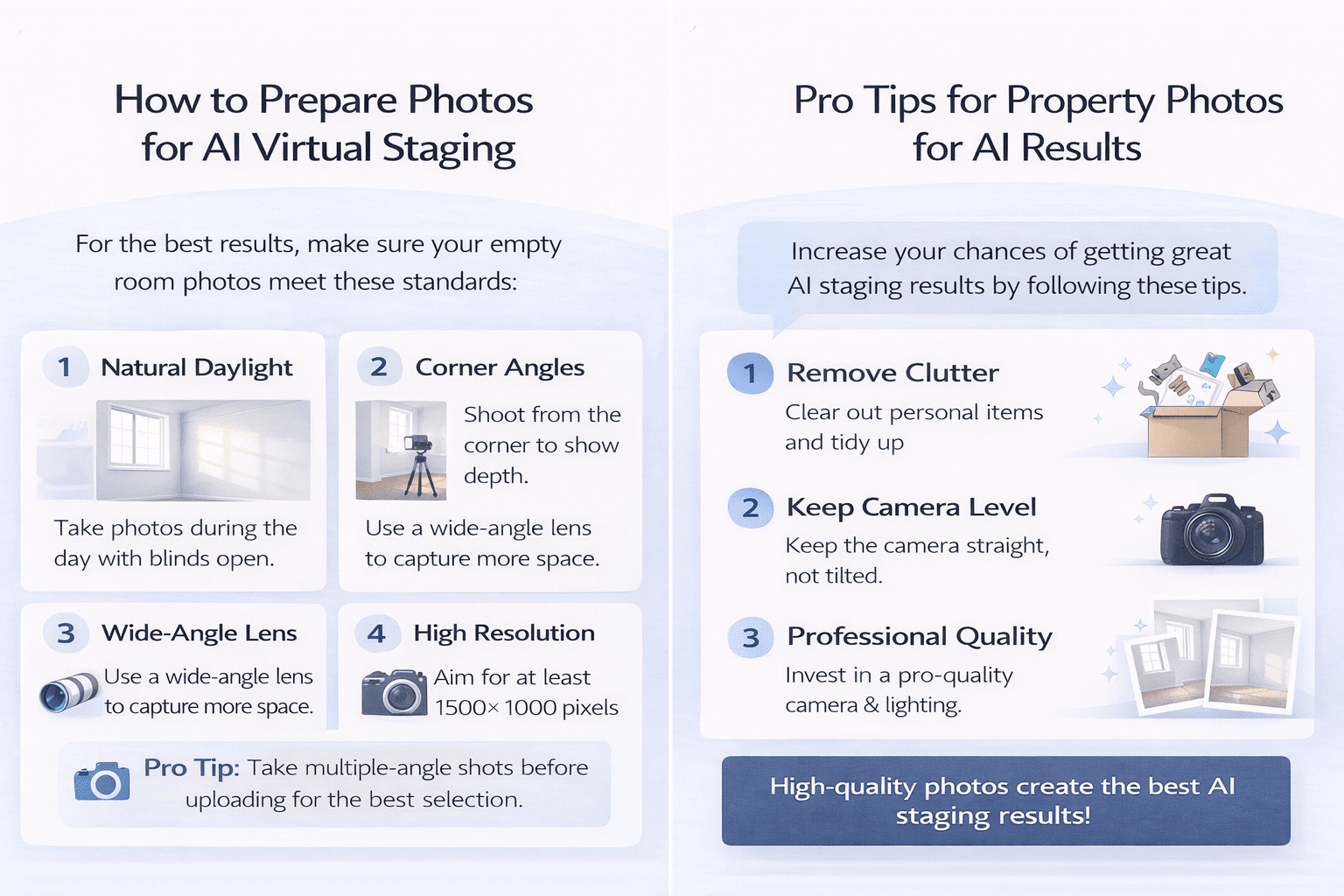
AI virtual staging is only as good as the photos you feed it. A dark, blurry, or poorly composed room photo will produce a staged image that looks off — no matter how powerful the AI is. Before you upload anything, make sure your source photos meet a few basic standards.
Here is what makes a great source photo for AI staging:
- Natural daylight is your best friend: Take photos during the day with blinds open. Natural light reduces shadows and helps the AI place furniture realistically.
- Shoot from corner angles: A photo taken from a room corner gives the AI the most context about depth, dimensions, and layout.
- Use a wide-angle lens: This captures the full room and gives buyers a better sense of the actual space.
- Remove clutter and personal items: Even though many tools offer furniture removal, starting with a clean, empty room produces the sharpest staged result.
- Keep the camera level: A tilted photo makes it harder for the AI to correctly align furniture with the floor and walls.
- Use high resolution: Aim for at least 1500 x 1000 pixels. Most AI tools perform poorly on very low-resolution images.
Professional real estate photography is still worth the investment even when using AI staging. A study found that listings with professional photography sold for significantly more and generated far more social engagement than those with smartphone photos. Think of AI staging as the finishing layer — it works best on top of a strong base image.
Pro Tip: Take multiple-angle shots of each room before uploading. AI staging tools often produce different quality results depending on the angle. Having 2–3 source photos per room gives you more options and a better final selection.
Step 3 — Stage, Review, and Publish Your AI-Enhanced Listing Photos
Once you have your photos ready and your tool selected, the actual staging process is fast. Most AI tools follow the same basic workflow: upload, configure, generate, review, and download. Here is how to get the best results at each stage.
Upload your photo: Drag and drop your room photo into the staging tool’s interface. Most tools accept JPEG and PNG formats.
Select the room type: Tell the AI whether this is a living room, bedroom, dining room, kitchen, home office, or outdoor patio. This is critical, the AI uses this to determine appropriate furniture and layout.
Choose a design style: Pick the style that matches your target buyer’s taste. Modern and Scandinavian styles perform well with millennial buyers. Traditional and Transitional work better for family homes. Luxury and Contemporary suit premium listings.
Generate and compare versions: Most tools allow unlimited regenerations. Generate at least 2–3 versions before choosing. Small differences in furniture placement and color can have a big impact on how the image feels.
Review for realism issues: Check that furniture proportions look natural, shadows are consistent with the light source, and no elements are floating or misaligned. These small details affect buyer trust.
Add the ‘Virtually Staged’ label: MLS rules in most markets require disclosure when listing photos have been digitally altered. Many tools add this label automatically. If yours doesn’t, add it manually before publishing.
Download and publish: Use your staged images across your MLS listing, Zillow, Realtor.com, your website, social media, and email newsletters.
For a practical guide to choosing the right staging style for different property types, Decor8 AI’s resource on transforming listings with AI staging covers style selection and buyer psychology in useful detail.
Advanced Virtual Staging Strategies That Get More Offers
How to Stage Different Property Types with AI
A one-size-fits-all approach does not work in virtual staging. A vacant studio apartment in a city center attracts a very different buyer than a 4-bedroom suburban family home. Your AI staging choices, style, furniture scale, colour palette, and room focus should reflect the lifestyle of your target buyer for each specific property. Here is how to approach staging for the most common property types:
Starter Homes and First-Time Buyer Properties:
- Use warm, approachable styles: Transitional, Farmhouse, or Modern. Buyers in this bracket want to feel at home, not intimidated.
- Focus on the bedroom and living room first: These are the rooms that create an emotional connection for first-time buyers.
- Keep furniture simple: Avoid cluttered or complex staging. Clean and functional reads as move-in ready. Luxury and High-End Properties:
- Use Contemporary, Luxury, or Hampton styles: Premium buyers expect elevated design. The staging should reinforce the property’s value.
- Stage every key room: Living room, primary bedroom, dining room, and home office at a minimum.
- Consider designer-led AI tools: For properties above $1M, pairing AI output with a human designer review produces the best results.
Commercial Properties and Investment Units:
- Stage with function in mind: Investors and commercial tenants care about how the space works, not just how it looks.
- Show multiple use cases: Use the AI to generate a home office version and a guest room version of the same space for investment condos.
- Use neutral design styles: Contemporary or Modern with neutral tones, which appeal to the widest range of commercial tenants.
For practical guidance on applying AI staging across different property categories, AI for CRE Collective covers AI workflows designed specifically for commercial and mixed-use real estate professionals.
Marketing Staged Listing Photos Across Multiple Channels
One set of AI-staged photos can power your entire marketing campaign for a single listing. Most agents stop at the MLS listing. The agents getting the best results are repurposing their staged images across every channel where buyers are spending time — and they are doing it with very little extra effort.
Here is how to maximize each staged photo set:
- MLS and listing platforms: Your primary use case. Staged photos increase click-through rates significantly and lead to more showing requests.
- Instagram and Facebook: Post one staged image per room over the course of a week. Use Stories for before-and-after reveals. These perform extremely well on social media
- Email newsletters: Include your best staged photo in the email preview. A strong image is the single biggest driver of email open-to-click conversion for real estate newsletters.
- Property websites and landing pages: Build a simple single-listing website with your staged photos. This gives buyers an immersive browsing experience beyond the MLS.
- Virtual tours: Some AI staging tools generate 360-degree staged images. These can be used to build interactive virtual tours that let buyers explore the property from home.
- Print and flyer marketing: High-resolution staged images work just as well in printed brochures, just-listed postcards, and open house flyers.
Using Before-and-After Images to Increase Engagement
The before-and-after format is particularly effective on social media. Showing an empty, lifeless room alongside the AI-staged version in the same post creates instant engagement. Buyers comment, share, and tag people they know who might be interested. This kind of organic reach is hard to buy and easy to generate when your staging results are strong.
| Marketing Channel | How Staged Photos Help |
|---|---|
| MLS Listings | Increase click-through rates |
| Strong visual engagement | |
| Facebook Ads | Higher ad performance |
| Email Campaigns | Better click-through rate |
| Property Websites | More immersive viewing |
| Print Marketing | Stronger listing presentation |
Industry Stat: Listings with professional photography, including virtually staged images, gain 1,200% more social shares than listings without. (National Association of Realtors / VirtualStaging.com, 2025)
Common Virtual Staging Mistakes to Avoid
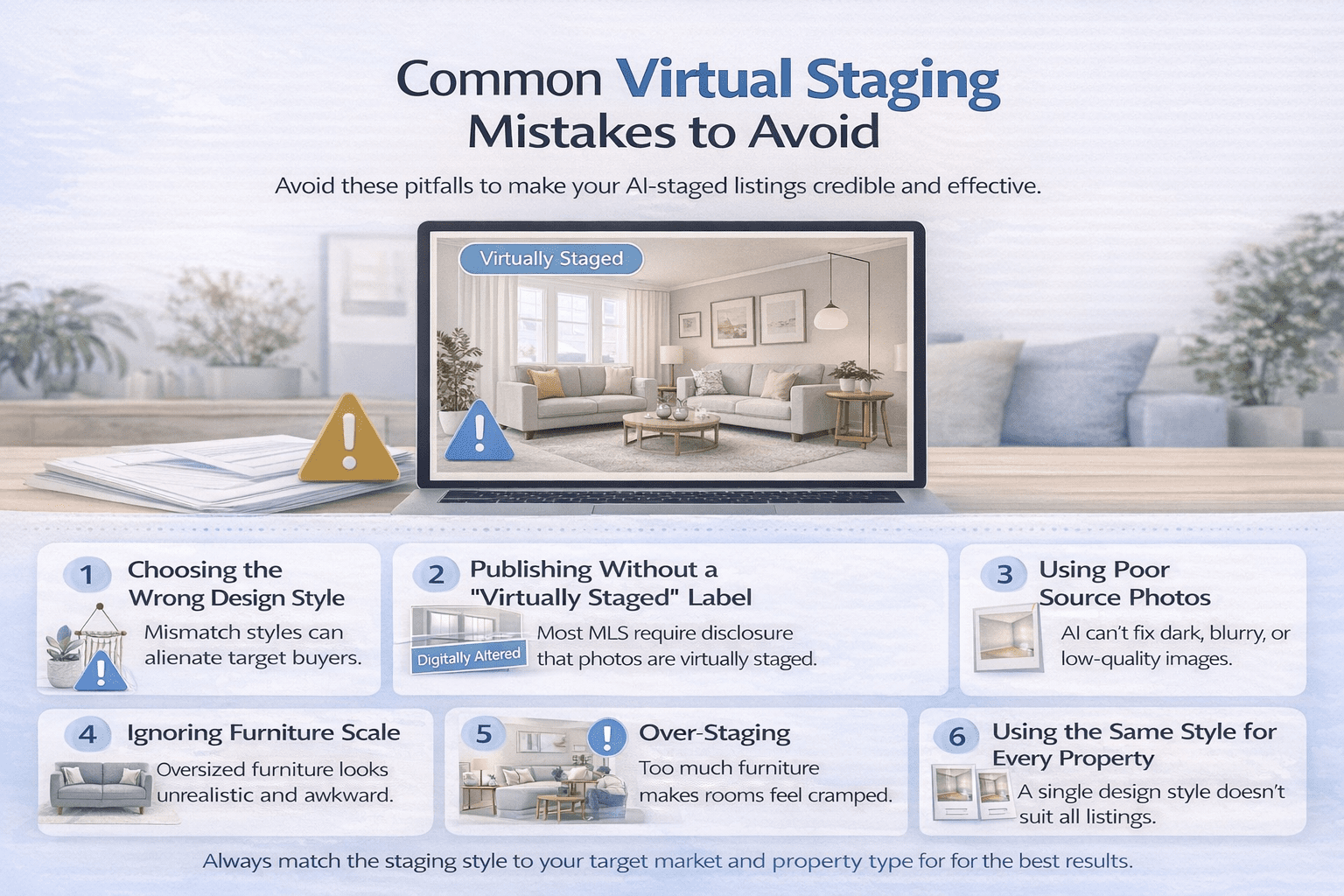
AI virtual staging is powerful, but it is easy to misuse. Many agents rush through the process, use the wrong style for their buyer, or skip the disclosure step. These mistakes can hurt your listing’s credibility and, in some cases, create legal exposure. Here is what to watch for.
- Choosing the wrong design style: A Bohemian or eclectic style might look great on your screen, but alienate buyers in a conservative suburban market. Always choose a style that matches your target buyer, not your personal taste
- Publishing without a ‘virtually staged’ label: Most MLS boards require disclosure. Failing to disclose that photos have been digitally altered can result in listing removal or complaints. Always add the label.
- Using poor source photos: AI cannot fix a dark, blurry, or poorly composed room photo. Always start with a high-quality base image
- Ignoring furniture scale: Review every staged image for proportion issues. A sofa that is too large for the room or a coffee table that floats slightly above the floor undermines buyer trust.
- Over-staging: Filling a room with too much furniture makes it feel cluttered. Less is more. The goal is to help buyers visualize the space, not overwhelm it
- Using the same style for every property: One staging style does not work across all price points, buyer types, or locations. Customize your approach for each listing.
For a deeper breakdown of common staging mistakes and how top agents avoid them, Spacely AI’s virtual staging tool guide offers practical tips on workflow and quality control.
The Business Case for AI Virtual Staging: ROI, Compliance, and the Future
What Is the Real ROI of Virtual Staging for Real Estate Agents
The return on investment for AI virtual staging is straightforward to calculate — and the numbers are compelling. The question is not whether AI staging delivers ROI. The question is how much ROI you are currently leaving on the table by not using it.
Start with the cost side. Traditional physical staging costs between $1,500 and $4,000 per month per property. Professional human virtual staging costs between $24 and $150 per image. AI virtual staging, by comparison, costs as little as $0.28 per image on a subscription plan. For a listing with 10 staged photos, that is potentially $2.80 in staging costs — versus $3,000 or more for physical staging. Cost Comparison: AI virtual staging costs $0.28–$5 per image. Traditional physical staging costs $1,500–$4,000 per month. For a 10-room listing, AI staging saves agents an average of $2,900–$3,990 per property. — MyArchitectAI / HomeLight, 2025
Now look at the revenue side. NAR’s 2025 Profile of Home Staging found that nearly 29% of agents saw offers increase by 1–5% on staged properties. On a $500,000 home, a 1% increase equals $5,000 more in the final sale price. An investment of $3–$50 in AI staging that produces a $5,000 increase in offer price is an ROI of over 10,000%. There is also the time factor. An agent spending 2–3 hours coordinating physical staging for each listing, across 15 active listings per month, is spending up to 45 hours per month on staging logistics alone. AI virtual staging reduces that to minutes per listing. Those 40+ recovered hours can go directly into client relationships, prospecting, and deal-making.
| Listing Price | Staging Cost | Offer Increase | Estimated ROI |
|---|---|---|---|
| $300,000 | $30 | 1% | $3,000 gain |
| $500,000 | $40 | 1–3% | $5,000–$15,000 |
| $750,000 | $50 | 1–5% | $7,500–$37,500 |
| $1,000,000 | $60 | 2–5% | $20,000–$50,000 |
To understand how real estate professionals are integrating AI tools like virtual staging into their full workflow, from lead generation to deal closing, AI for CRE Collective is the go-to resource for agents and brokers at every stage of AI adoption.
MLS Disclosure Rules and Legal Considerations for AI-Staged Photos
Using AI virtual staging is legal and widely accepted in real estate. However, it comes with specific disclosure obligations that every agent must understand before publishing staged photos. Skipping disclosure is not just a compliance risk — it can damage buyer trust if the discrepancy between photos and the actual property is discovered at a showing.
Here are the key rules to follow:
- Always label virtually staged photos: Add a ‘Virtually Staged’ or ‘Digitally Enhanced’ label to every AI-staged image. Most AI tools include this automatically; verify before downloading.
- Do not alter physical features: AI staging should add furniture and decor, not change the room’s actual layout, dimensions, windows, or structural features. Altering reality beyond furniture is a disclosure violation.
- Do not remove visible defects: If a wall has a crack, a ceiling has water stains, or a floor has damage, AI staging cannot be used to hide or erase these from photos.
- Disclose in the listing description: Add a line to your MLS listing notes: ‘Some photos have been virtually staged for illustrative purposes. The property is currently vacant/unfurnished.’
- Check your local MLS rules: Disclosure requirements vary by state and MLS board. Always verify the specific rules in your market before publishing.
The good news is that most buyers today understand and accept virtual staging. According to industry research, 88% of sellers’ agents in 2025 stressed that having photos attached to listings was very important, and virtually staged images consistently outperform empty room photos in buyer engagement, as long as they are clearly labeled.
The Future of AI Virtual Staging in Real Estate
AI virtual staging is not a trend that will plateau. It is the foundation of a broader shift in how properties are marketed, experienced, and sold. The technology is advancing rapidly, and the agents who understand where it is heading will be better positioned to use it competitively.
Here is what is already happening and what is coming next:
- Real-time 3D staging: Tools like Matterport are already enabling 3D virtual tours of staged properties. Buyers can walk through a furnished version of an empty home from their phone
- Augmented reality integration: Buyers will soon be able to point their phone at an empty room during a showing and see it furnished in real time through AR overlays
- Personalized staging by buyer profile: AI will soon be able to analyze a buyer’s browsing history and past preferences to generate staging that matches their specific taste — automatically.
- Instant video walkthroughs: Some tools are already generating short cinematic videos from staged photos. These perform exceptionally well on social media and drive more showing requests than static images.
- Full listing automation: The pipeline from empty room photo to fully published, multi-platform listing — including staging, copy, and social posts — will become a largely automated, one-click process.
The global virtual staging market is projected to grow from USD 454 million in 2025 to over USD 2.96 billion by 2033, at a CAGR of 26.4%. Zillow’s acquisition of Virtual Staging AI Inc. in October 2024 signals that major platforms are making AI staging a built-in feature, not an add-on. Agents who build these skills now — and explore broader AI adoption with resources like AI for CRE Collective — will be the ones leading that transition.
The empty home problem in real estate is not going away. But the solution has never been faster, cheaper, or more effective than it is right now. AI virtual staging gives every agent, regardless of budget or market, the ability to compete with professional marketing that gets results.
Final Thoughts: Start Using AI Virtual Staging on Your Next Listing
Empty homes cost agents showings, offers, and sale prices every single day. AI virtual staging fixes that problem in minutes, at a cost that makes physical staging impossible to justify for most listings. The technology is proven, the tools are accessible, and the ROI is clear. Start simple. Pick one listing, choose one of the tools mentioned in this guide, and stage two or three rooms. Compare the engagement on that listing to your previous unstaged listings. The difference will speak for itself.
If you want to go further and learn how AI tools, including virtual staging, prompt libraries, and deal automation, are being used by real estate professionals to close faster and work smarter, visit AI for CRE Collective. It is the most focused resource available for CRE and residential agents navigating the AI transition.
FAQs About How to Use AI Virtual Staging to Transform Empty Property
What is AI virtual staging, and how does it work?
AI virtual staging uses artificial intelligence to digitally furnish empty room photos — no physical furniture needed. The AI analyzes your photo, identifies the room type, and places realistic furniture and decor automatically. Here is how it works:
- You upload a photo of an empty room
- You select the room type — living room, bedroom, kitchen, etc.
- You choose a design style — Modern, Farmhouse, Luxury, Scandinavian, etc.
- The AI generates a fully furnished version in seconds
- You download and publish the staged image
The result looks like a professionally staged room, at a fraction of the cost and time. Explore how the platform works in practice at Virtual Staging AI, one of the leading staging tools available today.
How much does AI virtual staging cost?
AI virtual staging is far more affordable than traditional staging, and the cost difference is significant.Here is a quick cost breakdown:
- AI virtual staging: $0.28–$5 per image on subscription plans
- Pay-per-image AI tools: $20–$50 per image
- Human virtual staging: $24–$150 per image
- Traditional physical staging: $1,500–$4,000 per month per property
For a 10-room listing, AI staging can cost as little as $3–$50 total. Traditional staging for the same property costs $1,500 or more — every single month it sits on the market.MyArchitectAI’s breakdown of AI virtual staging apps includes detailed pricing across the top tools so you can compare before committing. AI virtual staging delivers professional results at a cost that makes physical staging hard to justify for most listings.
Does AI virtual staging actually help sell homes faster?
Yes, homes with virtually staged photos consistently attract more buyer interest and sell faster than empty listings. The data backs this up clearly:
- 83% of buyers’ agents say staging helps buyers visualize the property as their future home (NAR, 2025)
- Staged listings gain 1,200% more social shares than unstaged ones
- Properties with professional photos, including staged images, sell for up to $116,000 more than unstaged listings
- AI-staged listings can increase property inquiries by up to 200% compared to empty room photos
Buyers make emotional decisions. An empty room gives them nothing to connect with. A warm, well-furnished room photo makes them want to book a showing.DreamHouseAI’s guide to virtual staging in real estate covers the buyer psychology behind why staged photos outperform empty ones consistently. The numbers are clear — virtually staged listings simply perform better than empty ones.
What are the best AI virtual staging tools in 2025?
Several strong tools are available in 2025 — the best one depends on your volume, budget, and property type.
Here are the top options worth knowing:
- Virtual Staging AI: 30+ design styles, plans from $16/month, unlimited regenerations — best for high-volume agents
- Spacely AI: Handles residential and commercial staging, room redesign, and concept visualization
- Decor8 AI: Strong design customization, great for design-forward agents
- REimagineHome by Styldod: Starts from $7 with 5 free credits — good entry point for new users
- Hausing AI: Budget-friendly, fast turnaround, solid for everyday listings
Most tools offer a free trial. Test two or three on actual listings before committing to a paid plan. MyArchitectAI’s comparison of the top AI virtual staging apps gives a detailed feature-by-feature breakdown to help you choose.
What photo quality do I need for AI virtual staging to work well?
Photo quality directly affects how realistic your staged output looks — the AI can only work with what you give it.
Follow these guidelines for best results:
- Use natural daylight: Shoot during the day with blinds open to minimize shadows
- Shoot from a corner angle: This gives the AI the most room context and depth to work with
- Use a wide-angle lens: Captures the full room and makes the space feel larger
- Keep the room empty and clean: Remove clutter, boxes, and personal items before shooting
- Keep the camera level: A tilted photo causes alignment issues with AI-placed furniture
- Aim for at least 1500 x 1000 pixels: Most tools struggle with low-resolution source images
Good base photography is the single biggest factor in staging output quality. AI staging is a finishing layer — it works best on a strong starting image.DreamHouseAI’s guide to virtual staging photos covers photography preparation in detail for agents using AI tools. Better source photos mean better-staged results every single time.
Can AI virtual staging remove existing furniture from photos?
Yes, most modern AI virtual staging tools include a furniture removal feature alongside staging. This is useful in several situations:
- The property is occupied but has outdated or mismatched furniture
- A tenant’s belongings are in the way of a clean listing photo
- You want to replace dark or heavy furniture with lighter, more modern pieces
- The room has clutter that cannot be removed physically before the shoot
Not all tools include furniture removal in their base plan — some charge extra. Check before uploading. Spacely AI’s virtual staging tool handles both furniture removal and restaging in a single workflow. Furniture removal makes AI staging just as useful for occupied properties as it is for vacant ones.
Which design styles work best for AI virtual staging?
The best design style depends on your target buyer — not your personal preference. Here is a quick guide by buyer type:
- Modern / Scandinavian: Best for millennial buyers and urban condos. Clean lines, light tones, minimal clutter
- Farmhouse / Transitional: Works well for suburban family homes. Warm, approachable, and move-in ready
- Luxury / Contemporary: Best for premium listings above $750K. Elevated furniture, rich textures, statement pieces
- Traditional: Suits older homes and conservative markets. Familiar layouts with classic furniture profiles
- Coastal / Hampton: Strong for waterfront and vacation properties. Light, airy, and lifestyle-driven
Always choose the style that matches what your target buyer wants to feel — not what looks impressive on its own.
Decor8 AI’s guide to staging styles breaks down how design choices affect buyer response across different property types.
Match the style to the buyer, and your staged photos will connect with the right people every time.
Is AI virtual staging legal to use for real estate listings?
Yes, AI virtual staging is completely legal. But it comes with specific disclosure requirements you must follow. Here are the rules to keep in mind:
- Label every staged photo: Add “Virtually Staged” or “Digitally Enhanced” to each image before publishing
- Do not alter physical features: You can add furniture, but cannot change windows, walls, layout, or structural elements
- Do not hide defects: Cracks, water stains, and visible damage cannot be removed from staged photos
- Disclose in the listing description: Add a note like “Some photos have been virtually staged for illustrative purposes.”
- Check your local MLS rules: Disclosure requirements vary by state and MLS board; always verify locally
Most AI staging tools add the “Virtually Staged” label automatically. Always confirm before publishing. AI for CRE Collective covers compliance considerations as part of its broader AI adoption resources for real estate professionals. Disclosure protects you legally and maintains buyer trust. Always label your staged photos before publishing.
How long does AI virtual staging take?
AI virtual staging is significantly faster than any alternative; most tools return results in under a minute.
Here is a realistic time breakdown:
- Photo upload: 10–30 seconds
- AI processing time: 15 seconds to 10 minutes, depending on the tool
- Reviewing and selecting the best version: 2–5 minutes
- Downloading and labeling the final image: Under 1 minute
- Total per room: Approximately 5–10 minutes from upload to published
Compare this to traditional physical staging, which takes 3–7 days to coordinate and execute. Even human-led virtual staging takes 24–72 hours per image. Virtual Staging AI is one of the fastest tools available — most images are ready in under 30 seconds. AI virtual staging turns a multi-day process into a task you can complete before your next showing.
Can I use AI virtual staging for commercial real estate?
Yes, AI virtual staging works well for commercial properties when the prompt and style are set up correctly.
Commercial staging looks different from residential staging. Here is what to focus on:
- Office spaces: Stage with desks, ergonomic chairs, shelving, and collaborative work areas
- Retail units: Show product display fixtures, shelving, and customer-facing layouts
- Mixed-use condos: Generate both a home office version and a living space version of the same unit
- Showrooms: Stage with appropriate product or brand-relevant furniture and lighting
- Use neutral styles: Contemporary or Modern with neutral tones appeals to the widest range of commercial tenants
Investors and commercial tenants care about function. Make sure your staging shows how the space works, not just how it looks.
AI for CRE Collective offers dedicated resources for CRE professionals using AI tools across commercial, mixed-use, and investment properties.
Commercial AI staging is most effective when it shows the space working, not just decorated.
How many rooms should I virtually stage in a listing?
Stage the rooms that matter most to your target buyer, not necessarily every room in the property.
Here is a priority guide by property type:
- Starter homes: Living room, primary bedroom, and kitchen — these three drive the most buyer decisions
- Family homes: Living room, primary bedroom, one secondary bedroom, kitchen, and dining room
- Luxury properties: Every key room — living room, primary suite, dining room, home office, and outdoor entertaining areas
- Investment condos: Living space and bedroom — investors need to visualize tenant appeal
- Commercial units: The main floor space and at least one secondary area to show layout flexibility
Staging every room is not always necessary, and over-staging can feel overwhelming to buyers. Focus on where the emotional connection happens. Decor8 AI’s staging resource covers which rooms deliver the best ROI per staged image for different property categories. The stage where buyers make their decision, usually the living room and primary bedroom are first.
Can I use AI-staged photos on Zillow and MLS?
Yes, AI-staged photos are accepted on Zillow, Realtor.com, and most MLS platforms, provided they are properly labeled. Here is what you need to do before publishing:
- Add a “Virtually Staged” label to every AI-enhanced image
- Include a disclosure note in your listing description
- Do not alter the room’s structural features, layout, or dimensions
- Use the staged images alongside at least some real photos of the actual space
- Check your specific MLS board’s rules — some have additional requirements
Zillow even acquired Virtual Staging AI Inc. in October 2024, signaling strong platform-level support for AI staging in listings. Most major platforms are moving toward embracing rather than restricting this technology. DreamHouseAI’s guide to virtual staging for real estate photos covers platform-specific guidelines and best practices for publishing staged images. Properly labeled AI-staged photos are widely accepted — disclosure is what keeps you compliant.
What is the ROI of AI virtual staging compared to traditional staging?
The ROI of AI virtual staging is one of the strongest in real estate marketing — the numbers are hard to argue with. Here is how the math works on a typical listing:
- Cost of AI staging (10 rooms): $3–$50
- Cost of traditional staging (1 month): $1,500–$4,000
- Average offer price increase from staging: 1–5% (NAR, 2025)
- On a $500,000 home, 1% increase equals: $5,000 more in the sale price
- ROI on a $50 AI staging investment producing a $5,000 price increase: 10,000%
Beyond the sale price, staged listings also sell faster — meaning lower carrying costs, fewer price reductions, and less time managing an active listing. MyArchitectAI’s guide to AI virtual staging apps includes cost comparisons that make it easy to calculate ROI for your own market. The investment in AI virtual staging is small — the return on that investment is not.
Does AI virtual staging work for outdoor spaces?
Yes — many AI virtual staging tools now support outdoor and exterior spaces, not just interior rooms. Outdoor staging is particularly effective for:
- Patios and decks: Add outdoor furniture, rugs, and planters to show entertaining potential
- Backyards: Stage with seating areas, fire pits, and garden beds to show lifestyle value
- Balconies: A small balcony staged with two chairs and a side table feels livable and desirable
- Pool areas: Add sun loungers, umbrellas, and side tables to bring the space to life
- Building entrances: Stage with planters, lighting, and welcome mats for curb appeal shots
Not all tools handle outdoor lighting and shadows as accurately as interior rooms. Always review outdoor staged images carefully for realism before publishing. Spacely AI’s virtual staging tool supports both interior and exterior staging with multiple style options for outdoor spaces. Outdoor staging turns underused exterior spaces into some of the most compelling images in a listing.
What are the most common mistakes agents make with AI virtual staging?
Most AI staging mistakes come down to one of three things: wrong style, poor photos, or skipping disclosure. Here are the most common errors and how to fix each one:
- Using the wrong design style: Match the style to your buyer, not your personal taste. A Bohemian style in a conservative suburb will miss the mark
- Uploading low-quality photos: Dark, blurry, or poorly composed photos produce poor staging output. Always start with a strong base image
- Skipping the disclosure label: Every staged photo needs a “Virtually Staged” label before publishing. Failing to disclose can violate MLS rules
- Over-staging the room: Too much furniture makes a room feel cluttered. Less is more — the goal is to help buyers visualize the space
- Ignoring proportion issues: Always review staged images for furniture that looks too large, too small, or slightly off the floor
- Using the same style for every listing: Different buyers, different styles. Customize for each property type and price point
A quick review before publishing catches most of these issues before they go live. Virtual Staging AI’s tool includes multiple regeneration options — always generate at least two or three versions before choosing your final image. Small mistakes in staging output can undermine buyer trust — a quick review before publishing prevents all of them.
Can AI virtual staging replace professional photography?
No, AI virtual staging works with professional photography, not instead of it. Here is why the two work together, not in competition:
- AI staging adds furniture and decor to your photos — it does not improve the base photo quality
- A dark, poorly composed photo will still look off after staging
- Professional photography captures lighting, angles, and depth that a smartphone cannot replicate
- AI staging is the finishing layer — professional photography is the foundation
- Together, they produce listing images that significantly outperform either used alone
NAR research shows that listings with professional photography sell for up to $116,000 more than those without. Adding AI staging on top of that creates the strongest possible visual presentation. DreamHouseAI’s guide to virtual staging for real estate photos covers how professional photography and AI staging complement each other in a high-performing listing workflow. Think of professional photography as the base coat — AI virtual staging is what makes it shine.
How do I choose between AI virtual staging and human virtual staging?
The right choice depends on your budget, volume, and the price point of the property you are marketing. Here is a simple decision guide:
- Choose AI virtual staging when: You manage high listing volume, need fast turnaround, are working with mid-market or entry-level properties, or need to stage multiple rooms affordably
- Choose human virtual staging when: The property is above $1M, the buyer expects premium design accuracy, or the listing requires a bespoke style that AI tools do not yet replicate well
- Consider combining both when You use AI staging for most rooms and bring in a human designer for the two or three hero shots that will lead the listing
AI staging costs $0.28–$5 per image. Human virtual staging costs $24–$150 per image. For most listings, the quality difference does not justify the price difference. Spacely AI’s staging tool offers a strong middle ground — AI speed with enough design quality for most residential and commercial listings.For the majority of listings, AI virtual staging delivers everything you need at a fraction of the cost.
Can AI virtual staging be used for new construction or off-plan properties?
Yes — AI virtual staging is particularly effective for new construction and off-plan developments where no physical furniture exists yet. Here is how developers and new construction agents use it:
- Stage raw construction photos: Show buyers what finished rooms will look and feel like before the build is complete
- Create multiple style variations: Generate the same room staged in three different styles — Modern, Traditional, and Farmhouse — to appeal to a broader buyer pool
- Use for pre-sale marketing: Staged renders allow pre-construction sales campaigns to begin long before the property is finished
- Show lifestyle potential: Buyers buying off-plan need to visualize the lifestyle the home offers — staged images make that possible
- Reduce costly physical show homes: AI staging can partially replace the need for expensive furnished show homes in some markets
For large developments, this can mean saving tens of thousands of dollars in show home setup costs while still marketing with compelling visuals. Decor8 AI is particularly well-suited for new construction and off-plan staging with its flexible design customization options. Off-plan properties are one of the highest-value use cases for AI virtual staging — it sells the vision before the keys exist.
How is AI virtual staging different from traditional virtual staging?
The core difference is who — or what — does the work. One uses an AI model. The other uses a human graphic designer. Here is how they compare across the factors that matter most:
- Speed: AI staging takes 15 seconds to 10 minutes. Human virtual staging takes 24–72 hours
- Cost: AI staging costs $0.28–$5 per image. Human staging costs $24–$150 per image
- Customization: Human staging offers more design nuance and bespoke control. AI staging follows preset style templates
- Realism: High-end human staging is still slightly more photorealistic for complex rooms. AI quality is improving rapidly and is sufficient for most listings
- Volume: AI staging scales to any number of images instantly. Human staging has turnaround time limits
- Revision process: AI tools allow unlimited regenerations. Human revisions require back-and-forth communication
For most real estate listings, AI staging now delivers quality that is good enough to significantly outperform empty room photos — at a speed and cost that human staging cannot match. MyArchitectAI’s comparison of AI staging apps includes side-by-side quality comparisons between AI and human-designed virtual staging. AI staging wins on speed and cost — human staging still leads on ultra-premium customization for the highest-end listings.
How do I get started with AI virtual staging today?
Getting started takes less than ten minutes — and you can have your first staged image ready before your next listing appointment. Here is exactly what to do:
- Step 1: Choose a tool — Virtual Staging AI, Spacely AI, or Decor8 AI all offer free trials
- Step 2: Pick one current or upcoming listing with at least one empty or underperforming room
- Step 3: Take or select your best wide-angle room photo in good natural light
- Step 4: Upload the photo, select the room type, and a design style that matches your target buyer
- Step 5: Generate two or three versions and choose the strongest result
- Step 6: Add the “Virtually Staged” label and publish across your MLS, Zillow, and social media channels
- Step 7: Compare engagement on that listing against your previous unstaged listings
Most agents see a clear difference in clicks and showing requests within the first week. The technology is ready — the only step left is using it. For deeper guidance on integrating AI tools across your full real estate workflow, AI for CRE Collective is the most focused resource available for agents and brokers at every stage of AI adoption. Start with one listing, one room, and one tool — the results will show you everything else you need to know.
References and Further Reading
- MyArchitectAI — 12 Best AI Virtual Staging Apps: https://www.myarchitectai.com/it/blog/ai-virtual-staging-apps
- DreamHouseAI — Virtual Staging in Real Estate Photos: https://dreamhouseai.com/blog/virtual-staging-ai-real-estate-photos
- Spacely AI — AI Virtual Staging Tool: https://www.spacely.ai/tools/ai-virtual-staging
- Decor8 AI — Transform Listings and Sell Faster with AI: https://www.decor8.ai/post/ai-virtual-staging-transform-listings-and-sell-faster-with-ai
- Virtual Staging AI — Official Tool: https://www.virtualstagingai.app/
- AI for CRE Collective: https://aiforcrecollective.com/
- Precedence Research — Generative AI in Real Estate Market Report 2025
- National Association of Realtors — 2025 Profile of Home Staging
- Market Growth Reports — Virtual Staging Solution Market Report, 2024–2033
Keep Learning With the AI for CRE Collective
AI virtual staging is one piece of a much bigger picture. The AI for CRE Collective is a community of 600+ real estate professionals sharing tested AI workflows, real prompts, and practical strategies that work on actual deals. Join and get a Top 50 Prompt Library on Day 1, weekly live Q&A calls, and role-specific workflows built for brokers, investors, developers, and agents. Prefer to start free? Subscribe to The Vertical, our weekly newsletter covering the latest AI tools and workflows built specifically for real estate professionals.
Join the AI for CRE Collective on Skool →
Subscribe to The Vertical — Free Weekly Newsletter →
The gap between agents using AI well and those still figuring it out grows every month. Come close to it inside the Collective.
