
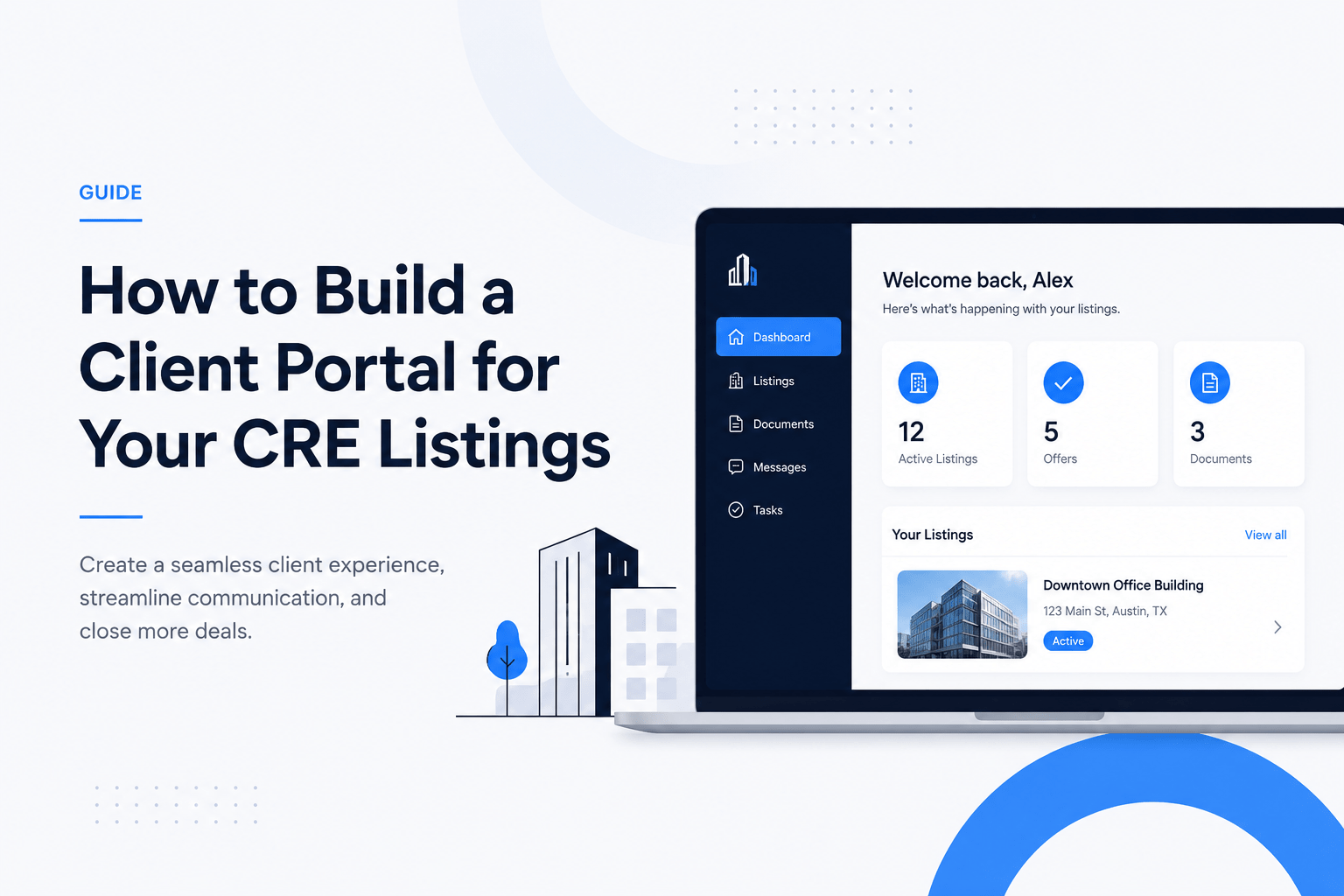
Minimalist commercial real estate client portal interface displayed on a laptop screen, featuring listing management, documents, messaging, and deal tracking tools with a clean white background and blue SaaS-style design elements.
By Jake Heller June 18, 2026 AI & Technology

How to Build a Client Portal for Your CRE Listings

Commercial real estate professionals often juggle dozens of property deals and client updates. Yet many still rely on email threads and spreadsheets, which are slow and error-prone. A CRE client portal software solves this by giving each client a secure login to see their property listings, contracts, and messages in one place. Instead of sending weekly email blasts, you update the portal, and clients see changes instantly. This streamlines communication and builds trust. For example, one agency built a portal and saw an 80% drop in client emails and freed up 20+ hours monthly. In short, a portal is not just a luxury but a powerful system upgrade for any CRE firm.

Portal solutions let clients log in anytime and view real-time updates on their listings. They can approve documents, sign contracts, or leave feedback without playing “email tag.” The benefits include better communication, transparency, and saved time for both agents and clients. Rather than scattered emails, everything happens in one branded portal. In this guide, we’ll cover how to build a client portal for your CRE listings from the ground up, with comparisons of tools and step-by-step advice.

What Is a CRE Client Portal Software?

A CRE client portal software is a secure web platform designed for commercial real estate businesses. It serves as a central hub for sharing listings, documents, and communications with clients. Instead of scattered emails and phone calls, clients log into the portal to see everything relevant to their deals. This includes property photos, floor plans, contracts, proposals, and status updates. By organizing information in one place, the portal acts like a personalized dashboard for each client.

  • Definition: A secure, branded platform where CRE clients can log in to access their property listings, contracts, and updates anytime.
  • Purpose: To streamline client communication, document sharing, and listing management in a transparent way.
  • How it works: Agents update listings and documents in the portal. Clients see these updates in real time, can chat with their agent, and download files without email attachments or delays.
  • Example: Clinked, a portal provider, advertises that its real estate portal lets clients “access important documents anytime, anywhere” through encrypted sharing. That’s the goal of any portal: 24/7 client access to up-to-date information.

Answer: A CRE client portal is an online application where clients can securely log in to view and manage their commercial property listings and related documents. It centralizes all client data and communications in one secure place.

If you are building a complete digital experience, your portal should work alongside your CRE brokerage website so clients can move seamlessly from public listings to secure deal collaboration.
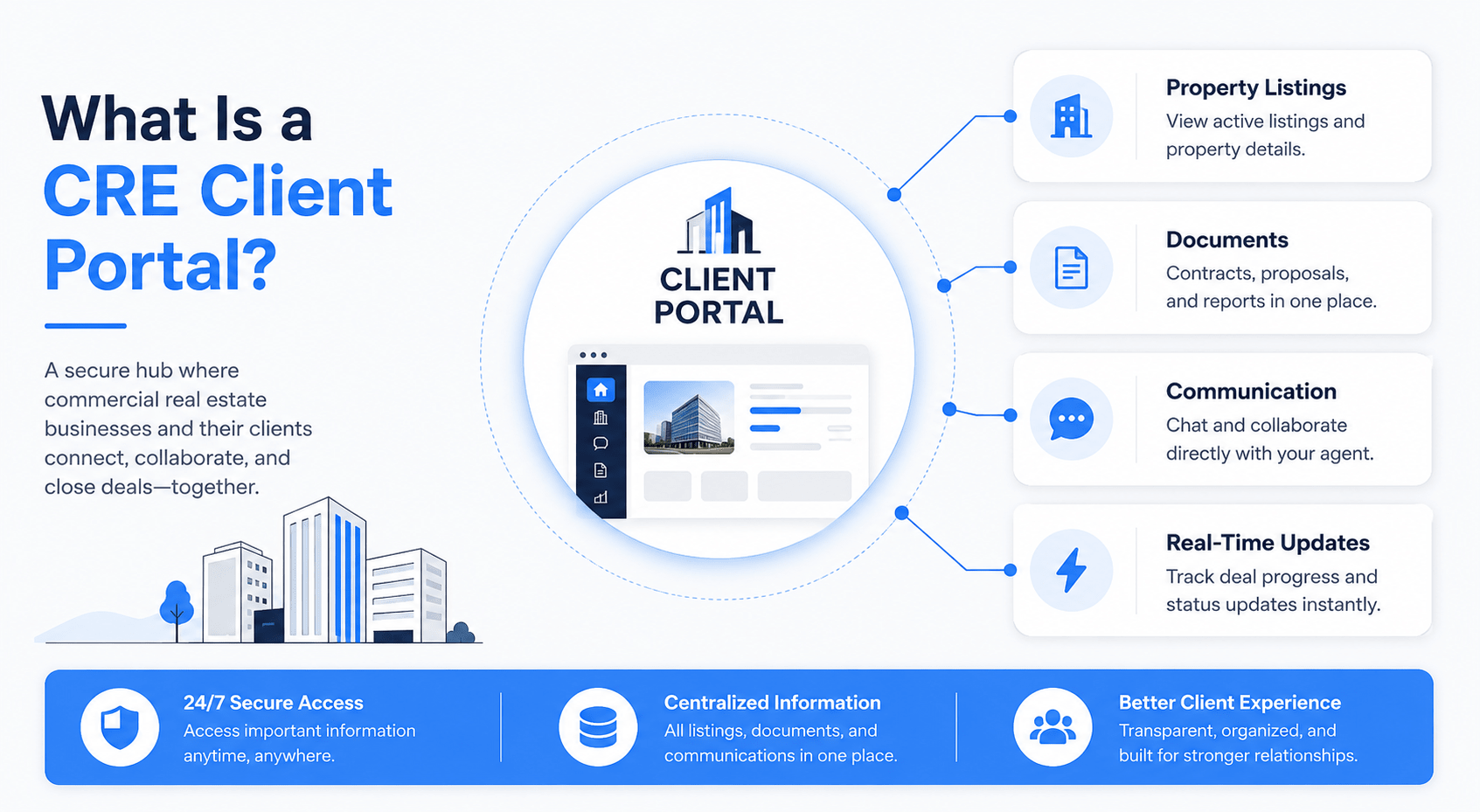
Landscape infographic illustrating a CRE client portal dashboard connected to property listings, documents, communication tools, and real-time updates, highlighting secure access, centralized information, and improved client experience in commercial real estate.
Visual overview of a commercial real estate client portal showing how listings, documents, communication, and real-time updates are centralized in one secure platform for clients and brokers.

Key Benefits of a Client Portal for CRE Listings

Having a client portal brings many advantages for brokers, developers, investors, and property managers:

  • Improved Communication: Real-time messaging and notifications in the portal mean clients get instant updates on offers, new listings, or document requests. You no longer spend hours repeating the same info over email.
  • Time Savings: Automate routine tasks. One expert noted that building a portal cut down client emails by 80%, freeing account managers 20+ hours per month. Agents can focus on high-value work instead of status emails.
  • Transparency & Trust: Clients can always see the current status of their deals and documents. When buyers or tenants can track progress (for example, tracking lease approvals or investment proposals), trust increases.
  • Professional Experience: A branded portal feels polished. It consolidates property photos, data sheets, and contract signatures, giving clients a VIP experience rather than lost email threads.
  • Centralized Data & Docs: All property listings, contracts, floor plans, and financials are in one place. This reduces mistakes like outdated spreadsheets or missed attachments. It also means less phone-tag—clients can self-serve for info.
  • Scalability: As your client base grows, the portal scales easily. New clients get accounts, and the system handles dozens of properties and documents automatically, without much extra effort.

For example,

Knack notes that portals “enhance communication, provide greater transparency, and help build lasting trust with clients” by keeping documents and updates in a single hub. Softr’s client portal product similarly highlights time savings and security: clients log in anytime for invoices or updates, reducing repeated requests and protecting data.

BenefitImpact
Better communicationFewer phone calls & emails; clients get instant updates
Time efficiencyAgents save hours on manual updates; focus on sales and strategy
Transparency & trustClients see progress 24/7; reduces confusion and builds confidence
Professional brandingBranded login and interface improve client experience
Organized documentsContracts, photos, and plans stored centrally; secure and accessible
ScalabilityEasily add new clients, listings, and features as business grows
 

Direct Answer: A CRE client portal boosts efficiency by automating updates and communications. Clients log in to see real-time listing updates, reducing back-and-forth emails by an estimated 80%. It saves brokers time, builds trust through transparency, and centralizes documents for easy access.

Core Features of a CRE Client Portal

When building a portal for CRE, include these essential features to meet client needs:

  • Secure Login & Access Control: Each client should have a unique login. Role-based permissions ensure clients only see their own listings and documents. Advanced portals support single sign-on (SSO) and two-factor authentication for extra security.
  • Property Listing Dashboard: A clear overview page where clients can browse “their” properties. This might include photos, descriptions, status (available, under contract, etc.), and key metrics (rent, cap rate, etc.). Clinked, for example, emphasizes that portals allow clients to “keep all your property listings organized in one place” with real-time updates.
  • Document Management & File Sharing: A document vault for contracts, floor plans, appraisal reports, etc. Files should be organized by listing or project. Clients can view or download documents securely. As FileCloud highlights, a portal “ensures secure, fast and easy access to documents such as contracts, property listings, and client files”.
  • Messaging & Notifications: Built-in chat or comment threads let agents and clients communicate without leaving the portal. Automatic alerts (email or in-app) notify clients about new messages, approvals needed, or upcoming deadlines.
  • Task & Calendar Integration: Show important dates (e.g., lease expirations, tour schedules) and tasks (e.g., client to approve lease). Syncing with Google Calendar or Outlook is a plus.
  • Branding & White-labeling: The portal should match your company’s brand. Custom logos, colors, and domain make it feel like part of your service. Some platforms even offer branded mobile apps.
  • Search and Filters: Clients can filter listings by type (office, retail, industrial), location, size, or custom tags. This improves their experience in large portfolios.
  • Integration Capabilities: Easy to connect to other systems (CMS, CRM, MLS data, analytics). We’ll cover integrations below.
  • Security & Compliance: Encryption of data at rest and in transit, detailed audit logs, and compliance with regulations like GDPR/CCPA.

Answer:

A good CRE portal includes secure logins, a dashboard for property listings, document storage, messaging, and notifications. It’s branded to your firm, letting clients access their files and updates 24/7. It often integrates with calendars and other tools so clients see tasks and deadlines seamlessly.

Table: Portal Feature Comparison (Example Solutions)

FeatureClinked PortalFileCloud (Real Estate)Softr No-Code PortalCustom Build
Secure Client Login✓ (built-in, SSO)✓ (with 2FA, SSO)✓ (user auth, fine-grained perms)✓ (custom auth)
Document Sharing✓ Encrypted file sharing✓ Unlimited secure shares✓ File storage & management✓ (as implemented)
Messaging/Chat✓ Group and 1-to-1 chat(Email notifications via custom flow)✗ (relies on integrations)✓ (optional chat feature)
White-labeling✓ Custom branding✓ Fully white-labelable✓ Custom domain & branding✓ (fully branded by design)
Mobile App✓ Branded mobile app✗ (web only)✗ (PWA possible, no native app)✓ (if built or using PWA)
IntegrationZapier, Office, SalesforceOutlook, Google, SalesforceConnects Airtable, HubSpot, and SQLAny (via APIs)
Security FeaturesAudit logs, 2FA optionAES-256 & SSL/TLS, DLP, SSO, 2FAStandard SSL, SSO via ConnectFully customizable security model
Setup TimeFast (SaaS signup)Fast (download or cloud setup)Very fast (hours via no-code AI)Long (weeks to months)
Typical Cost$$$/yr$$$ one-time or subscription$$ (monthly tier)$$$$ (development & hosting)
Best ForAgencies want a ready solutionFirms needing self-host/securityTeams needing a quick MVPUnique needs not met by SaaS
 

This table shows trade-offs. For example, Clinked and FileCloud are ready-made portals with strong security. Softr is a no-code builder ideal for quick launches. A custom build takes more time but can match any specific requirement.

Build vs. Buy: Choosing the Right Approach

Should you build your own portal or use an existing platform? Each approach has pros and cons:

  • Build (Custom Development): You get full control. Build it exactly the way you want, integrate deeply with your systems, and own the code. This is ideal if you have unique workflows or already have a development team. However, it takes longer and costs more upfront. The development process can range from a few months to a year, depending on complexity (one expert notes custom portals can take many months). You’ll also handle ongoing maintenance and updates.
  • Buy (SaaS or No-Code): There are turnkey portal solutions and no-code tools that let you launch fast. For example, Softr’s AI co-builder can spin up a portal in minutes with no coding. Platforms like Clinked or FileCloud are available immediately with configurable features. These save time and often include support. The trade-off is less customization and ongoing subscription fees. You may need to adapt your workflow to fit the platform.
  • Hybrid / Low-Code: Tools like OutSystems or Mendix let you configure a custom portal with minimal code, offering a middle ground. You get faster delivery than full-code and more flexibility than pure SaaS, but still require some technical skill.

When to Choose Each:

  • Choose Custom if your agency has unique requirements (e.g., proprietary calculations, integrations with legacy CRE databases, or a large IT budget). It’s best when off-the-shelf solutions just can’t meet your needs.
  • Choose SaaS/No-Code if you want to launch quickly or if you lack in-house development resources. Many small to mid-size brokers benefit from the fast deployment of a standard portal.
  • Consider CRM Platforms: Many CRE firms use Salesforce or HubSpot for client management. Both offer “Experience Cloud” (Salesforce) or “client portal” modules. If you already use one, it might be easiest to activate its portal feature.
ApproachDevelopment TimeCustomizationMaintenanceCostBest For
Custom (Code)3–6+ monthsVery high (full control)High (in-house team)High ($$$$)Unique needs, large firms, full integration
Low-Code / Hybrid4–8 weeksModerateMediumMedium ($$)Moderate complexity, some IT support
No-Code (e.g., Softr)Days to weeks (instant via AI)Limited by platformLow (platform updates)Medium ($$)Quick MVPs, small teams, limited IT resources
SaaS Portal (Clinked, FileCloud)Immediate setupLow (configurable)Low (vendor-managed)Medium ($$$)Firms needing quick rollout, proven features
 

This comparison shows that no-code or SaaS options get you started immediately, whereas custom builds take longer but yield a tailored product. For instance, Softr advertises that its AI builder can create a complete portal in minutes, whereas custom development may take months.

Direct Answer:

If you need a fully unique portal deeply integrated with your data, opt for a custom solution. If you want speed and lower upfront cost, use a SaaS or no-code builder. Many CRE teams start with a SaaS portal to test the idea, then consider custom development as they scale.

Want to see a portal built from start to finish? This walkthrough shows how AI can rapidly create a commercial real estate portal and dramatically shorten development time.

Technology Stack and Architecture

Building a CRE portal involves designing an architecture that handles clients, listings, documents, and security. A typical tech stack might include:

  • Frontend: A web framework (e.g., React, Vue, or a no-code UI builder). This creates the client interface. It handles user login, menus, and displaying listings.
  • Backend/API: A server (Node.js, Python, Ruby, etc.) to process data requests. It manages user authentication, serves listing data, and handles uploads.
  • Database: A database (e.g., PostgreSQL, MySQL, or MongoDB) to store listings, client accounts, messages, and file metadata.
  • File Storage: A secure storage for documents and images (AWS S3, Google Cloud Storage, or on-prem storage). Files are linked to listings or clients in the DB.
  • Authentication: Use frameworks like OAuth 2.0 or OpenID Connect for secure login. For example, Auth0 or Firebase Auth can simplify SSO.
  • Hosting: Cloud platforms (AWS, Azure, or Google Cloud) can host your app. They offer scalability and high availability.
  • APIs/Integrations: Connect to external data sources or services (MLS, CRM, e-signature). Use REST or GraphQL APIs for flexibility.
  • CDN & Performance: Use a content delivery network to serve images/ PDFs fast. Optimize queries and add caching to speed up response times.

Integrations: CRM, MLS, and Data Feeds

A client portal does best when it connects to your existing systems and data sources. Key integrations include:

  • MLS/IDX Data: If you have access to an MLS (Multiple Listing Service) feed, use an MLS API or IDX feed to import commercial listings. This ensures your portal has up-to-date market data. For example, an MLS API provides raw property data for developers to integrate. Datafiniti’s property data API is another example; it lets you “feed active listings directly into” your own portal.
  • CRM Integration: Link the portal to your CRM (like Salesforce or HubSpot). This syncs client contacts, company details, and the deal pipeline. Some CRMs have built-in portal tools (e.g., Salesforce Experience Cloud). Integrating means that when you add a listing or client in your CRM, it automatically appears in the portal.
  • Document Signing: Connect to an e-signature API (e.g., DocuSign or Adobe Sign). Clients can review and sign contracts in the portal. For instance, Clinked’s integration with Adobe Acrobat Sign lets documents be signed securely.
  • Email/Calendar: Integrate email or calendar APIs so portal notifications and meeting schedules flow between the portal and the client’s email/phone.
  • Analytics: You might feed portal usage data into analytics (Google Analytics, Mixpanel) to see how clients interact.
IntegrationExample Tools/APIsPurpose
MLS/Property DataMLS API, Datafiniti, Moody’s CRE APIImport and update property listings data
CRMSalesforce, HubSpot APISync client contacts, deal info, and track leads
E-signatureDocuSign, Adobe SignAllow secure digital signing of leases/contracts
File StorageAWS S3, Google Cloud StorageStore and serve documents and images (photos, PDFs)
AuthenticationOAuth 2.0, Auth0, OpenID ConnectSecure client login, SSO, and MFA
Email/NotificationSendGrid, Mailchimp, TwilioSend automated alerts (new listing, comment, etc.)
Data EnrichmentLightBox API, CoStarFetch additional property insights (ownership, comps)
 

Example:

LightBox provides CRE data APIs covering parcels, ownership, zoning, etc. Their Developer Portal gives standardized endpoints so you can enrich listings with deep commercial data. Such APIs make it easy to “focus on your area of expertise and not worry about the rest” of data wrangling.

Direct Answer: The portal should pull listing and client data via APIs. Common integrations include MLS or property data APIs to populate listings, CRM APIs to sync client info, and document-signing APIs for contracts. This automation means portal data stays fresh and clients see the latest details without manual updates.
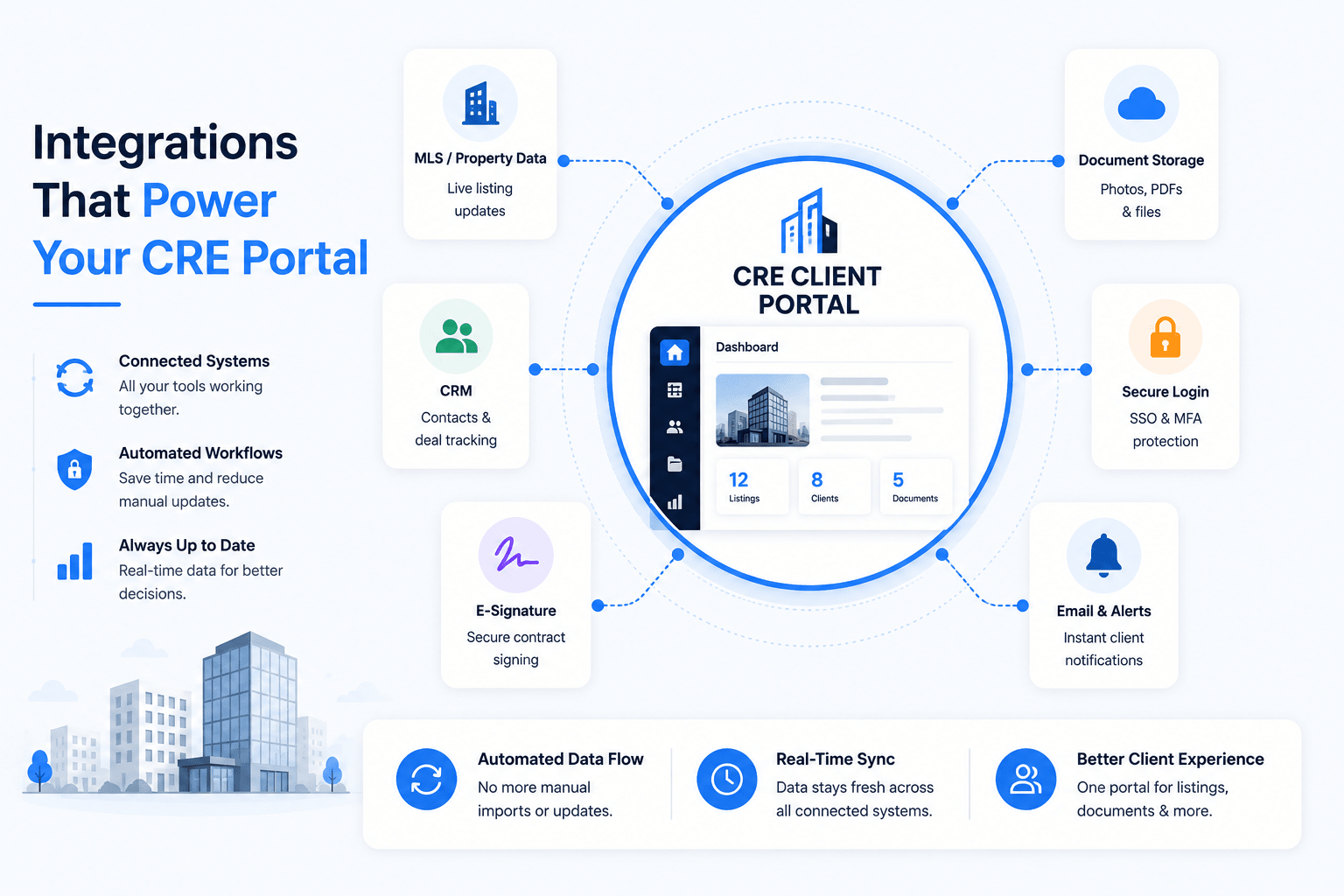
Landscape infographic featuring a central CRE client portal dashboard connected to MLS property data, CRM software, e-signature tools, document storage, secure login systems, and email alerts, illustrating real-time synchronization and automated data flow across commercial real estate platforms.
Modern infographic showing how a commercial real estate client portal connects with MLS data, CRM platforms, e-signature tools, cloud storage, authentication systems, and notifications to automate workflows and improve the client experience.

Security, Permissions, and Compliance

Protecting client data is paramount in a portal. Best practices include:

  • Encryption: Use HTTPS (SSL/TLS) for all web traffic, and encrypt files at rest with AES-256. For example, FileCloud’s portal uses “AES 256-bit encryption for data at rest and SSL/TLS protocols for data in transit”.
  • Authentication & Access Control: Implement strong authentication (SSO, 2FA). Ensure clients can only access their own resources (multi-tenant isolation). Role-based access control (RBAC) is common: admins, brokers, and each client can have different permissions.
  • Audit Logging: Record all actions for compliance. Portals should log file access, downloads, and communications. FileCloud notes they keep “complete audit logs and share analytics” for accountability.
  • Data Leak Prevention (DLP): Detect unusual data flows. For instance, FileCloud has built-in DLP to prevent unauthorized sharing.
  • Compliance Standards: Depending on location, follow GDPR (EU) or CCPA (California). If handling financial data, PCI DSS might apply. Even if not mandated, following standards like ISO 27001 shows clients their data is secure.
  • Regular Updates: Keep software and libraries up to date to prevent vulnerabilities. Use web application firewalls (WAF) and intrusion detection as needed.

A portal’s design should focus on security from the start. By using industry-standard encryption and authentication, you make clients and compliance officers comfortable that “sensitive information [is] safe and protected”.

Answer:

Secure a portal with industry-standard measures: SSL/TLS encryption, AES-256 file encryption, strong authentication (SSO and MFA), and detailed audit logs. These features protect contracts and listings while giving only authorized users access.

 

CRE PORTAL SECURITY FRAMEWORK

🔒 Encryption
👥 Permissions
🛡 MFA / SSO
📋 Compliance

Every layer works together to protect listings, contracts, investor reports, and client communications.

Development Roadmap and Timeline

Building a robust portal is often done in phases.

A typical development roadmap might be:

  1. Planning (1–2 weeks): Define requirements. Identify must-have features (user roles, listing view, doc upload) and nice-to-haves. Meet stakeholders (brokers, IT, legal) to gather needs.
  2. Design (2–4 weeks): Create wireframes for key pages: login, dashboard, listing details, document library. Plan database schema (clients, listings, files, messages). Design the system architecture (as above).
  3. MVP Development (4–10 weeks): Build the core portal. Implement user authentication, a basic listing dashboard, and document upload. At this stage, integrate with a sample data source (maybe CSV or a test API).
  4. Integrations (2–4 weeks): Connect real data feeds. For example, integrate with MLS/CRM API, set up cloud storage buckets, and link email/SMS notifications.
  5. Testing & Security Audit (2–4 weeks): Thoroughly test all features with real users. Perform security testing (pen tests, code reviews). Fix bugs and iterate.
  6. Launch & Training (1–2 weeks): Deploy to production (cloud or on-prem). Onboard a few pilot clients and gather feedback. Provide training for staff and clients on using the portal.
  7. Ongoing Enhancements: After launch, continue to refine the portal. Gather user feedback to add new features (like analytics dashboards or a mobile app).
PhaseKey ActivitiesDuration
Requirements & PlanningDefine objectives, features, tech stack, and compliance needs1–2 weeks
Design & PrototypingUX/UI wireframes, database schema, system architecture2–4 weeks
Core DevelopmentImplement login, listing dashboard, file upload, and messaging4–10 weeks
IntegrationsConnect MLS/IDX APIs, CRM systems, e-signature, and email2–4 weeks
Testing & QAFunctional testing, security audits, performance tuning2–4 weeks
Deployment & LaunchDeploy to production, train staff, pilot with clients1–2 weeks
 

This timeline is just an estimate. For a no-code solution, some phases collapse. For example, Softr’s AI co-builder can handle design and basic development in hours, drastically reducing time. On the other hand, a custom build might need the full schedule.

Similarly,

Many firms combine their portal launch with broader CRE workflow automation initiatives to eliminate repetitive administrative work across leasing, acquisitions, and reporting.

Portal Platform Options and Comparisons

Besides building from scratch, several platforms can serve as your portal foundation.

Here’s how some stack up:

  • FileCloud: A secure file-sharing and portal solution. It offers white-labeling, granular file permissions, and integrates with tools like Outlook and Salesforce. It’s geared toward enterprises; you buy licenses for staff and get unlimited client accounts. Security features include AES-256 encryption, DLP, and SSO.
  • Clinked: A cloud-based portal designed for agencies. It provides document sharing, messaging, and task management. Clinked highlights encrypted contract sharing and a branded mobile app. Pricing is usually per-client or per-team. Good for firms that want a straightforward, all-in-one portal without coding.
  • Softr (No-Code Builder): Softr’s AI Co-Builder lets you generate a portal by describing it. It can connect to Airtable, HubSpot, SQL, etc. You get dashboards, file uploads, and workflows in a matter of hours. Monthly pricing is predictable, but features are limited to what Softr offers.
  • CRM Portals: If your firm uses Salesforce or HubSpot, each has portal capabilities. Salesforce Experience Cloud can serve as a client site, pulling Salesforce data into a portal. These options can be pricey but offer deep CRM integration.
  • DIY with WordPress or CMS: Some use WordPress + plugins (e.g. MemberPress) to create a client area. This can be low-cost but requires careful security setup. It suits simpler needs (e.g., a login page with downloadable listing PDFs).
  • Custom-built Portal: Of course, a completely custom portal built on frameworks (Django, Ruby on Rails, etc.) offers maximum flexibility. There’s no off-the-shelf brand here, but it can perfectly match your process.

Choosing a portal platform often comes down to speed versus flexibility. For example, Clinked and FileCloud provide many features out of the box (file sharing, messaging), but may not align 100% with how your team works. In contrast, building your portal or using a no-code builder lets you mold it to your exact needs, at the expense of longer setup.

Direct Answer:

Ready-made portal platforms (like Clinked or FileCloud) let you buy a solution and launch quickly. No-code builders (like Softr) let you create a custom portal without writing code. Building from scratch gives maximum control. Match the choice to your budget and timeframe: startups often start with SaaS and move to custom later.

[What to Do Next? Building Your Portal Step-by-Step]

  1. Plan Your Portal: List the core features you need (e.g., listing viewer, contract upload, messaging). Decide on branding and user roles. Sketch out what each page should show.
  2. Pick Your Tools: Based on your plan, choose an approach (custom code, no-code, or SaaS). For a no-code portal, try connecting to a spreadsheet or Airtable first. For custom, set up your backend and database.
  3. Design the User Experience: Keep the interface simple. Brokers and clients should easily find their listings and documents. Use clean navigation and clear labels.
  4. Build Core Components: Start with user login and the main dashboard. Then add listing displays and a document repository. Implement notifications for changes or new messages.
  5. Integrate Data: Connect to your listing data source (MLS/CRM). Automate syncing so new listings or updates appear in the portal. Also, link any email or calendar for scheduling.
  6. Test Security: Make sure only authorized clients see their data. Test SSL, password resets, and any SSO flows. Ensure your storage is encrypted.
  7. Pilot with a Client: Run a soft launch with one or two clients. Gather feedback on usability. Iterate on any confusing parts.
  8. Train and Launch: Create a quick user guide or video for clients. Officially roll out the portal. Monitor usage and be ready to support questions.
  9. Iterate: Collect feedback and add features. For example, you might later include analytics dashboards for clients or build a mobile app.

Direct Answer: Start small and iterate. Define clear requirements, choose your approach, then develop core features (login, listings, docs). Test with a few clients, then expand. Throughout, keep the client experience in mind and ensure data flows automatically from your MLS or CRM into the portal.

Join the AI for CRE Collective for More Insights

The journey to a successful portal doesn’t end at launch. Stay ahead in CRE tech by joining the AI for CRE Collective, a community of 600+ CRE professionals exploring AI and software solutions. Our blog posts and newsletters share real-world case studies, best practices, and insider tips for using technology in commercial real estate.

By subscribing to the newsletter, you’ll get regular updates on tools and strategies like this client portal guide, plus exclusive webinars and templates. The AI4CRE Collective connects you with brokers, developers, and analysts who are building tomorrow’s CRE tools today. Don’t miss out on insights that can streamline your operations—subscribe to the newsletter and become part of the movement to digitalize real estate.

Conclusion

Building a client portal for your CRE listings can transform how you work with clients. It centralizes information, automates routine updates, and showcases your properties in a professional, secure way. We’ve covered everything from choosing between custom builds or SaaS portals, to essential features (like listing dashboards, file sharing, and messaging), to technical architecture and integrations. By following best practices in design and security, and by using tools like CRM and MLS APIs, you can create a portal that enhances client satisfaction and saves your team time.

Take action today by drafting a simple prototype or signing up for a portal platform trial. Use the roadmap above to guide development or procurement. With a well-built CRE client portal software in place, you’ll reduce repetitive emails, impress clients with transparency, and gain a competitive edge in the market.

FAQs Regarding How to Build a Client Portal for Your CRE Listings

What is a CRE client portal?

Answer: A CRE client portal is a secure online platform where clients can log in to view and manage their commercial real estate listings, contracts, and communications.

  • Centralizes listings and documents for clients and agents
  • Provides real-time updates on property status
  • Enhances transparency and reduces email back-and-forth
  •  

Conclusion: A CRE client portal streamlines workflows and improves the client experience by organizing all deal information in one place.

Why should my brokerage have a client portal?

Answer: A client portal improves communication, saves time, and builds trust by giving clients 24/7 access to their listing data and documents.

  • Automates routine updates and notifications
  • Securely stores contracts and reports online
  • Reduces mistakes from email and attachments
  •  

Conclusion: Investing in a client portal pays off by increasing efficiency and professionalism in client interactions.

What key features must a CRE portal include?

Answer: Essential features include secure login, listing dashboards, document storage, messaging, and notifications.

  • Branded client login with role-based access
  • Dashboard to browse and filter property listings
  • Encrypted file sharing for contracts and images
  • Real-time chat or updates thread for agent-client communication
  •  

Conclusion: Combining these features creates a central hub where clients feel informed and engaged throughout the real estate process.

Should I build a custom portal or use an off-the-shelf solution?

Answer: It depends on your needs. Off-the-shelf or no-code portals launch faster and handle basics. Custom builds offer full flexibility but take longer.

  • Off-the-shelf (SaaS) is quick to deploy and includes support
  • Custom development fits unique workflows and integrates with any system
  • Budget and timeline should guide the choice
  •  

Conclusion: For most CRE firms, starting with a SaaS or no-code portal can prove value quickly; move to a custom solution later if needed.

How do I integrate MLS listings into the portal?

Answer: Use an MLS API or data feed to automatically import your property listings into the portal.

  • Connect through a REST or IDX API provided by the MLS
  • Map MLS fields (address, price, photos) to your portal’s database
  • Schedule regular syncs so your portal always has up-to-date listings
  •  

Conclusion: Automated MLS integration ensures your portal shows current listing information without manual entry.

Can I use no-code tools to create a client portal?

Answer: Yes. Platforms like Softr or Knack let you build a portal without coding, often using AI to generate apps.

  • No-code portals allow you to set up databases and pages via UI
  • They often integrate easily with Airtable, Google Sheets, or CRM data
  • Ideal for rapidly creating MVP portals to test ideas
  •  

Conclusion: No-code solutions are great for quick prototyping and small teams who want results without developers.

What technologies are commonly used in custom portals?

Answer: A custom portal often uses a web frontend (React, Angular, etc.), a backend API (Node.js, Python, etc.), and a database (PostgreSQL, MongoDB).

  • Authentication via OAuth 2.0 or similar for secure login
  • Storage (AWS S3 or similar) for documents and images
  • APIs for integration (MLS data, CRM, email services)
  •  

Conclusion: These technologies form a modern, scalable stack that supports all portal features reliably.

How do I ensure the portal is secure?

Answer: Implement SSL/TLS encryption, strong authentication (SSO, 2FA), and data encryption at rest.

  • Use AES-256 encryption for files and HTTPS for data in transit
  • Enforce strong passwords and multi-factor login for clients
  • Maintain audit logs of all access and file changes
  •  

Conclusion: Security measures like these protect sensitive CRE documents and give clients confidence in the portal.

What about mobile access? Do portals have apps?

Answer: Many portals are mobile-friendly or offer apps. It depends on the solution you choose.

  • Some platforms (e.g., Clinked) include a branded mobile app option
  • A responsive web design ensures access on any device
  • Custom portals can be extended with mobile apps if needed
  •  

Conclusion: Ensure your portal design is responsive, or opt for a portal solution that provides a mobile app for clients on the go.

How are documents (contracts, floor plans) handled in the portal?

Answer: Portals usually have a secure file repository where documents are stored and shared.

  • Upload contracts and plans to the portal; clients can view/download them anytime
  • Use permissions to control who can see each document
  • Integrate e-signature APIs so clients can sign within the portal
  •  

Conclusion: Centralizing documents in the portal keeps everyone on the same page and streamlines the transaction process.

How do clients get access to the portal?

Answer: Clients are given login accounts. They use credentials (email + password, or SSO) to log in.

  • You can invite clients via email to set a password and access their portal space
  • Some portals allow clients to log in using Google or Microsoft SSO for convenience
  • Each client should only see listings and documents that belong to them
  •  

Conclusion: Access control is key: each client has a secure login and sees only their own project data.

What content should go on the portal homepage?

Answer: The portal homepage should greet the client and highlight key items like active listings or pending tasks.

  • A dashboard could show summary cards (e.g., “3 active listings, 1 document awaiting review”)
  • Include quick links to property galleries or the message inbox
  • Ensure branding (logo, colors) makes it feel personal
  •  

Conclusion: A clear, informative dashboard helps clients immediately find what matters in their listing portfolio.

Do I need a developer to maintain the portal?

Answer: It depends on your setup. SaaS/no-code portals require little technical upkeep. Custom portals will need a developer for updates.

  • With SaaS or no-code, the provider handles most maintenance
  • If you built a custom portal, plan for ongoing developer support (bug fixes, new features)
  • Consider a hybrid: start with no-code and later hire a developer for advanced needs
  •  

Conclusion: For long-term success, ensure someone is responsible for keeping the portal updated and secure, whether that’s your team or a vendor.

Can the portal handle multiple languages?

Answer: Many platforms support multi-language portals. Custom builds can add translation features.

  • Look for a portal solution with internationalization (i18n) support
  • Provide interface text in client languages for global users
  • Translate listing details using a CMS or API if needed
  •  

Conclusion: Multi-language support broadens your reach. Ensure your portal UI and content can adapt to your clients’ languages.

What is the typical cost of a portal solution?

Answer: Costs vary. SaaS portals often charge per user or per feature tier. Custom builds cost according to development hours.

  • Example: Softr charges a monthly fee for a portal workspace, increasing with features
  • Clinked and FileCloud charge by team size or per-user license
  • Building a custom portal could cost $10k+ depending on scope (developers, hosting)
  •  

Conclusion: Consider both upfront setup costs and ongoing maintenance/subscriptions. Free trials are useful to compare platforms before buying.

How do we train clients to use the portal?

Answer: Provide simple guides or walkthroughs. Schedule a short demo session.

  • Include a welcome tutorial on first login to orient clients
  • Offer video tutorials or one-pagers showing how to navigate listings and upload docs
  • Be available to answer questions initially as they get used to the system
  •  

Conclusion: Good training ensures clients use the portal effectively, so you maximize its benefits from day one.

Can I integrate my existing CRM data into the portal?

Answer: Yes. Most portals can pull client and deal information from CRMs via API.

  • Use CRM APIs (e.g., Salesforce, HubSpot) to sync contact and company data
  • This lets you show CRM deals as part of the portal listing details
  • Keeping CRM and portal in sync avoids double entry of client info
  •  

Conclusion: CRM integration makes the portal a seamless extension of your sales processes, ensuring consistency across systems.

What if I have multiple clients and projects – can the portal handle it?

Answer: A well-designed portal supports multiple clients and projects with distinct accounts.

  • Implement multi-tenancy: each client logs into their own space and only sees their projects
  • Use clear navigation so clients can switch between different property portfolios easily
  • The system should scale to dozens or hundreds of clients without data overlap
  •  

Conclusion: Proper user management and data segregation ensure the portal works smoothly for many clients.

How do I keep the portal data up-to-date?

Answer: Automate updates through integrations and workflows.

  • Set up scheduled syncs with MLS and internal CRMs so listings refresh nightly or in real-time
  • Use webhooks or automation tools (Zapier, Make) to push changes from your database to the portal
  • Encourage agents to upload new files and status updates as part of their routine workflow
  •  

Conclusion: Automation and good habits ensure that clients always see the latest listing information without manual effort.

Can the portal support potential buyers/investors, not just existing clients?

Answer: You can create public or invite-only sections for prospects, but typically, portals are for confirmed clients.

  • For broad exposure, public websites or listing aggregators (like LoopNet) are better suited
  • However, you could give vetted prospects limited portal access to view select properties and submit inquiries
  • Balance security: don’t expose private deal details unless screened
  •  

Conclusion: A client portal is mainly for active clients. Use public marketing channels for broad listings and reserve the portal for confidential client interactions.

Leave a Reply

Your email address will not be published. Required fields are marked *