
Claude Design Templates for CRE Documents
I’ve been testing every major AI tool for creating CRE documents over the past year, and Claude Design CRE templates are the first workflow that actually solves the consistency problem. Most AI tools can generate a beautiful investment committee memo or investor deck once. The problem starts when you try recreating that exact structure for the next deal. Different layouts, inconsistent formatting, and endless prompting quickly erase the productivity gains.
For commercial real estate teams producing recurring deliverables, repeatability matters more than a single impressive output. Acquisitions teams, brokers, and investor relations professionals need standardized documents that scale across multiple projects without rebuilding the presentation from scratch every time.
The Problem With AI-Generated CRE Documents
Every AI tool I’ve tested can produce a strong-looking document on the first attempt. Claude, Gamma, Manus, NotebookLM, and several newer AI presentation systems all generate visually impressive outputs.
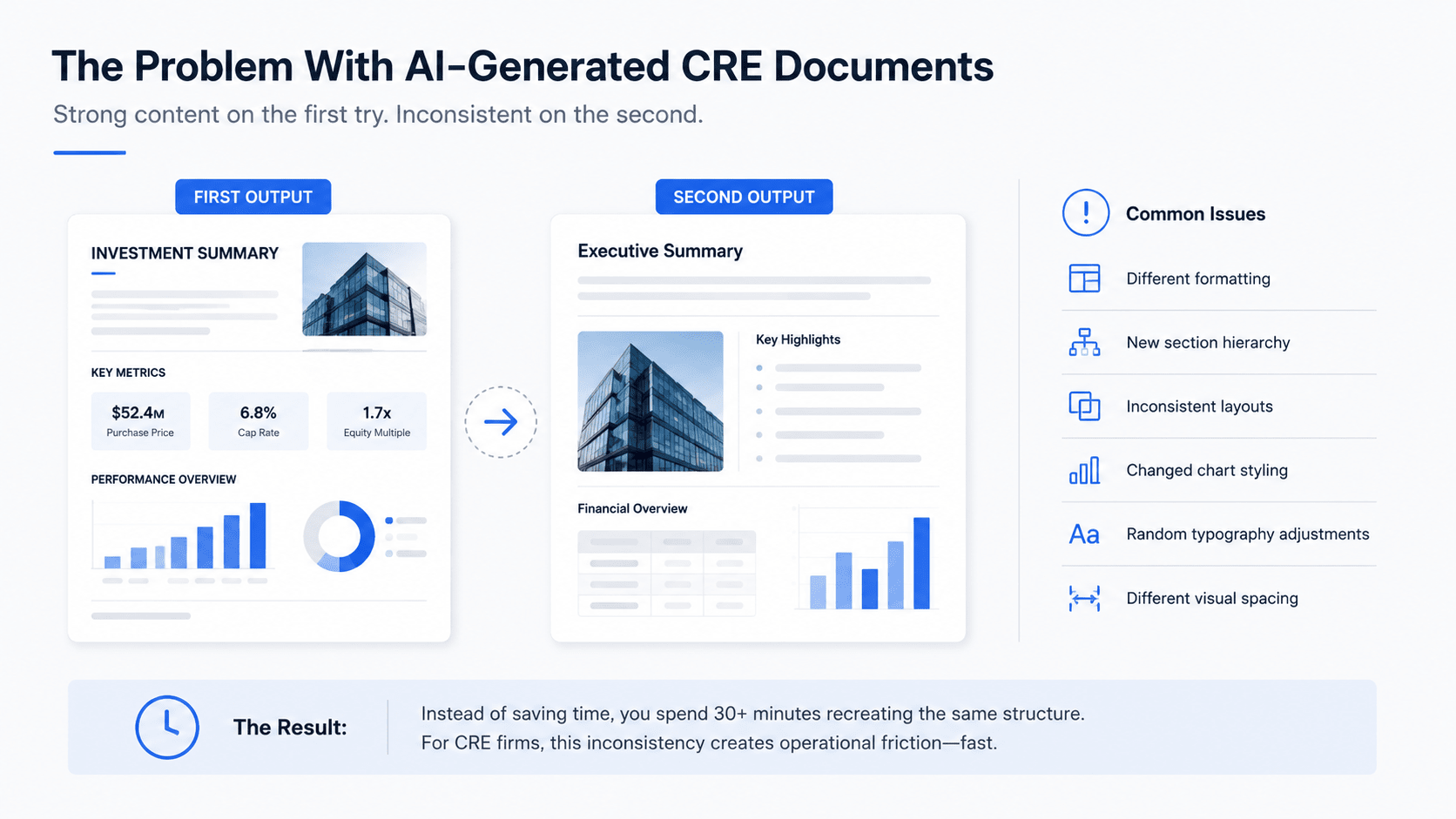
However, the problem always appeared on the second deal.
You would generate a polished IC memo or investor presentation, then start a new conversation for another acquisition. Suddenly, the output looked completely different.
Common issues included:
-
Different formatting
-
New section hierarchy
-
Inconsistent layouts
-
Changed chart styling
-
Random typography adjustments
-
Different visual spacing
Instead of saving time, you ended up spending another 30 minutes trying to recreate the original structure manually. That completely defeats the purpose of workflow automation.
For CRE firms reviewing multiple acquisitions weekly, this inconsistency creates operational friction very quickly.
Why Repeatability Matters in CRE Workflows
Commercial real estate firms depend heavily on repeatable reporting systems.
Recurring documents include:
-
Investment committee memos
-
Investor pitch decks
-
Offering memorandums
-
LP updates
-
Quarterly reports
-
Market research presentations
-
Debt committee materials
These documents follow similar structures repeatedly. The data changes. The branding, layout, and workflow usually should not.
Without repeatable systems, analysts waste hours rebuilding presentation structures that already existed previously. That inefficiency compounds quickly across active acquisition teams.
Common Problems Without Template Systems
| Problem | Impact on CRE Teams | Result |
|---|---|---|
| Inconsistent formatting | Unprofessional outputs | Reduced presentation quality |
| Rebuilding layouts repeatedly | Analyst time loss | Slower deal review |
| Manual branding updates | Workflow friction | Inconsistent identity |
| Different chart structures | Harder comparison | Reduced clarity |
| Re-prompting every deal | Lower efficiency | Operational bottlenecks |
Claude Design CRE templates address many of these recurring workflow issues.
How Claude Design CRE Templates Work
The concept is simple. You create a document once using your exact branding, formatting, and structure. Then you save that project as a reusable template.
For every future acquisition, report, or investor update, you create a new document from the same template. Same structure. Same branding. New data. That is the key difference.
Instead of rebuilding formatting repeatedly, the workflow becomes operationalized.
The Basic Workflow
Step 1: Build Your Design System
Upload:
-
Logos
-
Brand colors
-
Font selections
-
Typography rules
-
Layout preferences
This usually takes about 15 to 20 minutes initially. After that, every future document inherits the same branding automatically.
Step 2: Create Your First Document
Tell Claude Design what you want to build.
The system asks detailed questions about:
-
Format
-
Audience
-
Data density
-
Asset class
-
Chart preferences
-
Section structure
-
Branding prominence
The more specific your answers, the stronger the template becomes.
Step 3: Review and Refine
Once the initial draft is generated, refine:
-
Section spacing
-
Visual hierarchy
-
Financial tables
-
Executive summaries
-
Chart formatting
This refinement stage is important because it creates a reusable system for future documents.
Step 4: Save the Project as a Template
Click “Duplicate as Template.”
Name the template, add a description, and publish it inside your workspace. This becomes your reusable CRE document framework.
Step 5: Reuse the Template for Future Deals
For the next acquisition or report:
-
Open the saved template
-
Upload the new source materials
-
Add updated underwriting
-
Generate the new draft
The structure stays consistent while the content updates automatically. That is where the operational efficiency appears.
What Types of CRE Documents Work Best as Templates
Not every CRE workflow needs templating. However, recurring deliverables benefit significantly from standardized systems.
The strongest candidates include:
-
Investment committee memos
-
Offering memorandums
-
Quarterly investor updates
-
LP communications
-
Investor pitch decks
-
Property performance dashboards
-
Market reports
-
Debt committee packages
Anything produced repeatedly with similar formatting can become template-driven.
Best CRE Template Use Cases
| Document Type | Why Templates Work Well |
|---|---|
| IC memos | Consistent acquisition structure |
| Investor decks | Branding standardization |
| Offering memorandums | Repeatable layouts |
| LP updates | Recurring reporting workflows |
| Market reports | Similar data formatting |
| Property dashboards | Repeated KPI visualization |
For example, many acquisition teams are now using AI-generated CRE investor decks alongside reusable investment committee templates to standardize communication across internal and external stakeholders.
Setting Up Your Design System Correctly
Before building templates, the design system matters most. This is where Claude Design separates itself from many competing AI document tools. Inside the design settings, configure your full visual identity carefully.
This includes:
-
Primary logos
-
Icon logos
-
Brand colors
-
Typography
-
Heading structure
-
Body font rules
-
Accent colors
-
Cover page styling
I spent roughly 15 to 20 minutes configuring these settings initially.
Once completed, every future document automatically inherited the same branding system.
That included:
-
IC memos
-
Investor presentations
-
Marketing decks
-
Social graphics
-
Thumbnails
-
Research reports
Consistency became automatic. For growing CRE firms, operational consistency matters significantly.
Why Branding Consistency Matters in Commercial Real Estate
Presentation quality still influences perception heavily in commercial real estate. Institutional investors, lenders, brokers, and joint venture partners all evaluate professionalism partly through presentation quality.
Inconsistent formatting creates friction. Standardized branding creates confidence.
This becomes especially important during:
-
Capital raising
-
Investment committee meetings
-
Broker outreach
-
Investor reporting
-
Acquisition pitches
Smaller operators benefit heavily because they can now create institutional-quality presentations without large internal design teams.
Tips From Building My First Claude Design Template
The biggest lesson was simple:
Let Claude Design ask detailed questions.
When I built my first IC memo template, the platform asked about:
-
Asset class
-
Deal type
-
Audience
-
Chart density
-
Required sections
-
Branding prominence
-
Cover page treatment
-
Sensitivity matrix preferences
-
Layout hierarchy
Those questions shaped the final output far more than I initially expected. The more detailed the answers became, the better the resulting template performed.
Use Realistic Sample Data
This part helped significantly. Instead of using placeholder text, I had Claude Design populate the template using a hypothetical multifamily value-add acquisition in the Sunbelt.
That immediately revealed:
-
Table spacing
-
Narrative density
-
Chart balance
-
Executive summary structure
-
Financial formatting
-
Capital stack visuals
Reviewing realistic data made template refinement dramatically easier.
What Claude Design Does Better Than Other AI Document Tools
Several AI presentation tools exist today. However, most still struggle with long-term workflow consistency.
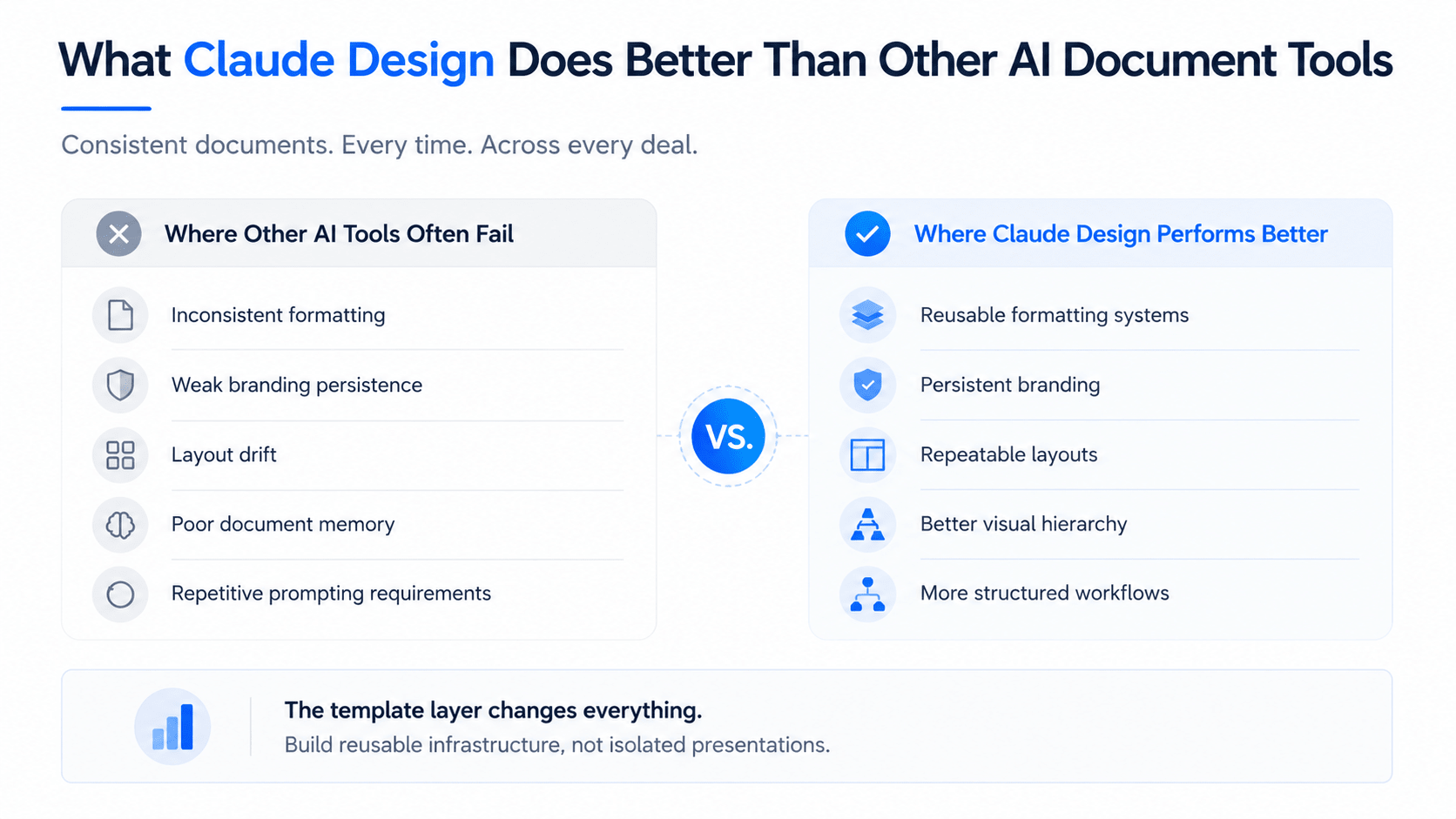
Where Other AI Tools Often Fail
Common issues include:
-
Inconsistent formatting
-
Weak branding persistence
-
Layout drift
-
Poor document memory
-
Repetitive prompting requirements
Many systems generate attractive outputs once but fail to maintain consistency across future projects. That becomes frustrating quickly.
Where Claude Design Performs Better
Claude Design CRE templates improve several workflow areas:
-
Reusable formatting systems
-
Persistent branding
-
Repeatable layouts
-
Better visual hierarchy
-
More structured workflows
The template layer is what changes the experience operationally. Instead of creating isolated presentations, you’re building reusable infrastructure.
Claude Design vs Traditional PowerPoint Workflows
Traditional PowerPoint workflows remain extremely manual.
Analysts often spend hours:
-
Formatting charts
-
Adjusting spacing
-
Rebuilding layouts
-
Updating branding
-
Aligning tables
-
Managing slide consistency
That workload becomes repetitive quickly.
Workflow Comparison
| Workflow Factor | Traditional PowerPoint | Claude Design Templates |
|---|---|---|
| Formatting | Manual | Automated |
| Branding consistency | Variable | Standardized |
| Template reuse | Limited | High |
| Chart styling | Manual | Reusable |
| Slide rebuilding | Frequent | Minimal |
| Time required | Several hours | 20–45 minutes |
The productivity gains become meaningful during active acquisition periods.
The Export Situation
One honest limitation still exists. The PDF export process is not perfect yet.
When I exported my IC memo, several formatting issues appeared:
-
Minor spacing inconsistencies
-
Chart alignment shifts
-
Typography compression
-
Slight page layout changes
None of these were deal-breaking. However, you still need a short cleanup pass before final delivery.
That said, the process remains dramatically faster than rebuilding the document manually from scratch.
The export quality will likely improve rapidly as these systems mature.
What This Means for Acquisitions Teams
For acquisitions teams reviewing five, ten, or twenty deals weekly, Claude Design CRE templates eliminate a major formatting bottleneck.
Before the memo gets built, underwriting is usually the biggest bottleneck. This demo shows how AI is compressing acquisition workflows from hours into minutes.
Instead of rebuilding every presentation manually, analysts can:
-
Upload the OM
-
Upload underwriting
-
Answer a few prompts
-
Generate a branded draft
That process can realistically happen within roughly 20 minutes. The efficiency improvement compounds across active teams.
In addition, many acquisition teams using AI tools for investor decks are extending those same workflows into IC memos, LP reporting, and internal committee presentations.
Smaller CRE Operators Benefit Even More
Smaller operators may actually gain the biggest advantage.
Institutional-quality presentation systems used to require:
-
Dedicated analysts
-
Internal designers
-
Marketing support
-
Presentation specialists
Now, smaller firms can achieve similar visual quality using AI-assisted workflows. That changes competitive positioning significantly.
The Bigger Operational Shift
Most people focus on AI generating a single impressive document. That is the wrong way to think about it. The real value is building repeatable operational systems.
Claude Design templates move AI workflows closer to operational infrastructure rather than one-time outputs. Instead of repeatedly prompting for every new project, you build the framework once and scale it repeatedly. That is a much more meaningful shift for CRE firms.
Common Mistakes When Building AI Templates
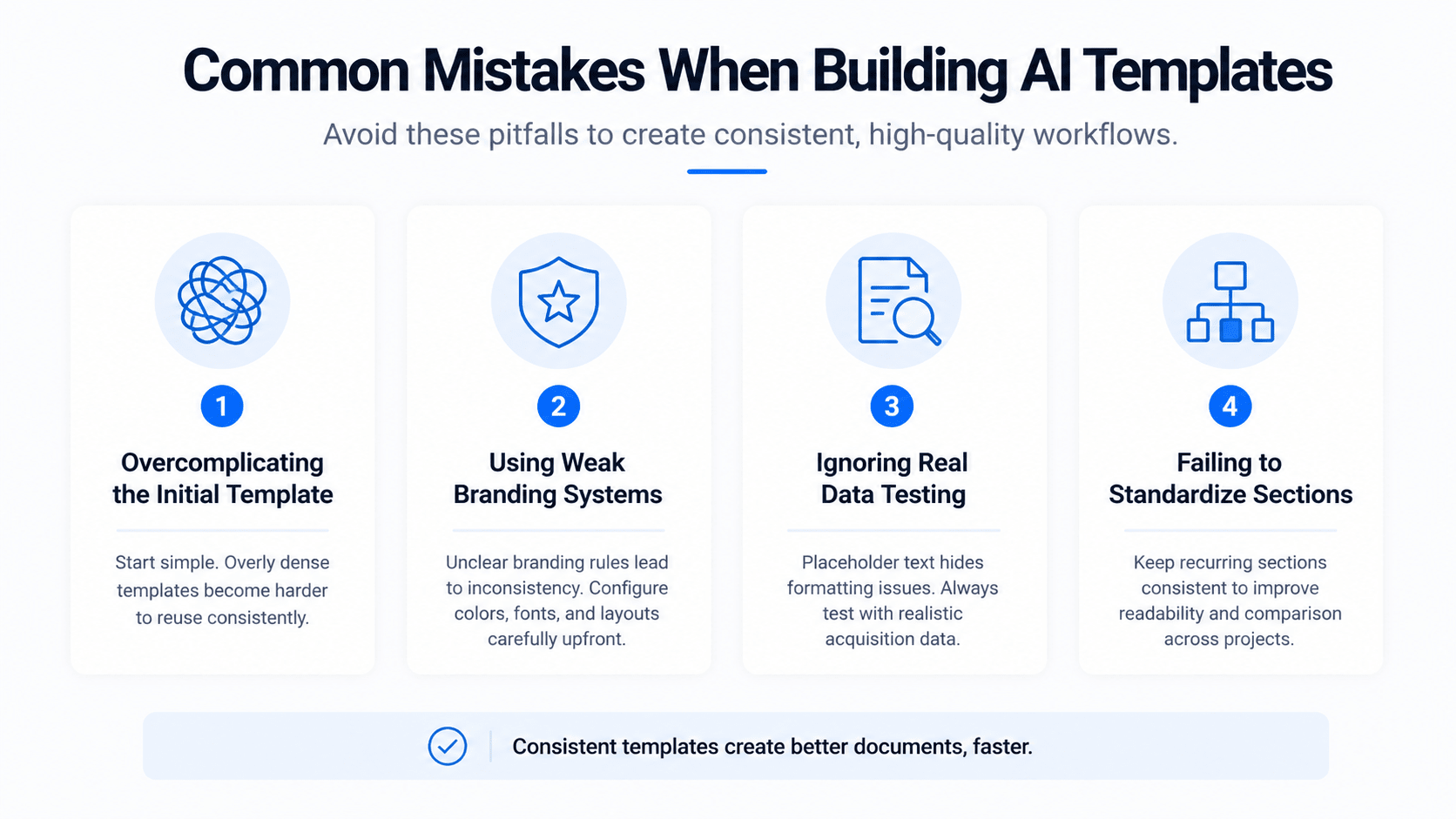
Several mistakes reduce workflow quality quickly.
Overcomplicating the Initial Template
Start with a simpler structure first. Overly dense templates become harder to reuse consistently.
Using Weak Branding Systems
If branding rules are unclear initially, document consistency suffers later. Configure colors, fonts, and layouts carefully upfront.
Ignoring Real Data Testing
Placeholder text hides formatting issues. Always test templates using realistic acquisition data.
Failing to Standardize Sections
Recurring document sections should remain consistent whenever possible. This improves readability and comparison across projects.
Best Practices for Building Better CRE Templates
Keep Executive Summaries Short
Concise summaries improve investment committee readability. Avoid unnecessary narrative density.
Standardize Financial Tables
Consistent formatting improves deal comparison. This matters significantly during active acquisition periods.
Build Separate Templates by Workflow
Create dedicated templates for:
-
Multifamily acquisitions
-
Investor reporting
-
Debt committee presentations
-
Market research
-
Offering memorandums
Different workflows need different structures.
Review Every Export
Even with automation, final review remains important. Small formatting issues still happen occasionally.
Build Repeatable CRE AI Workflows
Commercial real estate firms that build repeatable AI presentation systems early will likely gain a meaningful operational advantage over the next several years. Faster reporting, cleaner branding, and reusable acquisition workflows allow teams to focus more on investment decisions instead of repetitive formatting work. Inside AI for CRE Collective, 600+ CRE professionals are already testing practical workflows for underwriting, investor reporting, acquisitions, and CRE document automation.
If your team wants to standardize presentations, streamline acquisition workflows, and improve branding consistency, now is the time to build reusable systems. The firms experimenting with these operational workflows today will likely move faster as AI adoption continues growing across commercial real estate. Join the discussions, compare workflows with other operators, and subscribe to the newsletter to stay updated on what is actually working.
Conclusion
Claude Design CRE templates solve one of the biggest operational problems in AI-generated CRE documents: consistency.
Most AI tools can generate an impressive presentation once. The challenge has always been recreating that exact structure repeatedly across multiple deals and workflows.
By allowing CRE teams to save reusable branding systems, layouts, and document frameworks, Claude Design moves AI closer to becoming operational infrastructure instead of a one-time productivity tool.
For acquisitions teams, brokers, investor relations professionals, and smaller operators, the biggest value is not just speed. It is repeatability.
The firms that build reusable AI workflows today will likely gain significant efficiency advantages as commercial real estate operations become increasingly automated.
FAQs Regarding Claude Design Templates for CRE Documents
1. What are Claude Design CRE templates?
Claude Design CRE templates are reusable AI-generated document systems for commercial real estate presentations and reporting.
-
They standardize formatting
-
They improve branding consistency
-
They reduce repetitive manual work
Conclusion: Claude Design templates help CRE teams scale recurring document workflows more efficiently.
2. What CRE documents work best as templates?
Recurring deliverables benefit the most from reusable template systems.
-
IC memos work well
-
Investor decks scale efficiently
-
Offering memorandums remains consistent
Conclusion: Any recurring CRE document with a repeatable structure is a strong template candidate.
3. How long does template setup take?
Initial setup usually takes about 15 to 20 minutes.
-
Branding requires configuration
-
Fonts need selection
-
The layout structure needs refinement
Conclusion: Most teams can create a reusable system within a single session.
4. Why is branding consistency important in CRE?
Presentation quality affects credibility significantly in commercial real estate.
-
Investors notice inconsistencies
-
Institutional branding builds trust
-
Standardization improves professionalism
Conclusion: Consistent branding strengthens presentation quality across acquisition workflows.
5. Does Claude Design replace PowerPoint completely?
Not entirely, but it reduces much of the repetitive formatting work.
-
Manual editing still exists
-
Final cleanup may be needed
-
Workflow speed improves dramatically
Conclusion: Claude Design reduces PowerPoint dependency without eliminating it fully.
6. Are PDF exports perfect yet?
No, export formatting still requires minor review.
-
Spacing may shift
-
Charts may move slightly
-
Typography can compress occasionally
Conclusion: Small cleanup adjustments are still recommended before final delivery.
7. Can smaller CRE firms benefit from these templates?
Yes, smaller operators may benefit the most.
-
They gain an institutional-quality design
-
They reduce analyst workload
-
They improve presentation consistency
Conclusion: Smaller firms can compete visually with larger investment platforms.
8. What is the biggest advantage of reusable templates?
The biggest advantage is repeatability.
-
Workflows become scalable
-
Formatting stays consistent
-
Teams save substantial time
Conclusion: Repeatable systems create long-term operational efficiency.
9. Do templates work for investor reporting?
Yes, investor updates are one of the strongest use cases.
-
Quarterly reports remain consistent
-
LP updates become faster
-
Branding stays standardized
Conclusion: Investor reporting workflows benefit heavily from templated systems.
10. Should CRE teams still review AI outputs manually?
Yes, manual review remains important.
-
Formatting issues can occur
-
Narrative clarity still matters
-
Financial data needs validation
Conclusion: Human oversight remains essential even with automated workflows.
11. Can Claude Design handle multiple asset classes?
Yes, templates can be customized for different CRE asset types.
-
Multifamily layouts vary
-
Industrial workflows differ
-
Office reporting needs customization
Conclusion: Separate templates improve workflow quality across asset classes.
12. What makes Claude Design different from other AI tools?
The template system improves long-term consistency significantly.
-
Branding persists better
-
Formatting remains stable
-
Layout reuse works more reliably
Conclusion: Claude Design performs better because it focuses on reusable workflows.
13. Do templates improve acquisitions workflows?
Yes, acquisitions teams save significant time using repeatable systems.
-
Analysts avoid rebuilding layouts
-
Deal review becomes faster
-
Reporting workflows improve
Conclusion: Template systems reduce operational bottlenecks within acquisition teams.
14. Can templates help with fundraising materials?
Yes, investor-facing presentations benefit heavily from reusable branding systems.
-
Pitch decks stay consistent
-
Investor communication improves
-
Presentation quality increases
Conclusion: Templates support both acquisitions and capital raising workflows.
15. Should firms create multiple templates?
Yes, separate workflows should usually have separate templates.
-
Investor decks need different structures
-
IC memos require different layouts
-
Market reports use different formatting
Conclusion: Dedicated templates improve operational flexibility.
16. What mistakes should teams avoid when building templates?
Overcomplicated layouts often reduce usability.
-
Weak branding creates inconsistency
-
Placeholder text hides problems
-
Dense formatting hurts readability
Conclusion: Simpler, cleaner structures perform better long term.
17. Can AI-generated templates scale across teams?
Yes, reusable templates improve collaboration significantly.
-
Teams follow standardized workflows
-
Branding remains unified
-
Outputs become easier to compare
Conclusion: Shared templates improve operational consistency across organizations.
18. Are AI workflows replacing CRE analysts?
No, AI supports analysts rather than replacing them.
-
Human judgment still matters
-
Underwriting requires oversight
-
Strategy remains manual
Conclusion: AI improves productivity without replacing investment expertise.
19. What is the future of AI document workflows in CRE?
AI workflows will likely become increasingly operationalized.
-
Reporting automation will improve
-
Branding systems will scale
-
Template libraries will expand
Conclusion: AI-driven document systems will likely become standard across CRE operations.
20. Why should CRE firms start testing templates now?
Early adoption creates operational advantages.
-
Teams build internal systems earlier
-
Workflows improve over time
-
Efficiency compounds gradually
Conclusion: Firms experimenting now will likely adapt faster as AI adoption accelerates
