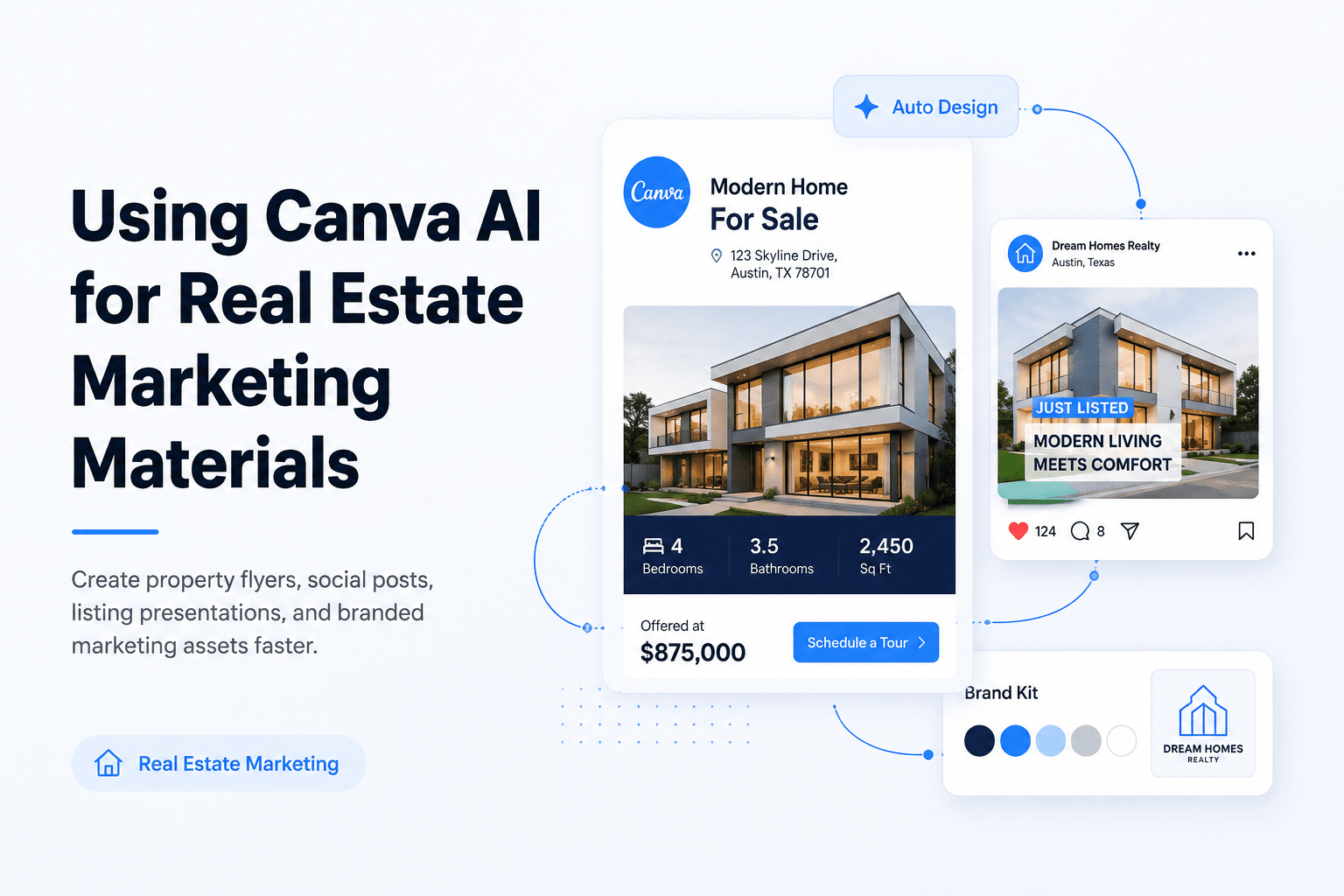
Using Canva AI for Real Estate Marketing Materials
Real estate marketing requires a steady flow of content. Brokers need flyers. Leasing teams need brochures. Investors need presentations. Marketing teams need social media graphics and videos. Creating all of these materials takes time. That is why many professionals are turning to Canva AI for Real Estate to speed up content creation while keeping branding consistent.
A few years ago, creating marketing materials often required multiple tools. Teams used one platform for design, another for writing, and another for image editing. Today, many of those tasks can happen inside Canva.
The platform has expanded far beyond simple graphic design. Its AI tools can help create layouts, write marketing copy, improve property photos, generate videos, and resize content for different channels. This makes it useful for brokers, investors, developers, and commercial real estate marketing teams.
That said, AI is not a replacement for experience. A strong property marketing strategy still requires human judgment. However, Canva can help reduce repetitive work and shorten production time.
For commercial real estate professionals, this can be especially valuable. Marketing campaigns often require multiple assets for a single property. A leasing opportunity may need a brochure, social graphics, email banners, presentation slides, and market updates. Producing everything manually can slow down a team.
This guide explains how Canva AI for Real Estate works, where it provides value, and how professionals can use it to create marketing materials faster without sacrificing quality.
Artificial intelligence is becoming a normal part of business operations. Marketing teams are among the fastest adopters because content production often involves repetitive tasks that AI can help simplify.
Several studies show why AI adoption continues to grow across industries, including commercial real estate.
McKinsey estimates generative AI could add up to $4.4 trillion annually to global productivity.
Deloitte reports growing business adoption of generative AI across daily workflows.
NAR highlights increasing use of AI for marketing and listing promotion.
PwC research shows AI can significantly improve productivity and efficiency.
Marketing teams continue using AI tools to reduce content production time.
Where Canva AI Saves Time
The biggest productivity gains usually come from repetitive marketing work.
Problem
Designing property flyers from scratch every time.
AI Solution
Generate layouts instantly and customize them in minutes.
Problem
Creating different graphics for every social platform.
AI Solution
Resize one design into multiple formats automatically.
Problem
Writing marketing copy for listings and campaigns.
AI Solution
Create first drafts quickly and refine them as needed.
Problem
Building marketing materials across multiple software tools.
AI Solution
Keep design, editing, content, and publishing in one platform.
The biggest advantage is not simply creating content faster. It is creating more content without increasing workload.
For example, a broker promoting a new property may need:
A listing flyer
LinkedIn graphics
Instagram posts
Email marketing visuals
Presentation slides
Property video content
Without an efficient system, these tasks can take several days. With a structured workflow, many can be completed in a few hours. This is one reason Canva AI for Real Estate is gaining attention among both residential and commercial property professionals.
Another factor is consistency. Many firms struggle to maintain a professional brand across multiple offices, brokers, and marketing teams. Canva’s templates and brand tools help standardize content while reducing design errors.
As competition increases, firms that create quality content quickly often have an advantage. Faster marketing means faster visibility, stronger engagement, and more opportunities to reach prospects.
What Is Canva AI and Why Real Estate Professionals Use It
Canva AI refers to a collection of artificial intelligence features built into Canva’s design platform. Instead of starting every project from a blank page, users can generate designs, edit images, create content, and build marketing assets with assistance from AI tools.
For real estate professionals, the platform combines several tasks into one workspace. This reduces the need to switch between multiple software applications.
What Canva AI Includes
Some of the most useful AI features include:
Magic Design
Magic Write
Magic Edit
Magic Eraser
Magic Resize
AI Video Tools
Brand Kit
AI Image Generation
Each feature supports a different stage of the marketing process.
For example, Magic Design can suggest flyer layouts based on uploaded property photos. Magic Write can help create listing descriptions or social media captions. Magic Resize can convert a square social post into multiple formats with a few clicks.
Why Real Estate Professionals Use Canva AI
Real estate marketing often involves tight deadlines. Properties need promotion quickly. Marketing teams rarely have unlimited resources. As a result, professionals look for tools that help them complete common tasks more efficiently.
Some of the most common reasons firms adopt Canva AI for Real Estate include:
Faster content creation
Consistent branding
Lower design costs
Easier collaboration
Reduced dependence on multiple tools
Better content output for social media
The platform is also accessible for non-designers. Brokers and property managers can create professional materials without advanced graphic design skills.
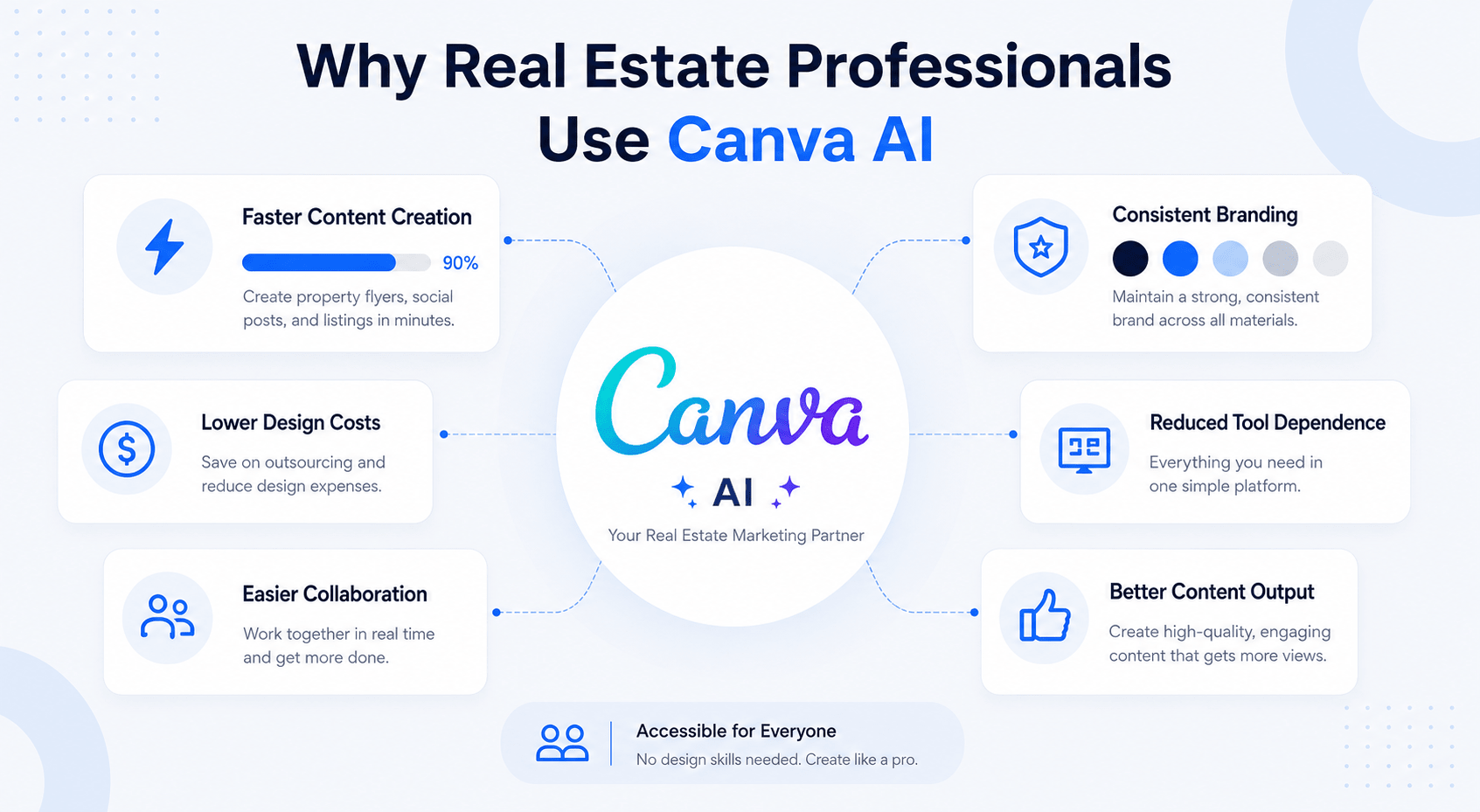
A modern infographic highlighting the key reasons real estate professionals use Canva AI, including faster content creation, consistent branding, lower design costs, easier collaboration, reduced tool dependency, and improved marketing output.
Residential vs Commercial Real Estate Needs
Residential and commercial professionals often use Canva differently; residential agents typically focus on:
Property listings
Open house promotions
Social media content
Client newsletters
Commercial real estate teams often focus on:
Leasing brochures
Offering memorandums
Investment presentations
Market reports
Property marketing packages
How Different Real Estate Professionals Use Canva AI
User Type
Primary Use Cases
Residential Agent
Listings, social media, open houses
Commercial Broker
Leasing packages, presentations, and flyers
Developer
Project marketing materials
Investor
Deal summaries and investor updates
Property Manager
Tenant communication materials
Marketing Team
Brand management and campaign creation
One reason Canva AI for Real Estate continues to grow is its flexibility. The same platform can support a solo broker, a regional investment firm, or a large commercial real estate company.
However, success depends on how the tool is used. AI works best when professionals provide clear information, quality images, and strong branding guidelines.
The firms seeing the best results are not using Canva as a shortcut. They are using it as a productivity tool that helps them spend less time creating materials and more time building relationships, closing deals, and serving clients.
Marketing Materials You Can Create with Canva AI
One reason Canva AI for Real Estate has become popular is its flexibility. Most real estate teams do not need just one type of marketing asset. They need many.
A property launch may require a flyer, social graphics, presentation slides, email banners, and video content. Creating each asset separately can consume a significant amount of time.
Canva helps bring these tasks into one workflow.
📄
Property Flyers
AI-assisted property marketing sheets.
📊
Investor Decks
Institutional-grade presentations.
🎥
Property Videos
Create videos without editing software.
📱
Social Content
Publish everywhere from one design.
Property Flyers
Property flyers remain one of the most common real estate marketing assets. They are used for listings, leasing opportunities, open houses, and investment properties.
Canva AI can help by:
Suggesting flyer layouts
Generating marketing copy
Improving property images
Maintaining brand consistency
The final flyer should still be reviewed by a broker or marketing professional, but the first draft can often be created much faster.
Offering Memorandums
Commercial real estate brokers frequently create offering memoranda (OMs) for investment opportunities.
Canva can help organize:
Property details
Financial highlights
Market information
Investment summaries
Maps and visuals
While detailed financial analysis still belongs in specialized tools, Canva helps present information professionally.
Leasing Brochures
Leasing teams often need marketing packages for office, retail, industrial, and multifamily properties.
These brochures typically include:
Property highlights
Floor plans
Site information
Tenant benefits
Location advantages
Templates and AI-assisted layouts can reduce design time considerably.
Social Media Graphics
Social media has become a major marketing channel for many real estate professionals.
Canva supports content creation for:
LinkedIn
Instagram
Facebook
X
YouTube thumbnails
Instead of creating separate designs for every platform, content can be resized quickly.
Property Videos
Video marketing continues to grow across the industry. Video marketing continues to grow across real estate. The walkthrough below shows how AI can speed up video creation while keeping content professional and property-focused.
Teams can create:
Property walkthrough videos
Market updates
Investor presentations
Leasing promotions
Project updates
Short videos often generate higher engagement than static content alone.
For example, if you want to create custom property imagery beyond Canva templates, our guide on AI-generated real estate visuals shows how CRE professionals use image-generation tools for marketing campaigns.
Presentation Decks
Many brokers and investors spend significant time preparing presentations.
Canva can help create:
Pitch decks
Market reports
Investment presentations
Client proposals
Development updates
This makes it easier to maintain a consistent visual identity across presentations.
In addition, many teams combine Canva with workflows for creating AI-generated investor decks when preparing presentations for investors, lenders, and development partners.
Market Reports
Market reports help establish credibility and expertise.
Common report formats include:
Quarterly market updates
Leasing reports
Investment trends
Development activity summaries
Economic outlook presentations
Visual charts and branded layouts improve readability.
Best Canva AI Use Cases by Marketing Asset
Marketing Asset
Difficulty
Time Savings Potential
Best For
Property Flyer
Easy
High
Brokers
Social Media Graphics
Easy
High
Marketing Teams
Presentation Deck
Medium
High
Investors and Developers
Leasing Brochure
Medium
High
CRE Brokers
Property Video
Medium
Moderate
Marketing Teams
Market Report
Medium
Moderate
Research Teams
Email Graphics
Easy
High
Marketing Teams
Offering Memorandum
Advanced
Moderate
Investment Sales Teams
The biggest benefit of Canva AI for Real Estate is not one specific feature. It is the ability to create multiple marketing assets from the same property information.
Step-by-Step Workflow for Creating Real Estate Marketing Materials with Canva AI
Many professionals open Canva and immediately start designing. That approach often creates inconsistent results. A better process starts with preparation.
Step 1: Gather Property Information
Before creating anything, collect all required information.
This usually includes:
Property address
Property type
Square footage
Pricing information
Key features
Location benefits
Contact information
The quality of your marketing materials depends on the quality of your inputs.
Step 2: Organize Property Images
Good visuals remain essential.
Gather:
Exterior photos
Interior photos
Drone images
Site plans
Maps
Floor plans
AI can improve images, but it cannot replace quality photography.
Step 3: Upload Brand Assets
Consistency matters.
Upload:
Company logo
Brand colors
Fonts
Approved graphics
This ensures all materials match company standards.
Step 4: Generate Initial Designs
Use Canva’s design suggestions to create a starting point.
Focus on:
Layout structure
Visual hierarchy
Readability
Branding
Do not worry about perfection at this stage.
Step 5: Create Marketing Copy
Use AI-generated drafts as a starting point.
Review every section for:
Accuracy
Compliance
Property-specific details
Brand voice
Human review is still necessary.
Step 6: Build Supporting Assets
Once the main design is complete, repurpose it.
Create:
Social media graphics
Presentation slides
Email banners
Video content
This approach saves substantial time.
Step 7: Final Review
Before publishing, check:
Contact information
Pricing details
Property data
Grammar
Branding consistency
Many marketing mistakes happen during the final stage.
Canva AI Marketing Checklist
Before publishing, confirm that you have:
Accurate property details
Updated pricing
High-quality images
Correct branding
Mobile-friendly designs
Proofread copy
Compliance review
Clear call-to-action
A structured workflow often produces better results than relying entirely on automation.
Creating Property Flyers with Canva AI
Property flyers remain one of the highest-value marketing assets in real estate. They are shared during meetings, emailed to prospects, posted online, and included in marketing packages. Because they are used so often, even small time savings can have a large impact.
Traditional Flyer Creation Process
A traditional workflow usually involves:
Collecting property information
Gathering photos
Creating a layout
Writing copy
Editing images
Reviewing branding
Exporting final files
Depending on complexity, this process can take several hours.
Canva AI Flyer Workflow
With Canva AI for Real Estate, many of these steps become faster.
A typical workflow looks like this:
Upload property photos
Select a flyer template
Generate layout suggestions
Draft marketing copy
Adjust branding
Review content
Export final version
The result is not fully automated, but it is often much faster.
What Makes a Strong Property Flyer
The best flyers focus on clarity.
Key sections typically include:
Property headline
Hero image
Property summary
Key highlights
Location advantages
Contact information
Call-to-action
Too much text often reduces effectiveness.
Common Flyer Mistakes
Many real estate teams make similar mistakes.
These include:
Overcrowded layouts
Small fonts
Weak images
Generic descriptions
Missing contact information
Inconsistent branding
AI can speed up production, but it cannot automatically fix a poor marketing strategy.
Before vs After Productivity Comparison
Traditional Workflow
2–3 Hours
Manual Layout Building
Copy Written From Scratch
Separate Editing Software
Individual Social Designs
Multiple Revision Cycles
Canva AI Workflow
< 1 Hour
AI Layout Suggestions
Instant Copy Drafts
Built-In Editing Tools
One-Click Resize
Reusable Templates
The actual time savings vary by project. However, many teams report that routine marketing materials can be completed much faster when templates, branding, and AI tools work together.
```html
Stop Guessing Which AI Tools Work
Access proven CRE workflows, prompt libraries, tool reviews, and real-world implementations used by brokers, investors, developers, and operators.
Social media has become one of the most important marketing channels in real estate. Buyers, tenants, investors, and property owners often discover opportunities through social platforms before they visit a website.
The challenge is consistency. Most real estate professionals struggle to create enough content while managing deals, client meetings, and property tours.
This is where Canva AI for Real Estate can help. Instead of designing every graphic from scratch, teams can create templates, generate content ideas, and repurpose existing materials into multiple formats.
LinkedIn Marketing
LinkedIn is one of the most valuable platforms for commercial real estate professionals.
Common content includes:
Property announcements
Market insights
Leasing updates
Development progress
Investment opportunities
Industry commentary
A single property flyer can often be transformed into multiple LinkedIn graphics using Canva’s resizing tools.
Instagram Marketing
Instagram focuses more heavily on visual content.
Popular content formats include:
Property photos
Carousel posts
Before-and-after projects
Construction updates
Market statistics
Team highlights
Strong visuals combined with concise messaging often perform best.
Marketing Reports and Infographics
Many firms publish market data but struggle to present it effectively.
Canva can help turn:
Vacancy rates
Rental trends
Sales activity
Market forecasts
Demographic data
into visual content that is easier to understand.
Video Content Creation
Video continues to gain importance across all real estate sectors.
Teams can create:
Property tours
Leasing promotions
Market updates
Investment summaries
Development progress reports
Short videos often generate more engagement than static graphics.
Repurposing Content Across Platforms
One of the biggest advantages of Canva AI for Real Estate is content repurposing.
For example, a market report can become:
LinkedIn graphics
Instagram posts
Presentation slides
Email graphics
Short videos
This reduces the need to create new content from scratch every time.
Best Content Types for Real Estate Social Media
Content Type
LinkedIn
Instagram
Email Marketing
Property Listings
High
High
Medium
Market Reports
High
Medium
High
Property Videos
Medium
High
Medium
Investor Updates
High
Low
High
Construction Updates
Medium
High
Medium
Team Content
Medium
High
Low
Firms that create content consistently often achieve better visibility than those that post only when a property becomes available.
Copy-and-Paste Canva AI Prompts for Real Estate Marketing
Many professionals get poor results from AI because they use vague instructions. The quality of the output usually depends on the quality of the prompt. The following examples can be customized for different properties and markets.
Property Flyer Prompt
Create a professional commercial real estate flyer for an office property. Highlight square footage, location benefits, accessibility, parking availability, and leasing opportunities. Use a clean and modern design with strong visual hierarchy.
Investment Property Prompt
Create marketing copy for a commercial investment property. Focus on cash flow potential, tenant quality, location advantages, occupancy rates, and investment highlights.
Office Leasing Prompt
Design a leasing brochure for a Class A office building. Emphasize amenities, transportation access, flexible floor plans, and tenant benefits.
Retail Property Prompt
Create a retail property marketing flyer targeting national and regional tenants. Highlight traffic counts, demographics, visibility, and surrounding businesses.
Industrial Property Prompt
Design an industrial property flyer focusing on warehouse space, loading docks, logistics access, clear heights, and transportation networks.
Market Report Prompt
Create a visual market report summarizing leasing activity, vacancy trends, rental rates, and investment activity in a commercial real estate market.
Social Media Prompt
Generate five LinkedIn post ideas about a commercial property listing. Include professional language, market insights, and engagement-focused headlines.
Property Video Prompt
Create a storyboard for a 60-second property marketing video. Include key property highlights, location advantages, and a clear call-to-action.
Presentation Prompt
Develop a commercial real estate investment presentation. Include market overview, property highlights, financial summary, risks, and investment opportunities.
Email Marketing Prompt
Create an email promoting a commercial property opportunity. Include a compelling subject line, property summary, and call-to-action.
The best results usually come from combining AI-generated drafts with human expertise and local market knowledge.
Using Canva AI for Commercial Real Estate Marketing
Commercial real estate marketing is often more complex than residential marketing. A property may require detailed financial information, market analysis, leasing materials, and investor presentations. This makes efficiency especially important.
Marketing Investment Opportunities
Investment sales teams often create large volumes of marketing materials.
These may include:
Offering memorandums
Executive summaries
Investment teasers
Market reports
Presentation decks
Many of these materials contain repetitive sections that can be accelerated using AI-assisted workflows.
Leasing Campaigns
Leasing professionals frequently market properties across multiple channels.
A typical campaign may include:
Property brochures
Social media graphics
Email campaigns
Presentation materials
Property signage
Using a consistent template system can significantly reduce production time.
Property Repositioning Projects
Repositioning campaigns often require extensive marketing support.
Examples include:
Renovation announcements
New tenant recruitment
Updated branding
Investor communications
Canva helps teams maintain consistency across all materials.
Investor Communication
Investors expect clear and professional reporting.
Marketing materials may include:
Portfolio updates
Acquisition summaries
Development progress reports
Market analyses
Visual content often improves readability and engagement.
Real-World Example
Consider a broker marketing a 100,000-square-foot industrial property.
Without a structured workflow, the team might spend several days creating:
Flyers
Social graphics
Email campaigns
Presentation slides
Using Canva AI for Real Estate, many of these materials can be produced from the same property information and branding assets. The result is often faster execution and more consistent marketing.
Tools That Actually Work vs Hype
Not every AI feature delivers equal value. Some save significant time. Others sound impressive but provide limited practical benefit.
9.8
Magic Design
Best for flyers, brochures, presentations.
9.7
Magic Resize
Turns one design into every platform size.
9.5
Brand Kit
Maintains consistency across every asset.
8.7
Magic Write
Excellent for first drafts and captions.
Features That Deliver Real Value
The most useful features for most CRE teams are:
Magic Design
Brand Kit
Magic Resize
Background Removal
These tools directly improve productivity.
Features That Need Human Review
Some features should be treated as starting points rather than finished work.
Examples include:
AI-generated copy
AI-generated images
Automated video scripts
These outputs often require editing before publication.
What Many CRE Professionals Get Wrong
A common mistake is expecting AI to replace marketing expertise.
AI helps create materials faster. It does not replace:
Market knowledge
Deal expertise
Branding strategy
Compliance review
Human judgment
The firms getting the best results are using AI to support professionals, not replace them.
How to Implement Canva AI in Your Business Within 24 Hours
Many professionals delay adoption because they believe implementation will take weeks. In reality, most teams can start much faster.
Hour 1
Upload branding, logos, fonts, and property assets.
Hours 2–4
Create templates for flyers and social media.
Hours 5–8
Test AI copywriting and image workflows.
Day End
Launch your first AI-assisted marketing campaign.
Small improvements in workflow often create significant time savings over the course of a year.
Conclusion
Real estate marketing requires a constant flow of content. Brokers need flyers. Leasing teams need brochures. Investors need presentations. Marketing departments need social media graphics, videos, and reports. Creating all of these materials manually takes time.
Canva AI for Real Estate helps reduce that workload by combining design, content creation, image editing, and marketing workflows in one platform. It allows professionals to produce more content while maintaining consistency across channels.
The biggest benefit is not automation alone. The real advantage comes from building repeatable systems that save time without sacrificing quality.
For brokers, investors, developers, and CRE marketing teams, Canva can become a practical part of a larger marketing process. When combined with strong branding, accurate property information, and human review, it can help teams market properties more efficiently and consistently.
AI for CRE Collective
Stop Testing AI Alone
Join hundreds of brokers, investors, developers, and operators using real-world CRE AI workflows, prompt libraries, tool reviews, training sessions, and implementation guides.
Frequently Asked Questions About Canva AI for Real Estate
Is Canva AI good for real estate marketing?
Yes, Canva AI is a practical tool for real estate marketing because it helps create flyers, social media graphics, property brochures, presentations, and videos from one platform. Real estate professionals use it to reduce design time and maintain consistent branding across marketing channels.
Key benefits include:
Faster content creation
Easier design for non-designers
Consistent brand standards
Built-in AI writing and editing tools
Simple collaboration between team members
For most brokers and commercial real estate teams, Canva AI works best as a productivity tool rather than a complete replacement for marketing expertise.
How can real estate agents use Canva AI?
Real estate agents can use Canva AI to create marketing materials for listings, open houses, client communication, and social media campaigns. The platform helps agents generate content quickly without advanced design skills.
Common uses include:
Listing flyers
Instagram posts
Facebook graphics
Open house promotions
Property videos
Client newsletters
Many agents also use Canva templates to keep their branding consistent across all marketing materials.
Can Canva AI create commercial real estate marketing materials?
Yes. Canva AI can create many types of commercial real estate marketing materials, including leasing brochures, offering memorandums, investment presentations, market reports, and property flyers.
Commercial real estate teams often use Canva to:
Present property information clearly
Create investor-facing documents
Design leasing packages
Produce branded marketing campaigns
While financial analysis still requires specialized tools, Canva helps present information professionally.
What Canva AI features are most useful for real estate professionals?
The most valuable Canva AI features for real estate professionals are those that reduce repetitive design work.
Popular features include:
Magic Design for layouts
Magic Write for content drafts
Magic Resize for social media formats
Background Remover for property images
Brand Kit for consistent branding
AI Video Tools for property promotions
These features can significantly reduce the time required to create marketing assets.
Can Canva AI create property flyers automatically?
Canva AI can generate flyer layouts, design suggestions, and marketing copy, but the final flyer still requires review and customization. Property details, pricing, branding, and compliance information should always be checked before publication.
A typical flyer workflow includes:
Upload property images
Select a template
Generate a layout
Add property information
Review and publish
This process is usually much faster than creating flyers from scratch.
Is Canva AI better than hiring a graphic designer?
Canva AI and graphic designers serve different purposes; Canva helps create marketing materials quickly, while professional designers provide custom branding, advanced layouts, and strategic creative direction.
Canva AI is often a good option for:
Routine marketing assets
Social media graphics
Property flyers
Internal presentations
Professional designers remain valuable for major branding projects and high-end marketing campaigns.
Can Canva AI generate real estate social media content?
Yes. Canva AI can help generate social media graphics, captions, content ideas, and short-form marketing assets for multiple platforms.
Real estate professionals commonly create:
LinkedIn posts
Instagram carousels
Market updates
Property highlights
Video snippets
The content should still be reviewed to ensure accuracy and alignment with the firm’s brand voice.
How much time can Canva AI save real estate teams?
Time savings depend on the workflow, but many real estate professionals report reducing content production time by more than half. Tasks that previously took several hours can often be completed in less than an hour.
Areas where time savings are most noticeable include:
Flyer creation
Social media graphics
Presentation design
Image editing
Content repurposing
The largest gains typically come from using templates and repeatable processes.
Can Canva AI create real estate videos?
Yes. Canva includes video creation tools that can help produce property tours, promotional videos, market updates, and social media clips.
Users can combine:
Property photos
Video footage
Text overlays
Music
Transitions
These videos are especially useful for LinkedIn, Instagram, Facebook, and email marketing campaigns.
What are the limitations of Canva AI for real estate marketing?
While Canva AI is powerful, it has limitations. AI-generated content is not always accurate and often requires editing before publication.
Common limitations include:
Generic marketing language
Limited market-specific insights
Occasional design inconsistencies
Need for human review
Dependence on quality input data
Real estate professionals should treat AI output as a starting point rather than a finished product.
Is Canva AI suitable for commercial real estate brokers?
Yes. Commercial real estate brokers can use Canva AI to streamline marketing production and create consistent property marketing materials.
Popular CRE applications include:
Leasing brochures
Investment summaries
Offering memorandums
Market reports
Investor presentations
The platform is particularly useful for brokers who need to market multiple properties at the same time.
What is the best way to start using Canva AI for real estate?
The best approach is to start with one repeatable workflow. Most real estate professionals begin by creating branded templates for flyers and social media content.
A simple starting process is:
Upload company branding
Create property flyer templates
Build social media templates
Test AI-generated copy
Review and refine results
Once templates are established, teams can scale content production much more efficiently while maintaining professional quality.