
Top AI Video Generator Tools for Real Estate Agents Compared
Video is no longer optional in real estate. Buyers expect to see properties in motion, not just in photos. Many professionals now rely on an AI video generator for real estate to create listing videos faster and reduce production costs. At the same time, creating videos the traditional way is slow and expensive. Many agents and developers simply do not have the time, skills, or budget to keep up.
This is where AI video generators are making a real difference. These tools can turn property images, listing details, or even a short script into a polished video within minutes. As a result, agents can market more listings faster and with less effort. For commercial real estate professionals, this also means better presentations, clearer communication, and lower marketing costs.
However, not every tool fits real estate workflows. Some are built for general marketing, while others offer features that work better for property listings and investor communication.
In this guide, you will learn:
-
Why AI video tools are becoming essential in real estate
-
What features actually matter for agents and developers
-
How to choose the right tool based on your needs
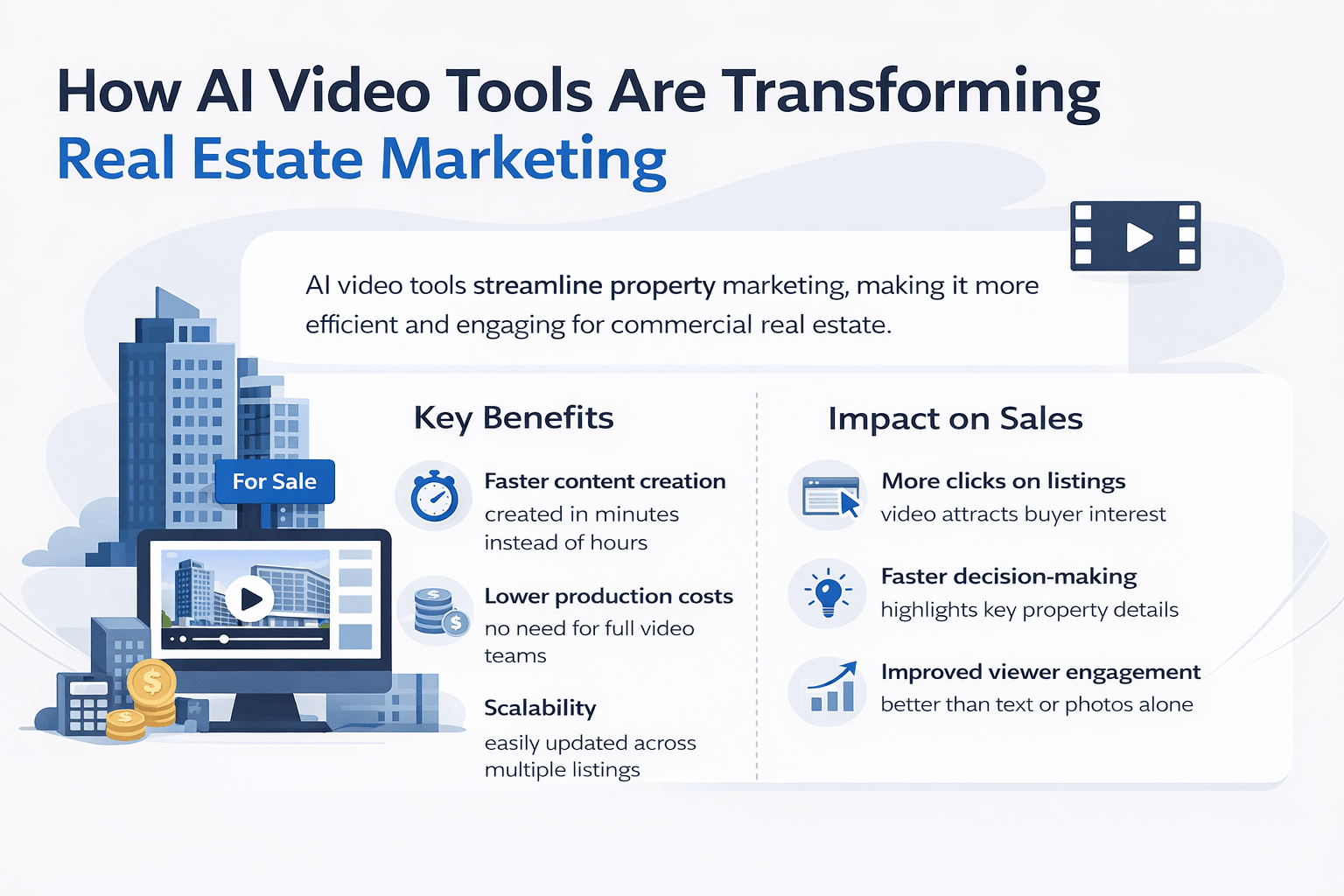
Why AI Video Tools Are Transforming Real Estate Marketing
Real estate marketing has changed quickly in the past few years. Earlier, listings relied heavily on photos and written descriptions. Now, video content drives more attention and engagement.
Short videos, walkthroughs, and quick property highlights perform better across platforms like Instagram, YouTube, and listing sites. Buyers also spend more time watching videos compared to scrolling through images.
However, creating these videos manually comes with challenges:
-
Hiring videographers is costly
-
Editing takes time and skill
-
Scaling across multiple listings is difficult
AI video tools solve these problems by simplifying the entire process.
Key Benefits of AI Video Generators for Real Estate
AI tools help agents and developers work faster while maintaining quality. Here are the main benefits:
-
Faster content creation: You can create a video in minutes instead of hours or days
-
Lower production costs: No need for a full video team or expensive equipment
-
Scalability: Create videos for multiple listings at the same time
-
Consistent branding: Maintain the same style, colors, and messaging across videos
-
Easy updates: Quickly edit videos when pricing or property details change
For commercial real estate professionals, speed and consistency matter even more. Large portfolios and multiple stakeholders require frequent updates. AI makes this process manageable.
How AI Video Improves Property Sales and Engagement
Video content is not just about looks. It directly affects performance.
-
Listings with videos often get more clicks
-
Buyers understand the property faster
-
Engagement on social media increases
-
Trust improves when information is clear and visual
For example, a short 30-second video can highlight:
-
Key features of the property
-
Location benefits
-
Investment potential
This helps buyers make quicker decisions. It also reduces unnecessary back-and-forth communication.
In commercial real estate, videos are especially useful for:
-
Investor presentations
-
Site walkthroughs
-
Development previews
Overall, AI video tools help professionals present information clearly, which leads to better results. This is why more professionals are adopting an AI video generator for real estate to stay competitive and improve listing presentation.
What to Look for in an AI Video Generator for Real Estate
Not all tools are built the same. Choosing the right AI video generator for real estate depends on your workflow and goals. Some focus on general marketing, while others offer features that better fit real estate workflows. Before choosing a tool, it is important to understand what actually matters.
Must-Have Features
When selecting an AI video generator for real estate, these are the basic features every professional should look for:
-
Text-to-video conversion: Turn listing descriptions into videos automatically
-
Image and video integration: Upload property photos and clips easily
-
AI voiceovers: Add narration without recording manually
-
Brand customization: Include your logo, colors, and contact details
-
Simple editing interface: easy to use, even without technical skills
These features help you create videos quickly without needing a full production setup.
Advanced Features for Commercial Real Estate Professionals
For developers, brokers, and larger teams, advanced features can make a big difference:
-
Batch video creation: Generate multiple videos at once for large portfolios
-
Team collaboration tools allow teams to review and edit videos together
-
Data-driven personalization: Customize videos for specific clients or investors
-
CRM and marketing integrations: Connect with existing systems for smoother workflows
These features help streamline operations and improve efficiency across teams.
Pricing Considerations
Pricing varies widely between tools. It is important to look beyond the monthly cost.
Here are a few things to consider:
-
Subscription vs pay-per-video models
-
Limits on video exports
-
Watermarks on lower plans
-
Additional costs for premium features
To make this clearer, here is a simple comparison:
Pricing Model Best For Pros Cons Subscription (Monthly)Active agents with frequent listings Unlimited or high usage Fixed monthly cost Pay-per-video Occasional users Pay only when needed Can get expensive over time Freemium Beginners testing tools Low risk Limited features and branding. In most cases, agents with regular listings benefit more from subscription plans. On the other hand, occasional users may prefer pay-per-video options.
Top AI Video Generator Tools for Real Estate Agents (Compared)
There are many AI video tools available today. However, only a few are well-suited for real estate use.
Below is a comparison of the best AI video generator for real estate tools, based on usability, features, and relevance to property marketing.
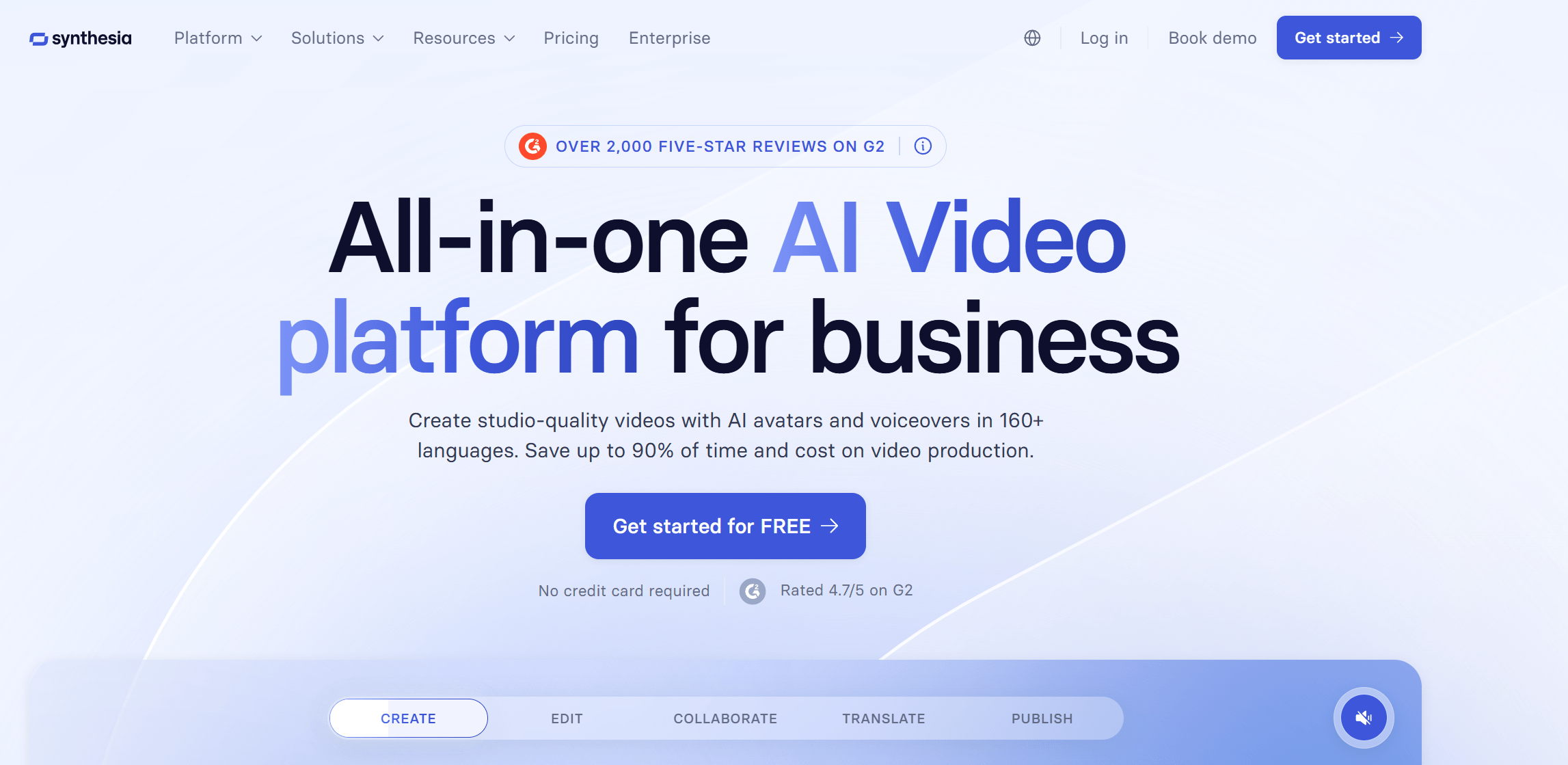
Synthesia – Best for AI Avatar Videos
Synthesia focuses on AI-generated presenters. Instead of showing only property visuals, it allows you to create videos where an AI avatar explains the listing.
Key Features:
-
AI avatars with realistic voiceovers
-
Script-based video creation
-
Multiple language options
Pros:
-
Professional presentation style
-
Useful for global clients and investors
Cons:
-
Less focus on property visuals
-
Not ideal for cinematic listing videos
Best Use Case:
-
Investor presentations
-
Market updates
-
Commercial property overviews
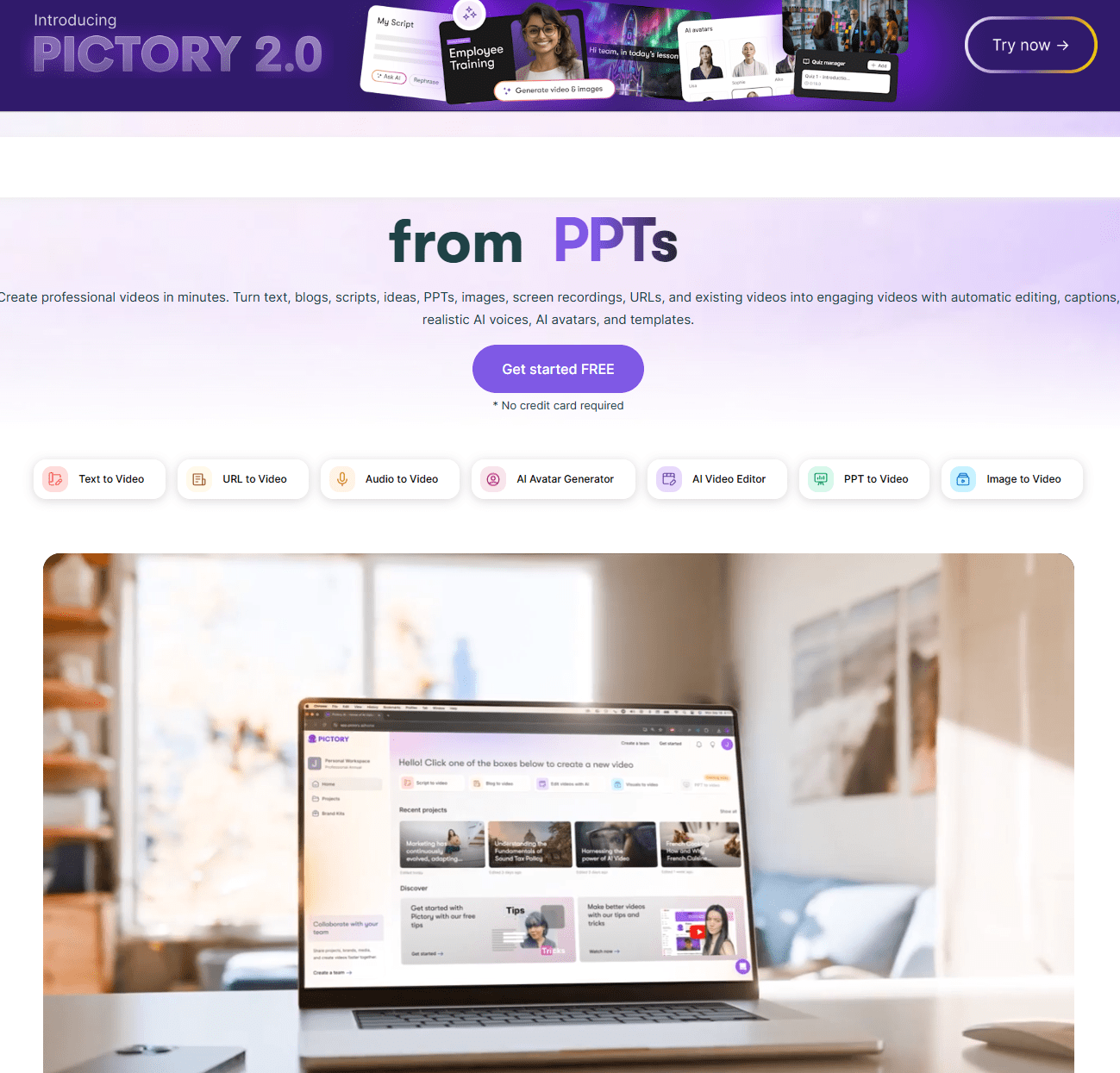
Pictory – Best for Turning Listings into Videos
Pictory is designed for quick video creation from text and images. It works well for agents who want fast results without editing complexity.
Key Features:
-
Converts text into video
-
Automatic scene generation
-
Stock footage integration
Pros:
-
Very easy to use
-
Fast turnaround time
Cons:
-
Limited customization
-
May use generic visuals if not adjusted
Best Use Case:
-
Social media property videos
-
Quick listing highlights
InVideo – Best for Templates
InVideo offers a wide range of templates, including many designed for real estate marketing.
Key Features:
-
Pre-built real estate templates
-
Drag-and-drop editing
-
Voiceover support
Pros:
-
Highly customizable
-
Strong template library
Cons:
-
Slight learning curve
-
Can feel template-heavy if overused
Best Use Case:
-
Property ads
-
Listing promotions
-
Branding-focused videos
Runway ML – Best for Advanced AI Editing
Runway ML is a more advanced tool. It focuses on creative control and high-quality video editing using AI.
Key Features:
-
AI-powered editing tools
-
Background removal
-
Motion tracking
Pros:
-
High-quality output
-
Strong creative control
Cons:
-
Not beginner-friendly
-
More complex than needed for simple listings
Best Use Case:
-
High-end commercial projects
-
Custom marketing campaigns
Animoto – Best for Quick Property Slideshows
Animoto is one of the simplest tools available. It is ideal for creating slideshow-style videos quickly.
Key Features:
-
Slideshow video creation
-
Music and branding options
Pros:
-
Very easy to use
-
Fast video creation
Cons:
-
Limited AI capabilities
-
Less dynamic compared to other tools
Best Use Case:
-
Quick listing videos
-
Simple property showcases
Lumen5 – Best for Content Marketing
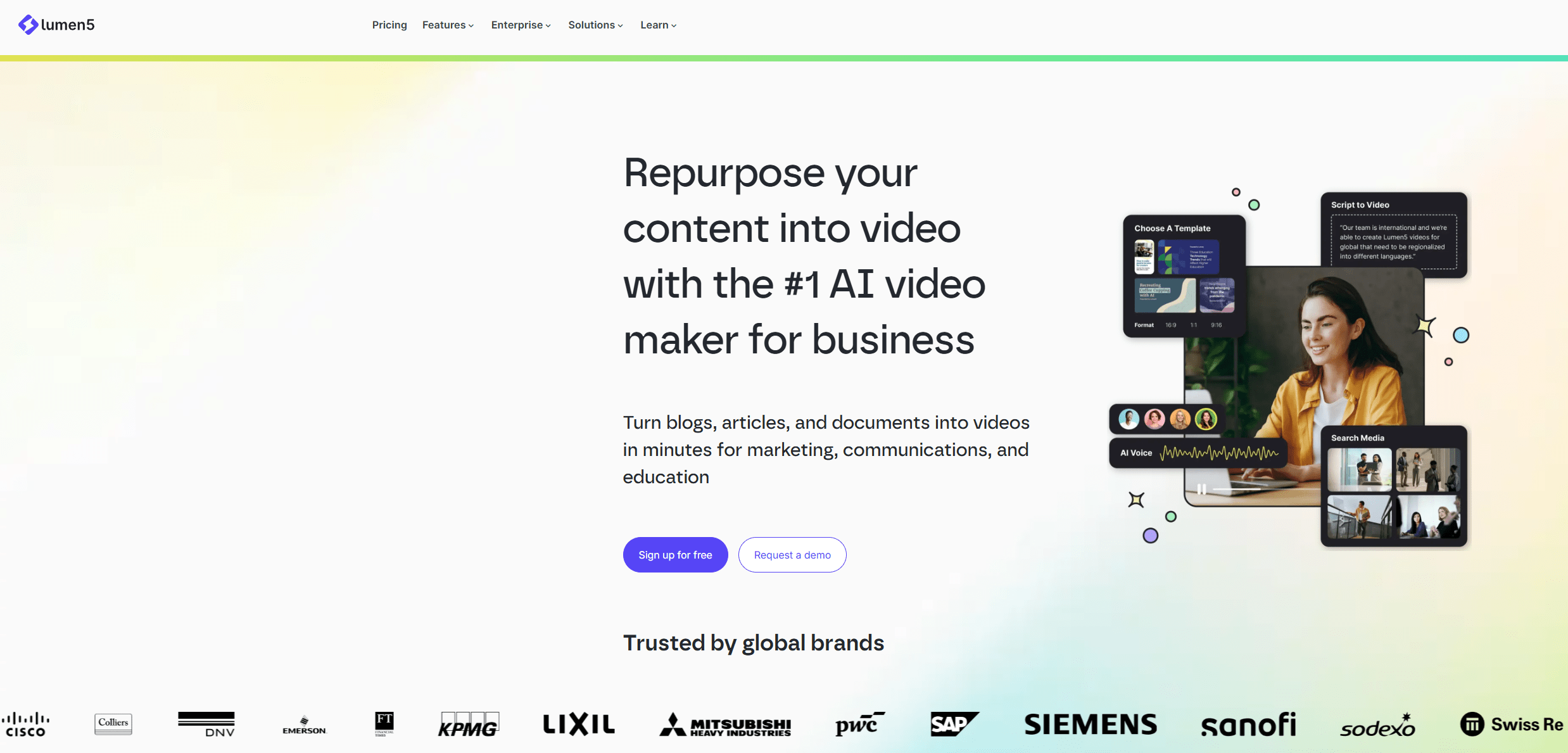
Lumen5 is better suited for turning written content into videos. It is useful for educational and marketing content.
Key Features:
-
Blog-to-video conversion
-
AI scene matching
Pros:
-
Great for content marketing
-
Easy automation
Cons:
-
Not property-focused
-
Generic visuals
Best Use Case:
-
Market insights
-
Educational videos
-
Thought leadership content
How to Use Each AI Video Tool for Real Estate (Step-by-Step)
Now that you understand how AI video fits into your workflow, the next step is knowing how to actually use each tool in real scenarios.
Each platform works differently. So instead of guessing, here is a simple breakdown of how real estate professionals can use each one effectively.
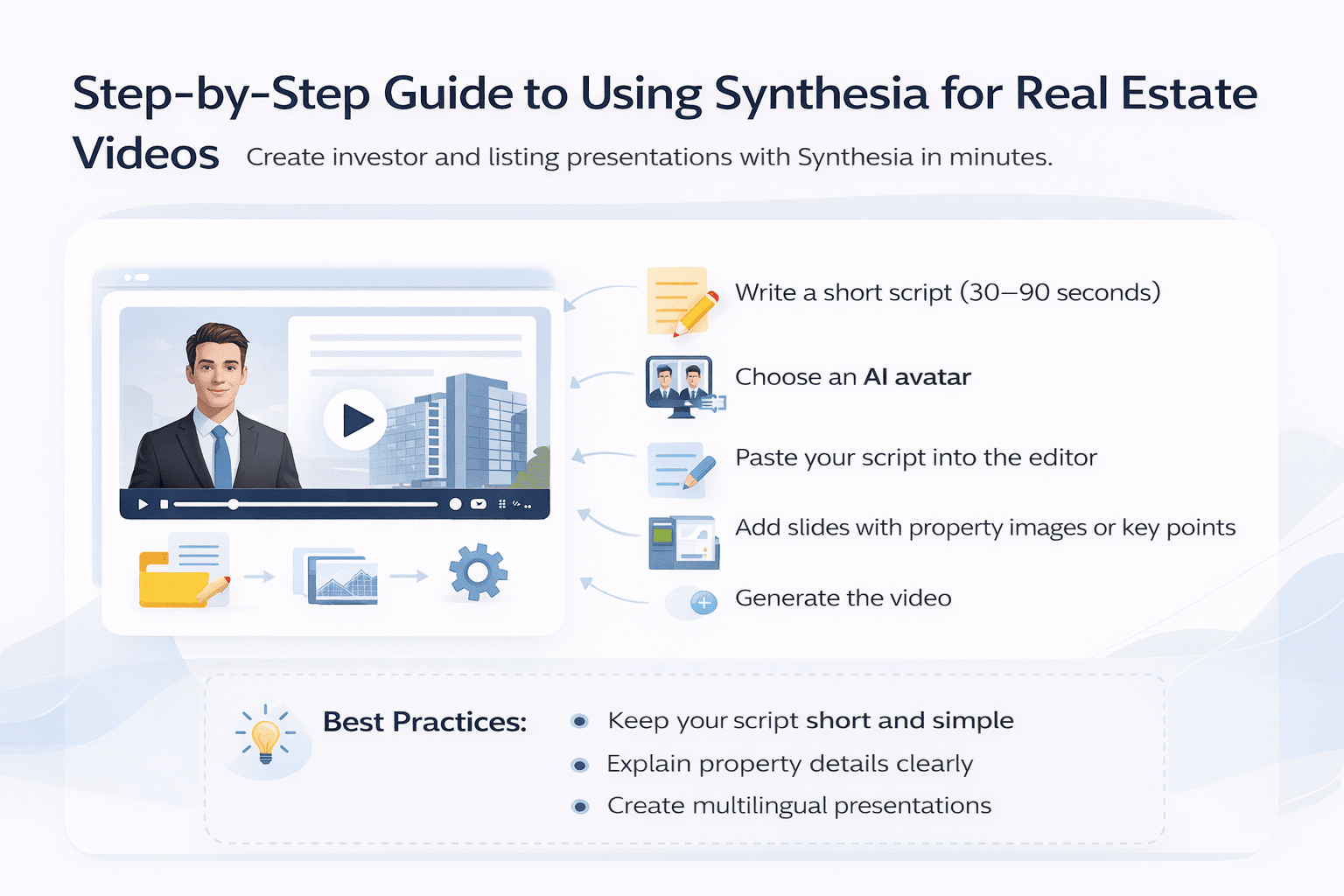
Synthesia – How to Use for Investor & Listing Presentations
Synthesia is best when you want a structured, professional video with a presenter.
How to use it:
-
Write a short script (30–90 seconds)
-
Choose an AI avatar
-
Paste your script into the editor
-
Add slides with property images or key points
-
Generate the video
Best workflow:
-
Use for investor updates
-
Explain property details clearly
-
Create multilingual presentations
Pro tip: Keep your script simple and direct. Avoid long sentences.
Pictory – How to Turn Listings into Videos Quickly
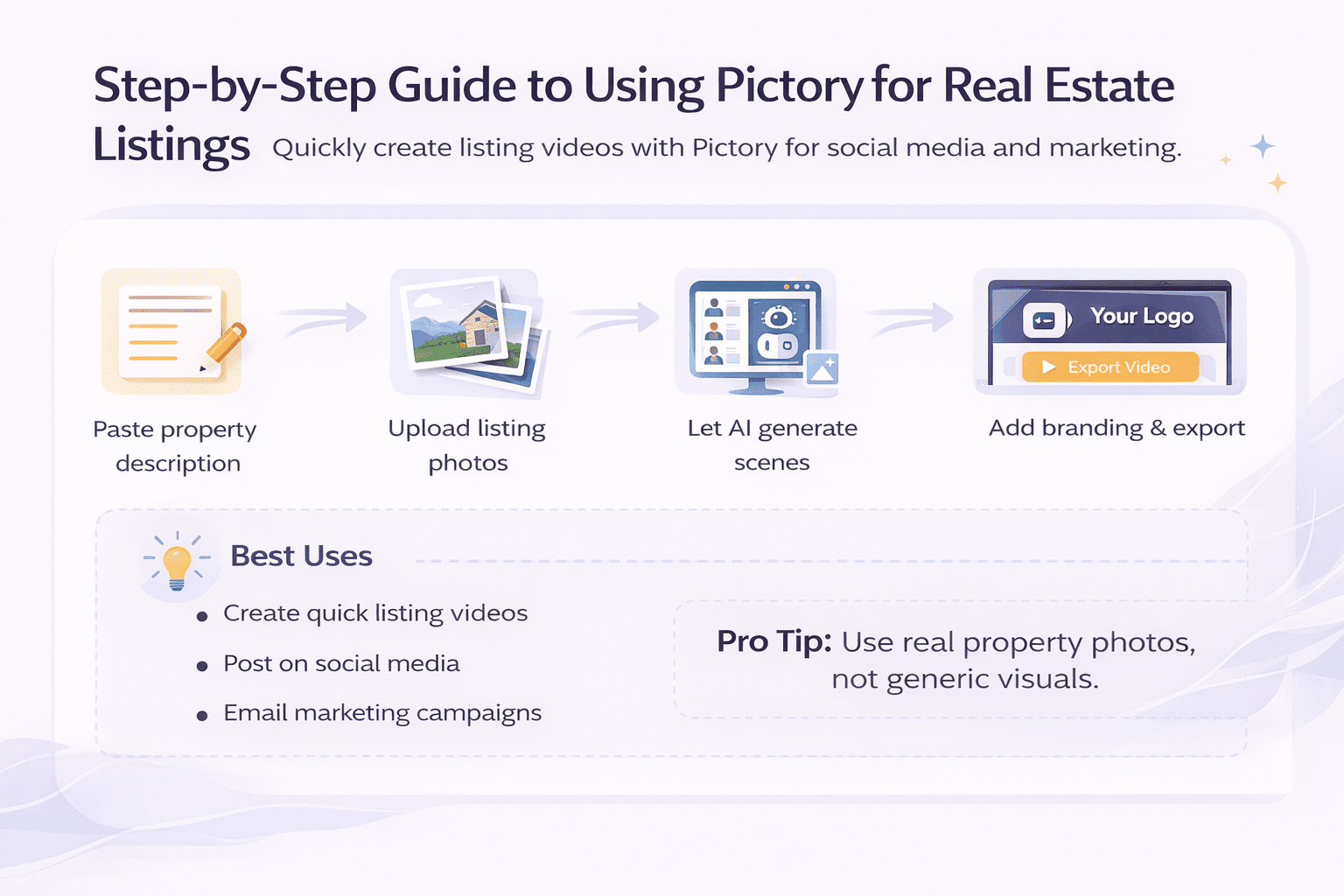
Pictory is ideal for fast listing videos with minimal effort.
How to use it:
-
Paste your property description
-
Upload listing images or let AI choose visuals
-
Let the tool auto-generate scenes
-
Add branding (logo, colors)
-
Export the video
Best workflow:
-
Create quick listing videos
-
Post on social media
-
Use for email marketing
Pro tip: Always replace generic visuals with real property images.
InVideo – How to Create Branded Property Videos
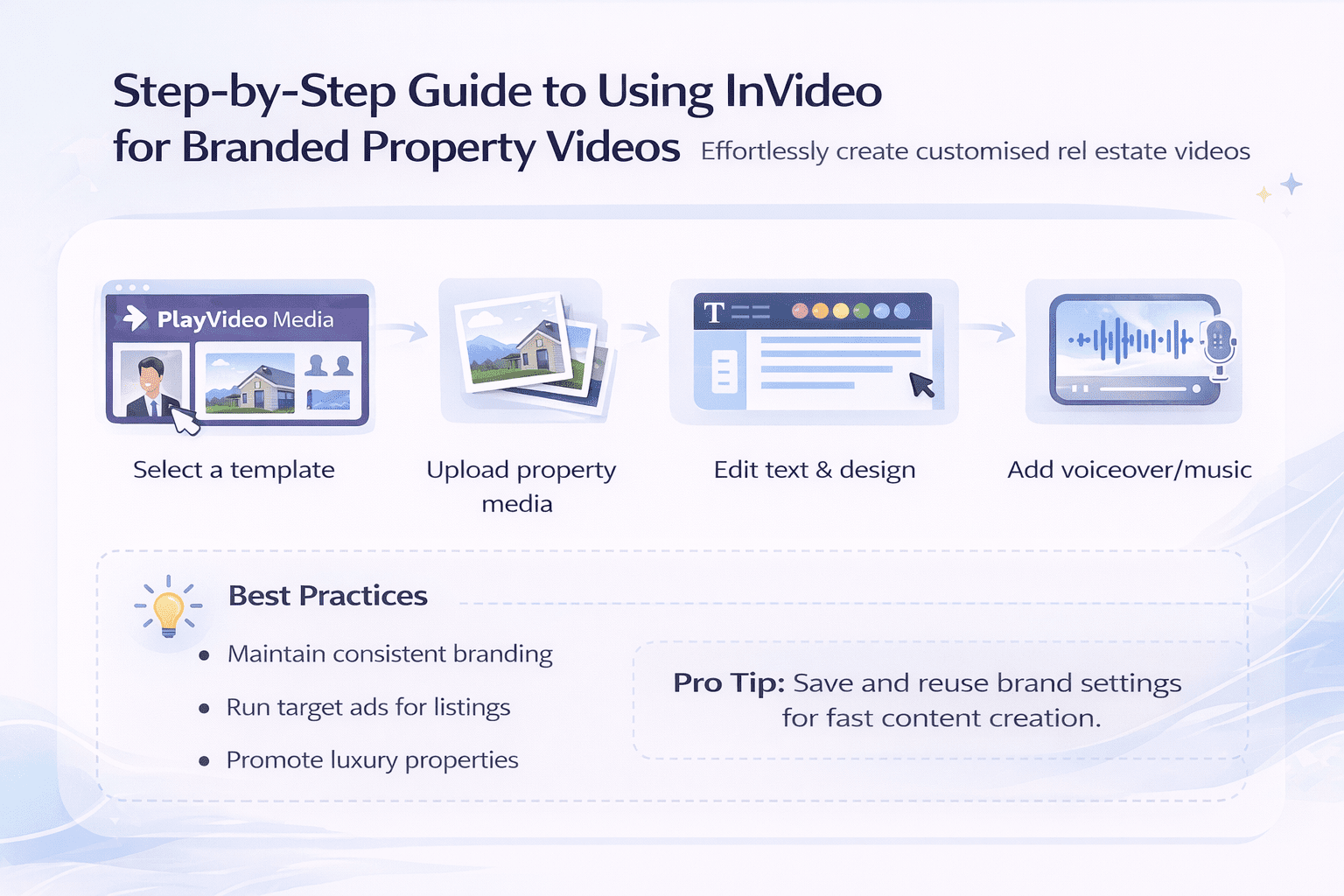
InVideo gives you more control through templates.
How to use it:
-
Select a real estate template
-
Upload your property media
-
Edit text overlays with listing details
-
Customize colors and fonts
-
Add voiceover or music
Best workflow:
-
Create consistent branded content
-
Run paid ads
-
Promote high-value listings
Pro tip: Save your brand settings as a template to reuse.
Runway ML – How to Create High-End Property Videos
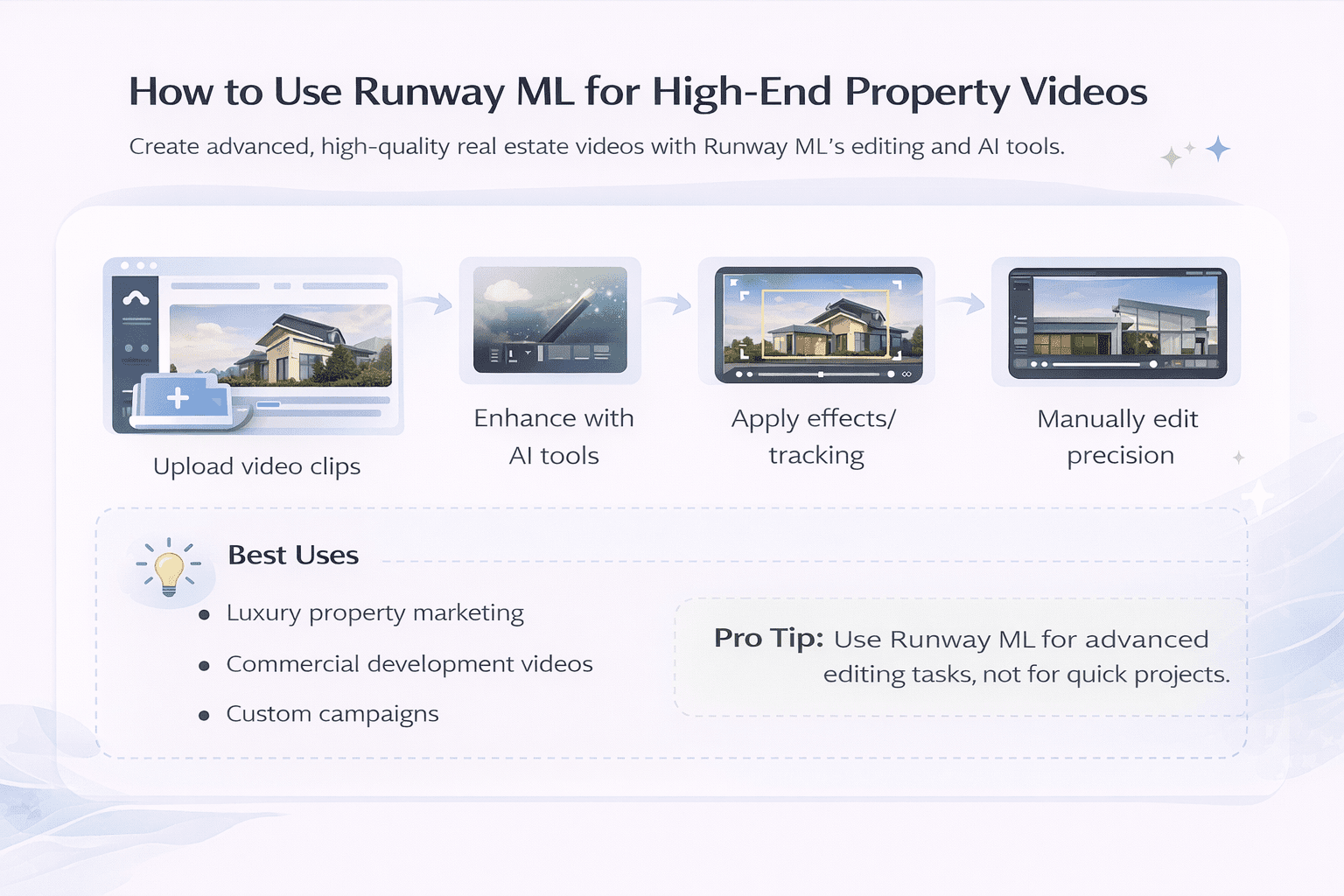
Runway ML is best for advanced editing and creative control.
How to use it:
-
Upload your video clips
-
Use AI tools for background cleanup or enhancements
-
Apply motion tracking or effects
-
Edit scenes manually for precision
-
Export high-quality output
Best workflow:
-
Luxury property marketing
-
Commercial development videos
-
Custom campaigns
Pro tip: Use this only when you need advanced editing. It is not for quick tasks.
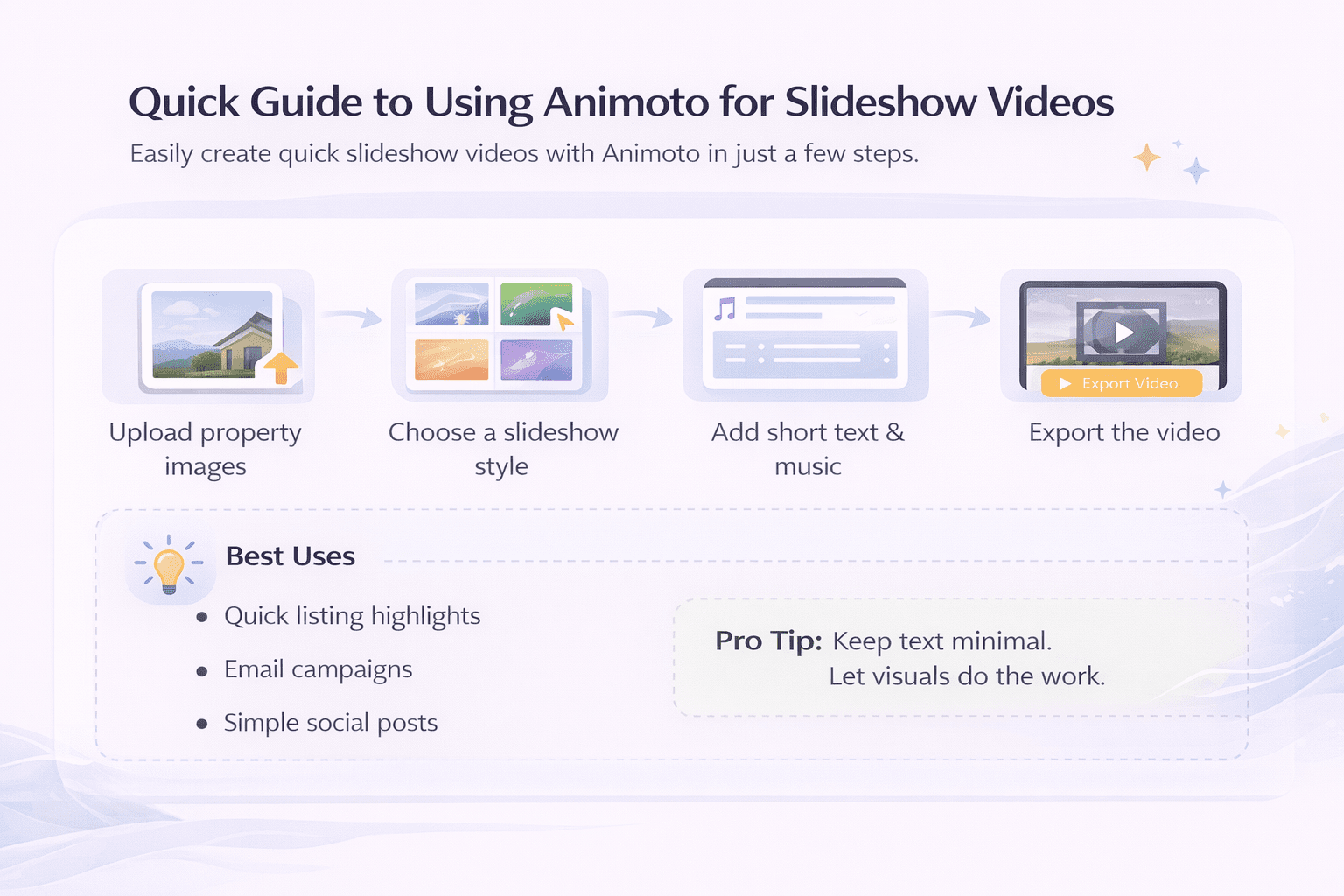
Animoto – How to Make Quick Slideshow Videos
Animoto is simple and fast.
How to use it:
-
Upload property images
-
Choose a slideshow style
-
Add short text captions
-
Select background music
-
Export the video
Best workflow:
-
Quick listing highlights
-
Email campaigns
-
Simple social posts
Pro tip: Keep text minimal. Let visuals do the work.
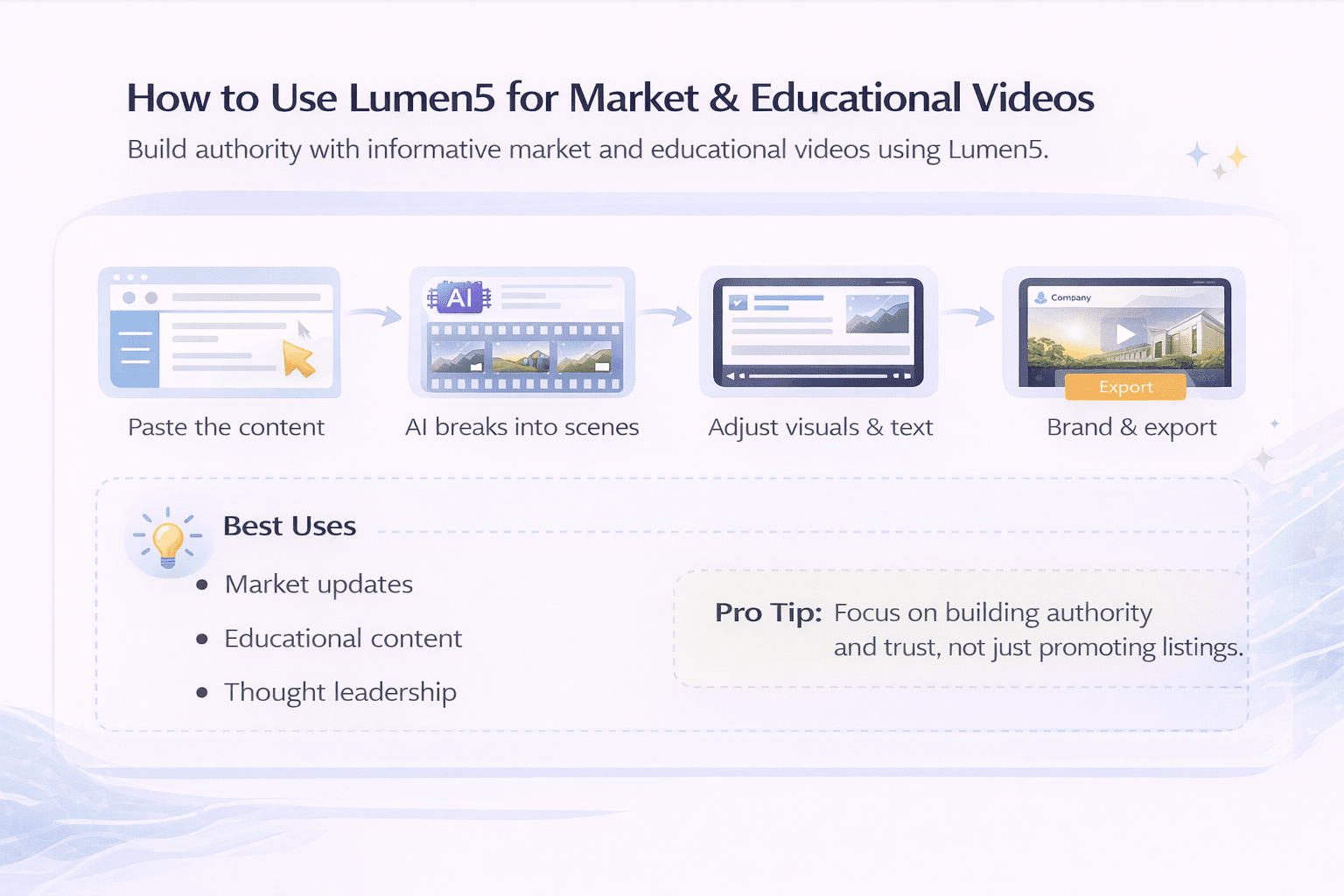
Lumen5 – How to Create Market & Educational Videos
Lumen5 works best for content-based videos.
How to use it:
-
Paste blog or market content
-
Let AI break it into scenes
-
Adjust visuals and text
-
Add branding
-
Export the video
Best workflow:
-
Market updates
-
Educational content
-
Thought leadership
Pro tip: Use this to build authority, not just promote listings.
Simple Workflow: Combining Tools for Better Results
Instead of relying on one tool, combine them based on your needs:
-
Use Pictory for fast listing videos
-
Use InVideo for branded marketing
-
Use Synthesia for presentations
-
Use Lumen5 for content
-
Use Runway ML for high-end edits
This approach helps you:
-
Save time
-
Improve quality
-
Cover multiple use cases
AI Video Tool Pricing Comparison for Real Estate Professionals
Pricing plays a big role when choosing an AI video generator for real estate. While most tools look similar at first, their cost structures and value can vary a lot.
Below is a simple breakdown to help you compare.
Monthly Pricing Comparison of Popular AI Video Tools
| Tool | Starting Price (Approx) | Free Plan | Best For | Notes |
|---|---|---|---|---|
| Synthesia | $22–$30/month | No | Presentations | Higher cost, premium output |
| Pictory | $19–$25/month | Limited | Quick videos | Good value for beginners |
| InVideo | $15–$30/month | Yes | Templates & ads | Flexible pricing |
| Runway ML | $12–$35/month | Yes | Advanced editing | Pay more for usage |
| Animoto | $16–$29/month | Limited | Slideshows | Simple and affordable |
| Lumen5 | $19–$49/month | Yes | Content videos | Higher tiers for branding |
What You Actually Pay For
Pricing is not just about the monthly fee. It also depends on what you get.
Here’s what to watch:
-
Video export limits: Some tools restrict how many videos you can download
-
Watermarks: Free plans often include branding
-
Resolution quality: Higher plans unlock HD or 4K
-
Templates and assets: Premium templates may cost extra
Cost Comparison: AI Tools vs Traditional Video Production
| Factor | Traditional Video | AI Video Tools |
|---|---|---|
| Cost per video | $200–$2,000+ | $0–$10 (approx per video) |
| Turnaround time | Days or weeks | Minutes to hours |
| Editing flexibility | Limited | High |
| Scalability | Low | High |
Which Tool Offers the Best Value?
-
Best budget option: Pictory
-
Best for flexibility: InVideo
-
Best for premium presentations: Synthesia
-
Best for advanced users: Runway ML
-
Best for simple use: Animoto
-
Best for content marketing: Lumen5
How Real Estate Agents Can Use AI Video Tools Effectively
An AI video generator for real estate is powerful, but results depend on how you use it. Simply generating a video is not enough. The goal is to communicate clearly and help buyers or investors understand the property faster. When used correctly, these tools can improve both marketing and client communication.
Property Listing Videos
This is the most common use case when using an AI video generator for real estate. Instead of static images, you can create short, engaging videos for each listing.
A good listing video should:
-
Highlight key features first (location, size, price range)
-
Show the best visuals early to grab attention
-
Keep the length between 30 and 60 seconds
-
End with a clear call-to-action
You can use AI tools to:
-
Turn listing descriptions into scripts
-
Add smooth transitions between images
-
Include background music and voiceovers
For commercial real estate, listing videos can also include:
-
Floor plans
-
Zoning details
-
Investment highlights
This helps serious buyers make faster decisions.
Social Media Content
Social media is where AI video tools shine the most. Platforms like Instagram, LinkedIn, and YouTube favor video content.
Instead of posting only listings, you can create:
-
Short property teasers
-
“Just listed” or “Just sold” videos
-
Neighborhood highlights
-
Market trend updates
AI tools make it easier to stay consistent.
Best practices:
-
Keep videos under 30 seconds for short-form platforms
-
Use captions, since many users watch without sound
-
Maintain consistent branding (logo, colors, tone)
Consistency matters more than perfection. Posting regularly builds visibility over time.
Client Communication
Many agents overlook this use case, but it can save a lot of time.
Instead of long emails, you can send short personalized videos.
For example:
-
Property walkthrough summaries
-
Investment updates
-
Follow-up messages after meetings
AI tools can help you:
-
Quickly create personalized videos using templates
-
Add voice-overs without recording manually
-
Reuse formats for multiple clients
This creates a more personal experience without increasing workload.
Commercial Real Estate Applications
In commercial real estate, communication is often more complex. There are multiple stakeholders, larger investments, and longer decision cycles.
AI video tools can simplify this process.
Common use cases include:
-
Site walkthroughs: Show property layout and surroundings clearly
-
Development proposals: Present concepts in a visual format
-
Investor presentations: highlight ROI, location benefits, and project scope
-
Portfolio overviews: Showcase multiple properties in one video
These videos help explain complex information in a simple way. As a result, decision-making becomes faster and more efficient.

Quick Use Case Comparison
| Use Case | Video Type | Ideal Length | Goal |
|---|---|---|---|
| Property Listings | Highlight video | 30–60 sec | Generate leads |
| Social Media | Short-form clips | 15–30 sec | Increase reach |
| Client Communication | Personalized videos | 30–90 sec | Build trust |
| Commercial Projects | Presentation videos | 1–3 min | Explain value |
Common Mistakes to Avoid When Using AI Video Tools
Even with an AI video generator for real estate, poor execution can reduce impact. Many agents make small mistakes that affect results. Here are the most common ones.
Overusing Generic Stock Footage
Stock footage can help, but too much of it makes videos feel generic.
Instead:
-
Use real property images whenever possible
-
Mix stock footage only when needed (e.g., city views)
Ignoring Branding Consistency
Your videos should reflect your brand.
Avoid:
-
Changing colors and fonts in every video
-
Using different styles across listings
Instead:
-
Use the same logo placement
-
Stick to consistent colors and tone
Poor Script Quality
AI tools often rely on text input. If your script is weak, the video will also be weak.
Common issues:
-
Too much information
-
Unclear messaging
-
No structure
Keep scripts:
-
Short and focused
-
Easy to follow
-
Benefit-driven
Not Optimizing for Platforms
Each platform has different requirements.
For example:
-
Instagram prefers vertical videos
-
YouTube works better with longer formats
-
LinkedIn favors a professional tone
Adjust:
-
Video size (vertical vs horizontal)
-
Length
-
Style
Missing a Clear Call-to-Action
Every video should guide the viewer on what to do next.
Examples:
-
“Contact us for more details.”
-
“Schedule a viewing today.”
-
“Download the full brochure.”
Without a CTA, even a good video may not convert.
Are AI Video Generators Worth It for Real Estate Professionals?
This is a common question, especially for agents who are used to traditional methods. The short answer is yes but only if used properly.
Cost vs Traditional Video Production
Let’s compare the two approaches.
| Factor | Traditional Video | AI Video Tools |
|---|---|---|
| Cost | High (videographer, editing) | Low (subscription-based) |
| Time | Days to weeks | Minutes to hours |
| Scalability | Limited | High |
| Flexibility | Hard to update | Easy to edit |
Traditional video still has value for high-end projects. However, it is not practical for everyday listings. AI tools, on the other hand, are designed for speed and volume.
ROI for Agents and Developers
Return on investment comes from efficiency and reach.
With AI video tools, you can:
-
Market more listings in less time
-
Reduce outsourcing costs
-
Increase engagement on digital platforms
-
Improve client communication
For commercial real estate professionals, the benefits are even greater.
-
Faster investor updates
-
Clearer presentations
-
Better coordination across teams
Over time, these small improvements add up. They help reduce delays and improve overall productivity.
The Future of AI Video in Commercial Real Estate
AI video tools are improving fast. What feels advanced today will likely become standard in the next few years. For real estate professionals, this shift is important. Early adopters will have a clear advantage in both marketing and operations.
In commercial real estate, where deals are larger and more complex, better communication can directly impact results. AI video is starting to play a key role in that process.
Emerging Trends in AI Video for Real Estate
Several trends are already shaping how AI video will be used in the industry.
-
AI-generated virtual tours: Tools are moving beyond simple slideshows. They are starting to create full walkthrough-style videos using images, floor plans, and minimal input.
-
Personalized buyer and investor videos: Instead of sending the same content to everyone, agents can create tailored videos based on client needs, location, or investment goals.
-
Integration with property data: AI tools are beginning to connect with listing data, automatically updating videos when property details change.
-
Voice and language customization: Videos can be generated in multiple languages, which is useful for international investors.
-
Short-form video automatio: AI can now create multiple short clips from one listing, optimized for different platforms.
These trends show that AI video is moving from a “marketing tool” to a “core workflow tool.”
How AI Training Gives You a Competitive Edge
Having access to tools is one thing. Using them effectively is another. Many professionals struggle not because the tools are complex, but because they lack a clear process. Without proper guidance, results can feel inconsistent or underwhelming. This is where structured AI training becomes valuable.
Training helps you:
-
Understand which tools fit your workflow
-
Create repeatable systems for video production
-
Maintain consistent branding across all content
-
Use AI tools for both marketing and operations
For commercial real estate professionals, this also means:
-
Better internal communication
-
Faster project updates
-
More professional client presentations
In simple terms, tools provide capability, but training provides direction.
How to Choose the Right AI Video Tool for Your Needs
With so many options available, choosing the right tool can feel overwhelming. However, the decision becomes easier when you focus on your specific needs. Instead of looking for the “best” tool, look for the right fit for your workflow.
Key Factors to Consider
-
Budget: Decide how much you are willing to spend monthly. Frequent users benefit more from subscription plans.
-
Skill level: Beginners should choose simple tools with templates. Advanced users can explore more flexible platforms.
-
Type of properties: Residential listings may need quick, simple videos. Commercial projects may require detailed presentations.
-
Content goals: Are you creating:
-
Listing videos?
-
Social media content?
-
Investor presentations?
-
Your answer will guide your tool selection.
Simple Decision Guide
| Scenario | Recommended Tool Type | Why It Works |
|---|---|---|
| New agent | Beginner-friendly tools | Easy to learn and fast to use |
| High listing volume | Automation-focused tools | Saves time and scales easily |
| Commercial projects | Advanced editing tools | More control and detail |
| Marketing-focused agent | Template-based tools | Consistent branding |
Common Selection Mistakes
Avoid these common issues when choosing a tool:
-
Picking a tool that is too complex
-
Ignoring long-term usage costs
-
Choosing based only on popularity
-
Not testing the tool before committing
A simple tool used consistently is better than a powerful tool used rarely.
Final Thoughts: Choosing the Best AI Video Generator for Real Estate
AI video tools are no longer optional in real estate. They are becoming part of everyday workflows.
However, the goal is not to use every tool available. The goal is to use the right tool in a simple and consistent way.
To recap:
-
AI video saves time and reduces costs
-
It improves how properties are presented
-
It helps agents and developers scale their efforts
At the same time, results depend on how well the tools are used. A clear process, combined with the right platform, makes the biggest difference.
For commercial real estate professionals, this is even more important. Better communication leads to better decisions, and better decisions lead to better outcomes.
Ready to Use AI in Your Real Estate Workflow?
At AI for CRE Collective, we help real estate professionals actually use AI in their daily work.
What you get:
- Simple, practical AI training
- Real-world CRE use cases
- Ready-to-use tools and workflows
- A community of professionals
AI is already changing real estate. Start learning now.
FAQs About AI Video Generators for Real Estate
What is an AI video generator for real estate?
An AI video generator is a tool that creates videos using text, images, or simple inputs. Instead of filming and editing manually, the software handles most of the work. In real estate, these tools are used to turn listings into videos quickly.
They usually include:
-
Text-to-video conversion
-
Automated transitions and scenes
-
Voiceovers and captions
For agents and developers, this means less time spent on editing and more time focusing on deals. You can create listing videos, investor presentations, and social media content without needing advanced skills. Overall, AI video generators simplify video creation while keeping quality consistent.
How do AI video tools work for property listings?
AI video tools use basic inputs to generate a complete video. You typically provide:
-
Property images or clips
-
Listing description
-
Key details like price or location
The tool then:
-
Breaks content into scenes
-
Adds transitions and text overlays
-
Generates voiceovers (optional)
This process usually takes only a few minutes. However, it is still important to review the output. Small edits can improve clarity and branding. When used correctly, these tools help agents present listings in a more engaging and professional way.
What are the benefits of using AI video in real estate marketing?
AI video tools offer both time and cost advantages. Here are the main benefits:
-
Faster video creation
-
Lower production costs
-
Ability to scale across multiple listings
-
Consistent branding
-
Better engagement on digital platforms
In addition, videos help buyers understand properties faster. This reduces back-and-forth communication. For commercial real estate, the benefits extend further. You can create clear presentations for investors and stakeholders, which helps speed up decision-making.
Can AI video tools replace professional videographers?
AI tools can replace videographers for many everyday use cases, but not all.
They work well for:
-
Listing videos
-
Social media content
-
Quick updates
However, professional videography is still valuable for:
-
Luxury properties
-
High-end marketing campaigns
-
Cinematic storytelling
In most cases, agents use a mix of both. AI tools handle daily content, while professionals are used for premium projects. This balanced approach helps reduce costs while maintaining quality where it matters most.
Are AI-generated property videos effective?
Yes, AI-generated videos can be very effective when done correctly.
They help:
-
Capture attention quickly
-
Explain property features clearly
-
Improve engagement on platforms
However, effectiveness depends on:
-
Quality of input content
-
Clear messaging
-
Proper formatting for each platform
A well-structured video will always perform better than static images alone. Still, poor scripting or generic visuals can reduce impact. So, the tool matters, but execution matters more.
What features should I look for in an AI video tool?
Choosing the right features is important.
Key features include:
-
Text-to-video automation
-
Easy image and video uploads
-
AI voiceovers
-
Branding customization
-
Simple editing interface
For advanced users, also look for:
-
Batch video creation
-
CRM integration
-
Team collaboration tools
The goal is to find a tool that fits your workflow, not just one with the most features.
Are AI video tools suitable for commercial real estate?
Yes, they are especially useful in commercial real estate.
These tools help simplify complex information.
Common use cases include:
-
Investment presentations
-
Development proposals
-
Portfolio overviews
They allow you to present large amounts of data in a clear and visual format. This improves communication between teams, clients, and investors. As a result, decisions can be made faster and with a better understanding.
How much do AI video generators cost?
Pricing depends on the tool and features.
Most tools offer:
-
Monthly subscription plans
-
Tiered pricing based on usage
Typical costs are much lower than traditional video production.
However, consider:
-
Export limits
-
Branding restrictions
-
Additional feature costs
For agents who create videos regularly, subscription plans usually offer better value over time.
Can beginners use AI video tools easily?
Yes, most AI video tools are designed for beginners.
They often include:
-
Pre-built templates
-
Drag-and-drop editors
-
Simple workflows
This means you do not need technical or editing experience. However, results improve with practice. Learning how to write better scripts and choose the right visuals can make a big difference.
What type of videos can real estate agents create with AI?
AI tools support a wide range of video types.
Common examples include:
-
Property listing videos
-
Social media clips
-
Market updates
-
Client follow-ups
For commercial real estate:
-
Investor presentations
-
Site walkthroughs
-
Project overviews
This flexibility makes AI tools useful across different stages of the sales process.
Do AI video tools support multiple languages?
Yes, many AI tools support multiple languages.
This is useful for:
-
International buyers
-
Global investors
-
Diverse audiences
You can create the same video in different languages without starting from scratch. This helps expand your reach and improve communication with a wider audience.
How long should a real estate video be?
Video length depends on the purpose.
General guidelines:
-
15–30 seconds for social media
-
30–60 seconds for listing videos
-
1–3 minutes for presentations
Shorter videos tend to perform better online. However, longer videos are useful for detailed explanations. The key is to keep the content focused and easy to follow.
Can AI tools create videos automatically from text?
Yes, this is one of their main features.
You can input:
-
Property descriptions
-
Blog content
-
Scripts
The tool converts this into a video with scenes, text, and visuals. However, automatic output may need small edits. Adjusting visuals and refining text improves quality and relevance.
Are AI video tools better than traditional marketing methods?
AI video tools are not necessarily better, but they are more efficient.
Compared to traditional methods, they offer:
-
Faster turnaround
-
Lower costs
-
Easier scalability
However, traditional methods still have value in certain situations. The best approach is to combine both, depending on your needs.
How can AI video improve client communication?
AI video makes communication clearer and more engaging.
Instead of long emails, you can:
-
Send video summaries
-
Explain property details visually
-
Provide updates quickly
This saves time and improves understanding. Clients also appreciate personalized communication, which helps build stronger relationships.
What mistakes should I avoid when using AI video tools?
Common mistakes include:
-
Using too much generic stock footage
-
Ignoring branding consistency
-
Writing unclear scripts
-
Not optimizing for platforms
-
Skipping a call-to-action
Avoiding these mistakes improves both quality and results.
Do AI videos work for social media marketing?
Yes, they work very well on social platforms.
Short videos tend to:
-
Get more engagement
-
Reach larger audiences
-
Perform better than static posts
AI tools make it easier to create content regularly, which is important for growth.
Can AI video tools handle multiple listings at once?
Some advanced tools offer batch processing.
This allows you to:
-
Create videos for multiple listings
-
Maintain consistent formatting
-
Save time on repetitive tasks
This feature is especially useful for agents with high listing volumes.
Is AI video marketing suitable for small real estate teams?
Yes, AI tools are ideal for small teams.
They help:
-
Reduce reliance on external services
-
Save time and costs
-
Improve marketing output
Even a small team can produce high-quality videos consistently.
Will AI video continue to grow in real estate?
Yes, AI adoption in real estate is increasing rapidly.
The industry is moving toward:
-
More automation
-
Better digital experiences
-
Data-driven marketing
As tools improve, AI video will become a standard part of real estate workflows.
