
CRE Amenity Maps with ChatGPT
The AI CRE amenity map guide is changing how commercial real estate brokers approach marketing materials. Traditionally, creating a high-quality amenity map meant choosing between two inefficient options: paying a designer $150–300 and waiting several days, or quickly assembling a generic screenshot that weakens the overall presentation of your offering memorandum.
However, a third option has now emerged, and it’s significantly more efficient.
With the introduction of advanced AI image generation, brokers can now create clean, professional, and data-informed amenity maps in minutes. As a result, what used to be a bottleneck in the marketing process is now one of the fastest steps.
What Is a CRE Amenity Map (And Why It Matters)
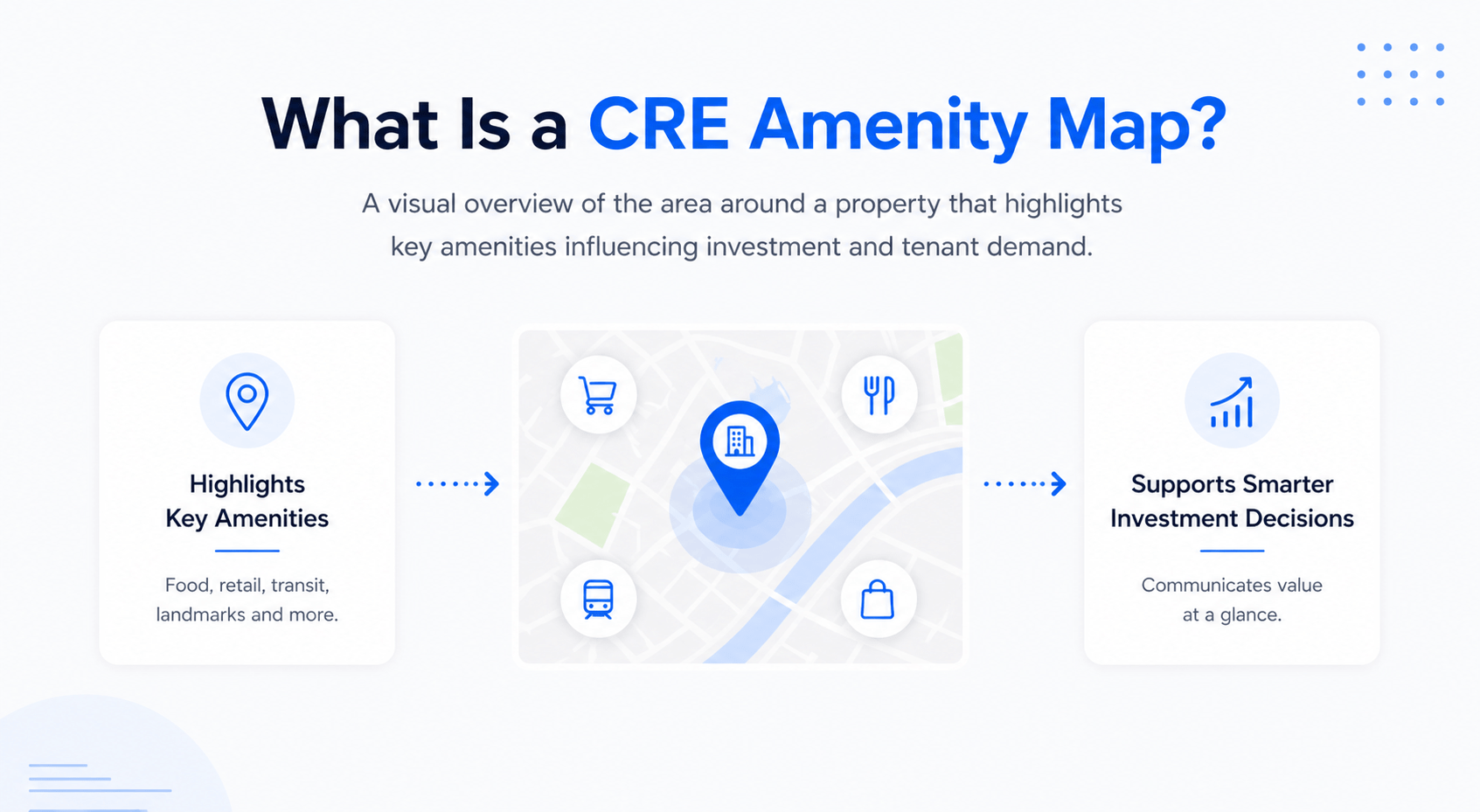
An amenity map visually represents the surrounding area of a property. It highlights nearby features that influence investment decisions and tenant demand.
Typically, these include:
-
Grocery stores and supermarkets
-
Restaurants and dining hubs
-
Transit stations and accessibility points
-
Retail centers and anchor tenants
-
Key landmarks and neighborhood drivers
Instead of forcing investors to read long descriptions, an amenity map communicates the entire location story at a glance. Therefore, it has become a standard component in most offering memoranda.
However, the challenge has always been execution.
Producing a high-quality amenity map requires:
-
Time for research and layout
-
Design expertise for visual clarity
-
Iteration to ensure accuracy and completeness
Because of this, brokers often outsource maps for large deals and skip them for smaller ones. As a result, marketing quality becomes inconsistent across listings.
How AI Changes the Amenity Map Workflow
The introduction of AI fundamentally shifts this process. Instead of separating research, design, and revisions into different stages, AI combines everything into a single workflow.
For example, a simple prompt can now generate:
-
A structured visual map
-
Categorized amenities
-
A clearly marked subject property
-
A presentation-ready layout
In addition, AI can perform real-time research to populate the map with actual businesses in the area. This is where the biggest advantage appears.
Previously, you had to:
-
Manually search for nearby tenants
-
Select which ones to include
-
Provide that list to a designer
-
Wait for revisions
Now, AI handles all of that in seconds. This is similar to how AI is already being used for AI-generated site plans and yield estimates, where both visualization and data are combined into a single streamlined output.
What Was Tested in a Real Scenario
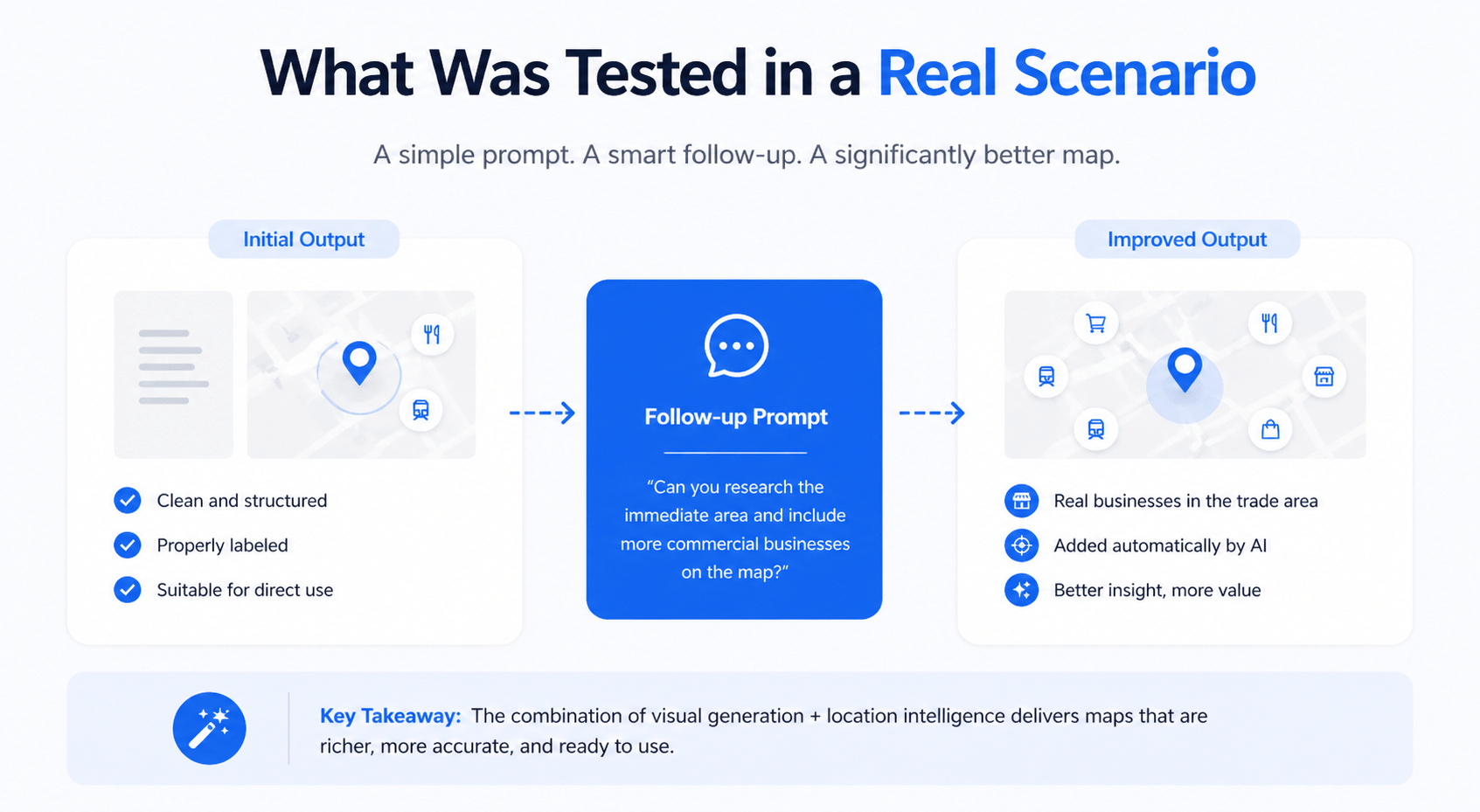
During a real estate conference, I tested this workflow using a basic prompt without providing any design specifications.
The initial output was:
-
Clean and visually structured
-
Properly labeled
-
Suitable for direct use
However, the real improvement came after adding a follow-up instruction:
“Can you research the immediate area and include more commercial businesses on the map?”
At that point, the output evolved significantly.
The system identified real businesses in the trade area, such as grocery chains, retail centers, and local anchors, and incorporated them into the map automatically.
This combination of visual generation + location intelligence is what sets AI apart from traditional design tools.
Step-by-Step AI CRE Amenity Map Guide
Step 1: Start with the Right Setup
First, ensure you are using a version of ChatGPT that supports image generation. This is essential, as standard text-only outputs will not produce visual maps.
Once inside, you can begin immediately, with no additional tools or software required.
Step 2: Use a Structured Prompt
Your initial prompt should clearly define the purpose and expected output.
For example:
“I’m a commercial real estate broker putting together an offering memorandum. I need a professional amenity map for [property address]. Include nearby retail, restaurants, transit, and key landmarks. The map should be clean and presentation-ready.”
This gives the AI enough direction to produce a usable first draft.
Step 3: Evaluate the First Output
In most cases, the first version will already meet baseline standards. However, it may lack depth or specificity.
Therefore, review for:
-
Missing categories
-
Limited geographic coverage
-
Generic placeholders instead of real businesses
At this stage, the goal is not perfection; it’s identifying what needs refinement.
Step 4: Add Real Trade Area, Data
This is the most important step in the entire process.
Use a follow-up prompt such as:
“Please research what’s actually in the area and include major grocery stores, retailers, and restaurants nearby.”
As a result, the map transforms from a generic visualization into a data-backed marketing asset.
Skipping this step typically results in a less credible output.
Step 5: Refine and Iterate Quickly
One of the biggest advantages of AI is the ability to iterate instantly.
Instead of revising files or communicating with a designer, you simply type adjustments:
-
“Make the subject property pin larger and more visible.”
-
“Change the color scheme to match a corporate tone.”
-
“Expand the map radius to include more retail.”
-
“Add directional elements like a north arrow.”
Each iteration takes seconds, allowing you to reach a polished version quickly.
Cost and Time Efficiency Breakdown
| Method | Cost Range | Time Required | Output Quality | Iteration Speed |
|---|---|---|---|---|
| Graphic Designer | $150–$500 | 24–72 hours | High | Slow |
| Manual Screenshot | Free | 5–10 minutes | Low | None |
| AI (ChatGPT Workflow) | Included | 10–15 minutes | High (draft-ready) | Instant |
This comparison highlights why AI is quickly becoming the preferred starting point for many brokers.
What the Final Output Typically Includes
After completing the refinement process, the final amenity map usually contains:
-
Clearly labeled categories (retail, dining, transit)
-
Real business names within the trade area
-
A visually distinct subject property marker
-
Balanced layout suitable for presentations
For most offering memorandums, this level of quality is sufficient without additional editing.
Where AI Amenity Maps Have Limitations
Despite its strengths, AI is not without constraints.
For example:
-
It performs best in well-developed markets with recognizable businesses
-
It may struggle with less active or niche locations
-
It occasionally includes inaccuracies that require verification
-
It does not offer precise brand control compared to design software
Therefore, while AI accelerates production, it should not replace final quality checks.
Strategic Use: When to Rely on AI vs Designers
| Scenario | Recommended Approach | Reason |
|---|---|---|
| Small or mid-market deals | AI only | Speed and cost efficiency |
| Time-sensitive deliverables | AI first draft | Immediate turnaround |
| Institutional-grade marketing | AI + designer refinement | Higher polish required |
| High-volume listings | AI workflow | Scalable solution |
In practice, many brokers now use AI as the first step and only involve designers when necessary.
Expanding Beyond Amenity Maps
One of the most compelling aspects of this workflow is its versatility. And if you’re thinking beyond visuals, here’s how AI is already speeding up core CRE workflows like underwriting:
In the same working session, AI was used to create:
-
Concept renderings for value-add properties
-
Mixed-use development layouts
-
Parking and circulation diagrams
-
Offering memorandum cover visuals
-
Floor plans and unit configurations
As a result, the technology is not just replacing one task; it’s reshaping the entire CRE marketing process.
Conclusion
The AI CRE amenity map guide proves that what once took days and external resources can now be completed in minutes with the right workflow. By combining instant image generation with real-world data, brokers can produce clean, professional, and investor-ready maps without slowing down their deal process.
However, the real advantage isn’t just speed, it’s control. You can iterate, refine, and adapt your maps instantly based on the needs of each listing. As a result, AI doesn’t just improve efficiency; it elevates the overall quality and consistency of your marketing materials.
Start Using AI in Your CRE Workflow
Want to actually apply this, not just read about it? Join AI for CRE Collective to access real prompts, walkthroughs, and tools used by brokers today. Or, if you prefer quick insights, subscribe to our newsletter and stay updated on how AI is transforming CRE marketing.
FAQs Regarding AI CRE Amenity Maps
What is an AI-generated CRE amenity map, and how does it work?
An AI-generated CRE amenity map is a visual representation of a property’s surrounding area created using tools like ChatGPT. It combines image generation with location-based data to produce a labeled, presentation-ready map.
-
Uses prompts to generate structured visual layouts
-
Identifies nearby retail, restaurants, and transit points
-
Can incorporate real-world business data through research
-
Produces maps suitable for offering memorandums
Conclusion: It simplifies both the research and design process into a single workflow, making map creation faster and more accessible.
How accurate are AI CRE amenity maps compared to traditional methods?
AI-generated maps can be highly accurate, especially in well-developed urban or suburban markets. However, accuracy depends on how well the prompt and follow-up instructions are structured.
-
Strong performance in major metro areas
-
May miss or mislabel businesses in smaller markets
-
Requires manual verification before final use
-
Improves significantly with research-based prompts
Conclusion: AI maps are reliable for most use cases, but brokers should always validate key details before sharing with clients.
Do I need design or technical skills to create an AI amenity map?
No, one of the biggest advantages of using AI is that it removes the need for design expertise or specialized tools.
-
Simple text prompts replace design software
-
No need for complex design platforms
-
Iterations are done through plain language instructions
-
Accessible for brokers at any experience level
Conclusion: Anyone can create professional maps without prior design knowledge, making the process highly efficient.
How long does it take to create a professional amenity map using AI?
Creating an AI-powered amenity map typically takes between 10 and 15 minutes from start to finish.
-
Initial draft generated in under a minute
-
Refinements take seconds per iteration
-
The research step adds a few extra minutes
-
The final output is ready quickly for presentation
Conclusion: Compared to traditional workflows that take hours or days, AI dramatically reduces turnaround time.
When should brokers use AI instead of hiring a designer?
AI is best used as a first draft tool or for projects where speed and cost efficiency are priorities.
-
Ideal for small to mid-sized deals
-
Useful for high-volume listing workflows
-
Great for quick turnaround marketing materials
-
Designers are still valuable for branded, high-end presentations
Conclusion: AI doesn’t fully replace designers but significantly reduces reliance on them for routine tasks.
What are the biggest limitations of AI-generated amenity maps?
While powerful, AI does have certain limitations that brokers should be aware of.
-
Less effective in rural or obscure markets
-
Limited control over exact branding and layout
-
Occasional inaccuracies in business listings
-
Requires manual quality checks before use
Conclusion: AI is a strong tool for speed and efficiency, but it still requires human oversight for final accuracy.
Can AI-generated maps be used directly in offering memorandums?
Yes, in most cases, AI-generated amenity maps are clean and professional enough to be used directly.
-
Includes labeled categories and a clear layout
-
Highlights the subject property effectively
-
Suitable for investor presentations
-
May need minor visual adjustments depending on the brand
Conclusion: For many deals, the output is immediately usable without additional design work.
How can AI improve overall CRE marketing beyond amenity maps?
AI extends far beyond amenity maps and can streamline multiple aspects of CRE marketing.
-
Generates site plans and concept renderings
-
Creates OM visuals and cover images
-
Produces floor plans and development layouts
-
Speeds up content creation and design workflows
Conclusion: AI is not just a single-use tool; it’s transforming the entire CRE marketing process into a faster, more scalable system.
