
How to Turn Property Reports into Audio Summaries
Property managers send the same stack of reports every month. Rent roll, P&L, occupancy, budget variance, aged receivables, lease expirations, maintenance log, and capex tracker. With an AI property report audio summary workflow, you can transform how these reports are consumed. Instead of skimming a summary page and missing key insights, you can turn all reports into a single, actionable audio briefing.
The details often get buried. As a result, connections between reports are missed, and decisions get delayed. However, I found a way to fix this by using AI. I uploaded all eight monthly property management reports for a 50-unit apartment building in LA into NotebookLM and generated a podcast-style audio summary in minutes. Two AI hosts walked through every report, cross-referenced data, and surfaced insights I would have missed reading spreadsheets. You can listen during your commute, a walk, or while multitasking.
What Is NotebookLM and Why It Works
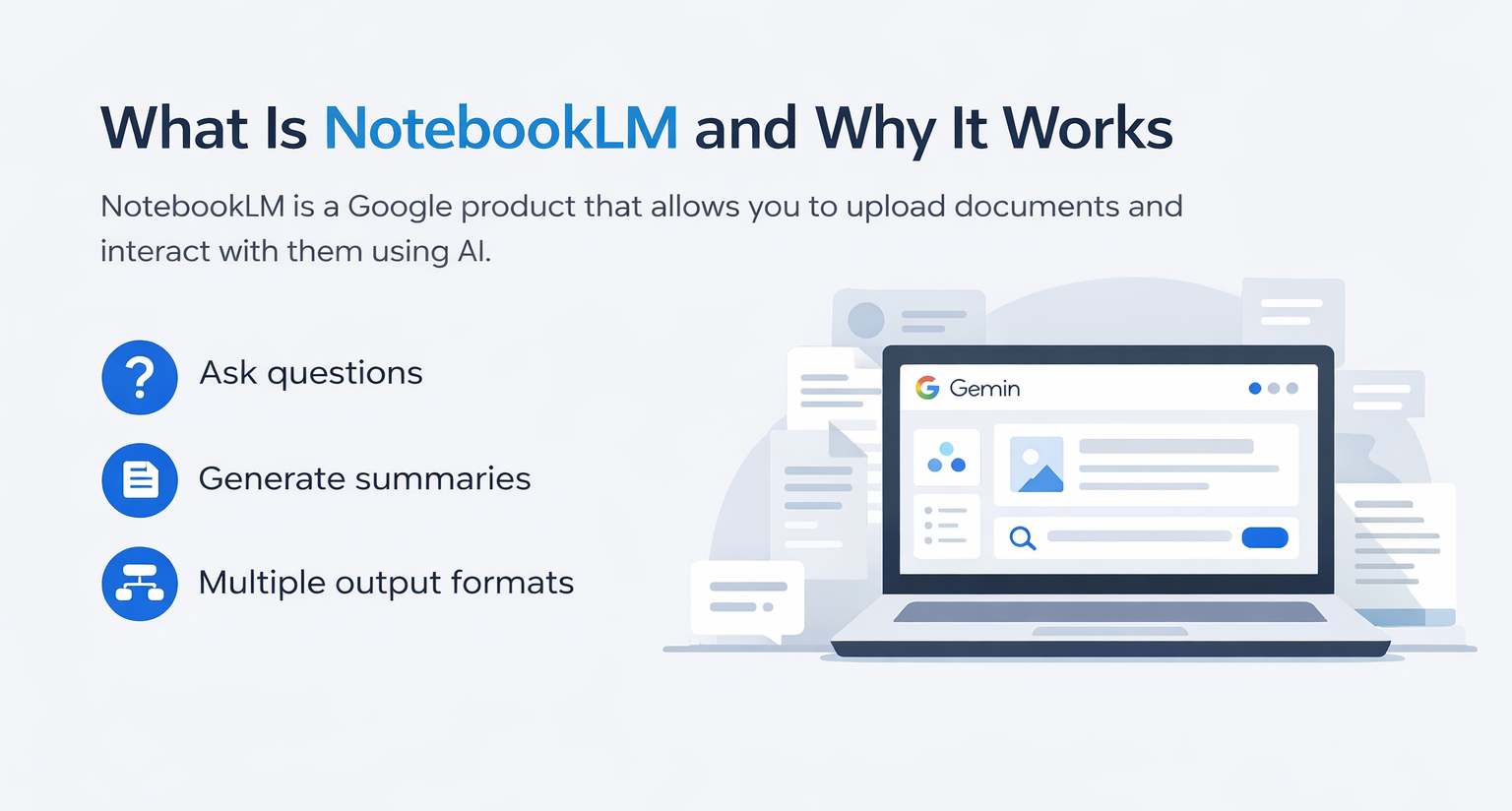
NotebookLM is a Google product connected to Gemini. It allows you to upload documents and interact with them using AI.
You can:
- Ask questions
- Generate summaries
- Create multiple output formats
However, the most powerful feature here is Audio Overview.
Why Audio Overview Matters
Instead of reading multiple reports, you get:
- A podcast-style discussion
- Cross-referenced insights
- Actionable takeaways
Therefore, property reporting becomes easier to consume and more effective.
The Problem with Traditional Property Reporting
Monthly reporting typically includes:
- Rent roll
- P&L
- Occupancy
- Budget variance
- Aged receivables
- Lease expirations
- Maintenance logs
- Capex tracking
However, reviewing these manually creates several issues:
- Important insights get buried
- Reports are reviewed in isolation
- Decisions are delayed
- Time is wasted
As a result, even experienced asset managers miss key connections.
The Exact AI Property Report Audio Summary Workflow
Here is the exact process I used for a 50-unit apartment building in Los Angeles.
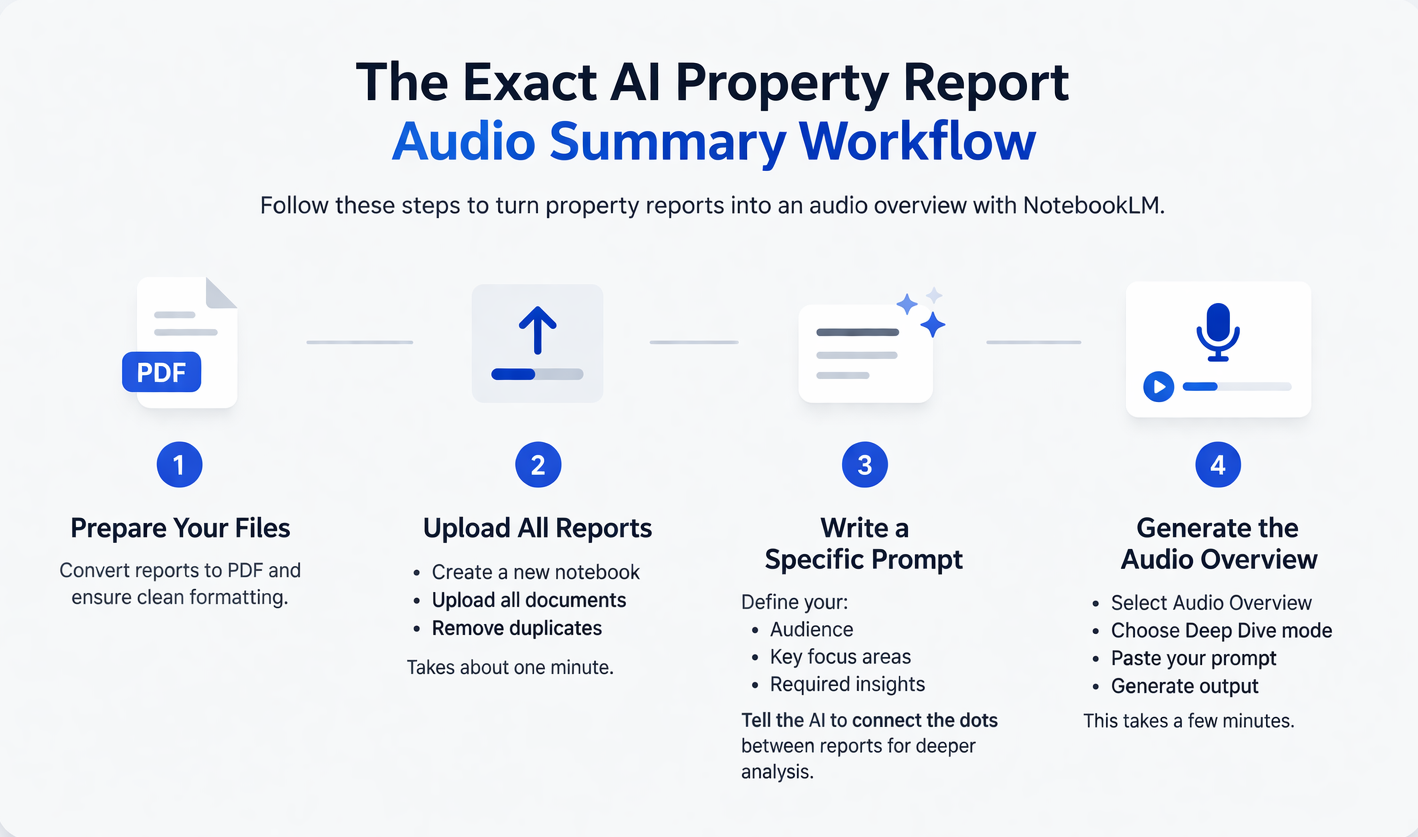
1. Prepare Your Files
NotebookLM only accepts PDFs.
If your reports are in Excel:
- Convert them to PDF first
- Ensure formatting is clean
2. Upload All Reports
- Create a new notebook
- Upload all documents
- Remove duplicates
This step takes about one minute.
3. Write a Specific Prompt
This step is critical.
Instead of a generic summary, define:
- The audience (owner, asset manager)
- Key focus areas
- Required insights
Key instruction:
Tell the AI to connect the dots between reports.
Without this, you get summaries. With it, you get analysis.
Example Prompt Structure
Use a structured prompt like this:
- Summarize all reports together
- Highlight key metrics
- Identify risks and trends
- Connect data across reports
- Provide actionable insights
This ensures high-quality output.
4. Generate the Audio Overview
- Select Audio Overview
- Choose Deep Dive mode
- Paste your prompt
- Generate output
This takes a few minutes.
What the Output Sounds Like
The AI hosts opened with a highly specific insight:
- Identified hidden cost risks
- Highlighted vacancy impact on income
- Flagged maintenance overages
- Predicted lease expiration risks
They referenced:
- Specific unit numbers
- Exact dollar amounts
- Real operational issues
As a result, the output felt like a real investment briefing rather than a summary.
Time Savings Breakdown
| Task | Manual Process | AI Workflow |
|---|---|---|
| Reading reports | 1–2 hours | 0 |
| Cross-referencing data | 1 hour | Automated |
| Creating summary | 30–60 mins | Automated |
| Total time | 2–3 hours | ~10 minutes |
This significantly improves efficiency and decision-making.
Who Should Use This Workflow
This workflow is ideal for:
- Property managers
- Asset managers
- Owners
- Portfolio managers
Key Benefits
- Saves time
- Improves insight quality
- Enables multitasking
- Enhances decision-making
Tips for Better Results
- Be specific in prompts
- Use Deep Dive mode
- Convert Excel to PDF
- Connect the dots between reports
- Generate slides alongside audio
In addition, creating multiple outputs from one dataset increases efficiency.
Beyond Audio: Multi-Output Reporting
While generating audio, you can also create:
- Slide decks
- Dashboards
- Visual reports
For example:
- Revenue bridge charts
- Lease expiration graphs
- Strategy matrices
Therefore, one upload can produce multiple deliverables.
FAQs Regarding AI Property Report Audio Summary Workflow
What is an AI property report audio summary workflow?
It converts multiple property reports into a single audio briefing.
- Combines multiple reports
- Highlights key insights
- Provides actionable takeaways
It simplifies how property data is consumed and understood.
How does NotebookLM improve reporting?
It uses AI to analyze and summarize documents.
- Automates insights
- Connects data across reports
- Generates audio summaries
It improves efficiency and reduces manual work.
What types of reports can be used?
Most standard property reports work.
- Rent roll
- P&L
- Occupancy
- Maintenance logs
It supports any report converted to PDF format.
Why is “connecting the dots” important?
It enables deeper analysis across reports.
- Links vacancy to revenue
- Connects maintenance to budgets
- Identifies trends
It transforms summaries into actionable insights.
Is technical knowledge required?
No, the process is simple.
- Upload files
- Write a prompt
- Generate output
Anyone can implement this workflow easily.
How long does it take to generate results?
Usually, a few minutes.
- Upload: 1 minute
- Prompt setup: 2–3 minutes
- Output generation: a few minutes
It saves hours compared to manual review.
Can this be used for multiple properties?
Yes, it scales easily.
- Portfolio-level insights
- Multi-property analysis
- Batch processing
It works well for large portfolios.
What is the biggest benefit of this workflow?
The biggest benefit is efficiency and clarity.
- Reduces analysis time
- Improves insight quality
- Enables better decisions
It transforms how property reporting is handled.
Build Smarter Property Reporting Workflows
Join the AI for CRE Collective, where 600+ CRE professionals are using workflows like this to turn monthly reports into actionable insights, eliminate manual analysis, and improve decision-making across their portfolios.
Get access to real prompts, step-by-step AI workflows, and 12-month Perplexity Pro access—so you can convert static reports into dynamic, audio-driven insights your team can use every month.
