
How to Create CRE Investor Decks with AI
AI-powered investor deck workflows help CRE professionals create offering memoranda, acquisition presentations, and investor materials much faster. Instead of manually rebuilding slides, formatting charts, and updating underwriting assumptions, AI tools can automate large portions of the investor deck creation process.
The design was elementary. Text overlapping. Some slides looked like they were built in 2010. Then I ran the same tool on a different task: updating an existing OM template. 22 slides. New property. The results were completely different.
This article breaks down the AI CRE deck workflow in 2026, including which tools actually work for creating investor decks and offering memorandums, what works, what doesn’t, and which tool wins each specific job.
Most CRE teams still spend hours manually updating offering memorandums, formatting slides, and rebuilding underwriting visuals. AI investor deck workflows reduce repetitive presentation work and speed up investor communication significantly.
Table of Contents
ToggleBest AI Tools for Building Investor Decks
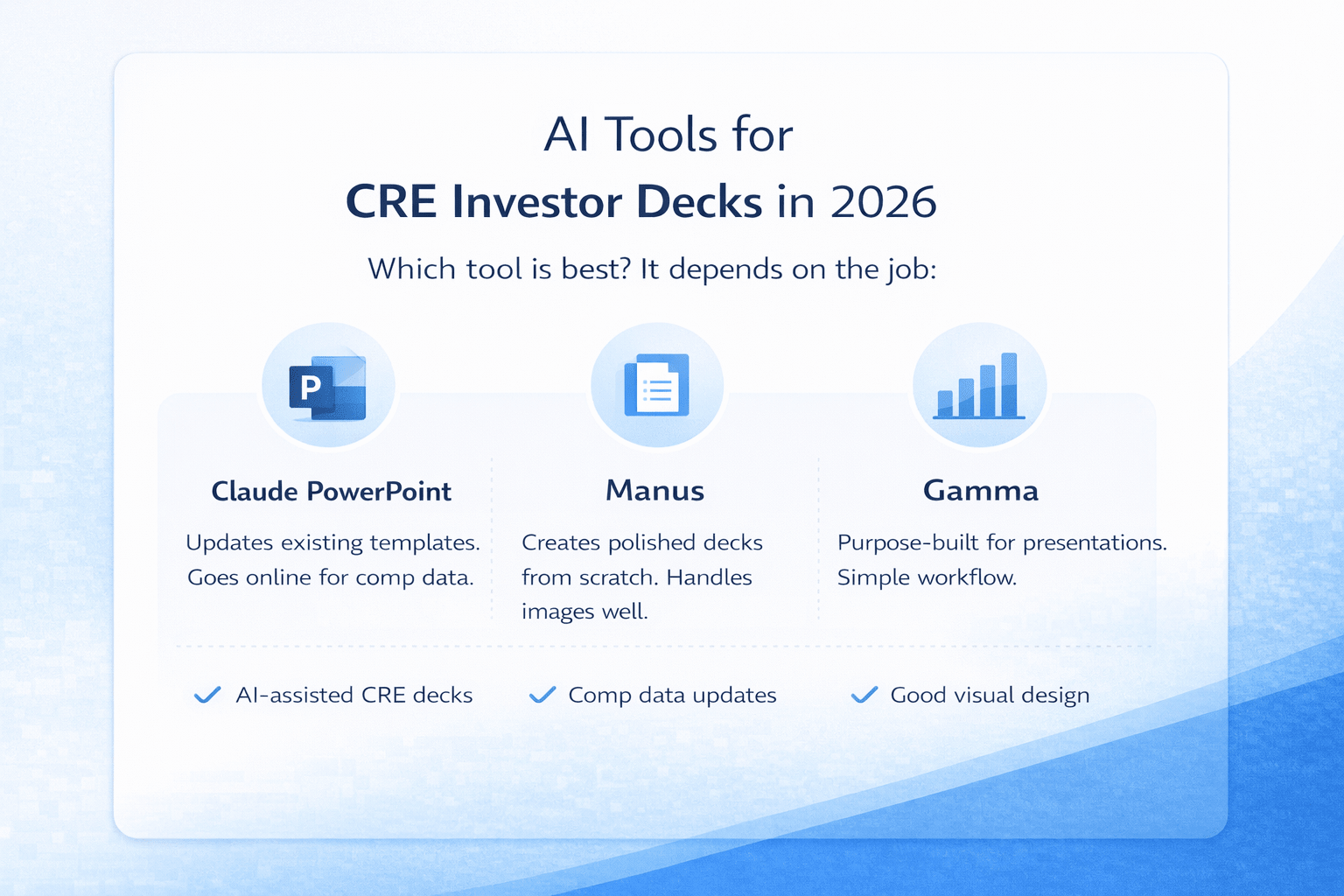
Three tools are currently used in a typical AI CRE deck workflow for generating investor presentations.
Claude PowerPoint
A new AI add-in for Microsoft PowerPoint was released in early 2026. Runs on Opus 4.6 or Sonnet 4.6. It browses the internet, ingests Excel files, and can work inside your existing slides.
Manus
Autonomous AI agent. Strong at creating decks from scratch with real design quality. Handles images, multi-step research, and complex formatting better than most tools.
Gamma
Purpose-built AI presentation tool. Creates polished decks from scratch. Good design defaults. Simpler workflow than the others. Each wins at a different task. None wins everything.
Step-by-Step AI Investor Deck Workflow
I tested Claude’s PowerPoint inside a real AI CRE deck workflow scenario: OM plus underwriting model → 10-slide investor deck for potential investors.
Before building anything, Claude asked 6 smart questions:
• Company name for the cover slide
• Sponsor equity contribution versus outside raise
• Fee structure and preferred return (I said 8% pref, 80/20 profit split)
• Value-add angle — stabilization play or renovation? (I added $10k per unit in reno budget)
• Return targets — real numbers or recalculate to hit 15% levered IRR? (I chose to recalculate)
• Any additional slides needed?
These questions mattered. It re-underwrote parts of the deal based on my answers. Found the acquisition price that achieves 15% levered IRR with the new assumptions. Built the deck with those updated numbers.The content analysis side: genuinely useful. The slides themselves: elementary. Overlapping text boxes. Formatting issues couldn’t be fully resolved after multiple rounds of attempted fixes.
Would I send that to an institutional investor or investment committee? No. For creating decks from scratch with strong visual output, Manus and Gamma are significantly ahead right now. Claude PowerPoint’s design-from-nothing capability needs work.
How AI Updates Existing Investor Deck Templates
This is where Claude’s PowerPoint surprised me.I had an existing OM template built in Manus,22 slides, good design, and professional layout. New property came in. Could Claude repopulate the entire thing?I attached the template, the new property OM, the rent roll, and photos. Prompted it to study the template and update it for the new asset while preserving all formatting and branding.
What it did:
• Read through all 22 slides before changing anything (this matters, as it helps you understand the structure first)
• Updated the executive summary and all 6 investment highlight cards
• Rebuilt the pro forma with new deal economics
• Searched Google autonomously for current rent comps in the Westlake/MacArthur Park submarket
• Found comparable multifamily sales from 2024-2025 without being asked
• Ran ADU financial impact calculations for 8 units independently
The autonomous web searches are the most practically useful part of this workflow. I didn’t prompt Claude to find market data. It recognized comp slides needed current information and searched on its own. Real data, pulled in real time, applied to the right slides. Final output with 20-30 minutes of manual cleanup: fully updated OM with current market data, preserved design, and accurate deal economics.
What Investors Expect in a Modern Investor Deck
Modern investor decks are no longer just simple slide presentations. Investors expect clear business storytelling, strong market research, accurate financial projections, and visual narratives that explain the investment opportunity quickly.
A strong investor deck typically includes:
-
market opportunity analysis,
-
business model explanation,
-
competitive advantage positioning,
-
growth potential projections,
-
customer acquisition cost assumptions,
-
revenue models,
-
industry-specific metrics,
-
product demo examples,
-
fundraising presentations for venture capital firms.
For CRE operators and startups, AI-powered investor deck workflows help organize these materials much faster while improving presentation consistency.
How AI Automates Investor Deck Creation
AI-powered investor deck workflows help CRE professionals automate presentation creation, underwriting updates, and market research tasks without rebuilding every slide manually.
Common investor deck tasks AI can automate include:
-
Offering memorandum updates
-
Financial summary creation
-
Rent comp analysis
-
Market research
-
Investment highlight generation
-
Pro forma updates
-
Comparable sales research
-
Slide formatting workflows
Instead of manually recreating presentations for every new property, CRE teams can scale investor deck production much faster using AI tools.
How AI Helps Build Investor Pitch Decks Faster
AI-powered investor pitch deck workflows reduce the time required to prepare fundraising presentations, startup pitch decks, and acquisition materials. Instead of manually rebuilding every slide, AI tools can automate market research, financial projections, and presentation formatting.
AI tools help investors and operators create:
- VC pitch decks,
- startup pitch decks,
- investor pitch decks,
- fundraising presentations,
- ready-made pitch deck templates,
- visual narrative slides,
- market analysis summaries.
This allows teams to focus more on strategy, positioning, and investor communication instead of repetitive formatting work.
Best AI Tools for Different Investor Deck Tasks
Task / Best Tool / Why
Create a deck from scratch
Manus or Gamma
Better design output, handles visual layout well
Update an existing OM template
Claude PowerPoint
Systematic slide-by-slide, autonomous web research
Re-underwrite with new assumptions
Claude PowerPoint
Recalculates deal economics, finds IRR-target price
Find rent comps automatically
Claude PowerPoint
Goes online without being prompted
Image-heavy presentations
Manus
Significantly better photo handling
Best AI Tools for CRE Investor Decks (2026)
| Task | Best AI Tool | Key Advantage |
|---|---|---|
| Create investor decks from scratch | Manus, Gamma | Better slide design and layout generation |
| Update an existing OM template | Claude PowerPoint | Updates slides while preserving formatting |
| Re-underwrite deals with new assumptions | Claude PowerPoint | Recalculates IRR, acquisition price, and returns |
| Find rent comps automatically | Claude PowerPoint | Performs autonomous web searches for market data |
| Handle image-heavy presentations | Manus | Strong image handling and visual slide formatting |
| Quickly generate simple presentations | Gamma | Purpose-built AI presentation platform |
Comparison of the best AI tools for creating and updating CRE investor decks in 2026.
Why AI Investor Deck Workflows Need Better Prompts
One technique that made a real difference across both workflows: telling Claude to ask questions before building anything.
For the investor deck, Claude asked 6 questions that completely changed what it built. Fee structure, return targets, value-add angle. Without those answers, it would have been guessed, and guesses in investor decks cost you credibility. This works with any AI tool, not just Claude. Before you let it build, create, or update anything substantial, add “ask me questions if anything is unclear” or “map out the plan and ask questions before starting.” Five minutes of Q&A prevents hours of fixing wrong assumptions.
The Underrated Advantage: Running Multiple Projects at Once
This is the part of AI tools for investor deck creation that gets missed in most reviews. While Claude worked through the 22-slide OM update in one session, I had a separate project running simultaneously. Two decks. Two properties. Background processing while I worked on other things. For investment sales professionals managing multiple active listings, this changes the math. You’re not waiting sequentially for one deck before starting the next. You set them up, let them run, and review the output when they’re done. The active time investment per deck drops dramatically. The total capacity, or how many deals you can have in progress, goes up.
What’s Coming
Claude and Figma recently announced a partnership. Design quality is clearly the current gap for Claude PowerPoint, and Figma has serious design capability. If that integration meaningfully improves slide aesthetics, the “from scratch” use case becomes more viable. Manus continues improving across every dimension. Gamma is already purpose-built for decks and polished. We’re looking at early versions of all of these tools. The gap between “good for template updates” and “good enough to create from scratch” will close over the next few months.
Why CRE Teams Are Using AI Investor Deck Workflows
CRE firms are increasingly using AI-powered investor deck workflows to improve presentation speed, automate underwriting updates, and reduce repetitive formatting work.
Benefits include:
-
Faster investor presentation creation
-
Automated market research
-
Improved underwriting updates
-
Better workflow scalability
-
Faster slide generation
-
Reduced manual formatting
For brokers, acquisitions teams, and investment sales professionals, AI investor deck tools reduce the time required to prepare offering memoranda and acquisition presentations significantly.
How AI Improves Market Research and Financial Modeling
AI investor deck workflows improve market research and financial modeling by automating repetitive research and presentation tasks. Instead of manually collecting data from multiple sources, AI tools can organize market opportunity analysis, industry-level research, and growth models into presentation-ready reports.
Common investor deck analysis sections include:
-
total addressable market calculations,
-
serviceable addressable market estimates,
-
serviceable obtainable market analysis,
-
financial projections,
-
monthly recurring revenue assumptions,
-
venture capital growth metrics,
-
Series B and Series C fundraising scenarios.
This creates faster and more scalable investor reporting workflows for acquisitions teams, startups, and CRE investment operators.
FAQs regarding AI Tools for CRE Investor Decks and Offering Memorandums
What is an AI investor deck workflow?
An AI investor deck workflow is a process that uses artificial intelligence tools to create, update, and organize investor presentations for commercial real estate deals. Instead of manually rebuilding slides, formatting charts, and rewriting financial summaries, AI tools automate much of the presentation workflow.
AI investor deck workflows commonly help with:
-
Offering memorandum updates
-
Financial summary creation
-
Rent comp research
-
Market analysis
-
Pro forma updates
-
Slide formatting
Many CRE teams use AI workflows to speed up investor communication while reducing repetitive manual work. AI-generated presentations still require human review, but they significantly reduce the time required to prepare investor-ready materials.
How can AI help create investor decks for commercial real estate?
AI helps automate many of the repetitive tasks involved in building CRE investor presentations and offering memorandums. Instead of manually organizing every slide, AI tools can analyze property documents and generate structured presentation content automatically.
AI can help with:
-
Extracting deal highlights
-
Summarizing underwriting models
-
Generating investment overviews
-
Creating market research slides
-
Updating financial assumptions
-
Organizing presentation layouts
This allows brokers, analysts, and acquisitions teams to focus more on strategy and investor communication instead of spending hours formatting slides manually.
Which AI tool is best for creating investor decks from scratch?
Different AI tools perform better depending on the workflow and presentation style needed.
Popular AI investor deck tools include:
-
Manus for visual slide quality
-
Gamma for fast presentation creation
-
Claude PowerPoint for updating existing templates
Manus generally performs better for:
-
Design-heavy presentations
-
Image formatting
-
Visual layouts
Gamma works well for:
-
Fast presentation workflows
-
Clean slide generation
-
Simple investor decks
The best tool depends on whether the goal is building a new deck or updating an existing offering memorandum.
Can AI update an existing offering memorandum automatically?
Yes. AI works especially well for updating existing investor deck templates and offering memorandums.
AI can:
-
Replace property information
-
Update financial models
-
Add current rent comps
-
Refresh market research
-
Preserve branding and formatting
-
Recalculate underwriting assumptions
This workflow is often more reliable than building presentations from scratch because the slide structure already exists. Many CRE teams use AI primarily for updating existing investor materials much faster.
Can AI automatically find rent comps and comparable sales?
Some advanced AI investor deck tools can automatically search online sources for market data and insert that information into presentations.
AI workflows may help:
-
Find rent comps
-
Research comparable sales
-
Analyze local market trends
-
Gather cap rate data
-
Update market research slides
This reduces the amount of manual market research required during investor deck preparation. However, all market data should still be reviewed and verified before sharing materials with investors or investment committees.
How much time can AI save when preparing investor decks?
AI investor deck workflows can reduce the active preparation time dramatically compared to traditional manual presentation creation.
Traditional CRE presentation workflows often require:
-
6–8 hours of manual work
-
Extensive formatting
-
Market research gathering
-
Financial updates
AI workflows can reduce active work to:
-
30–60 minutes in many cases
The biggest advantage is automation. AI handles repetitive formatting, market research, and content generation while CRE professionals focus on final review and strategy.
Does AI preserve branding and formatting in investor presentations?
Yes. When working with an existing template, AI tools can usually preserve branding, formatting, and slide structure while updating the content.
AI workflows can maintain:
-
Company logos
-
Color schemes
-
Table formatting
-
Chart layouts
-
Investment highlight sections
-
Presentation structure
This is one reason template-based workflows perform better than creating decks entirely from scratch. Strong templates help AI produce cleaner and more professional investor presentations.
What still requires manual review after AI creates an investor deck?
AI significantly speeds up investor deck preparation, but human review is still essential before presentations are shared externally.
CRE teams should still:
-
Verify financial assumptions
-
Check rent comps
-
Review formatting issues
-
Replace placeholder images
-
Confirm underwriting calculations
-
Validate market data
AI should be treated as a productivity tool and first-draft generator rather than a fully autonomous presentation system. Final investment materials still require professional oversight.
Can AI create investor decks for multifamily acquisitions?
Yes. Multifamily acquisitions are one of the strongest use cases for AI investor deck workflows because the process involves repetitive financial and market analysis tasks.
AI can help automate:
-
Rent roll summaries
-
Market analysis slides
-
Comparable sales research
-
Pro forma updates
-
Renovation assumptions
-
Investment highlights
This allows acquisitions teams to create investor presentations much faster while improving workflow scalability across multiple deals.
Why are CRE professionals using AI investor deck workflows?
CRE professionals are increasingly using AI investor deck workflows because traditional offering memorandum preparation takes too much time and repetitive manual work.
AI workflows help:
-
Speed up presentation creation
-
Automate market research
-
Reduce formatting work
-
Update underwriting faster
-
Improve workflow scalability
For brokers, acquisitions teams, and investment sales professionals, AI tools allow multiple investor presentations to run simultaneously while reducing preparation time significantly.
Testing This Yourself
If you want to evaluate an AI CRE deck workflow for your own deals, the best approach is to test the exact task you need it to perform. The best way to evaluate AI investor deck tools for your own workflow: test the exact task you need them for. Creating from scratch and updating existing templates are genuinely different use cases; the tool that wins one doesn’t win the other.
I share every workflow test, full demo video, prompts, and honest results inside the AI for CRE Collective. 600+ CRE professionals testing AI on real deals. If you want to see this and every future test, join the community or subscribe to the weekly newsletter.
