
How to Build a CRE Brokerage Website in 20 Minutes Using Lovable AI (No Code Required)
Many CRE brokers don’t have a website. Previously, you had to hire a designer, which takes weeks of coordination and you’re spending that time not prospecting.So your online presence ends up being a LinkedIn profile and maybe a page on your firm’s corporate site that hasn’t been updated since 2022.However, an AI Commercial Real Estate Website Builder has completely changed this process. Now, you can build a professional brokerage website in just 20 minutes using AI. In fact, there’s no coding involved, no need to hire a designer, and no back-and-forth email revisions.Instead, all you need is a detailed prompt and a platform like Lovable that automatically writes thousands of lines of website code for you.I run the AI for CRE Collective (575+ members testing AI on real CRE workflows), and this is an immediately actionable guide.Every broker can do this.
This guide walks through the exact process, the mistakes to avoid, and what realistic output looks like.
Why Most Brokers Don’t Have Websites (And Why It’s Costing Them)
I’ve asked several brokers why they don’t have a website. The answers are always the same:
- “I don’t have time to coordinate with a designer.”
- “I don’t know what I’d even put on it.”
- “It feels like a big project and I’d rather be prospecting.”
- “I tried once and it took months and cost a fortune.”
All fair points.
But here’s the cost of not having one:
Every time a prospect Googles your name, they find your LinkedIn profile and maybe a Loopnet listing with your photo. Meanwhile, your competitors have professional sites showcasing their track record, team, active listings, and market expertise.A website gives you credibility on autopilot. It works for you 24/7 when you’re on calls, in meetings, or sleeping.Without one, you’re relying entirely on personal outreach and referrals.
The traditional solution hiring a designer is expensive and slow.
- $1K+ for a basic site
- $5K+ for a good one
- Weeks of coordination
- Multiple rounds of revisions
That’s why most solo brokers and small teams skip it entirely.The AI solution takes 20 minutes and costs a fraction.
What You’ll Need Before You Start
Before you sit down to build:
- Claude account (free or paid)
- Lovable account
- Your brokerage’s public information
- 20–30 minutes total
- Your logo and team headshots (after first draft)
Optional but helpful:
Examples of brokerage websites you like.
Step 1: Research with Claude
Open Claude and ask it to research you.
Example prompt:
“Please research [Your Name], [Your City] [specialization] broker. Find as much information as possible on the internet — team members, deal history, market focus, any media appearances, partnerships, brokerage details. Give me a comprehensive brain dump.”
Claude may return:
- Team member names and roles
- Deal history
- Transaction volume
- Market specialization
- Podcast information
- Partnerships
- Company positioning
This step matters because it gives your website real content instead of generic placeholder text.
What If You’re Not Active Online?
If Claude doesn’t find much about you publicly, that’s fine.
Provide the information yourself:
“Here’s information about my brokerage. I want you to organize this for a website prompt: [paste your bio, deal list, team info, services, market focus].”
Step 2: Write the Website Prompt with Claude
This is the most important step in the entire process.
Take the research from Step 1 and tell Claude:
“Using all of this information, create a detailed prompt for a website builder (Lovable). I want a modern, premium, multi-page website. Include the following pages: homepage, about us, services, listings, resources, results, and contact. For each page, specify the sections, content, and functionality. Include brand identity notes and design aesthetic.”
What Claude Should Include in the Prompt
Homepage
- Hero section
- Animated stat counters
- Services overview
- Testimonials
- Newsletter signup
- Market insights
- CTA
About Us
- Company story
- Timeline
- Team bios
- Company values
- Partner logos
Services
- Service descriptions
- Differentiators
- Property valuation CTA
- Market specialization
Listings
- Active listings
- Off-market property section
- Closed transactions
- Search/filter functionality
Resources
- Podcast integration
- Blog or newsletter archive
- Downloadable reports
- Educational content
Results
- Deals closed
- Transaction volume
- Client testimonials
- Success stories
Contact
- Contact form
- Team contact info
- Calendar booking placeholder
- Google Maps embed
- Social media links
Step 3: Build the Website with Lovable
Copy Claude’s entire prompt.Open Lovable.Paste it in.Hit send.
Lovable will:
- Read and analyze the prompt
- Plan the website architecture
- Write the code automatically
- Build each page
- Deliver a preview
The first draft usually takes about 8 minutes.
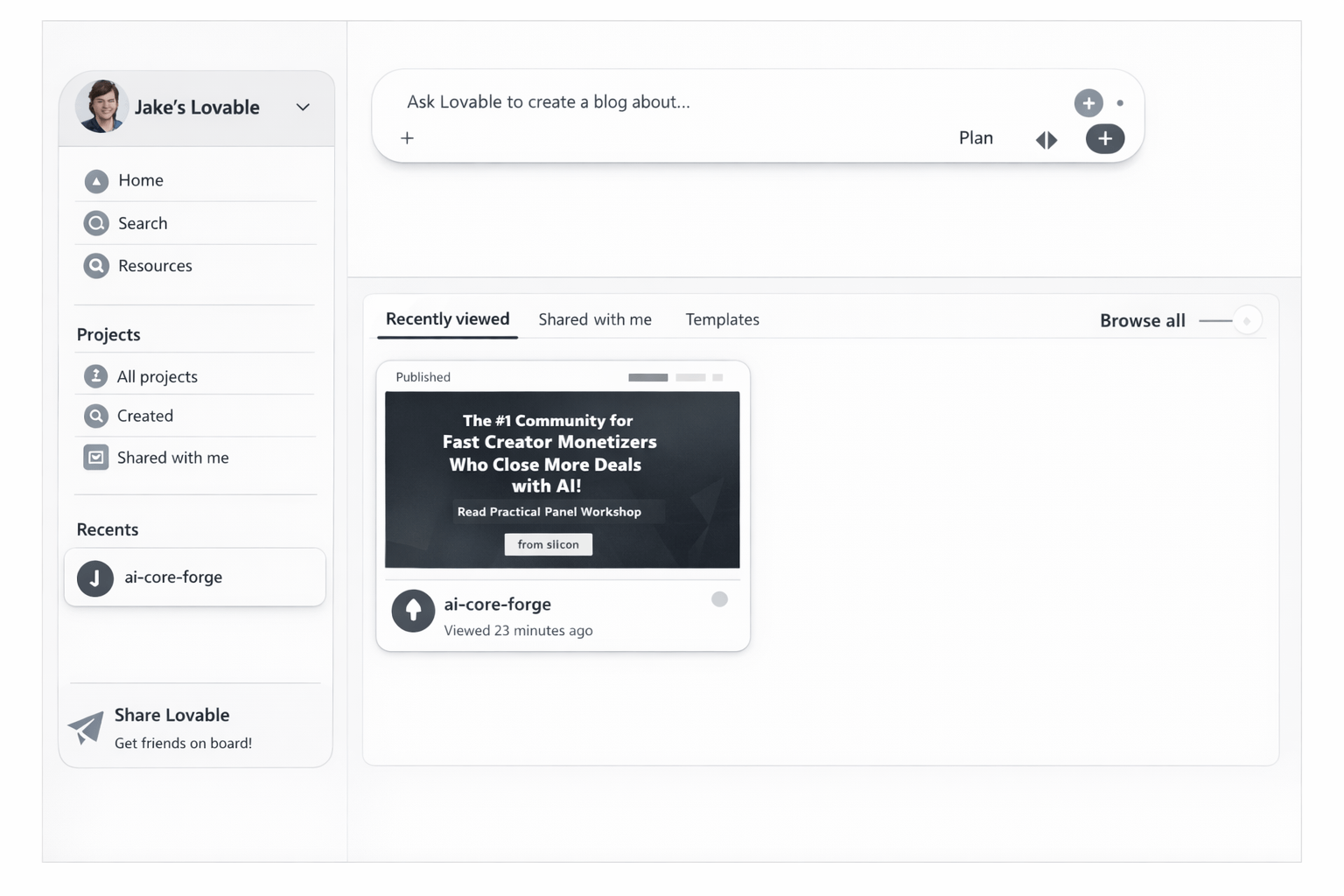
Step 1: Access Your Lovable Project Dashboard
Start by logging into your Lovable account and opening your project workspace where your AI-generated website will be created and managed.
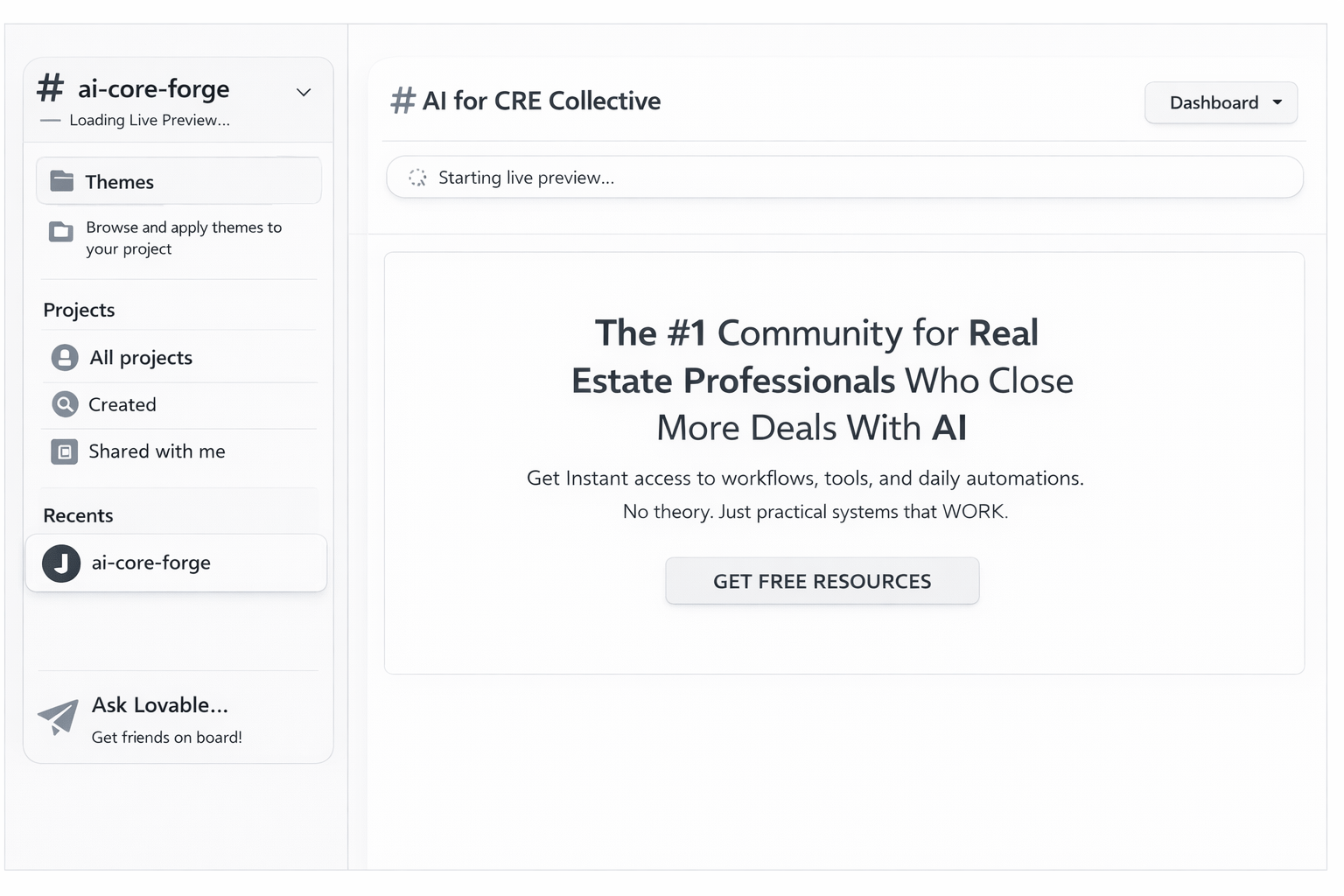
Step 2: Select Your Generated Website Theme
Once your project is created, you can start designing by selecting the theme.
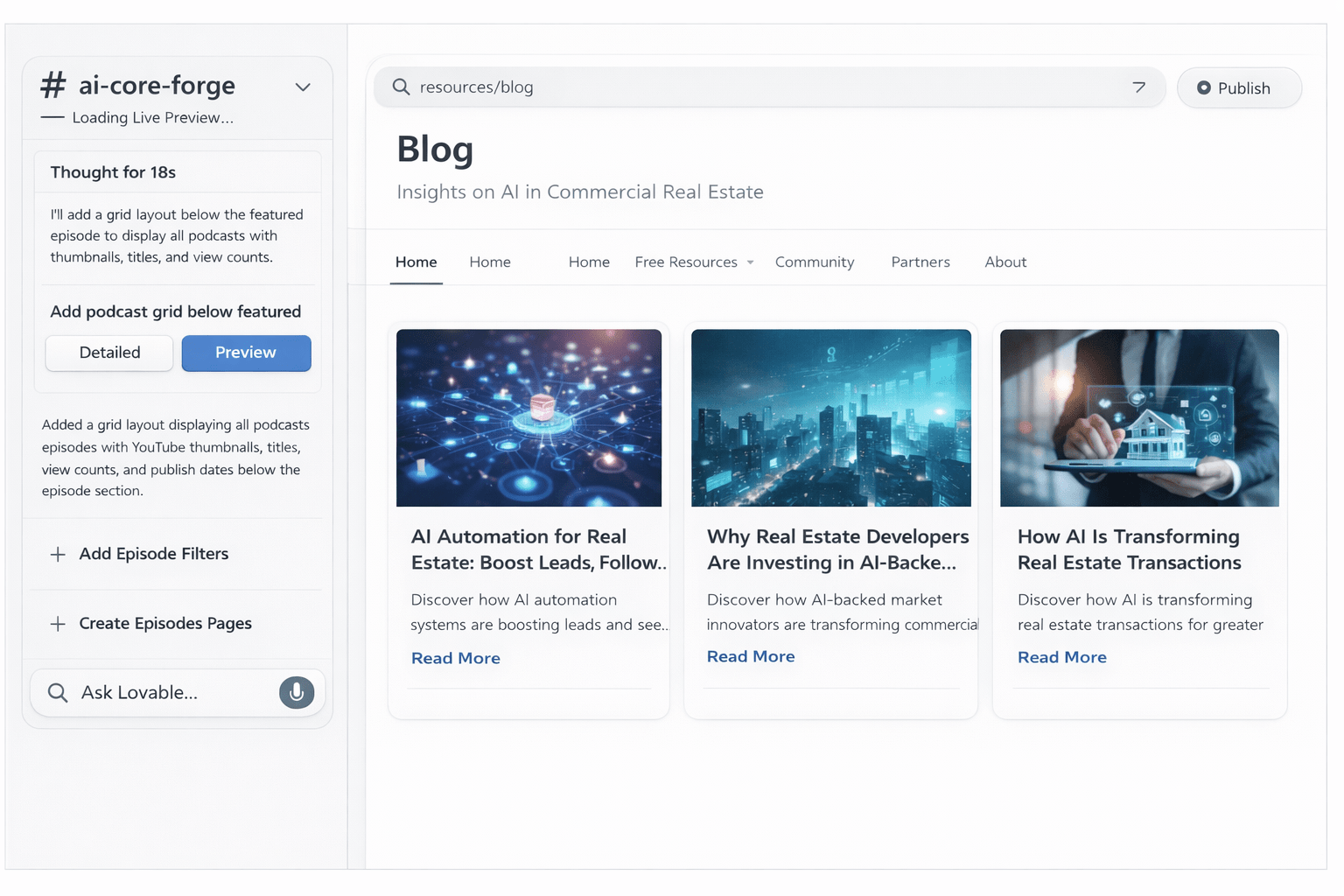
Step 3: Write and Publish Blog Guides All Through Lovable
After finishing the website designing and setup, start publishing blog guides to increase the traffic. The tool will write, design, upload, and publish – all my itself. You simply need to give your prompt.
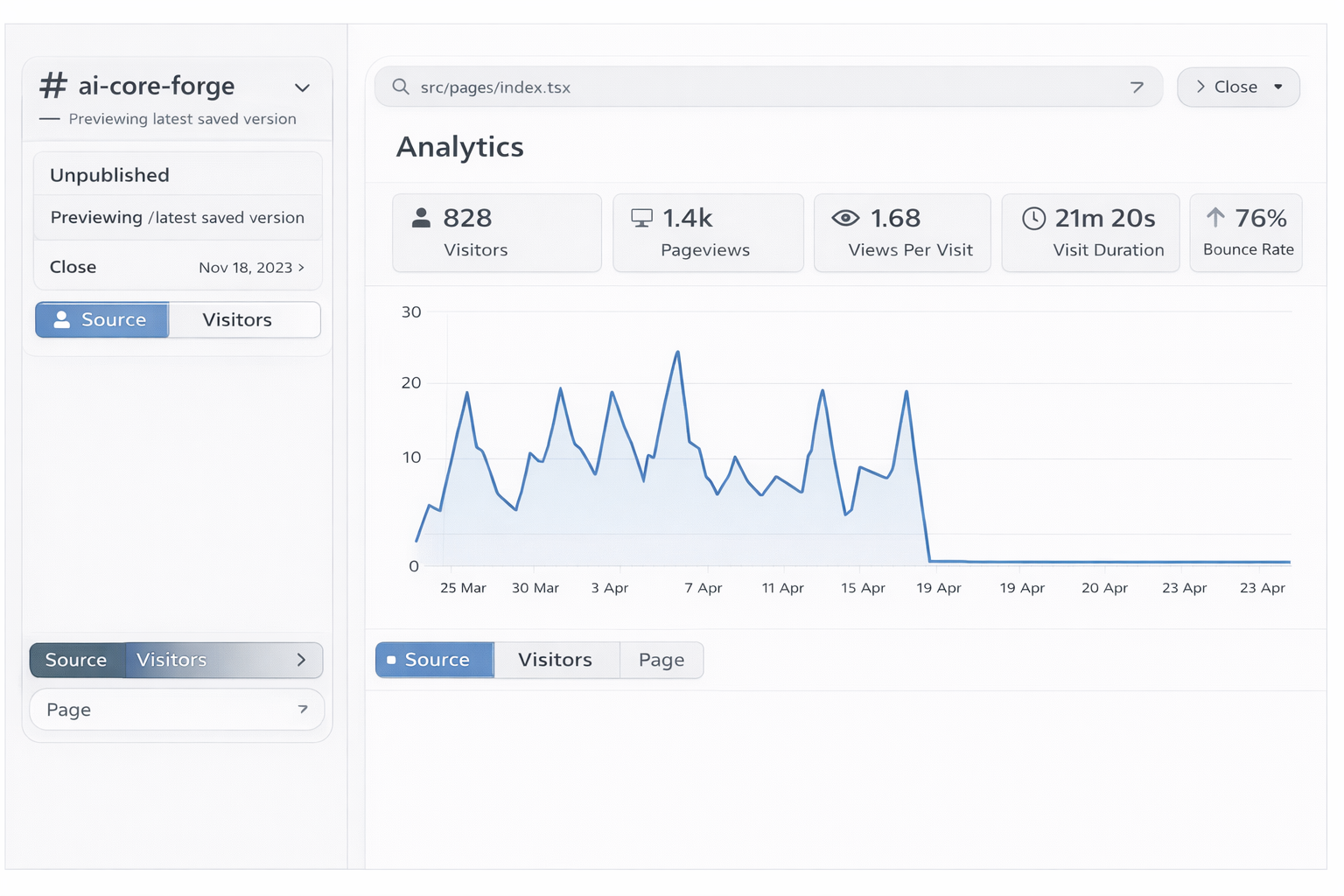
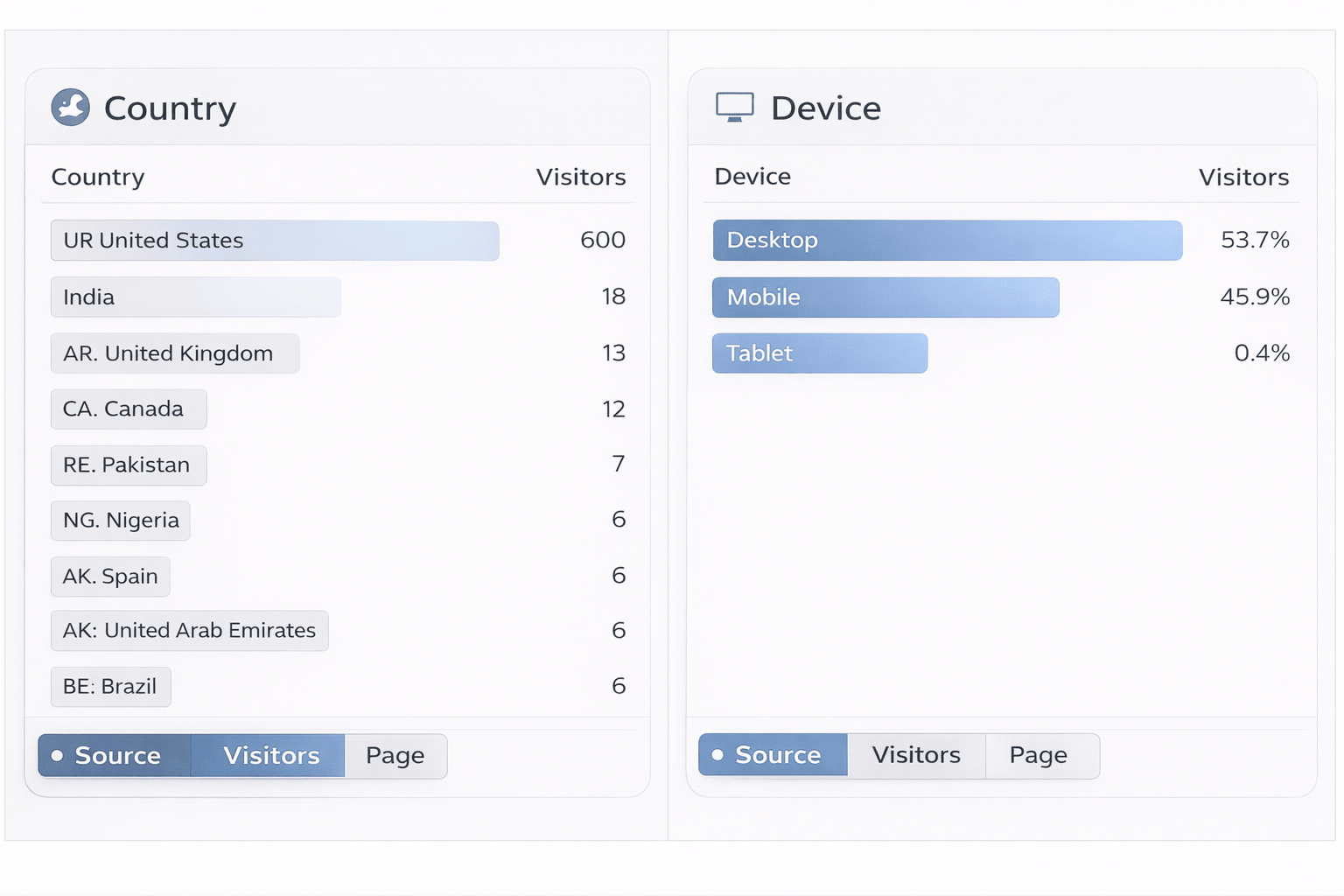
Step 4: Monitor Website Performance Metrics
Track performance indicators such as visitor count, pageviews, bounce rate, and session duration through analytics.
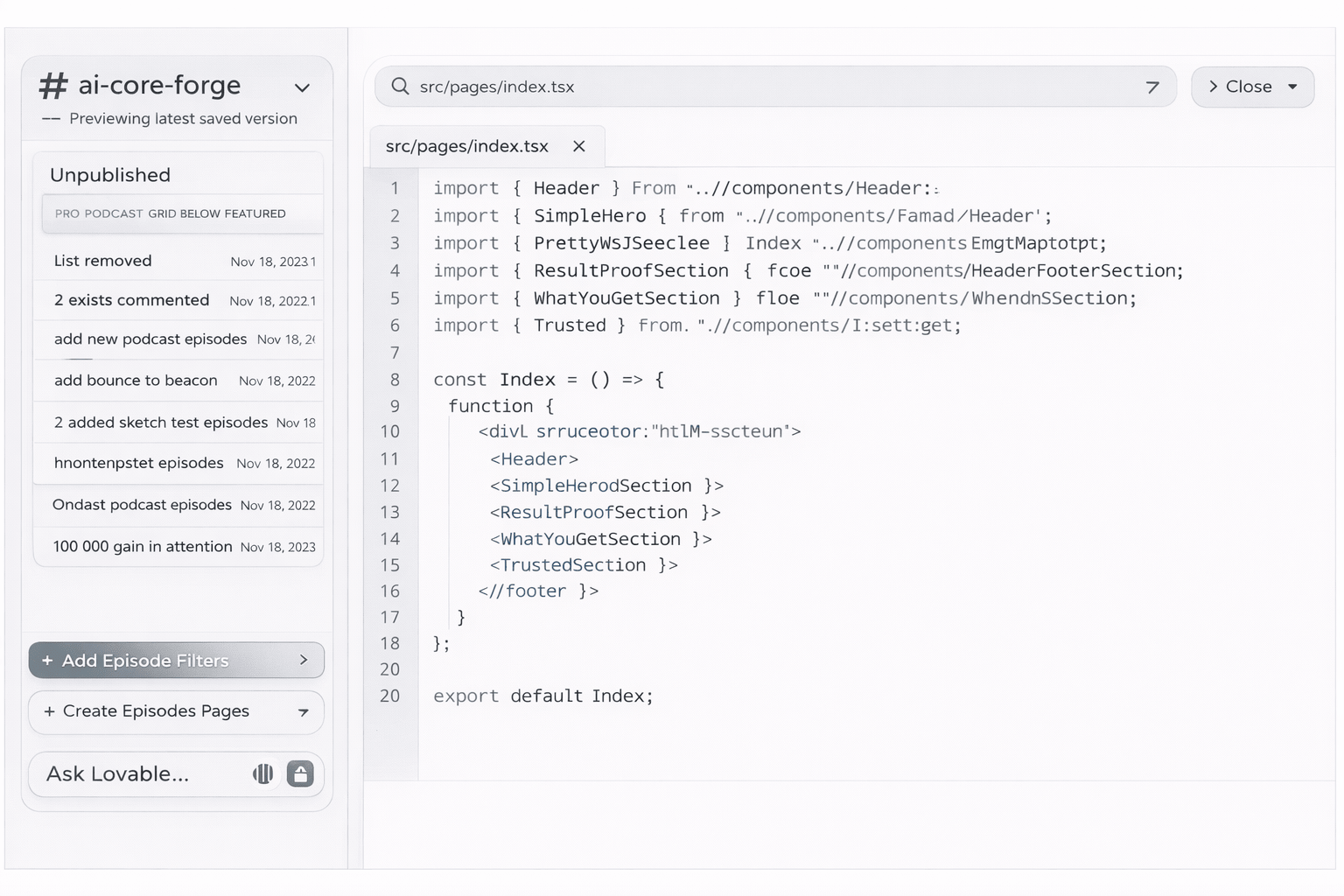
Step 5: Access the Generated Website Code
Lovable automatically generates backend code for your website, which you can review or modify inside the code editor if required.
Step 6: Add Resource or Podcast Content Grids
Lovable allows you to structure podcast episodes, reports, or downloadable resources into grid layouts.
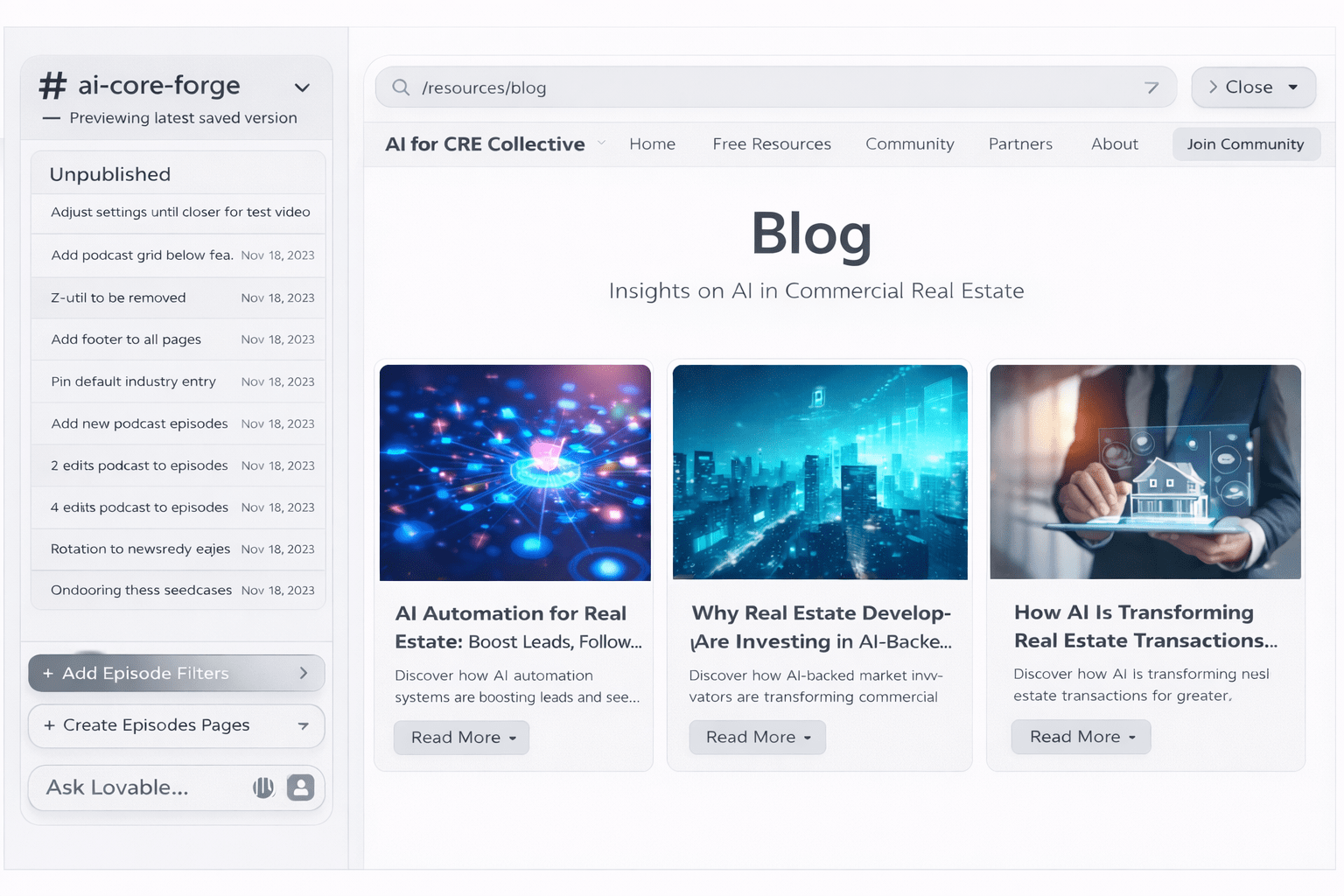
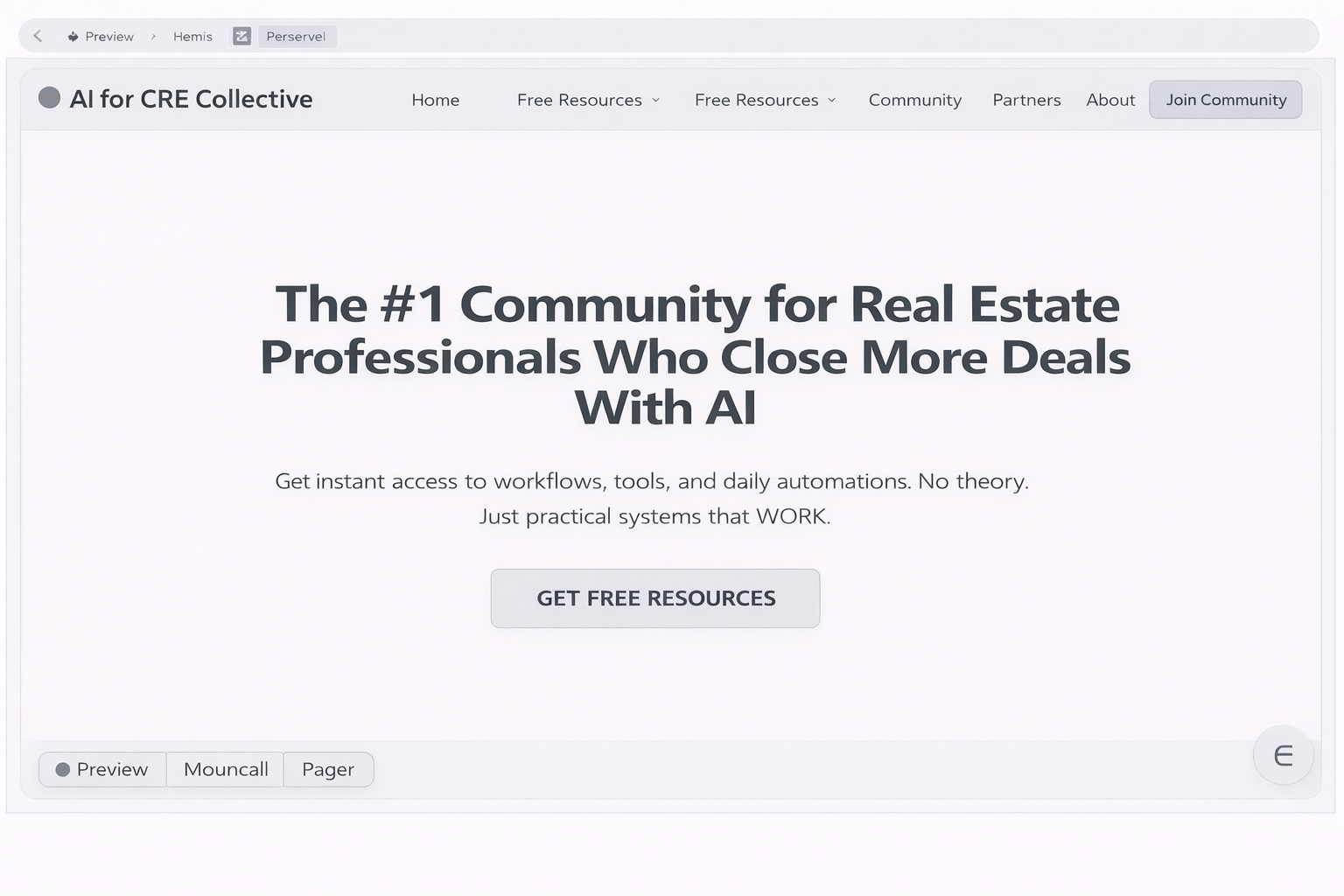
Step 7: Preview Updated Homepage Before Publishing
After making layout updates, preview your homepage again to ensure that all sections and CTAs are aligned correctly.
Step 4: Review the First Draft
Your first draft will be impressive and imperfect.
What Usually Works
- Page structure
- Navigation
- Responsive design
- Animations
- Form structures
What Usually Needs Fixing
- Images
- External links
- Button routing
- Color contrast
- Integrations
- Copy refinement
Step 5: Iterate with Chat Mode
Lovable has a chat button that lets you communicate with the AI without it making changes.Use this to plan before requesting edits.
Recommended Workflow
- Ask for improvement suggestions
- Review phased recommendations
- Approve Phase 1 only
- Review changes
- Move to Phase 2 if needed
Ask It to Ask You Questions
Before any major iteration, tell Lovable:
“Before you make changes, ask me questions about anything you’re unclear on.”
Five minutes of Q&A upfront saves hours of fixing bad assumptions later.
Step 6: Fix Links, Images, and Integrations
Images
Upload:
- Logo
- Team headshots
- Property photos
Links
Fix:
- Social media URLs
- External listings
- Internal navigation
Integrations
Connect:
- Calendar booking tool
- Email routing
- Newsletter platform
Domain
Publish to:
- Lovable subdomain (instant)
- Custom domain via DNS
What the Full Output Looks Like
Homepage
- Animated hero
- Stat counters
- Testimonials
- Newsletter signup
About
- Origin story
- Timeline
- Leadership team
Services
- Service cards
- Valuation CTA
Listings
- Active properties
- Filters
- Closed transactions
Resources
- Podcast
- Market updates
- Reports
Results
- Deal numbers
- Testimonials
- Track record
Contact
- Contact form
- Team contacts
- Social links
The Scope Creep Problem (And How to Avoid It)
Before you start, ask:
“What is enough?”
A brokerage website needs to:
- Establish credibility
- Let people contact you
That’s it.
Prevent Scope Creep
- Plan changes in chat mode
- Work in phases
- Set a 30-minute time limit
Join 3,000+ CRE professionals using AI daily and get practical tools, real prompts, and simple workflows that save hours every week.
What It Does Well vs. Where It Falls Short
Strengths
- Speed
- Design quality
- Iteration speed
- Code quality
Limitations
- Not agency-level polish
- Manual cleanup required
- Complex integrations are harder
Tips from Building Many AI Websites
- Invest time in research
- Show example websites
- Start with fewer pages
- Always plan changes first
- Launch imperfect and iterate
Frequently Asked Questions
What is an AI commercial real estate website builder and how does it work?
An AI commercial real estate website builder uses natural language prompts to automatically generate the layout, structure, and backend code for your brokerage website. Instead of hiring a developer or coordinating with a designer, brokers can provide business details through a detailed prompt.
Typically, the process includes:
-
Researching brokerage data
-
Structuring web pages
-
Writing website copy
-
Designing layout automatically
-
Generating responsive code
This allows brokers to launch a functional online presence in minutes rather than weeks.
How long does it take to build a CRE website using AI tools?
Most brokers can generate a working first draft of their website within 20 minutes using AI website builders. However, some additional time may be required for reviewing content and making minor adjustments.
A typical workflow includes:
-
5–10 minutes for research
-
Prompt creation
-
AI site generation
-
Reviewing links and images
Even with refinements, the entire setup process can usually be completed within an hour.
What information should brokers prepare before generating their website?
Before building an AI-powered website, brokers should gather important business information to ensure the site reflects real experience and expertise.
Helpful details include:
-
Brokerage bio
-
Market specialization
-
Services offered
-
Deal history
-
Team member profiles
-
Testimonials
-
Partnerships or media features
Providing accurate data helps avoid generic placeholder content.
Can AI-generated brokerage websites include property listings?
AI-built commercial real estate websites can include sections for showcasing active listings and past transactions. These sections are usually structured automatically based on your prompt.
Listing features may include:
-
Active property highlights
-
Closed transactions
-
Off-market opportunities
-
Filtering functionality
-
Property descriptions and images
Additional listing integrations can be added later if required.
Is it possible to connect a custom domain to an AI-built website?
After generating your website using an AI platform, you can connect it to your brokerage’s custom domain through DNS settings.
This usually involves:
-
Purchasing a domain
-
Accessing registrar settings
-
Updating DNS records
-
Linking the domain to the platform
Once completed, your website will be accessible through your branded domain.
What pages should every CRE brokerage website include?
A brokerage website should include essential pages that establish credibility and make it easy for prospects to contact you.
Core pages typically include:
-
Homepage
-
About Us
-
Services
-
Listings
-
Results or case studies
-
Resources
-
Contact Page
These pages help communicate your expertise clearly.
Can brokers update their AI-generated website after publishing?
AI-generated websites remain fully editable even after they are published online.
You can modify:
-
Website content
-
Team profiles
-
Listings
-
Contact details
-
Images and branding
-
Service descriptions
Updates can be made without coding knowledge using the platform’s editing interface.
What integrations can be added to an AI CRE website?
AI-built websites can support several integrations to improve functionality and lead capture.
Popular integrations include:
-
Calendar booking tools
-
Email routing
-
Newsletter platforms
-
CRM systems
-
Google Maps embed
-
Social media links
Some advanced integrations may require manual setup.
Why is having a brokerage website important for credibility?
A professional website acts as a digital proof of your experience and market presence.
It allows prospects to:
-
Verify your background
-
Review transactions
-
Understand your services
-
Contact your team easily
-
Build trust before outreach
Without a website, prospects often rely on limited third-party profiles.
Is coding knowledge required to build an AI-powered CRE website?
AI platforms are designed for brokers without technical experience.
Most platforms automatically handle:
-
Website structure
-
Layout design
-
Page creation
-
Form setup
-
Mobile responsiveness
This enables brokers to build and manage their own websites without writing code.
Final Thoughts
A live website with placeholder images is better than no website.Swap in real photos later.Fix links as you find them.Don’t let perfection prevent progress.Start building today.
Join Our AI Courses
AI can change the way you work in commercial real estate — if you know how to use it. At AI for CRE Collective, we give you real prompts, workflows, and tools that save time and help you close more deals.
Whether it’s market research, property descriptions, or automating comps, our community shows you exactly what works. You’ll get copy-paste prompts, step-by-step demos, and access to 500+ CRE professionals sharing real strategies.
Stop guessing. Start working smarter. Join us today at aiforcrecollective.com and see how AI can make your workflow faster and simpler.