
I Built a 7-Page Brokerage Website with Lovable in 20 Minutes
Most CRE brokers I talk to don’t have a CRE website because building a professional CRE website usually means finding a designer, writing copy, giving feedback, waiting weeks, and paying thousands of dollars.
They know they should. They don’t want to deal with the process — finding a designer, writing copy, giving feedback, waiting weeks, paying thousands of dollars. So they rely on LinkedIn and word of mouth.
I wanted to test whether a vibe coding platform could solve this. Could a broker with zero technical skills build a professional multi-page website in a single sitting? I used Lovable to find out. The answer is yes, and the first draft took 8 minutes.
I run the AI for CRE Collective (540+ members testing AI tools on real CRE workflows). Here’s the exact process and honest results.
What Is Vibe Coding?
Vibe coding is a no-code approach to building software, websites, and apps. You describe what you want in plain English. The AI writes all the code. You don’t need to understand HTML, CSS, JavaScript, or anything technical.
Lovable is one of the leading vibe coding platforms. You give it a detailed prompt, and it builds a complete, functional website with working navigation, responsive design, animations, and interactive elements. Thousands of lines of codewere generated automatically.
For CRE professionals, this means you can build a website the same way you’d describe it to a designer — except the “designer” builds it in 8 minutes instead of 8 weeks.
CRE website Workflow Using Claude + Lovable
Here’s the approach that produced the best results.
Step 1: Research and Prompt with Claude
I used Taylor Avakian and The Group CRE as the example (shoutout to Taylor — great broker, great podcast, very active online).
First, I asked Claude to research Taylor Avakian and his team. Find everything publicly available: team members, deal history, market focus, podcast, partnerships, and achievements. Claude went deep and compiled a comprehensive brain dump.
Then I asked Claude to take all that research and create a detailed prompt for a website builder. The prompt covered brand identity, design aesthetic, site navigation structure, and specific content for all seven pages: homepage, about, services, listings, resources, results, and contact.
The prompt was massive. But I didn’t write it from scratch. Claude did the heavy lifting. I just reviewed and adjusted.
Step 2: Build with Lovable
Copied Claude’s prompt into Lovable. Hit send. Lovable read the prompt, understood the assignment, and started building.
About 8 minutes later: first draft complete.
CRE website Development Workflow Using AI
| Step | Process | Tool Used | Output |
|---|---|---|---|
| Research | Broker info collection | Claude | Brand insights |
| Prompt Creation | Website planning | Claude | Detailed prompt |
| Site Generation | Website building | Lovable | Full site draft |
| Refinement | Design updates | Lovable Chat | Final layout |
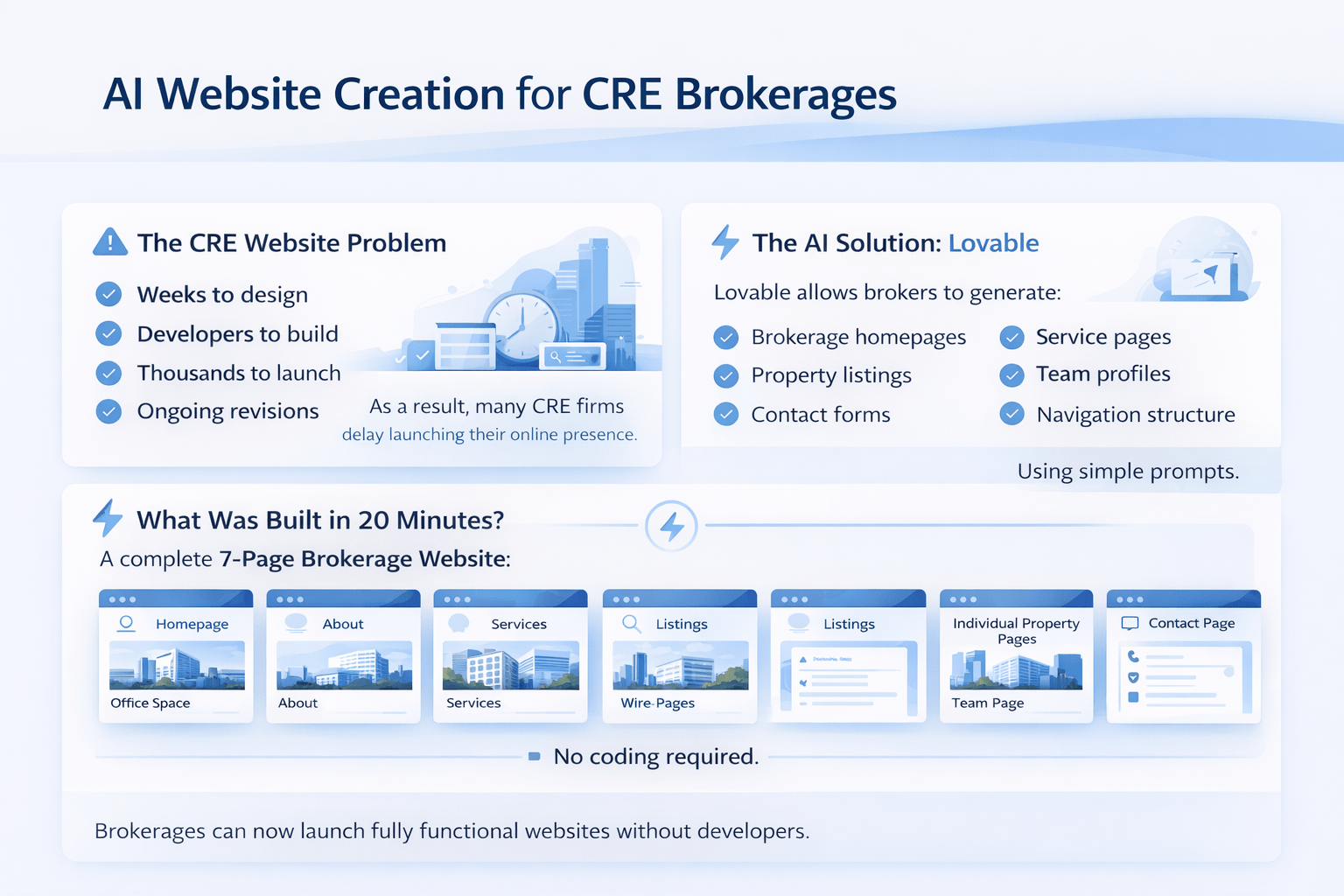
What the First Draft Looked Like
Seven fully built pages with unique content on each one:
Homepage
Hero section with animated stat counters, services overview, testimonial highlights, podcast mention, newsletter signup, and market analysis callout.
About
Team bios, company story, key milestones, leadership section, partner logos.
Services
Complete breakdown of service offerings with “request a free valuation” CTA.
Listings
Current listings, property search functionality, off-market property registration, and recently closed transactions. This page was legitimately impressive for a first draft.
Resources
Podcast section, weekly market updates, blog posts, and downloadable PDFs.
Results
Stats section, client testimonials, and featured success stories.
Contact
Contact form, email routing, space for calendar integration, and Google Maps embed.
All with sticky navigation, responsive design, smooth animations, and working internal link pages.
What Needed Fixing
Every first draft needs cleanup. Here’s what I’d fix:
-
Images — Placeholder photos, not real team headshots. Need to upload actual images.
-
Links — LinkedIn profiles and some buttons weren’t routing correctly. Need manual fixes.
-
Color contrast — One section had text that was hard to read against the background.
-
Integrations — Calendar booking, CRM connections, and email routing need to be set up with actual tools.
-
Copy refinement — Some auto-generated text was generic. A few sections needed rewriting.
Standard first-draft issues. Maybe 30-60 minutes of cleanup to get it publication-ready.
The Design Iteration Process
Lovable has a chat mode that’s critical for good results. Instead of letting it make edits directly, I typed: “Good first draft. I’d be doing the website a bit more modern and cozy. What do you recommend?”
Lovable came back with a phased improvement plan. Phase 1 has the highest-impact visual changes. I told it to proceed. It updated the design — more modern, more lively. Clear improvement.
The chat mode prevents scope creep, a real problem with these platforms. You can go down a rabbit hole of changes and end up with something completely different from what you wanted. Plan first. Build the second.
The Critical Lesson: Prompt Quality Determines Everything
My prompt was “beefy” (that’s the technical term). It was detailed because Claude did thorough research and structured everything specifically. Page by page. Section by section.
If I’d given Lovable a vague prompt like “build me a brokerage website,” the output would have been generic and mostly useless. You get out what you put in.
The workflow that works: Claude thinks. Lovable is the building. Don’t skip the thinking part.
Is It Good Enough?
Can it be a lot better? Absolutely. A custom designer with weeks of iteration will produce a more polished site.
But for a broker who currently has no website? This is light-years better than nothing. You can publish a professional 7-page site today that establishes credibility, showcases your deals, and gives prospects a way to contact you.
For most small to mid-size brokerages, “good enough now” beats “perfect in three months.”
FAQs About CRE Website Development
What is a CRE website for brokerage firms?
A CRE website is a professional platform used to showcase listings, services, and contact information online.
How does this type of website help brokers attract clients?
It helps brokers establish credibility and provide property information to prospects.
Can this type of site be built without coding skills?
Modern tools allow brokers to create websites without technical knowledge.
Is this approach useful for small CRE teams?
It supports small teams by simplifying online presence creation.
Do these websites replace traditional marketing?
They complement traditional marketing efforts.
How accurate are AI-generated site layouts?
They depend on the quality of the prompt provided.
Can a CRE website improve listing visibility?
It can improve online visibility of property listings.
How often should brokers update their CRE website?
Regular updates help maintain accurate listing information.
Try It Yourself
I shared the full demo video and walkthrough inside the AI for CRE Collective. 540+ CRE professionals are testing tools like this every week.