
ChatGPT Image Generation for Commercial Real Estate: Complete Guide (2026)
Commercial real estate marketing has barely changed in decades. Brokers still rely on designers for amenity maps, developers outsource renderings, and turnaround times stretch from days to weeks. Costs pile up quickly, especially when revisions are needed. The ChatGPT CRE image generation guide introduces a radically different workflow, one where high-quality visuals are created in minutes, not days, directly inside a chat interface.
Instead of coordinating with multiple vendors, CRE professionals can now generate, edit, and refine marketing visuals on demand. From amenity maps to renovation renderings, this shift isn’t just about convenience; it’s about speed, control, and cost efficiency.
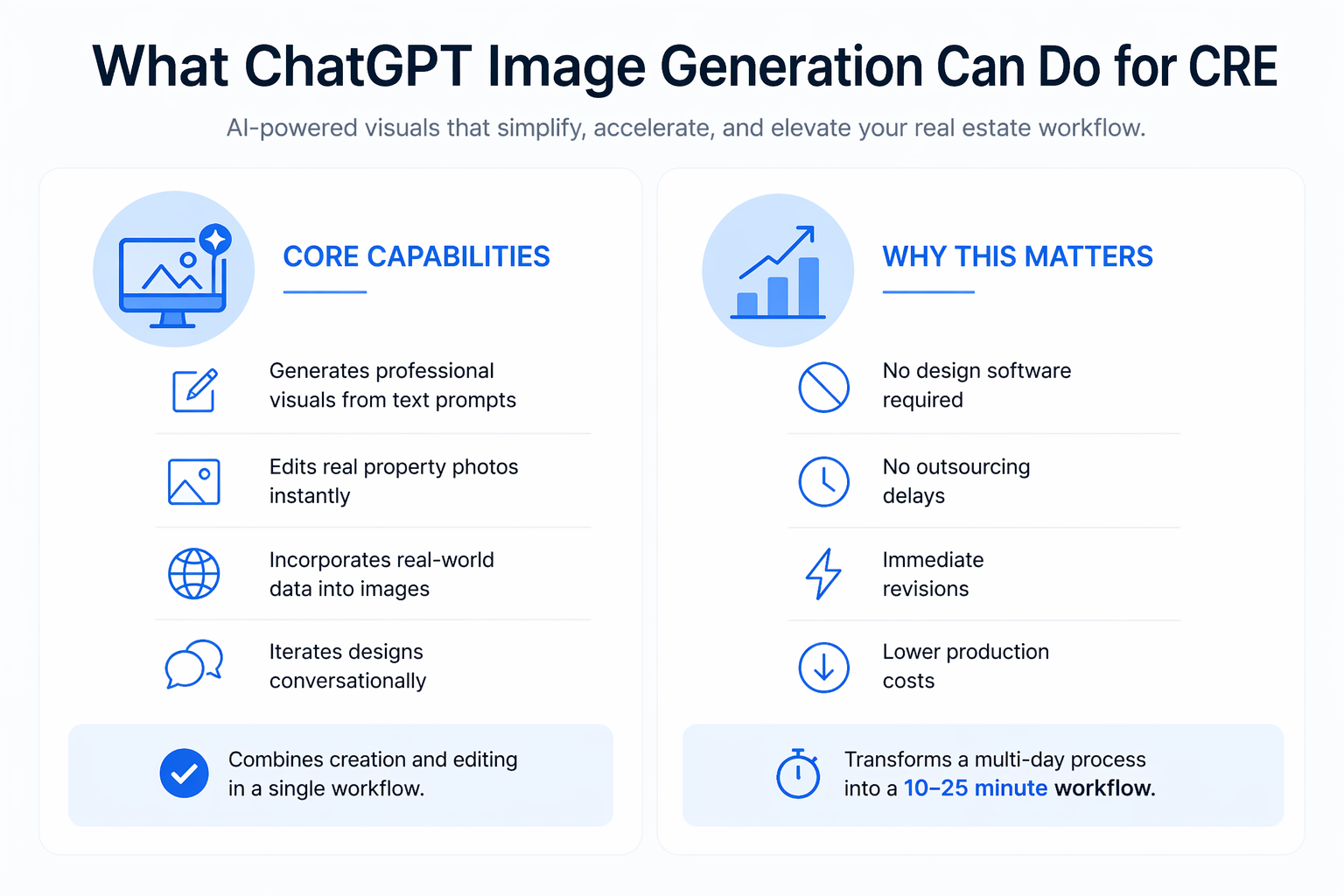
What ChatGPT Image Generation Can Do for CRE
ChatGPT’s newer image model is fundamentally different from earlier AI tools.
Core Capabilities
-
Generates professional visuals from text prompts
-
Edits real property photos instantly
-
Incorporates real-world data into images
-
Iterates designs conversationally
Unlike traditional tools, it combines creation and editing in a single workflow.
Why This Matters
-
No design software required
-
No outsourcing delays
-
Immediate revisions
-
Lower production costs
As highlighted in the guide, this transforms a multi-day process into a 10–25 minute workflow.
Traditional CRE Design vs AI Workflow
Understanding the difference highlights the real value.
| Process Step | Traditional Workflow | ChatGPT Workflow |
|---|---|---|
| Request design | Contact designer | Write prompt |
| Initial output | 1–3 days | < 1 minute |
| Revisions | Multiple days | Instant |
| Cost | $150–$10,000+ | Subscription-based |
| Control | Limited | Full |
This shift removes friction at every stage.
Who This Guide Is For
The ChatGPT CRE image generation guide is relevant across roles.
Brokers
-
Create amenity maps
-
Build OM visuals
-
Improve marketing materials
Developers & Investors
-
Generate concept renderings
-
Visualize value-add opportunities
-
Present deals to partners
Asset Managers
-
Produce tenant-facing materials
-
Create diagrams and layouts
-
Improve communication visuals
No design experience is required.
Prerequisites Before You Start
To use this workflow effectively, you need:
-
ChatGPT paid plan
-
Property photos (or Google Street View)
-
Property address
-
Clear output objective
That’s all. No software or design tools.
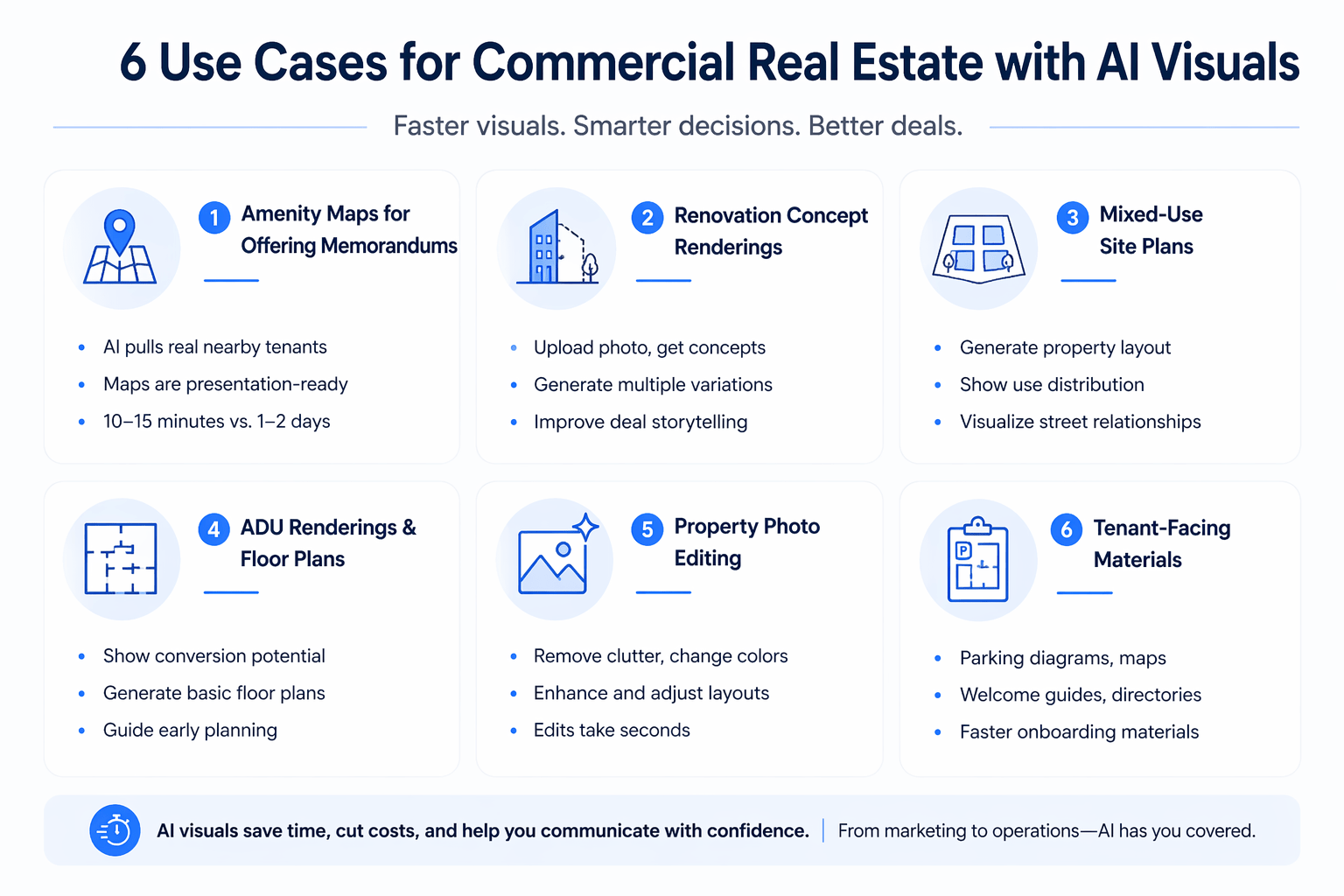
Use Case 1: Amenity Maps for Offering Memorandums
Amenity maps are one of the most common CRE marketing assets.
The Problem
-
Costs $150–$500 per map
-
Takes 1–2 days
-
Often requires revisions
The AI Workflow
-
Input property address
-
Request a professional amenity map
-
Ask AI to research nearby businesses
-
Refine layout and design
Why This Works
-
AI pulls real nearby tenants
-
Maps are presentation-ready
-
Iteration is instant
Time & Cost Comparison
| Metric | Traditional | AI Workflow |
|---|---|---|
| Time | 2 days | 10–15 minutes |
| Cost | $150–$500 | Included |
| Revisions | Slow | Instant |
This is one of the highest ROI use cases.
Use Case 2: Renovation Concept Renderings
For value-add deals, visuals drive investor confidence.
The Problem
-
Early renderings are expensive
-
Not always justified pre-LOI
-
Slows down deal momentum
The AI Approach
-
Upload property photo
-
Request realistic renovation concepts
-
Generate multiple variations
Output Benefits
-
Shows potential clearly
-
Supports investor discussions
-
Improves deal storytelling
The guide emphasizes using “practical and realistic” prompts to maintain feasibility.
Use Case 3: Mixed-Use Site Plans
Development deals require early visualization.
Workflow
-
Upload site image
-
Describe project type
-
Request layout and massing
Output Includes
-
Property layout
-
Use distribution
-
Street relationships
Best Use Cases
-
Pre-LOI presentations
-
Partner discussions
-
Early entitlement conversations
These visuals help communicate concepts before formal design begins.
Use Case 4: ADU Renderings and Floor Plans
ADU strategies benefit heavily from visualization.
ADU Renderings
-
Show conversion potential
-
Visualize parking-to-unit transformation
-
Support value-add pitches
Floor Plans
-
Generate basic layouts
-
Explore unit mix options
-
Guide early planning
Limitations
-
Not construction-ready
-
Requires refinement for technical use
Still, they are highly effective for early-stage decisions.
Use Case 5: Property Photo Editing
This is one of the most underrated capabilities.
What You Can Do
-
Remove cars or clutter
-
Change colors
-
Adjust layouts
-
Enhance presentation
Real-World Applications
-
Clean OM photos
-
Improve listing visuals
-
Fix marketing images
Efficiency
-
Edits take seconds
-
No software required
-
No designer needed
This replaces a surprising amount of manual work.
Use Case 6: Tenant-Facing Materials
AI isn’t just for marketing; it improves operations too.
Examples
-
Parking diagrams
-
Welcome guides
-
Building maps
-
Floor directories
Benefits
-
Faster onboarding materials
-
Consistent visual quality
-
Reduced reliance on designers
This expands AI use beyond deal marketing.
Prompting Strategies That Actually Work
Prompting is the most critical skill in this workflow.
Key Techniques
-
Define your role clearly
-
Specify the use case
-
Use “practical and realistic.”
-
Request real-world data
Example Improvement
Instead of: “Create a map.”
Use: “I’m a CRE broker creating an offering memorandum. Build a clean, professional amenity map including real nearby retailers and landmarks.”
This dramatically improves output quality.
ChatGPT vs Midjourney for CRE
Both tools have strengths, but different use cases.
Comparison Overview
| Feature | ChatGPT | Midjourney |
|---|---|---|
| Photo editing | Strong | Limited |
| Real data integration | Yes | No |
| Ease of use | High | Moderate |
| Visual realism | High | Very high |
| CRE practicality | Excellent | Moderate |
Key Insight
ChatGPT is more practical for real-world CRE workflows, while Midjourney excels in artistic rendering.
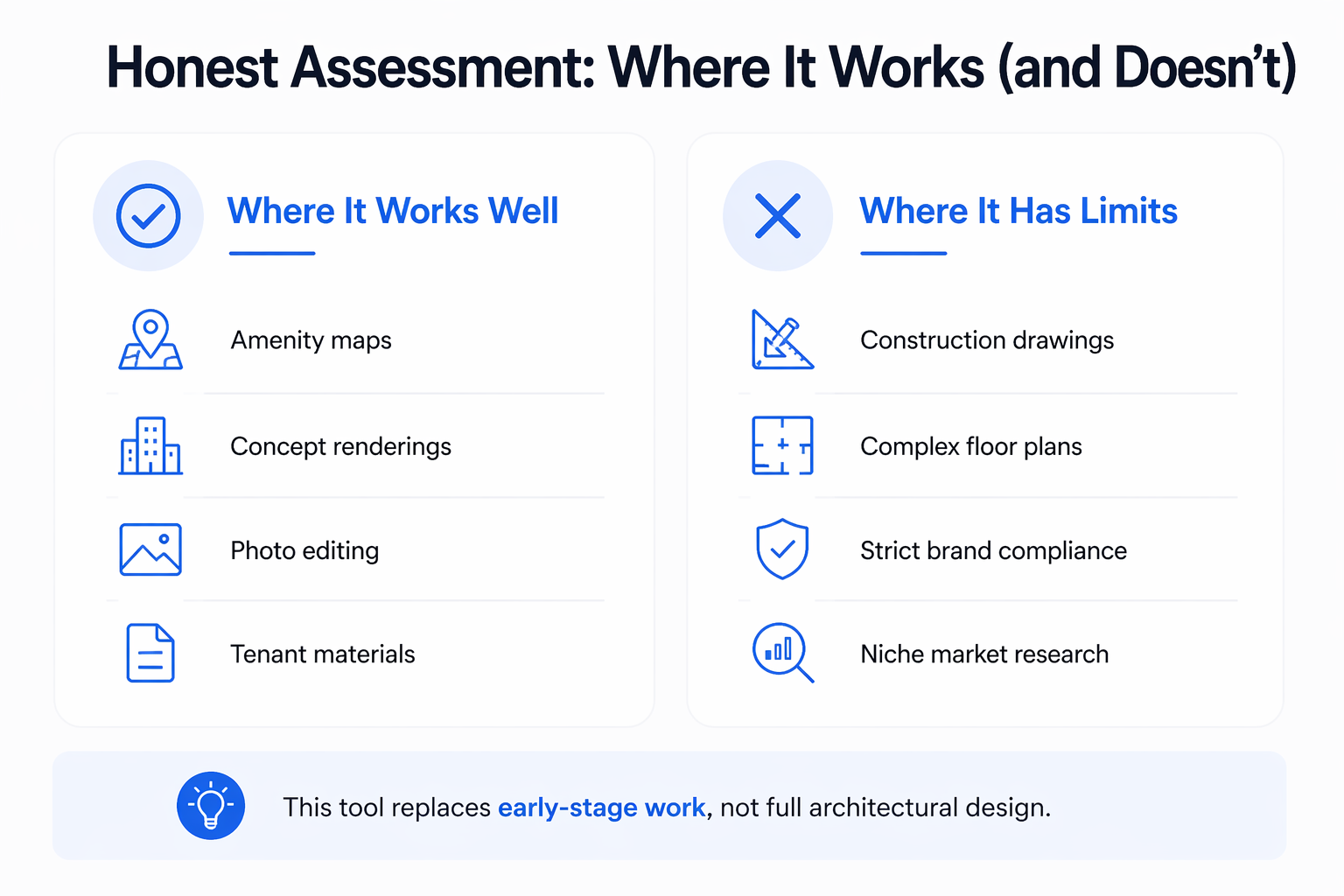
Honest Assessment: Where It Works (and Doesn’t)
Where It Works Well
-
Amenity maps
-
Concept renderings
-
Photo editing
-
Tenant materials
Where It Has Limits
-
Construction drawings
-
Complex floor plans
-
Strict brand compliance
-
Niche market research
The guide makes it clear: this tool replaces early-stage work, not full architectural design.
Conclusion
The ChatGPT CRE image generation guide represents a major shift in how commercial real estate professionals create visual content. What once required designers, long timelines, and significant budgets can now be done in minutes with simple prompts.
This isn’t about replacing professionals, it’s about accelerating workflows. The CRE professionals who adopt this early will move faster, present better, and operate more efficiently. And in a competitive market, that difference matters.
Transform Your CRE Visual Workflow Today
If you’re still relying on designers for every visual asset, you’re operating at a disadvantage. Inside AI for CRE Collective, 600+ CRE professionals are already using workflows from this ChatGPT CRE image generation guide to create faster, cheaper, and more flexible marketing materials. These are real-world systems used daily, not theoretical concepts.
By adopting these workflows, you can eliminate delays, reduce costs, and gain full control over your visual production process. If you want to stay competitive and continuously improve your CRE operations, it’s time to subscribe to the newsletter and start implementing these strategies.
FAQs Regarding ChatGPT CRE Image Generation Guide
What is the ChatGPT CRE image generation guide?
The ChatGPT CRE image generation guide is a structured approach to using AI for creating commercial real estate visuals like amenity maps, renderings, and property edits.
-
It replaces traditional design workflows with AI prompts
-
It enables instant creation and iteration of visuals
-
It reduces reliance on designers and external vendors
-
It works entirely within a chat-based interface
Conclusion: It’s a modern CRE workflow that transforms how marketing visuals are produced faster, cheaper, and more flexibly.
How does ChatGPT generate real estate visuals?
ChatGPT uses AI models that interpret text prompts and generate or edit images based on the instructions provided.
-
You describe the image you need in plain language
-
The AI generates a visual based on that context
-
You refine the output through follow-up prompts
-
It can also edit existing property images
Conclusion: The process is conversational, allowing CRE professionals to create and refine visuals without design tools.
Can ChatGPT create professional-quality amenity maps?
Yes, ChatGPT can produce presentation-ready amenity maps suitable for offering memorandums.
-
It can include nearby businesses and landmarks
-
It supports clean layouts and labeling
-
It allows quick iterations and design adjustments
-
It significantly reduces turnaround time
Conclusion: With proper prompts, ChatGPT can generate high-quality amenity maps that rival outsourced designs.
Is ChatGPT suitable for creating renovation renderings?
ChatGPT is highly effective for early-stage renovation concepts.
-
It visualizes property upgrades realistically
-
It helps communicate value-add potential
-
It generates multiple design variations quickly
-
It supports investor and partner presentations
Conclusion: While not construction-grade, it’s ideal for concept-level visualization and dealing with storytelling.
Can ChatGPT edit existing property photos?
Yes, one of its strongest features is image editing.
-
Remove unwanted elements like cars or clutter
-
Change colors or visual elements
-
Enhance property presentation
-
Modify layouts and design details
Conclusion: It acts as a fast, accessible alternative to manual photo editing tools and services.
How accurate is ChatGPT when adding real-world data to visuals?
ChatGPT can incorporate real-world information, but accuracy should be verified.
-
It can research nearby businesses and locations
-
It integrates real tenant names into maps
-
It works best in well-documented markets
-
Manual validation is recommended before use
Conclusion: It adds valuable context to visuals, but final outputs should always be reviewed for accuracy.
What are the biggest advantages of using ChatGPT for CRE visuals?
The main advantages are speed, cost savings, and flexibility.
-
Generates visuals in minutes instead of days
-
Eliminates expensive design fees
-
Allows unlimited revisions instantly
-
Gives full control to the user
Conclusion: It dramatically improves efficiency while reducing both time and production costs.
What are the limitations of ChatGPT image generation in CRE?
Despite its strengths, there are some limitations.
-
Not suitable for construction-level drawings
-
Limited adherence to strict brand guidelines
-
May require detailed prompts for complex outputs
-
Less effective in niche or obscure markets
Conclusion: It’s best used for early-stage visuals and marketing, not technical or regulatory deliverables.
How does ChatGPT compare to tools like Midjourney for CRE?
Each tool has different strengths depending on the use case.
-
ChatGPT excels in editing real property images
-
It integrates real-world data into visuals
-
Midjourney produces more artistic, photorealistic renders
-
ChatGPT is easier to use for practical workflows
Conclusion: ChatGPT is more functional for CRE workflows, while Midjourney is stronger for high-end visual aesthetics.
How can I improve results when using ChatGPT for CRE images?
Better prompts lead to better outputs.
-
Clearly define your role and objective
-
Specify the intended use of the image
-
Use phrases like “practical and realistic.”
-
Iterate and refine outputs step-by-step
Conclusion: Consistent, detailed prompting is the key to producing high-quality and reliable CRE visuals.
