
Claude vs Manus vs OpenClaw: Which AI Tool Should CRE Pros Use in 2026?
Commercial real estate is no longer just about relationships and spreadsheets; it’s increasingly about speed, data, and execution. The faster you can analyze deals, screen opportunities, and act on insights, the more competitive you become. That’s exactly where AI tools come in. This Claude Manus OpenClaw comparison guide explores three of the most widely used AI tools in CRE today.
Until recently, professionals needed all three to cover different parts of their workflow analysis, automation, and web interaction. But with Claude’s latest updates, that equation is changing fast. If you’re currently juggling multiple tools or wondering whether you even need more than one, this guide will help you make a smarter, leaner decision.
What Each Tool Was Originally Built For
Before comparing features, it’s important to understand the original purpose behind each tool. That context explains why many CRE professionals ended up using all three.
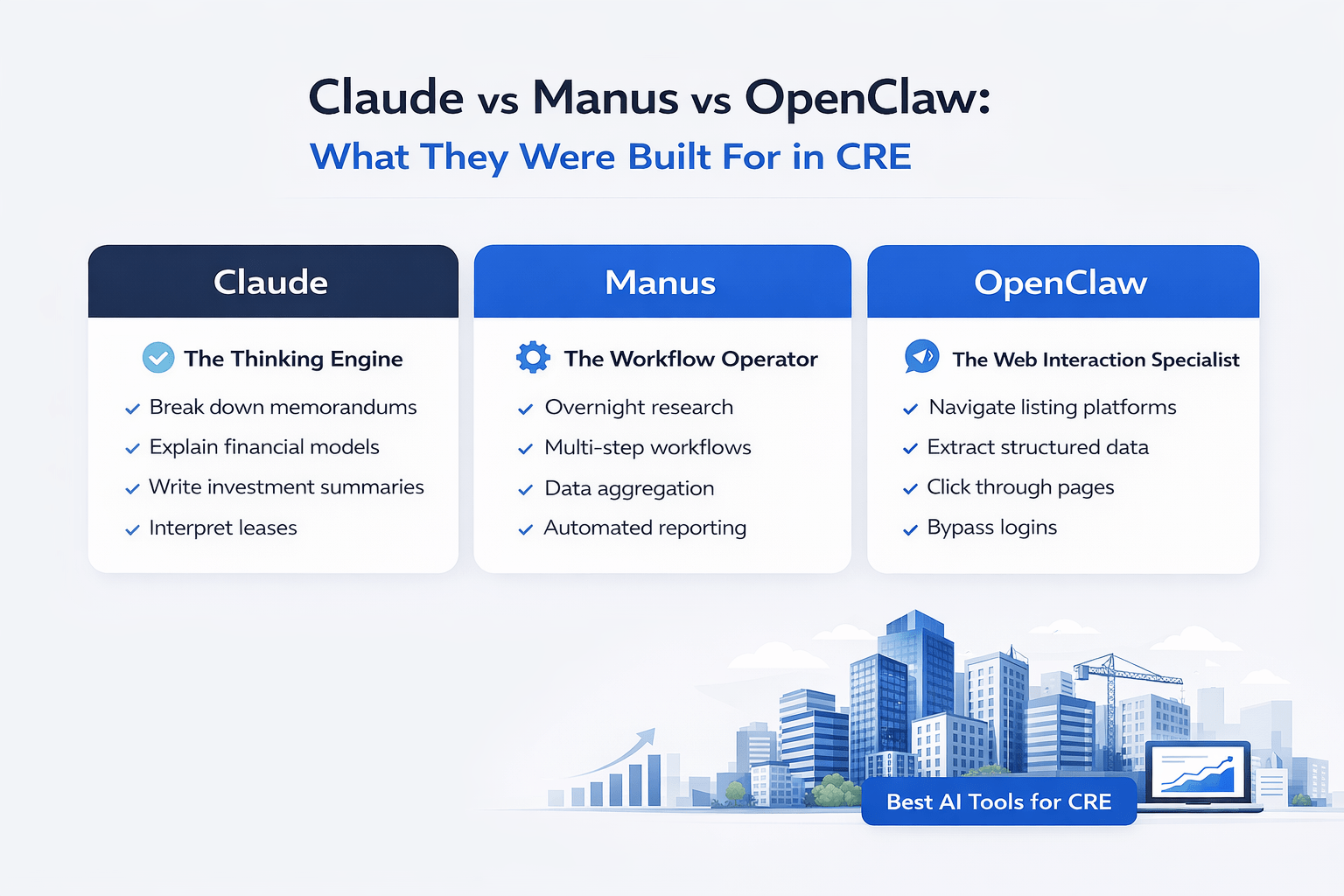
Claude: The Thinking Engine for CRE
Claude was built to process complex information and generate high-quality outputs. In commercial real estate, that translates into:
-
Breaking down offering memorandums
-
Interpreting lease structures
-
Writing investment summaries
-
Explaining financial models
It doesn’t just generate text; it understands context, which is critical in deal analysis.
Manus: The Autonomous Workflow Operator
Manus operates more like a background system than a chatbot. You give it a task, and it executes independently.
Typical CRE uses include:
-
Overnight research
-
Multi-step workflows
-
Data aggregation
-
Automated reporting
It became essential for tasks that didn’t need human supervision.
OpenClaw: The Web Interaction Specialist
OpenClaw fills a very specific gap: interacting with websites.
That includes:
-
Navigating listing platforms
-
Clicking through pages
-
Extracting structured data
-
Handling login-protected systems
For platforms without APIs (which is common in CRE), this was extremely valuable.
The Big Shift: What Changed in 2026
This is where the Claude Manus OpenClaw comparison guide becomes interesting. Claude introduced capabilities that directly overlap with Manus and partially with OpenClaw.
Cloud Routines (The Game Changer)
Claude can now run scheduled workflows in the cloud.
That means:
-
Tasks run without your device
-
Workflows execute at set times
-
Results are delivered automatically
Previously, this was Manus’ core advantage.
Why This Matters in Real CRE Workflows
Let’s make it practical.
Before:
-
You used Manus to scrape listings overnight
-
You used Claude to analyze them
-
You used OpenClaw to navigate sites
Now:
-
Claude can handle most of this in one environment
That’s a massive reduction in friction.
Feature Comparison (High-Level)
| Capability | Claude | Manus | OpenClaw |
|---|---|---|---|
| Deep reasoning | Excellent | Moderate | Low |
| Async execution | Strong | Excellent | Limited |
| Automation workflows | Strong | Excellent | Moderate |
| Browser interaction | Basic | Strong | Excellent |
| CRE-specific usefulness | Very High | High | Medium |
Where Claude Now Replaces Other Tools
Claude’s evolution is the biggest takeaway from this guide.
1. Scheduled Deal Screening
You can now:
-
Run daily listing scans
-
Apply buy-box filters
-
Receive summaries automatically
This used to require Manus.
2. Automated Reporting
Claude can generate:
-
Daily briefs
-
Weekly summaries
-
Investor updates
All without manual input. If you’re using Claude to generate investor updates and reports, you can also apply the same workflows to building presentation-ready materials for stakeholders.
3. Multi-Step Workflows
With the right setup, Claude can:
-
Pull data
-
Analyze it
-
Format outputs
-
Send results
That’s full workflow automation inside one tool. Watch how Claude is actually used for real CRE underwriting workflows:
Where Manus Still Wins
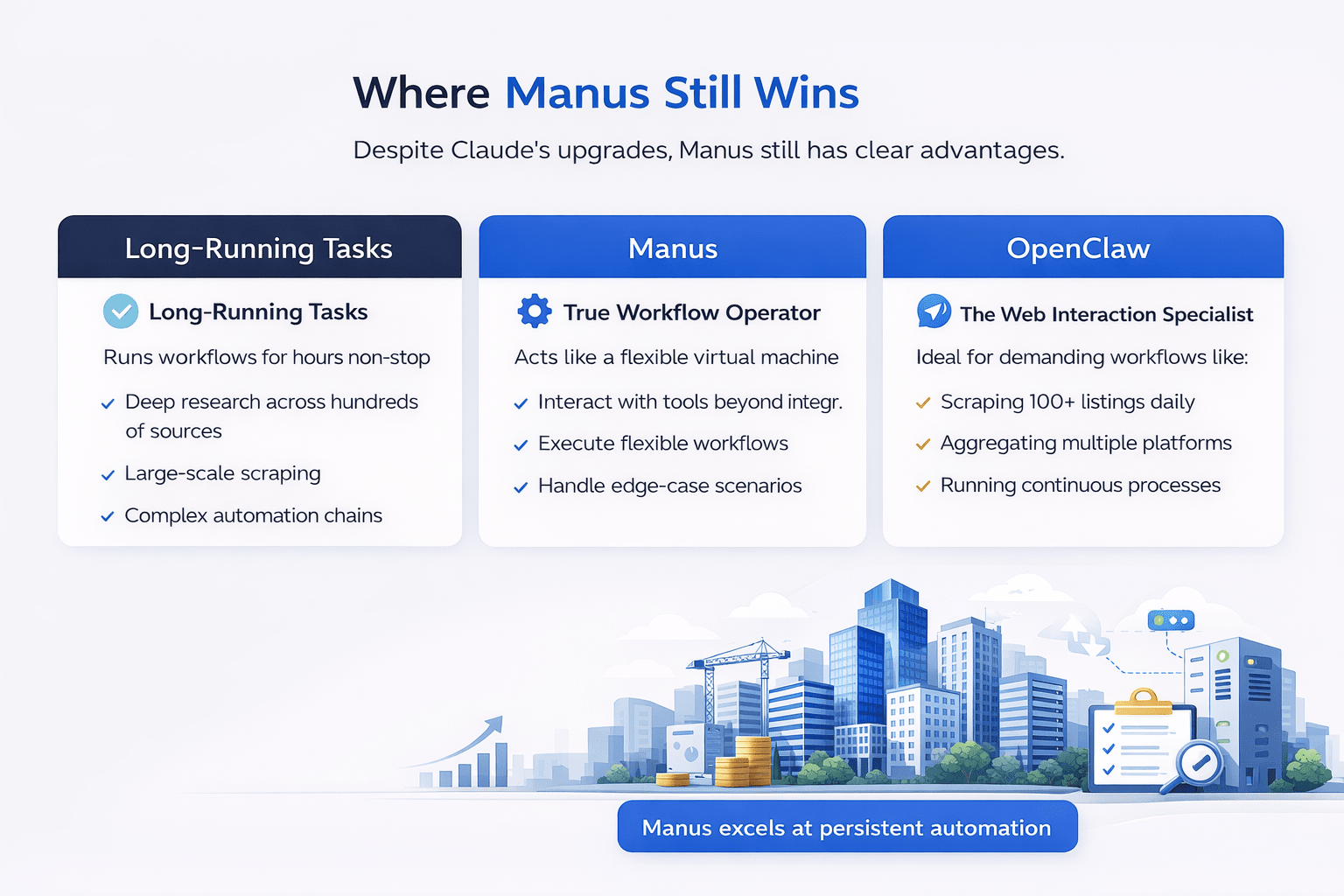
Despite Claude’s upgrades, Manus still has clear advantages.
Long-Running Tasks
Manus can run workflows for hours without interruption.
This is useful for:
-
Deep research across hundreds of sources
-
Large-scale scraping
-
Complex automation chains
True Environment Control
Manus behaves more like a virtual machine.
It can:
-
Interact with tools outside standard integrations
-
Execute more flexible workflows
-
Handle edge-case scenarios
When This Actually Matters
If your workflow involves:
-
Scraping 100+ listings daily
-
Aggregating multiple platforms
-
Running continuous processes
Manus still earns its place.
Where OpenClaw Still Fits
OpenClaw is more niche, but still relevant.
Browser-Heavy Tasks
It excels when:
-
Websites require manual navigation
-
Data isn’t accessible via APIs
-
Platforms block automation
Practical CRE Example
If you’re pulling data from:
-
Listing portals
-
Broker websites
-
Gated dashboards
OpenClaw can automate those steps reliably.
Real CRE Workflow Breakdown
Let’s walk through a realistic CRE workflow and see how each tool fits.
Deal Intake Workflow
Step-by-step process:
-
Pull new listings
-
Filter by criteria
-
Extract key data
-
Analyze opportunity
-
Generate summary
Tool Comparison in This Workflow
| Step | Best Tool |
|---|---|
| Data collection | Manus / OpenClaw |
| Filtering | Claude |
| Analysis | Claude |
| Reporting | Claude |
Key Insight
Claude now dominates the decision-making layer of CRE workflows. Manus and OpenClaw support the data collection layer.
Pros and Cons (Practical Perspective)
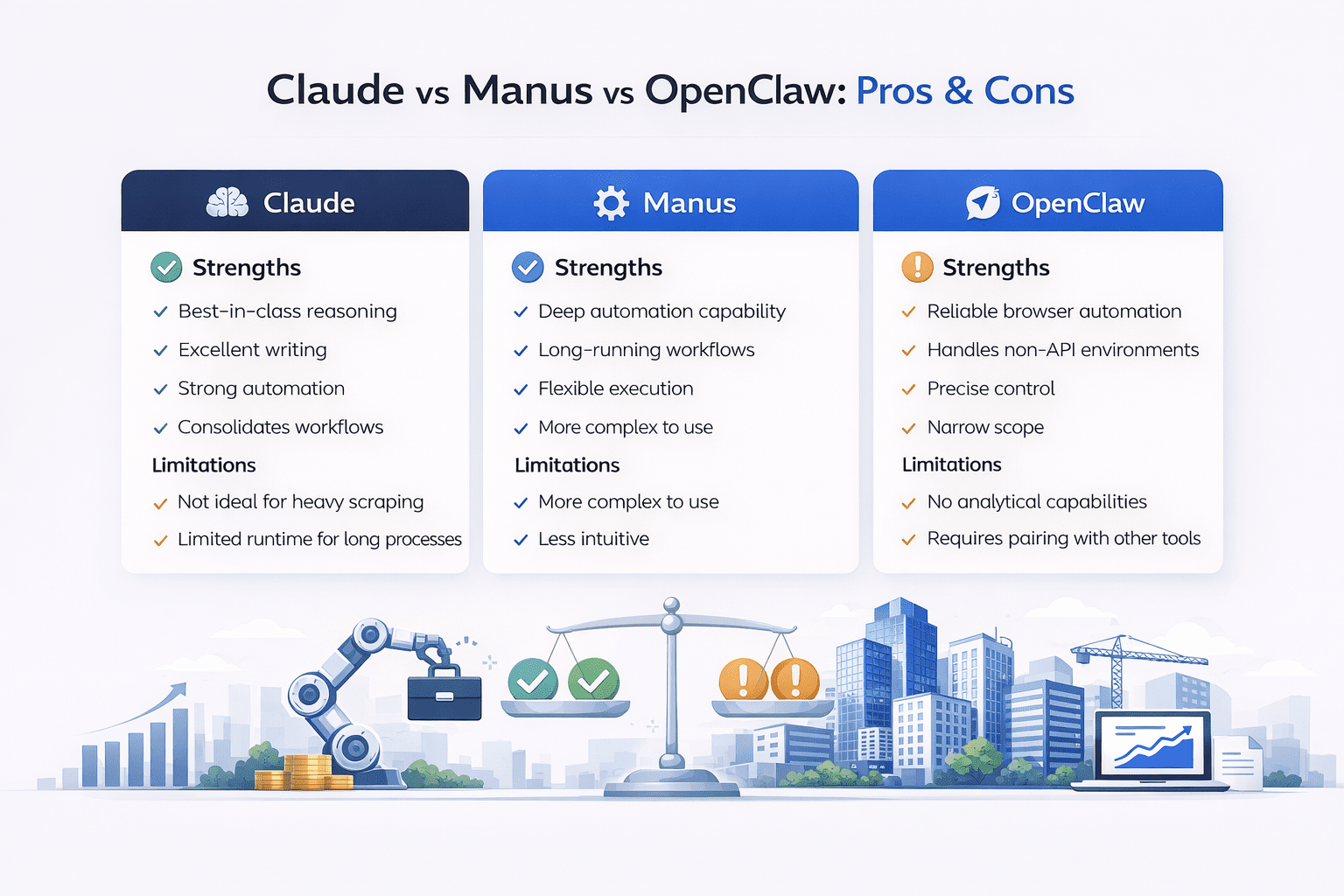
Claude
Strengths
-
Best-in-class reasoning
-
Excellent writing
-
Strong automation
-
Consolidates workflows
Limitations
-
Not ideal for heavy scraping
-
Limited runtime for long processes
Manus
Strengths
-
Deep automation capability
-
Long-running workflows
-
Flexible execution
Limitations
-
More complex to use
-
Less intuitive
-
Not CRE-focused
OpenClaw
Strengths
-
Reliable browser automation
-
Handles non-API environments
-
Precise control
Limitations
-
Narrow scope
-
No analytical capabilities
-
Requires pairing with other tools
If you’re looking to scale this process further, you can also implement parallel deal screening strategies using AI to evaluate multiple opportunities simultaneously.
Decision Framework: What Should You Actually Use?
Instead of overcomplicating this, here’s a simple way to decide.
If You’re a Solo CRE Professional
Use:
-
Claude only
Why:
-
Covers nearly everything
-
Minimal setup
-
Lower cost
If You’re a Small Team
Use:
-
Claude + Manus
Why:
-
Balance of simplicity and power
-
Handles both analysis and automation
If You’re Running Data-Heavy Operations
Use:
-
Claude + Manus + OpenClaw
Why:
-
Full coverage of all workflows
-
Maximum automation
Cost vs Value Breakdown
| Setup | Monthly Cost | Value |
|---|---|---|
| Claude only | Low | Very High |
| Claude + Manus | Medium | High |
| Full stack | High | Maximum |
The Hidden Cost: Context Switching
One of the biggest inefficiencies isn’t pricing its mental overhead.
When you use multiple tools:
-
You switch tabs constantly
-
You duplicate inputs
-
You lose workflow continuity
Claude reduces this significantly by centralizing tasks.
Efficiency Gains in Real Terms
Here’s what changes when you simplify your stack:
-
Faster deal analysis
-
Fewer manual steps
-
Lower operational friction
-
More consistent outputs
This directly impacts how many deals you can evaluate weekly.
Future Direction of CRE AI Tools
The trend is clear:
-
Tools are consolidating
-
Features are overlapping
-
Platforms are becoming ecosystems
Claude is moving toward being a full CRE operating system. However, specialized tools like Manus will still exist for edge cases.
Conclusion
This Claude Manus OpenClaw comparison guide highlights a major shift in how CRE professionals should approach AI in 2026. Claude has evolved into a powerful, centralized platform capable of handling most day-to-day workflows. For many users, it eliminates the need for multiple subscriptions and disconnected tools.
Manus still provides value for complex automation and long-running processes, while OpenClaw remains useful for specific browser-based tasks. The smartest strategy isn’t to use every tool but to use the right combination. And for most CRE professionals today, that combination is simpler than ever.
This Claude Manus OpenClaw comparison guide ultimately shows how CRE professionals can simplify their AI stack without sacrificing performance or capability.
Build a Smarter CRE AI Stack Today
If your current workflow feels fragmented, that’s a signal, not a limitation. The real advantage in today’s market comes from reducing friction, not adding more tools. Simplifying your stack can unlock faster decisions, cleaner execution, and better deal flow.
Join the AI for CRE Collective, where 600+ CRE professionals are already optimizing how they use AI in real-world scenarios. From live workflows to tested prompts, you’ll gain practical insights you can apply immediately. If you’re serious about staying ahead, subscribe to the newsletter and start building a system that actually works for you.
FAQs Regarding Claude Manus OpenClaw Comparison Guide
1. Which AI tool is best for commercial real estate workflows in 2026?
Claude is the most complete solution for most CRE workflows today.
-
It handles end-to-end processes like deal screening, OM analysis, and reporting within one interface
-
Its reasoning ability allows it to interpret complex documents like rent rolls, leases, and financial statements accurately
-
With Cloud Routines, it now automates recurring tasks such as daily deal summaries and investor updates
Conclusion: Claude is the best all-in-one tool, especially for professionals looking to simplify their stack.
2. In what specific scenarios is Manus still better than Claude?
Manus outperforms Claude in high-complexity and long-duration automation tasks.
-
It can run workflows continuously for hours, which is critical for large-scale data aggregation
-
It supports deeper system-level control, allowing interactions with tools and environments beyond standard integrations
-
It is better suited for scraping multiple platforms simultaneously or running chained workflows across dozens of steps
Conclusion: Manus is ideal for advanced users running heavy automation or large-scale research workflows.
3. How does OpenClaw actually work in real CRE use cases?
OpenClaw functions as a browser automation layer that mimics human interaction with websites.
-
It can log into listing platforms, navigate pages, and extract data where APIs are unavailable
-
It is particularly useful for pulling listings from broker sites, marketplaces, and gated dashboards
-
It can automate repetitive browsing tasks such as filtering listings, copying data, and compiling datasets
Conclusion: OpenClaw is best used for data extraction from platforms that are otherwise difficult to automate.
4. Can Claude fully replace both Manus and OpenClaw now?
Claude can replace a large portion of their functionality, but not entirely.
-
It now handles scheduled workflows, reducing the need for Manus in many cases
-
It can process and analyze data more intelligently than either tool
-
However, it still has limitations in deep browser automation and extremely long-running processes
Conclusion: Claude can replace 70–90% of use cases, but specialized tasks may still require Manus or OpenClaw.
5. How does Claude improve deal screening compared to traditional methods?
Claude transforms deal screening from manual review into an automated, criteria-driven process.
-
It can evaluate listings against predefined buy-box criteria instantly
-
It identifies key metrics such as cap rate, NOI, and risk factors without manual calculation
-
It produces structured summaries that make decision-making faster and more consistent
Conclusion: Claude significantly reduces time spent on initial deal filtering and improves decision quality.
6. What are the limitations of using only Claude for CRE workflows?
While powerful, Claude does have practical limitations.
-
It cannot fully replicate complex browser automation tasks required for certain platforms
-
Its task execution time is bounded, making it less suitable for extremely long workflows
-
It relies on integrations rather than direct system-level control
Conclusion: Claude is highly capable but not ideal for edge cases involving deep automation or extended runtimes.
7. How do these tools impact productivity for CRE professionals?
The productivity gains are substantial when used correctly.
-
Tasks that previously took hours (like OM review) can be completed in minutes
-
Automation reduces repetitive work, such as report generation and email drafting
-
Centralized workflows reduce context switching and cognitive load
Conclusion: These tools can multiply output, allowing professionals to evaluate more deals and act faster.
8. What is the biggest mistake CRE professionals make when choosing AI tools?
The most common mistake is overcomplicating the tech stack.
-
Many users subscribe to multiple tools without fully utilizing any of them
-
They duplicate workflows across platforms, creating inefficiencies
-
They focus on features instead of actual workflow needs
Conclusion: The best approach is to start with one tool (usually Claude) and expand only if necessary.
9. How should a CRE professional test which tool works best for them?
Testing should be practical and workflow-based, not theoretical.
-
Start with a real task like daily deal screening or weekly reporting
-
Run the same workflow across different tools
-
Compare output quality, speed, and ease of use
Conclusion: The best tool is the one that performs reliably in your actual day-to-day workflow.
10. What does the future look like for AI tools in commercial real estate?
AI tools are moving toward consolidation and deeper integration.
-
Platforms like Claude are evolving into full workflow ecosystems
-
Specialized tools like Manus will remain for advanced use cases
-
Automation will become a standard part of deal sourcing, analysis, and reporting
Conclusion: The future favors fewer tools with more powerful, integrated capabilities.
