
How to Create a Renovation Scope of Work with AI
Commercial real estate is no longer just about location, capital, and timing. Today, it’s about the speed of execution, and that’s where an AI renovation scope workflow is transforming how operators plan and execute unit turns. Deals are won by those who can move faster, control costs, and eliminate uncertainty, and renovation scoping is one of the biggest bottlenecks.
Traditionally, building a renovation scope meant walking units, taking notes, creating spreadsheets, and manually coordinating with contractors. It was slow, inconsistent, and highly dependent on experience. But now, AI allows you to generate detailed, contractor-ready scopes in minutes instead of hours.
This guide breaks down exactly how that works, using a real-world test where a full renovation scope was generated from photos in under 15 minutes, and in many ways, it outperformed manual workflows.
What Is an AI Renovation Scope Workflow?
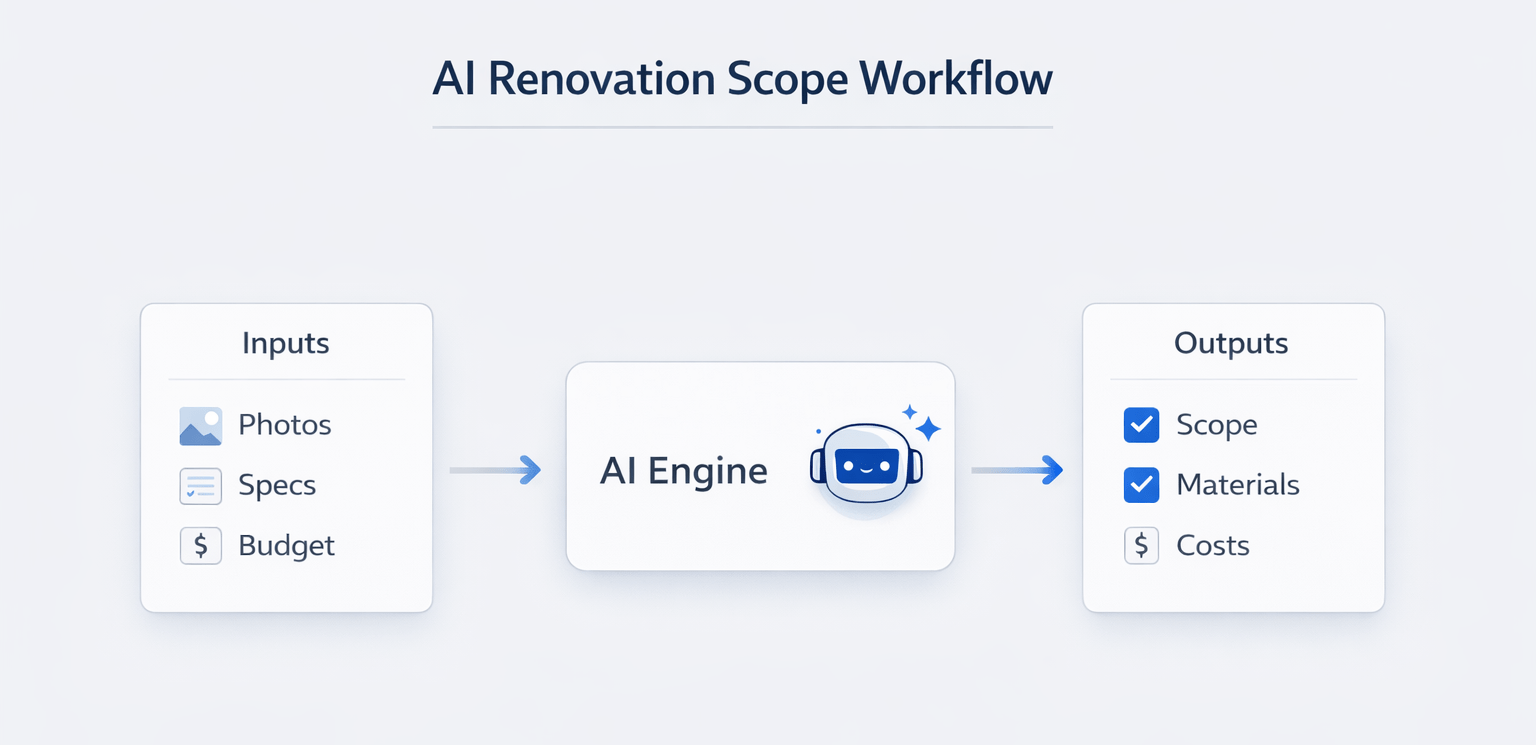
An AI renovation scope workflow is a structured process that uses AI tools to generate detailed renovation plans based on inputs like photos, property details, and investment goals.
Instead of manually writing scopes, operators provide:
-
Property photos
-
Unit specifications
-
Investment strategy
-
Budget constraints
The AI then produces:
-
Room-by-room scope
-
Trade-based breakdown
-
Material suggestions
-
Cost estimates
An AI renovation scope workflow automates the process of creating detailed renovation scopes, helping CRE professionals save time, reduce errors, and standardize project planning.
Why Renovation Scopes Matter More Than You Think
A vague renovation scope is one of the fastest ways to lose money in real estate.
“Redo the kitchen” can mean completely different things to different contractors. One might quote a cosmetic upgrade, while another assumes a full rebuild. This inconsistency leads to:
-
Budget overruns
-
Change orders
-
Timeline delays
-
Misaligned expectations
A detailed scope eliminates ambiguity.
Table 1: Vague vs Detailed Scope Impact
| Scope Type | Outcome |
|---|---|
| Vague Scope | Inconsistent bids, higher risk |
| Detailed Scope | Accurate pricing, fewer issues |
The more specific your scope, the more predictable your project becomes.
The Traditional Renovation Workflow (And Its Problems)
Before AI, most CRE operators followed a manual process:
-
Walk the unit
-
Take photos
-
Create spreadsheet
-
Write line items
-
Send to the contractor
This process can take 3–5 hours per unit for a detailed scope.
Key Issues
-
Time-intensive
-
Prone to human error
-
Inconsistent across properties
-
Difficult to scale
How AI Transforms Renovation Scoping
AI removes the manual bottleneck by generating scopes directly from structured inputs.
Instead of writing everything manually, you:
-
Upload photos
-
Define scope requirements
-
Set budget constraints
And the AI builds everything else. If you want to see how this actually works in real-time, this breakdown on how AI is used to analyze and execute CRE workflows shows exactly how operators are applying these tools in live scenarios.
Table 2: Traditional vs AI Renovation Workflow
| Step | Traditional | AI Workflow |
|---|---|---|
| Data Collection | Manual | Photo upload |
| Scope Creation | Spreadsheet | AI-generated |
| Time Required | Hours | Minutes |
| Consistency | Variable | Standardized |
This shift allows operators to focus on strategy rather than execution.
The Prompt Framework That Makes It Work
The quality of your output depends entirely on your prompt.
The most effective structure is:
RCTF Framework
-
Role → Who the AI should act as
-
Context → Property details
-
Task → What you want
-
Format → How output should be structured
Example Breakdown
-
Role: Senior construction estimator
-
Context: 750 sq ft 2-bed unit in LA
-
Task: Full renovation scope
-
Format: Organized by trade and room
This level of specificity transforms generic output into something usable.
What the AI-Generated Scope Actually Includes
The AI-generated scope was highly structured and detailed.
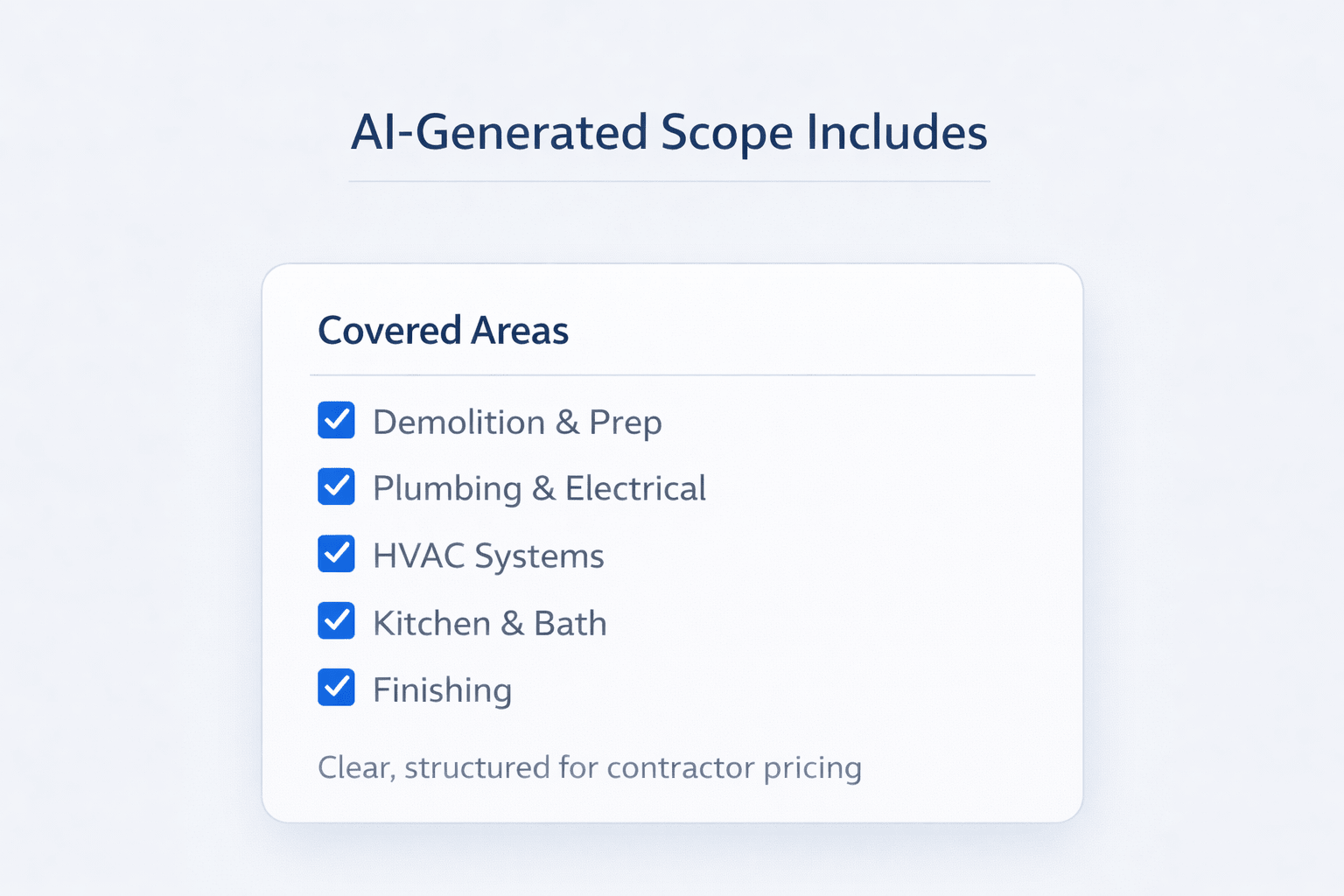
Covered Areas
-
Demolition and site prep
-
Plumbing and electrical
-
Kitchen renovation
-
Bathroom upgrades
-
Finishing and punch list
Each item was written clearly enough for contractor pricing.
Two Strategies: Full Renovation vs Cosmetic Refresh
One of the biggest advantages of an AI renovation scope workflow is the ability to test multiple strategies instantly.
Scenario 1: Full Gut Renovation
-
Cost: ~$82,000
-
Includes full rebuild
-
Higher rent potential
-
Longer timeline
Scenario 2: Cosmetic Refresh
-
Cost: ~$15,250
-
Keeps major systems
-
Faster turnaround
-
No permits required
Table 3: Strategy Comparison
| Factor | Full Renovation | Cosmetic Refresh |
|---|---|---|
| Cost | High | Low |
| Timeline | Long | Short |
| Permits Required | Yes | No |
| ROI Risk | Higher | Lower |
This comparison allows smarter decision-making before spending capital. Many investors take this further by applying structured systems like AI-driven due diligence for commercial real estate to validate assumptions before committing capital.
Where AI Still Falls Short
AI is powerful but not perfect.
Common Issues
-
Over-specification (too expensive materials)
-
Overbuilding (unnecessary upgrades)
-
Incorrect permit assumptions
Table 4: AI Limitations
| Issue | Impact |
|---|---|
| Expensive materials | Higher costs |
| Overbuilt scopes | Reduced ROI |
| Permit errors | Compliance risk |
How to Use This Workflow in Your Next Deal
To implement this:
-
Take detailed photos
-
Use structured prompts (RCTF)
-
Generate multiple scopes
-
Compare strategies
-
Validate with the contractor
This creates a repeatable system across your portfolio.
Conclusion
An AI renovation scope workflow fundamentally changes how CRE professionals approach unit turns. Instead of spending hours building scopes manually, you can now generate detailed, structured plans in minutes.
The real advantage isn’t just speed, but consistency, scalability, and better decision-making. When used correctly, AI becomes a powerful tool that reduces risk, improves communication, and helps you execute deals more efficiently.
Scale Your CRE Renovation Workflow with AI
If you’re serious about improving execution speed and reducing renovation risk, you need more than just tools; you need proven workflows. That’s exactly what the AI for CRE Collective offers. Inside, 600+ CRE professionals are actively testing AI on real deals, sharing prompts, and refining systems that actually work in the field.
From renovation scopes to underwriting and deal analysis, the insights shared inside the community go far beyond theory. If you want to stay ahead and apply these strategies effectively, now is the time to subscribe to the newsletter and start building smarter CRE workflows today.
FAQs Regarding AI Renovation Scope Workflow
What is an AI renovation scope workflow, and how does it actually work?
An AI renovation scope workflow is a structured system that uses artificial intelligence to generate detailed renovation scopes based on inputs like photos, unit size, and investment goals.
-
You upload property photos and provide context (unit type, condition, budget)
-
The AI analyzes the inputs and generates a room-by-room and trade-by-trade scope
-
It organizes everything into actionable line items that contractors can price
Conclusion: It replaces manual scope writing with a faster, standardized, and more scalable process.
How accurate are AI-generated renovation scopes compared to manual scopes?
AI-generated scopes are often surprisingly detailed, but they are not perfect and require review.
-
They typically cover all major trades and renovation categories
-
They may over-specify materials or suggest upgrades beyond your target budget
-
Accuracy improves significantly when prompts are detailed and structured
Conclusion: AI scopes are highly effective for planning and bidding, but should always be refined using operator judgment.
How much time can an AI renovation scope workflow actually save?
The time savings are one of the biggest advantages of using AI in renovation planning.
-
Manual scopes can take 3–5 hours per unit when done thoroughly
-
AI can generate a complete scope in 10–20 minutes
-
Revisions or alternative scenarios can be created instantly
Conclusion: AI dramatically reduces time spent on scope creation, allowing operators to focus on decision-making instead.
Can AI help compare different renovation strategies like full gut vs cosmetic?
Yes, this is one of the most valuable use cases of an AI renovation scope workflow.
-
You can generate multiple scopes using different budget constraints
-
AI can outline both full renovation and light refresh options
-
It allows quick comparison of cost, timeline, and scope depth
Conclusion: AI enables faster and smarter decision-making by making strategy comparisons easy and data-driven.
What inputs are required to get the best results from AI renovation tools?
The quality of your inputs directly impacts the quality of the output.
-
Clear photos of every room and angle in the unit
-
Accurate property details like square footage and layout
-
A well-structured prompt defining role, task, and format
Conclusion: Better inputs lead to more precise, usable, and contractor-ready renovation scopes.
Can AI renovation scopes be directly used by contractors?
In many cases, yes, but with some adjustments.
-
AI scopes are detailed enough for contractors to understand the scope and pricing
-
Minor edits may be needed for local standards or contractor preferences
-
Final validation ensures alignment with actual site conditions
Conclusion: AI scopes are a strong starting point for contractor discussions, but should be reviewed before execution.
Does AI understand local construction costs and permit requirements?
AI can provide general guidance, but it is not always location-specific.
-
It can estimate costs based on typical market ranges
-
It may flag common permit triggers like structural or electrical changes
-
Local regulations and fees can vary significantly by city
Conclusion: Always verify costs and permit requirements with local contractors or authorities.
Can AI reduce renovation costs in real estate projects?
Yes, primarily by improving planning and reducing mistakes.
-
Eliminates vague scopes that lead to inconsistent bids
-
Reduces costly change orders during construction
-
Helps avoid overbuilding by comparing multiple strategies
Conclusion: AI doesn’t directly lower costs, but better planning leads to significant savings.
What are the biggest mistakes to avoid when using AI for renovation scopes?
AI is powerful, but misuse can lead to poor outcomes.
-
Using vague or incomplete prompts
-
Accepting outputs without reviewing them
-
Ignoring budget constraints or the target tenant profile
Conclusion: Treat AI as a tool, not a replacement. Review and refine outputs for best results.
Is an AI renovation scope workflow scalable across multiple properties?
Yes, scalability is one of its strongest advantages.
-
The same prompt structure can be reused across units
-
Standardizes renovation planning across portfolios
-
Enables faster analysis of multiple deals simultaneously
Conclusion: AI workflows allow CRE operators to scale renovation planning efficiently across multiple properties.
