
Claude for Excel Complete CRE Underwriting Guide
Claude for Excel CRE underwriting is changing how commercial real estate professionals analyze deals. Traditional underwriting has always been detailed, slow, and labor-heavy. Analysts often spend hours pulling data from offering memorandums, cleaning spreadsheets, and building models from scratch. Even a small mistake can affect the final numbers.
Now, that process is starting to change. AI tools are entering the CRE space and reshaping how deals are analyzed. Instead of spending hours on repetitive work, professionals can now move faster and focus on decision-making. This shift is not about replacing analysts. It is about helping them work better and faster.
In this guide, we will walk through a real workflow based on a full underwriting masterclass. You will see how AI can take a deal from raw documents to a complete financial model.
Here is what you will learn:
-
How to extract rent rolls and T12 data automatically
-
How to screen deals and identify red flags
-
How to build a full 5-year pro forma in minutes
-
How to improve accuracy with better assumptions
The goal is simple. Help you understand how AI fits into your current workflow and how it can reduce time, cost, and effort.
Key Statistics on AI in Real Estate and Underwriting
-
AI can increase real estate net operating income (NOI) by 10% or more through improved decision-making and efficiency
-
Generative AI could create $110–$180 billion in value for the global real estate industry
-
Around 65% of organizations use generative AI regularly in at least one business function
-
AI can reduce manual work and operational costs by 30% or more in many workflows
-
AI-driven automation could unlock $430–$550 billion in annual value across real estate
What Is Claude for Excel and How It Works
Understanding Claude for Excel (AI Inside Spreadsheets)
Claude for Excel is an AI-powered add-in that works directly inside Microsoft Excel. Instead of switching between tools, you can interact with AI within your spreadsheet. It works like a chat interface. You type a prompt, and the tool responds by updating your sheet, running calculations, or extracting data.
This makes it very practical for real estate professionals, especially those using Claude for Excel CRE underwriting, to streamline their analysis workflows. You do not need to learn a new platform. You continue using Excel, but with added intelligence.
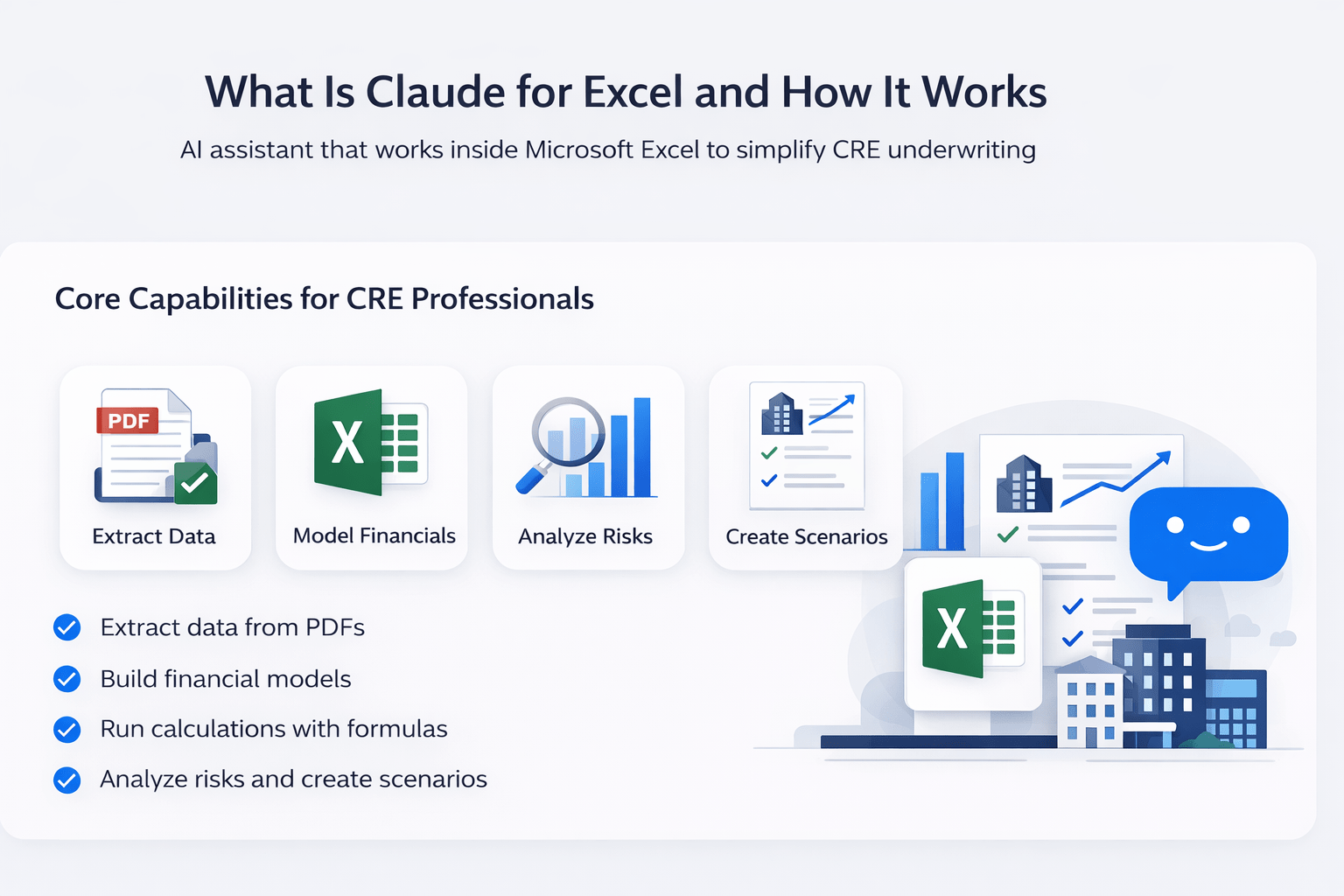
Core Capabilities for CRE Professionals
Claude for Excel is not just a basic assistant. It can handle several key underwriting tasks.
Here are the main capabilities:
-
Extract data from PDFs, like offering memorandums
-
Build structured financial models
-
Run calculations with formulas
-
Analyze deals and highlight risks
-
Create multiple scenarios for decision-making
This means one tool can replace several manual steps in your workflow, which is why many teams are shifting toward Claude for Excel CRE underwriting.
Why This Matters for CRE Teams
For most CRE teams, underwriting takes time and resources. Junior analysts handle data entry. Senior professionals review and adjust models. AI changes this setup. Instead of spending time on repetitive tasks, teams can focus on strategy. Deals can be reviewed faster. More opportunities can be analyzed in less time.
Here is a simple comparison:
| Task | Traditional Process | With Claude for Excel |
|---|---|---|
| Rent roll extraction | Manual copy-paste | Automated in seconds |
| T12 analysis | Spreadsheet cleanup | Auto-formatted output |
| Model building | Hours to days | Minutes |
| Deal screening | Analyst-driven | AI-assisted |
| Error checking | Manual review | Built-in validation |
This does not remove the need for human input. Instead, it reduces the time spent on low-value work.
Step 1 – Extracting Rent Rolls and T12s from Offering Memorandums
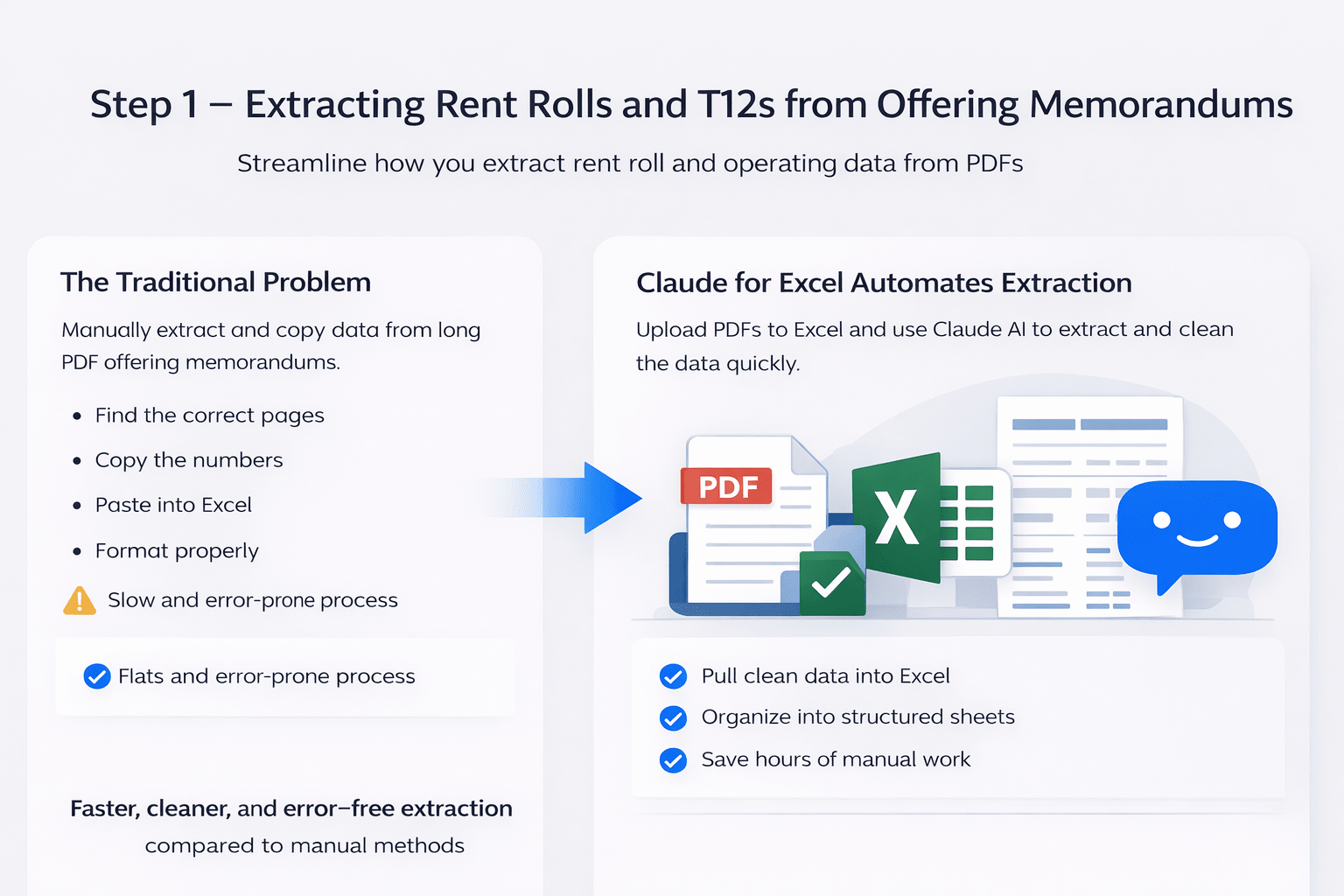
The Traditional Problem
Every CRE professional knows this step well. You receive an offering memorandum. It is usually a long PDF. Inside it, there is a rent roll, operating summary, and other financial data.
To use that data, you need to:
-
Find the correct pages
-
Copy the numbers
-
Paste them into Excel
-
Clean the formatting
-
Double-check for errors
This process is slow. It also increases the chance of mistakes.
How Claude Automates Data Extraction
With Claude for Excel, the process becomes much simpler. You upload the offering memorandum directly into Excel. Then you use a basic prompt like:
“Extract the rent roll from this offering memorandum.”
That’s it.
The AI reads the document, finds the relevant section, and places the data into a clean Excel format.
It can also:
-
Identify the correct page automatically
-
Structure the data into rows and columns
-
Format it properly for analysis
Extracting T12 and Operating Statements
The same process works for T12 data.
You can ask the tool to:
-
Create a new sheet
-
Extract the operating summary
-
Format expenses and income
The output is not just raw data. It often includes formulas and structured calculations.
For example:
-
Total expenses may be calculated automatically
-
NOI can be derived using formulas
-
Categories are organized clearly
This saves time and improves consistency.
Why This Step Is a Game-Changer
This first step alone can save hours on every deal, which is a key reason Claude for Excel CRE underwriting is becoming more widely used. Instead of spending time on data entry, you move directly to analysis.
Here are the key benefits:
-
Faster data extraction
-
Cleaner and structured spreadsheets
-
Reduced manual errors
-
Scalable for large properties
Even for larger properties with 50 or 100 units, the process remains quick and efficient.
Step 2 – AI Deal Screening and Red Flag Analysis
What Is “Back-of-the-Napkin” Underwriting
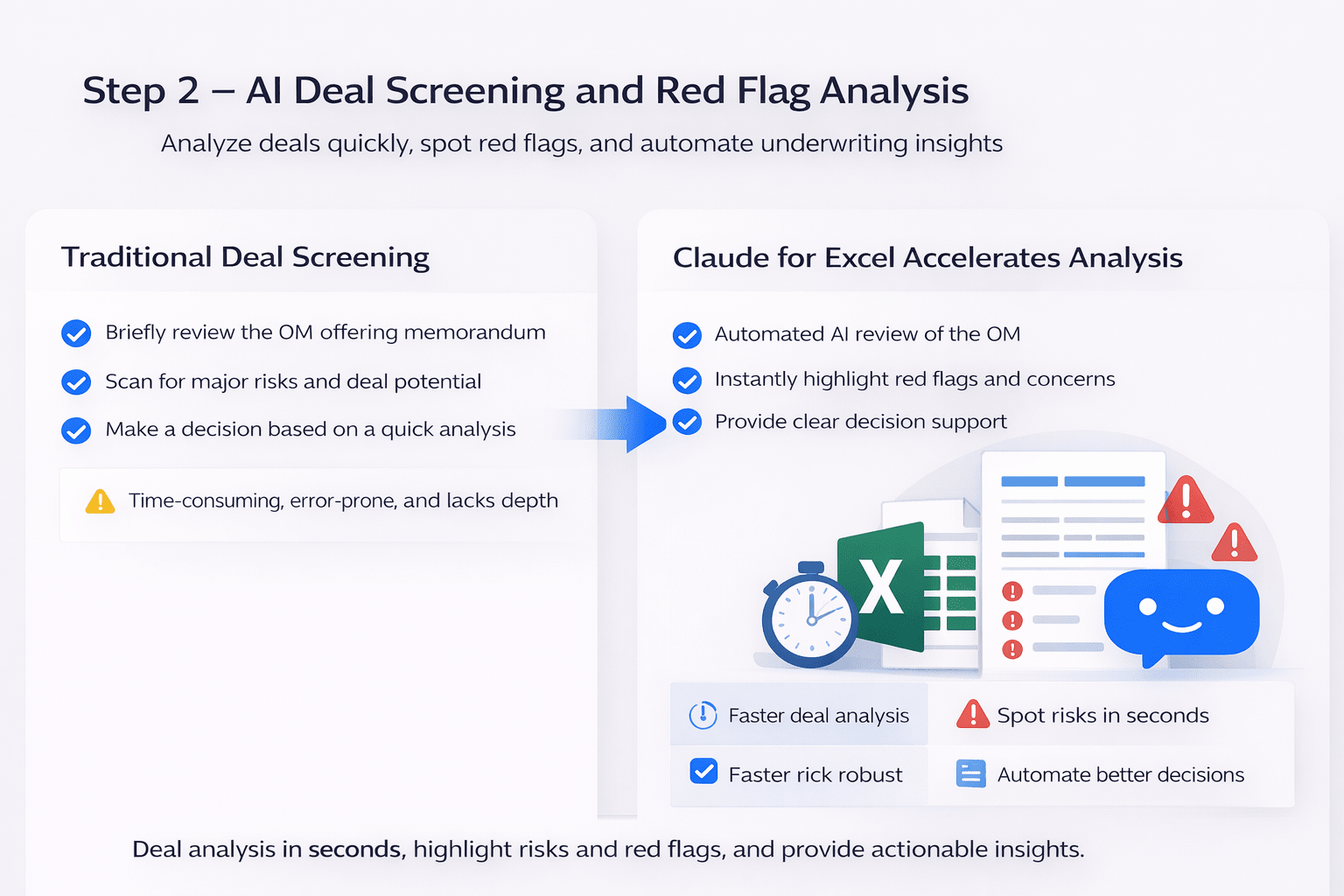
Before building a full model, most professionals do a quick review. This is often called back-of-the-napkin underwriting.
The goal is simple:
-
Is this deal worth spending time on?
-
Are there any major risks?
-
Does it fit your investment criteria?
Traditionally, this step still takes time. You scan the OM, run quick numbers, and form an initial opinion. With AI, this process becomes much faster and more structured.
Prompting AI Like a CRE Analyst
The quality of output depends on how you ask.
In the masterclass, the prompt is framed as if the AI is a senior analyst. For example:
-
“You are a 15-year analyst at Blackstone.”
-
“Review this offering memorandum.”
-
“Identify red flags and concerns.”
This approach gives context and direction.
Another useful method is the RTCF framework:
-
Role – Who the AI should act as
-
Task – What it needs to do
-
Context – Details about the deal
-
Format – How the output should look
Using structured prompts leads to more consistent results.
What Claude Generates Automatically
Once the prompt is submitted, Claude begins analyzing the document.
It builds multiple sections inside Excel, such as:
-
Property overview
-
Rent roll summary
-
Initial underwriting assumptions
-
NOI and return estimates
It does this in real time. You can see the data being populated step by step. This is where the workflow starts to feel different. Instead of building from scratch, you are reviewing and refining.
Identifying Red Flags in Seconds
One of the most valuable outputs is the red flag analysis.
Claude creates a dedicated section for:
-
Risks
-
Concerns
-
Due diligence items
Each item often includes:
-
Description of the issue
-
Severity level
-
Suggested next steps
For example, the tool may highlight:
-
Loan terms that expire soon
-
Overstated rental income
-
Underestimated expenses
-
Rent control restrictions
These are things analysts usually look for manually. Now, they appear automatically.
Deal Verdict and Decision Support
At the end of the analysis, Claude provides a clear summary.
This includes:
-
Overall deal verdict (pass, conditional, or reject)
-
Key reasons behind the decision
-
Suggested next steps
In the masterclass example, the AI even explained why the deal looked weak. It pointed out that returns depended too much on short-term loan conditions and that expenses were understated. This kind of explanation helps you make faster decisions, which is one of the biggest advantages of Claude for Excel CRE underwriting.
Why This Step Matters
Deal screening is where you save the most time. Instead of analyzing every deal deeply, you quickly filter out weak opportunities.
Benefits:
-
Faster deal evaluation
-
Better risk visibility
-
More consistent decision-making
-
Less time wasted on poor deals
Quick Summary
-
Upload the OM
-
Use a structured prompt
-
Let AI analyze the deal
-
Review red flags and verdict
-
Decide whether to move forward
Step 3 – Building a 5-Year CRE Pro Forma Automatically
Why Pro Forma Modeling Is Critical
Once a deal passes initial screening, the next step is deeper analysis. This is where you build a financial model.
A pro forma helps you:
-
Forecast income and expenses
-
Estimate returns
-
Understand long-term performance
Traditionally, this is one of the most time-consuming parts of underwriting.
Creating a Model from Scratch Using AI
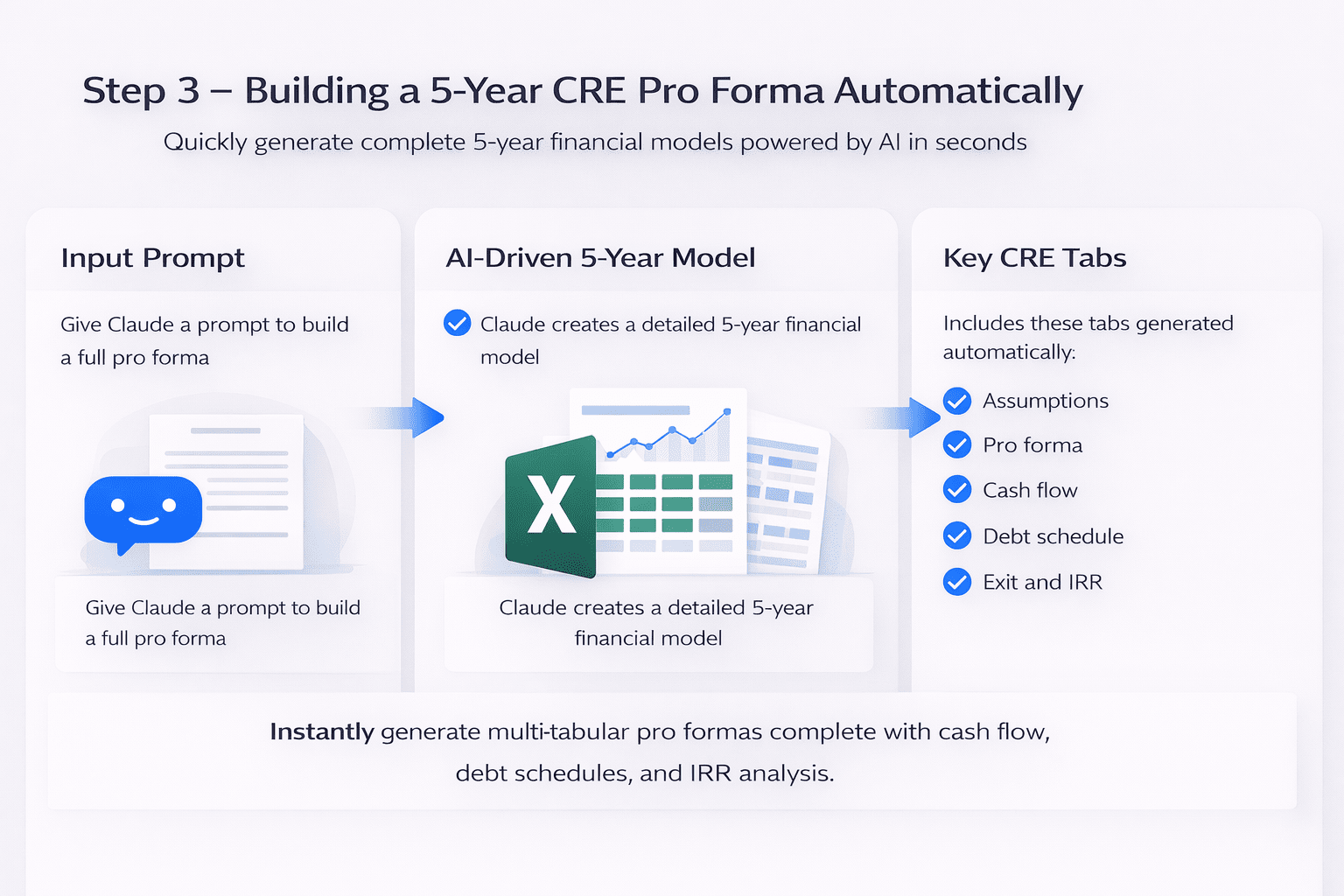
With Claude for Excel, you can build a full model using a single prompt.
For example:
-
“Build a 5-year multifamily acquisition pro forma.”
-
“Use formulas, not hardcoded values.”
-
“Create multiple tabs for analysis.”
After this, the AI starts building the model step by step.
Key Components Generated by Claude
The model is not basic. It includes several structured sections.
Typical tabs include:
-
Assumptions
-
Unit mix and rent roll
-
Operating pro forma
-
Debt schedule
-
Cash flow and returns
-
Exit and IRR analysis
Each section is connected with formulas. This makes the model dynamic and usable.
What Makes These Models Different
Unlike static templates, these models are built with logic.
This means:
-
Changing one assumption updates the entire model
-
Calculations are linked across sheets
-
Outputs adjust automatically
For example:
-
Adjust rent growth → revenue updates
-
Change interest rate → debt payments adjust
-
Update cap rate → exit value changes
This is exactly how professional models should work, and it shows how Claude for Excel CRE underwriting can match analyst-level output.
Built-In Error Checking and Validation
Another strong feature is automatic validation.
Claude reviews its own work after building the model.
It checks:
-
Formula accuracy
-
Calculation consistency
-
Logical errors
If something is off, it attempts to fix it. Comparison: Manual vs AI Model Building
| Feature | Manual Modeling | AI-Assisted Modeling |
|---|---|---|
| Time required | Several hours | Minutes |
| Formula setup | Manual | Automated |
| Error checking | Manual review | Built-in validation |
| Flexibility | Depends on the template | Fully dynamic |
| Scalability | Limited | High |
Why This Step Is Powerful
This step changes how quickly you can move on a deal. Instead of waiting hours for a model, you get one almost instantly.
You can then focus on:
-
Adjusting assumptions
-
Testing scenarios
-
Making decisions
Step 4 – Mapping Real Deal Data into Your Model
From Template to Real Deal Analysis
Once your model is ready, the next step is simple in theory but often messy in practice. You need to take real deal data and plug it into your model.
Traditionally, this means:
-
Manually entering numbers
-
Matching data to the correct cells
-
Double-checking every input
This step can take hours, especially for complex deals. With Claude for Excel, the process becomes much faster.
You upload your offering memorandum and give a clear instruction:
-
Map the data into the correct cells
-
Only fill in the input fields
-
Do not change formulas
From there, the AI takes over.
Smart Data Mapping Without Breaking Your Model
One of the biggest concerns with automation is control. You do not want AI to overwrite your model structure.
Claude handles this well by following rules such as:
-
Only filling input cells (usually highlighted or unlocked)
-
Leaving formulas untouched
-
Preserving the structure of the model
This keeps your underwriting framework intact.
Handling Missing or Unclear Data
Real-world deals are rarely perfect. Some data is missing or unclear.
Claude highlights these gaps clearly:
-
Missing values are marked (often in yellow)
-
Assumptions are flagged (light blue)
-
Notes are added for review
For example:
-
“Not in OM, need to verify.”
-
“Assumed value based on available data”
This makes it easier to spot issues before making decisions.
Transparency Through Data Logs
Another useful feature is the data mapping log.
After populating the model, Claude provides:
-
A list of all updated cells
-
A summary of missing data
-
Notes on assumptions
This creates transparency.
Instead of guessing what changed, you can review everything clearly.
Adjusting Assumptions for Better Accuracy
AI gives you a strong starting point, but you still need to refine it. In the masterclass, several adjustments were made after mapping:
-
Increasing renovation budgets
-
Updating exit cap rates
-
Adjusting disposition costs
These changes improved the accuracy of returns. This highlights an important point:
AI speeds up the process, but human judgment still matters.
Why This Step Matters
This is where your model becomes actionable, and where Claude for Excel CRE underwriting starts to deliver real value in live deals. You move from a template to a real deal analysis.
Key benefits:
-
Faster data input
-
Better visibility into missing information
-
Cleaner and more reliable models
Quick Summary
-
Upload your OM
-
Ask AI to map data into your model
-
Review highlighted gaps
-
Adjust assumptions
-
Finalize your underwriting
Step 5 – Running Sensitivity Analysis and Scenario Modeling
Why Scenario Analysis Is Essential in CRE
No deal performs exactly as expected. Small changes in assumptions can impact returns significantly. That is why scenario analysis is important.
It helps answer questions like:
-
What happens if interest rates increase?
-
What if rent growth slows down?
-
How sensitive is the deal to exit cap rates?
Creating Multiple Scenarios Automatically
With Claude for Excel, you can create multiple scenarios with a simple prompt.
For example:
-
Add base case
-
Add upside case
-
Add downside case
-
Add a stress test
The AI builds a comparison table across these scenarios.
What Each Scenario Represents
Each scenario reflects a different market condition.
Base Case
-
Expected performance
-
Conservative assumptions
Upside Case
-
Strong market conditions
-
Higher rent growth
-
Better exit pricing
Downside Case
-
Slower growth
-
Higher expenses
-
Lower returns
Stress Test
-
Worst-case scenario
-
High-risk conditions
Sensitivity Analysis Examples
Beyond scenarios, you can also test specific variables.
Common examples include:
-
IRR vs exit cap rate
-
Cash-on-cash vs interest rate
-
Returns vs purchase price
These tables help you understand how sensitive the deal is.
Real Value for Decision-Making
Instead of relying on one set of numbers, you now see a range of outcomes.
This helps you:
-
Compare risks
-
Set realistic expectations
-
Make informed investment decisions
Comparison: Without vs With AI Scenarios
| Task | Without AI | With AI |
|---|---|---|
| Scenario setup | Manual | Automated |
| Formula creation | Time-consuming | Instant |
| Adjustments | Repetitive work | Dynamic updates |
| Analysis depth | Limited | Multi-layered |
Why This Step Is Powerful
Scenario analysis is where good deals stand out. With AI, you can run multiple scenarios quickly and focus on interpretation instead of setup.
Quick Summary
-
Ask AI to create scenarios
-
Review outputs across cases
-
Identify risks and opportunities
-
Use insights to guide decisions
Step 6 – Solving for Target Purchase Price Using AI
The Core Question in Every Deal
At some point, every investor asks:
“What price should I pay for this deal?”
This is not always straightforward.
The right price depends on:
-
Target returns
-
Financing structure
-
Market conditions
Using AI to Solve for Purchase Price
Claude can calculate the maximum purchase price based on your targets.
You simply define:
-
Minimum IRR
-
Equity multiple
-
Cash-on-cash return
Then the AI works backward to find the price that meets those targets.
What the Output Includes
The result is more than just a number.
Claude provides:
-
Maximum purchase price
-
Return metrics at that price
-
Comparison across different price points
This gives you a clearer view of deal viability.
Understanding Constraints
The AI also considers constraints like:
-
Loan-to-value ratio
-
Closing costs
-
Debt structure
It ensures that the price aligns with realistic financing conditions.
Why This Matters
This step removes guesswork. Instead of estimating a price, you base it on clear return targets.
Benefits:
-
More precise pricing decisions
-
Better negotiation strategy
-
Alignment with investment goals
Quick Comparison Table
| Factor | Manual Approach | AI Approach |
|---|---|---|
| Price estimation | Trial and error | Calculated directly |
| Time required | High | Low |
| Accuracy | Depends on experience | Data-driven |
| Decision clarity | Moderate | High |
Step 7 – Building Custom AI Skills for CRE Underwriting
What Are AI Skills and Why Do They Matter
So far, we have used prompts to guide the AI. That works well. But prompts can vary. Results can change each time. This is where AI skills come in. A skill is a set of fixed instructions. It tells the AI exactly how to behave every time. Think of it like a standard operating procedure for underwriting.
Instead of writing prompts again and again, you create a system once and reuse it.
Creating Your Acquisition Criteria
The first step in building a skill is defining your investment criteria. This is where you teach the AI how you evaluate deals.
Typical inputs include:
-
Target IRR (e.g., 18%)
-
Equity multiple (e.g., 2x)
-
Cash-on-cash returns
-
Asset type and vintage
-
Market preferences
You can also include:
-
Rent growth assumptions
-
Expense ratios
-
Renovation budgets
-
Risk thresholds
The more detailed this document is, the better the results.
Training AI to Think Like Your Team
Once your criteria are defined, you connect them to your model. Now the AI does not just analyze data. It follows your exact logic.
For example, it can:
-
Apply your preferred cap rates
-
Use your expense benchmarks
-
Flag deals that do not meet your thresholds
Over time, this creates consistency across all deals. It is similar to training a new analyst, but faster.
Connecting Skills to Your Model
The next step is linking the skill to your Excel model.
This allows the AI to:
-
Read your template
-
Understand input fields
-
Populate the correct cells
Now the workflow becomes seamless.
You upload an offering memorandum, and the system:
-
Extracts the data
-
Applies your assumptions
-
Builds the model
-
Outputs results
All within one flow.
From Workflow to System
At this point, underwriting is no longer a manual process. It becomes a repeatable system.
Here is how it works:
-
Upload OM
-
Trigger skill
-
AI extracts and analyzes
-
Model gets populated
-
Results are generated
This reduces the need for repeated manual steps.
Benefits of Using AI Skills
-
Consistent outputs across deals
-
Faster underwriting process
-
Reduced reliance on prompts
-
Scalable workflow for teams
Quick Comparison: Prompts vs Skills
| Feature | Using Prompts | Using Skills |
|---|---|---|
| Consistency | Varies | High |
| Speed | Moderate | Fast |
| Setup effort | Low | Higher (one-time) |
| Scalability | Limited | Strong |
| Standardization | Low | High |
Key Takeaway
Skills turn AI from a tool into a system. Instead of asking for help, you are building a process that runs on its own.
Step 8 – Testing and Iterating Your AI Underwriting System
Why the First Version Will Not Be Perfect
Even with a strong setup, the first version of your system will have gaps. This is normal. AI works based on the instructions you give it. If something is missing or unclear, the output will reflect that.
Common Issues You May See
-
Unrealistic return projections
-
Missing expense assumptions
-
Incorrect cap rates
-
Underestimated renovation costs
These are not failures. They are part of the setup process.
The Iteration Process
Improving your system is simple but important.
You need to:
-
Review outputs carefully
-
Identify errors or weak assumptions
-
Update your criteria or model
-
Run the process again
Each iteration improves accuracy, making Claude for Excel CRE underwriting more reliable over time.
Examples of Fine-Tuning
In the workflow, several updates were made to improve results:
-
Increasing insurance assumptions
-
Adjusting exit cap rates
-
Updating renovation budgets
-
Refining expense ratios
Each change brought the model closer to reality.
Building a Production-Ready System
After a few iterations, the system becomes reliable.
At that point:
-
Outputs are consistent
-
Assumptions are aligned with your strategy
-
Models require minimal adjustment
This is when AI becomes truly valuable.
Practical Tips for Better Results
-
Start simple, then expand
-
Be specific with assumptions
-
Review every output
-
Update your criteria regularly
Key Takeaway
AI improves over time. The more you refine your system, the more accurate and useful it becomes.
Key Benefits of Using AI in CRE Underwriting
Speed
Tasks that used to take hours can now be completed in minutes. This allows you to evaluate more deals in less time.
Accuracy
AI reduces manual errors. It also highlights missing or inconsistent data, which improves overall quality.
Scalability
You can analyze multiple deals at once. This is especially useful for firms reviewing large pipelines.
Consistency
Every deal is evaluated using the same criteria. This removes bias and improves decision-making.
Cost Efficiency
Less time spent on manual work means lower operational costs. Teams can operate more efficiently without increasing headcount.
Summary Table
| Benefit | Impact on CRE Workflow |
|---|---|
| Speed | Faster deal analysis |
| Accuracy | Fewer errors |
| Scalability | More deals reviewed |
| Consistency | Standardized process |
| Cost savings | Reduced overhead |
Limitations and What to Watch Out For
AI Still Needs Clear Instructions
If inputs are unclear, outputs will be inconsistent.
Always define your assumptions properly when using Claude for Excel CRE underwriting, as outputs depend heavily on your inputs.
Human Oversight Is Still Important
AI helps with speed and structure, but decisions still require human judgment.
You should always review:
-
Key assumptions
-
Final outputs
-
Risk factors
Data Quality Matters
If the input data is incomplete or incorrect, the results will be affected. Always verify important numbers.
How CRE Professionals Can Start Using AI Today
Owners and Developers
-
Evaluate deals faster
-
Compare multiple opportunities
-
Improve investment decisions
Brokers and Agents
-
Analyze deals before presenting
-
Provide better insights to clients
-
Stand out in competitive markets
Architects and Consultants
-
Understand project feasibility
-
Align design with financial outcomes
Teams and Firms
-
Build internal AI workflows
-
Train staff on new tools
-
Improve efficiency across departments
The Future of CRE Underwriting with AI
From Analysts to AI-Assisted Teams
AI will not replace professionals. It will support them. Teams will become smaller but more efficient.
Standardized Deal Evaluation
Firms will move toward structured underwriting systems. This will improve consistency and reduce risk.
Faster, Smarter Decisions
With AI, decisions can be made quickly and with better data. This gives firms a competitive advantage.
Conclusion: From Manual Workflows to AI-Driven Decision Making
Claude for Excel CRE underwriting is changing how commercial real estate professionals approach deal analysis. Commercial real estate underwriting is no longer limited to manual spreadsheets and long hours.
AI helps you:
-
Focus on strategy
-
Reduce repetitive work
-
Analyze deals more effectively
For those who adopt early, the advantage is clear.
Want to Build Your Own AI Underwriting Workflow?
If this guide gave you a clear picture of what’s possible, the next step is learning how to apply it in your own work. At AI for CRE Collective, we focus on helping real estate professionals actually implement these systems, not just understand them.
Here’s what you can expect:
- Step-by-step training on AI tools for CRE
- Real workflows for underwriting, deal analysis, and automation
- Practical use cases for owners, brokers, developers, and consultants
- A community of professionals learning and applying AI together
If you want to stay updated and keep learning, join our newsletter
If you want hands-on learning and access to real systems, join our membership
You don’t need to figure this out alone. Start small, stay consistent, and build a workflow that actually saves you time and improves your results.
Frequently Asked Questions (FAQs)
What is Claude for Excel in commercial real estate underwriting?
Claude for Excel is an AI-powered tool that works directly inside Excel to assist with underwriting tasks. Instead of manually building spreadsheets or extracting data, you can give simple instructions and let the system handle the work.
It is especially useful for CRE professionals because it can:
-
Extract rent rolls and T12 data from PDFs
-
Build structured financial models
-
Analyze deals and highlight risks
The biggest advantage is that it works within Excel, which most professionals already use. This reduces the learning curve and makes adoption easier. Over time, it acts like a digital analyst, helping you move from raw data to decision-making much faster.
How does AI improve the underwriting process in CRE?
AI improves underwriting by automating repetitive steps and reducing the time required to analyze deals. Traditional underwriting often involves manual data entry, spreadsheet building, and error checking.
With AI, these tasks become faster and more consistent:
-
Data extraction happens in seconds
-
Models are generated automatically
-
Calculations update instantly
-
Errors are easier to identify
This allows professionals to focus more on evaluating deals rather than preparing data. It also improves consistency across projects, which is important for firms handling multiple deals at once. Overall, AI helps teams work more efficiently while maintaining accuracy.
Can AI replace real estate analysts?
AI does not replace analysts. It supports them by handling routine and time-consuming tasks. Analysts are still essential for interpreting results, validating assumptions, and making final decisions.
AI typically handles:
-
Data extraction
-
Initial model building
-
Basic analysis and summaries
While analysts focus on:
-
Reviewing outputs
-
Adjusting assumptions
-
Making strategic decisions
This creates a more efficient workflow. Instead of spending hours on spreadsheets, analysts can focus on higher-value tasks. In practice, AI enhances productivity rather than replacing human expertise.
How accurate is AI in underwriting real estate deals?
AI can be highly accurate when it is used with clear inputs and reliable data. However, its accuracy depends on how well the system is guided.
Accuracy improves when:
-
Assumptions are clearly defined
-
Input data is complete and structured
-
Outputs are reviewed by professionals
AI may sometimes:
-
Make assumptions when data is missing
-
Misinterpret unclear instructions
That is why it is important to review results carefully. The best approach is to treat AI as a strong starting point. You can then refine the analysis based on your experience and deal-specific factors.
What types of documents can Claude for Excel analyze?
Claude for Excel can process a wide range of documents commonly used in CRE underwriting. This makes it useful across different stages of deal analysis.
It can analyze:
-
Offering memorandums (OMs)
-
Rent rolls
-
T12 operating statements
-
Lease summaries
-
Financial reports
The tool reads these documents, extracts relevant data, and organizes it into Excel. This removes the need for manual entry and reduces errors. It also ensures that data is structured properly, making it easier to build models and run analysis.
How does AI extract rent rolls from PDFs?
AI extracts rent rolls by identifying structured tables within PDF documents. It scans the file, locates the relevant section, and converts the data into a usable format.
The process typically includes:
-
Detecting rent roll tables
-
Extracting unit-level data
-
Organizing it into rows and columns
The output usually contains:
-
Unit numbers
-
Rental amounts
-
Lease terms
This eliminates the need for manual copying and formatting. It also reduces the risk of errors, which are common in traditional workflows. As a result, analysts can move directly into analysis instead of spending time on data preparation.
What is a 5-year pro forma in CRE underwriting?
A 5-year pro forma is a financial projection that estimates how a property will perform over time. It is one of the most important tools in underwriting.
It typically includes:
-
Rental income projections
-
Operating expenses
-
Net operating income (NOI)
-
Debt payments
-
Cash flow and returns
This model helps investors determine whether a deal meets their financial targets. AI can build these models quickly and accurately, which saves time and improves consistency. It also allows users to adjust assumptions and see how results change.
How does AI help in deal screening?
AI speeds up deal screening by analyzing key information quickly and presenting it in a structured format. This helps professionals decide whether a deal is worth deeper analysis.
AI can:
-
Summarize property details
-
Estimate initial returns
-
Identify potential risks
This process reduces the time spent reviewing low-quality deals. It also improves consistency, as every deal is evaluated using the same criteria. As a result, teams can focus their time on opportunities that are more likely to succeed.
What are red flags in CRE underwriting?
Red flags are warning signs that indicate potential risks in a real estate deal. Identifying them early can save time and prevent costly mistakes.
Common red flags include:
-
Unrealistic rent projections
-
Underestimated operating expenses
-
Risky or short-term loan structures
-
Regulatory or rent control issues
AI tools can detect these issues quickly and present them in a clear format. This makes it easier for professionals to evaluate deals and decide whether to proceed. However, final judgment should always involve human review.
What is sensitivity analysis in real estate?
Sensitivity analysis measures how changes in key assumptions affect a deal’s performance. It is used to understand risk and uncertainty.
For example, it can test:
-
Changes in rent growth
-
Variations in interest rates
-
Differences in exit cap rates
AI can generate these scenarios quickly and present the results in tables or charts. This helps investors understand how stable or risky a deal is under different conditions. It also supports better decision-making by showing a range of possible outcomes.
How does AI help calculate the right purchase price?
AI helps determine the right purchase price by working backward from your return targets. Instead of guessing, you use data-driven calculations.
You define:
-
Target IRR
-
Equity multiple
-
Cash-on-cash return
Then AI calculates the maximum price you can pay while meeting those targets. It also shows how changes in price affect returns. This improves accuracy and helps investors make more informed decisions.
What are AI skills in underwriting?
AI skills are predefined instructions that guide how AI performs tasks. They help standardize workflows and ensure consistent results.
With AI skills, you can:
-
Define your investment criteria
-
Apply consistent assumptions
-
Automate repeated processes
This turns AI into a system rather than just a tool. It reduces variability and improves efficiency, especially for teams handling multiple deals.
How long does it take to set up an AI underwriting workflow?
Setting up an AI underwriting workflow takes some initial effort. You need to define your model, assumptions, and processes.
The setup process may include:
-
Creating templates
-
Testing outputs
-
Refining assumptions
This can take a few iterations. However, once the system is ready, it becomes much faster to use. Future deals can be analyzed in minutes instead of hours, making the initial effort worthwhile.
Can AI handle complex real estate deals?
AI can handle many complex tasks, but it works best with structured data and clear instructions.
It can:
-
Build detailed models
-
Run scenario analysis
-
Process large datasets
However, for highly complex deals, human expertise is still important. Professionals need to review assumptions, adjust inputs, and interpret results. AI supports the process but does not replace decision-making.
What are the biggest benefits of AI in CRE?
AI offers several key benefits that improve underwriting workflows.
These include:
-
Faster deal analysis
-
Reduced manual errors
-
Improved scalability
-
Consistent results
It also allows teams to evaluate more deals without increasing workload. This can lead to better opportunities and improved performance over time.
What are the risks of using AI in underwriting?
While AI is powerful, there are some risks to consider.
These include:
-
Incorrect assumptions
-
Over-reliance on automation
-
Poor data quality
To reduce risks:
-
Review outputs carefully
-
Validate key numbers
-
Update assumptions regularly
Using AI responsibly ensures better results and avoids potential issues.
How can CRE professionals start using AI today?
Getting started with AI does not require a complete system overhaul. You can begin with simple steps.
For example:
-
Use AI tools within Excel
-
Automate basic data extraction
-
Test small workflows
As you gain confidence, you can expand into more advanced use cases. Training and structured learning can also help accelerate adoption.
Does AI reduce underwriting costs?
Yes, AI can reduce costs by improving efficiency and reducing manual work.
It helps by:
-
Saving time on repetitive tasks
-
Reducing the need for large teams
-
Improving output quality
This allows firms to operate more efficiently while maintaining high standards. Over time, the cost savings can be significant.
How does AI improve decision-making in CRE?
AI improves decision-making by providing faster and more structured insights.
It helps by:
-
Highlighting risks early
-
Running multiple scenarios
-
Presenting clear outputs
This allows professionals to make decisions based on data rather than guesswork. It also reduces uncertainty and improves confidence in deal analysis.
What is the future of AI in commercial real estate?
AI is expected to become a core part of CRE workflows in the coming years.
Future trends include:
-
Automated underwriting systems
-
Real-time deal analysis
-
Standardized evaluation processes
As adoption increases, professionals who use AI effectively will have a strong advantage. They will be able to analyze deals faster and make better decisions.
