
Complete Guide to AI Construction Document Review for CRE Professionals
Every developer has experienced delays caused by plan check corrections. You submit construction documents, wait weeks, and then receive a correction letter requiring revisions. This cycle repeats, adding significant time and cost. This AI construction document review workflow shows how AI can catch common issues before submission and reduce these delays.
In addition, this guide is based on real testing using construction documents from a 4-unit project in West Hollywood, CA. While AI does not replace professional review, it identifies predictable issues early. Therefore, using this workflow helps reduce correction cycles, save costs, and improve submission quality.
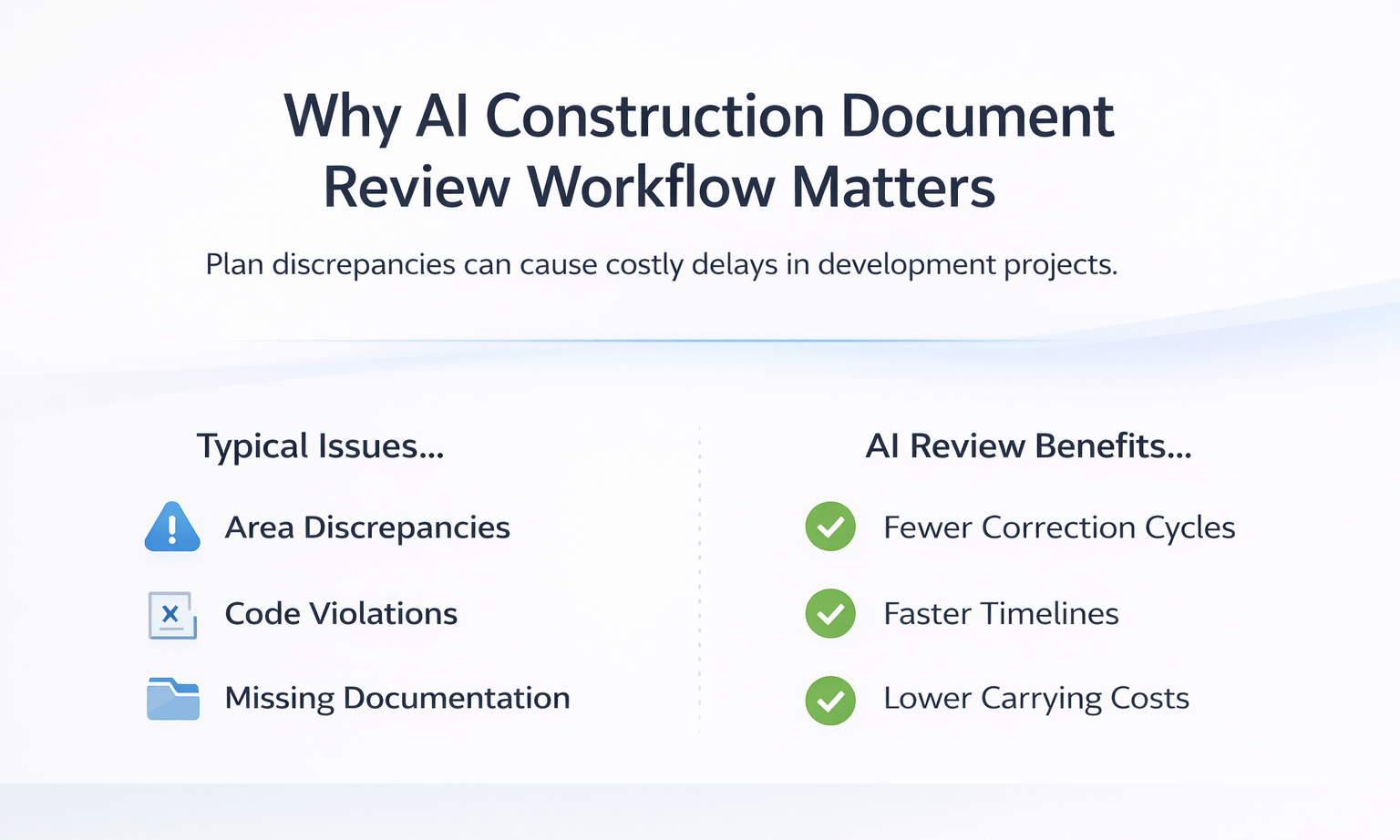
Why AI Construction Document Review Workflow Matters
Plan check corrections are one of the biggest controllable risks in development timelines.
Typically, issues include:
- Area discrepancies
- Code violations
- Missing documentation
- Coordination gaps
These problems are repetitive and pattern-based. Therefore, they are well-suited for AI analysis.
As a result, even a short AI review can:
- Prevent multiple correction cycles
- Save weeks of delays
- Reduce carrying costs significantly
Requirements Before You Begin
Before using this workflow, prepare the following:
- Construction drawings in PDF format
- AI tool (Claude Cowork or Manus)
- Project details (city, zoning, project type)
- 15–30 minutes for review
Important note:
More detailed documents produce better results.
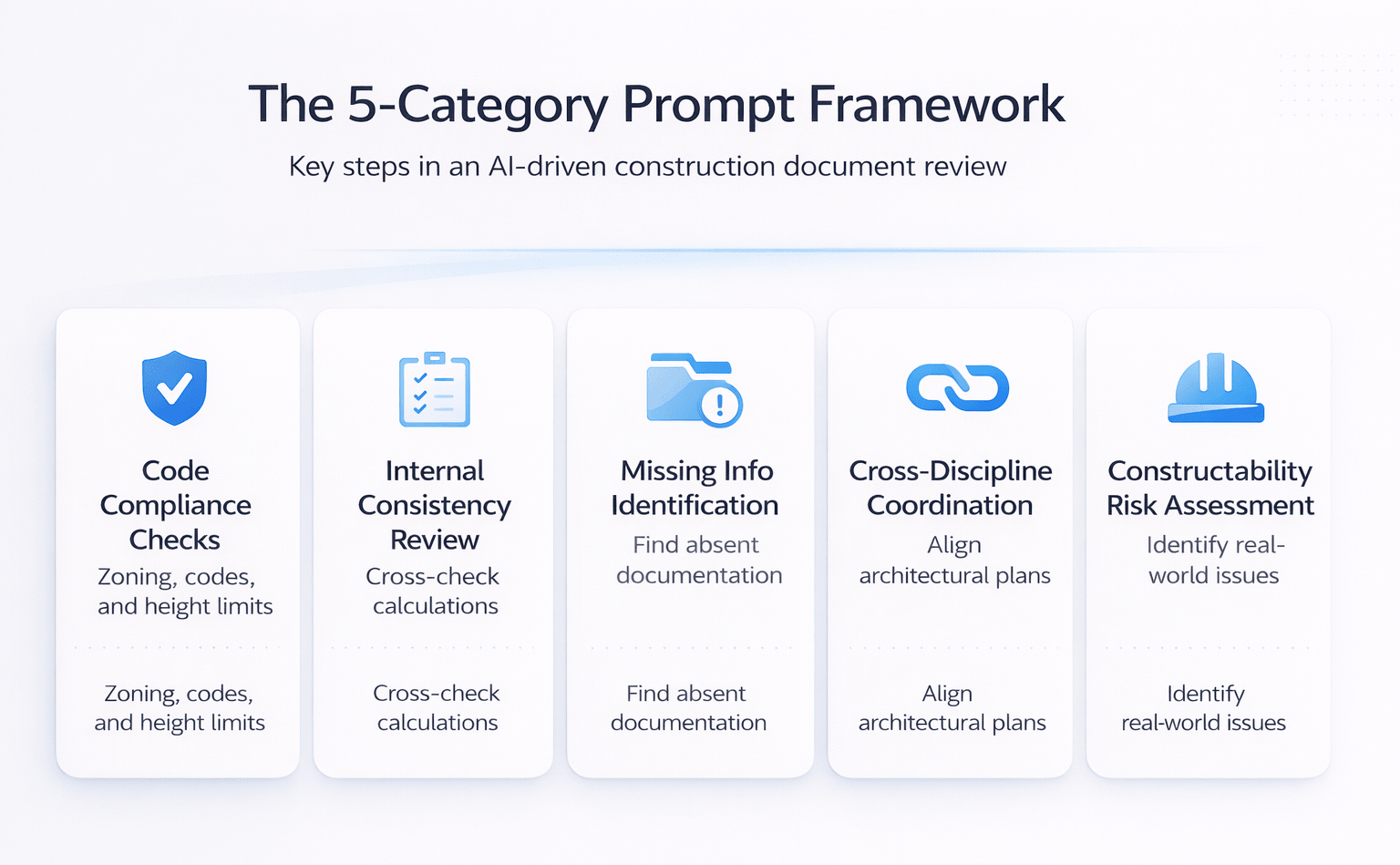
The 5-Category Prompt Framework
The effectiveness of this AI construction document review workflow depends heavily on prompt structure.
Code Compliance Checks
Evaluate plans against:
- Local zoning requirements
- Building codes
- Height limits
- Parking ratios
This ensures alignment with jurisdiction-specific rules.
Internal Consistency Review
Cross-check values across all sheets:
- Area calculations
- Unit counts
- Dimensions
This helps identify mismatched values.
Missing Information Identification
Highlight absent elements such as:
- Structural calculations
- Required reports
- Supporting documentation
Cross-Discipline Coordination Review
Ensure alignment between:
- Architectural plans
- Structural drawings
- MEP systems
Constructability Risk Assessment
Identify real-world issues such as:
- Access limitations
- Equipment conflicts
- Site logistics problems
Applying all five categories ensures a comprehensive review.
AI vs Traditional Plan Review Timeline
| Process | Traditional Time | AI-Assisted Time | Impact |
|---|---|---|---|
| Initial Review | 2–5 days | 15–20 min | Major time reduction |
| City Plan Check | 4–8 weeks | Same | No change |
| Correction Cycle | 2–4 weeks | Reduced | Fewer delays |
| Total Timeline | 6–12+ weeks | Reduced cycles | Faster approvals |
Insight:
AI does not replace city review but significantly reduces avoidable delays.
Tool Comparison: Claude Cowork vs Manus
Claude Cowork
- Faster processing
- Structured outputs
- Clear prioritization
Manus
- Deeper analysis
- Live code research
- Detailed reports
Recommendation:
Use Claude for quick checks and Manus for comprehensive reviews.
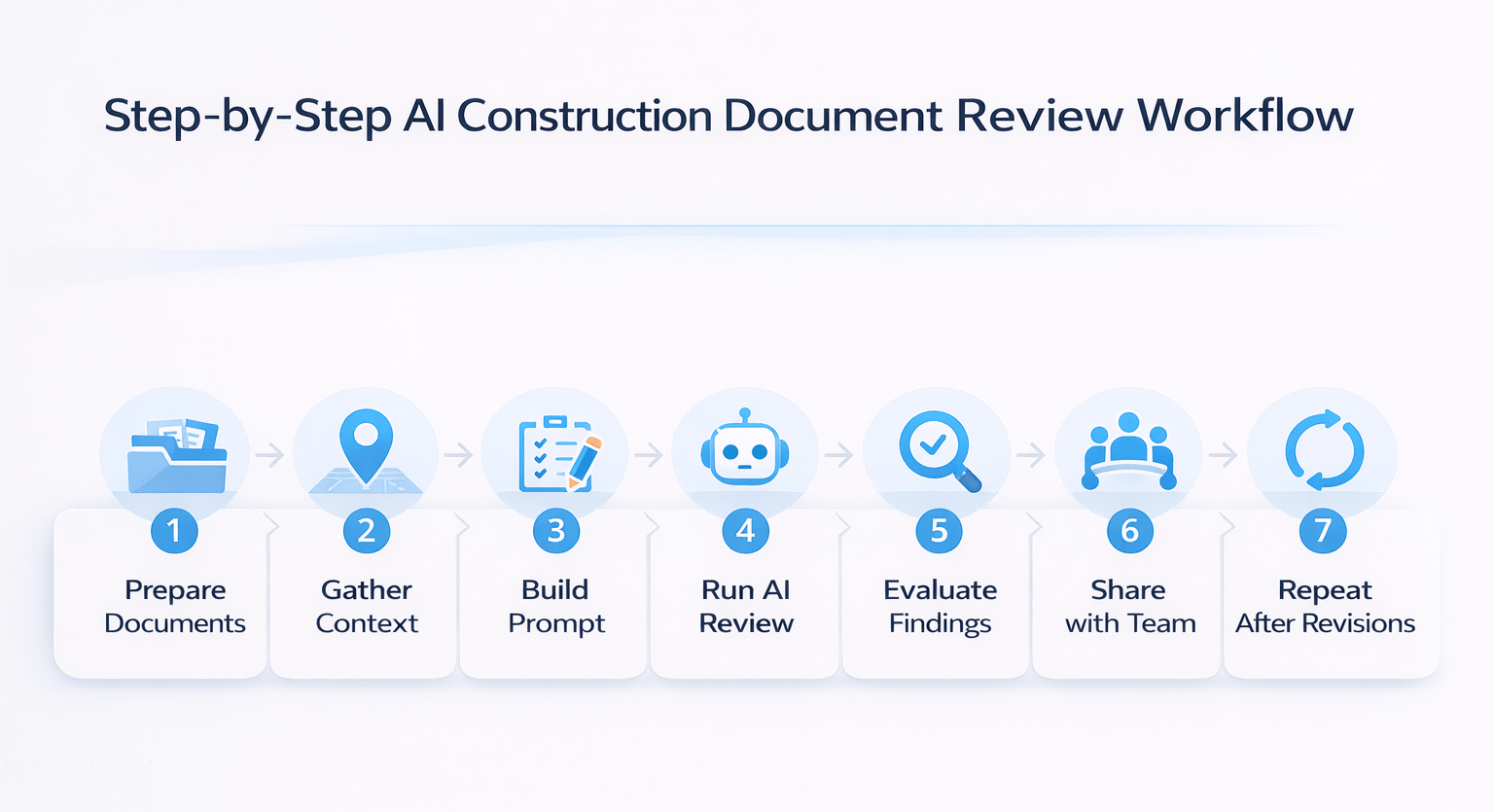
Step-by-Step AI Construction Document Review Workflow
Step 1: Prepare Documents
Compile all drawings into one file:
- Site plans
- Floor plans
- Elevations
- Sections
Step 2: Gather Project Context
Document key details:
- Location (e.g., West Hollywood, CA)
- Zoning designation
- Project type
Step 3: Build a Structured Prompt
Use all five categories in one prompt.
This improves clarity and output quality.
Step 4: Run the AI Review
Upload files and execute analysis.
Typical processing time:
- 5–10 minutes (Claude)
- 10–20 minutes (Manus)
Step 5: Evaluate the Findings
Review outputs carefully:
- Identify critical issues
- Filter false positives
- Select actionable items
Step 6: Share with Your Team
Send findings to:
- Architects
- Engineers
- Contractors
Step 7: Repeat After Revisions
After updates, run the workflow again to catch newly introduced issues.
AI Detection Capabilities and Gaps
Strong Detection Areas
- Numerical inconsistencies
- Code violations
- Missing documentation
- Coordination issues
Partial Detection Areas
- Complex interpretations
- Advanced coordination issues
Areas Outside AI Scope
- Site-specific constraints
- Engineering calculations
- Political approvals
Cost and Time Savings
| Scenario | Delay Avoided | Estimated Savings |
|---|---|---|
| One correction cycle | 4–8 weeks | $120K–$400K |
| Small project delay | 4–6 weeks | $5K–$10K/month |
| Large project delay | 6–8 weeks | Six figures |
Insight:
Even partial issue detection leads to significant financial savings.
Who Should Use This Workflow
This AI construction document review workflow is beneficial for:
- Developers
- General contractors
- Architects and engineers
- Land use consultants
- Small project builders
It applies across all project scales.
Practical Tips for Better Results
- Always specify jurisdiction
- Upload complete document sets
- Use both tools for large projects
- Prioritize constructability checks
- Re-run after revisions
- Save reusable prompts
FAQs Regarding AI Construction Document Review Workflow
1. Can AI analyze construction drawings effectively?
Yes, modern AI tools can process construction drawings and extract detailed insights across multiple sheets.
- Reads dimensions, notes, and annotations
- Cross-checks values across pages
- Performs best with high-quality PDFs
Conclusion: AI provides reliable analysis when documents are clear.
2. Does this workflow replace professional review?
No, AI complements professional expertise rather than replacing it.
- Identifies common errors early
- Speeds up review processes
- Leaves complex decisions to experts
Conclusion: Use AI as a pre-check tool.
3. How reliable are AI-generated findings?
AI delivers strong first-pass accuracy but requires verification.
- Detects common issues consistently
- May include occasional false positives
- Depends on input quality
Conclusion: Always validate results before action.
4. Can this workflow reduce project delays?
Yes, early detection of issues reduces correction cycles.
- Prevents repeated submissions
- Improves approval timelines
- Minimizes delays
Conclusion: AI helps streamline the approval process.
5. Which issues are detected most effectively?
AI performs best with structured, repeatable problems.
- Area inconsistencies
- Code violations
- Missing documentation
Conclusion: Pattern-based issues are handled best.
6. Can large document sets be processed?
Yes, but performance depends on file size and tool limits.
- Large files may need splitting
- Processing time increases slightly
Conclusion: Scales well with proper setup.
7. How long does a review typically take?
Most AI reviews take between 5 and 20 minutes.
- Faster than manual review
- Minimal effort required
Conclusion: Significant time savings.
8. What improves output quality the most?
Providing detailed inputs improves accuracy.
- Include full document sets
- Specify project details
- Use structured prompts
Conclusion: Better inputs lead to better results.
9. Are constructability issues identified?
Yes, AI can highlight practical construction challenges.
- Access and logistics concerns
- Equipment conflicts
- Design inefficiencies
Conclusion: Useful for early-stage risk detection.
10. Is this useful for smaller projects?
Yes, the workflow applies to all project sizes.
- Same process for ADUs
- Same benefits
Conclusion: Effective across scales.
11. Should multiple tools be used together?
Using more than one tool improves coverage.
- Different tools catch different issues
- Combined results are stronger
Conclusion: Recommended for high-value projects.
12. What drives success with this workflow?
Preparation and structure determine effectiveness.
- Clear prompts
- Complete data
- Proper context
Conclusion: Setup quality defines results.
Standardize Your Plan Review Workflow
Join AI for CRE, where 600+ CRE professionals are using workflows like this to catch errors early, reduce correction cycles, and improve project timelines with confidence.
Get access to proven frameworks, real project workflows, and tested systems—and start turning AI into a repeatable process across every development project.
