
AI Agents for Commercial Real Estate: Complete Guide to Automating CRE Workflows
AI agents are now doing real work for CRE professionals. They are not just chatbots answering questions. Instead, they scan emails, underwrite deals, update pipelines, and prepare daily briefings. This AI CRE agents workflow guide explains how these systems are already transforming day-to-day operations.
In addition, this guide is based on real testing across 600+ CRE professionals using these tools in live workflows. While AI agents do not replace expertise, they significantly reduce repetitive work. Therefore, the focus here is on practical usage, setup, limitations, and how to start effectively.
What Are AI Agents and Why They Matter
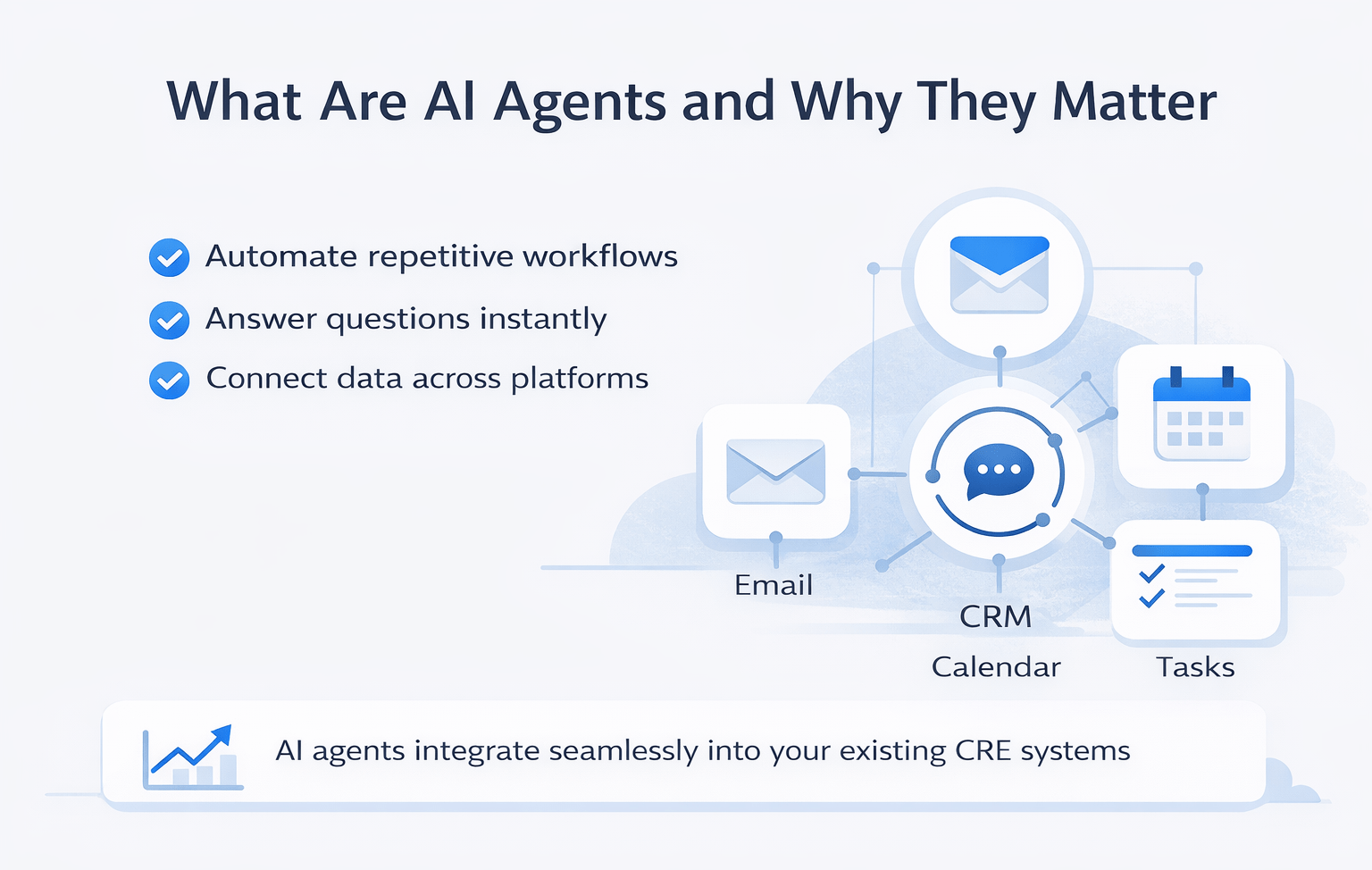
AI agents are systems that take action on your behalf without requiring constant manual input.
Instead of switching between multiple tools, you can:
- Ask questions in plain language
- Automate repetitive workflows
- Connect data across platforms
The key difference from standard AI tools is integration. AI agents connect directly to:
- CRM systems
- Calendars
- Notes and task managers
- Meeting transcription tools
As a result, they create a single operational layer across fragmented CRE systems. This is a core concept within any AI CRE agents workflow guide, especially for professionals managing multiple platforms daily.
Current State of AI Agents in CRE
AI agents have moved beyond experimental tools. However, they are still in early adoption stages.
What Works Today
- Reliable integrations with common tools
- Natural language queries for workflows
- Scheduled automation for repetitive tasks
What Is Still Evolving
- Set up complexity for new users
- Prompt optimization for better outputs
- Custom workflow configuration
Most CRE professionals can expect to spend 1–2 hours setting up a functional system.
Key Tools in AI CRE Agent Workflows
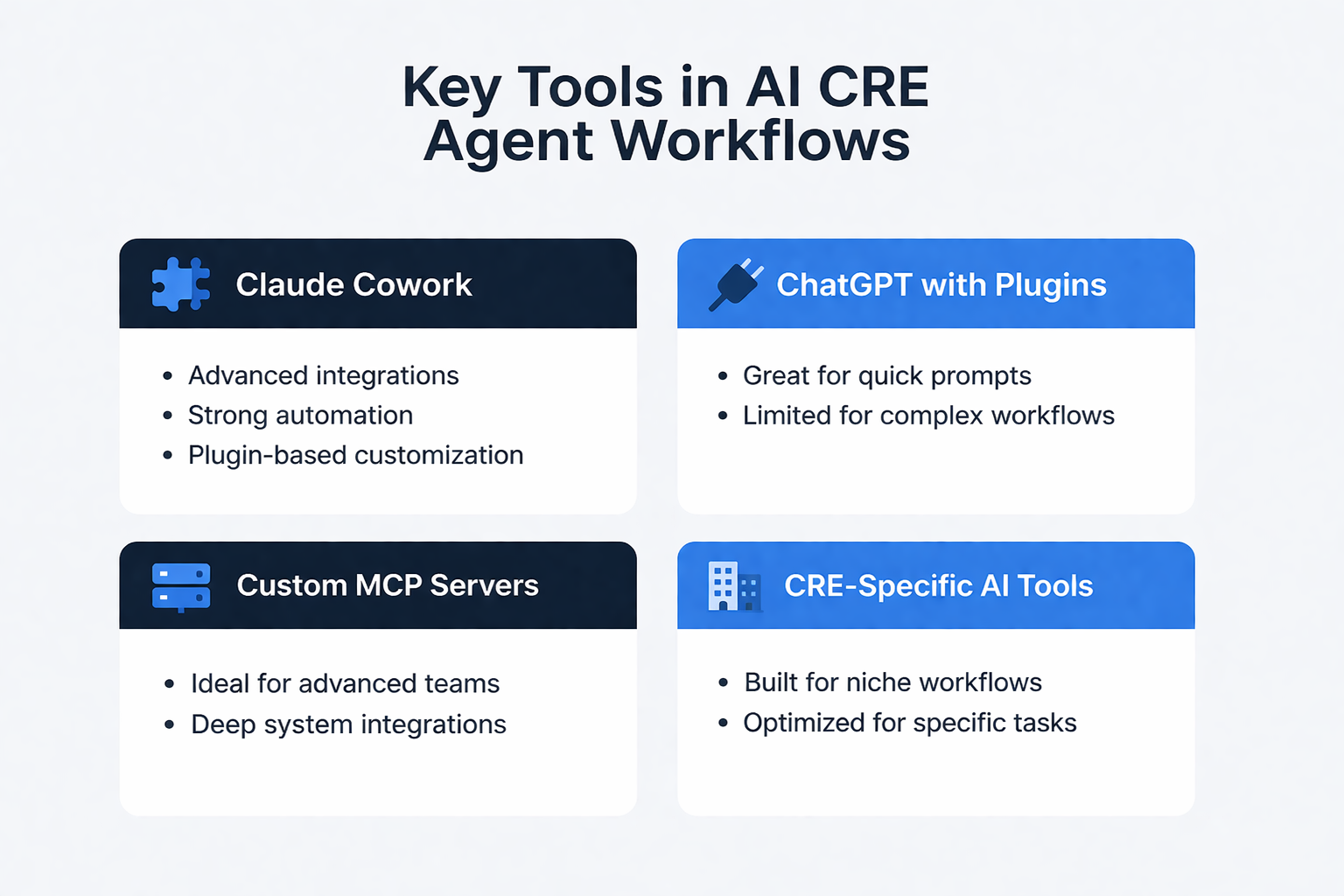
Claude Cowork
- Advanced integrations with multiple tools
- Strong automation capabilities
- Plugin-based customization
ChatGPT with Plugins
- Useful for prompt generation
- Limited execution for complex workflows
Custom MCP Servers
- Ideal for advanced teams
- Enables deep integrations
CRE-Specific AI Tools
- Built for niche workflows
- Better performance for specific tasks
How AI Agents Are Used in CRE Today
Automated Deal Screening
AI agents can automatically scan your inbox, identify deal packages, and extract key information.
They can:
- Pull property details
- Apply underwriting assumptions
- Generate initial deal summaries
This workflow runs automatically, reducing manual screening time significantly.
Pipeline Management
Instead of navigating dashboards, you can ask:
- “What deals need attention?”
- “How is my pipeline performing?”
AI responds with structured insights, including deal health, activity gaps, and priorities.
Meeting Intelligence
AI analyzes meeting transcripts and identifies:
- Action items
- Follow-ups
- Deadlines
This ensures nothing gets missed, especially in high-volume meeting schedules.
Daily Briefings
AI agents compile daily summaries including:
- Calendar context
- Pipeline priorities
- Task reminders
- Important emails
As a result, your daily planning becomes faster and more organized.
Presentation Creation
AI can generate draft presentations using pipeline data.
Although not final-ready, these drafts:
- Save preparation time
- Provide structured starting points
- Reduce manual slide creation
AI vs Manual Workflow Efficiency
| Task | Manual Time | AI Active Time | Total AI Time |
|---|---|---|---|
| Deal Screening | 1–2 hours | 5–10 min | 15–20 min |
| Pipeline Review | 30–45 min | 1–2 min | 5 min |
| Meeting Notes Review | 20–30 min | 0 min | Included |
| Daily Planning | 15–20 min | 30 sec | 2–3 min |
Insight:
AI significantly reduces active workload, enabling faster decision-making and higher productivity.
Setting Up Your AI Agent Stack
Step 1: Create a Context File
A context file defines how the AI should operate.
Include:
- Your role and responsibilities
- Market focus and deal criteria
- Underwriting assumptions
- Preferred output formats
This ensures outputs align with your workflow.
Step 2: Connect Core Tools
Start with essential tools:
- CRM
- Calendar
- Notes
Gradually expand integrations as needed.
Step 3: Build a Scheduled Task
Start with a simple workflow such as:
- Daily briefing
- Pipeline summary
- Task tracking
This delivers immediate value.
Step 4: Customize Plugins
Create reusable commands for:
- Deal analysis
- Market research
- Reporting
This improves efficiency over time.
Performance of AI Agents in CRE
| Capability | Performance | Notes |
|---|---|---|
| Deal Screening | High | Strong first-pass accuracy |
| Pipeline Insights | High | Cross-tool intelligence |
| Meeting Analysis | High | Reliable extraction |
| Complex Modeling | Medium | Needs human input |
| Market Context | Medium | Limited local nuance |
What Works vs Limitations
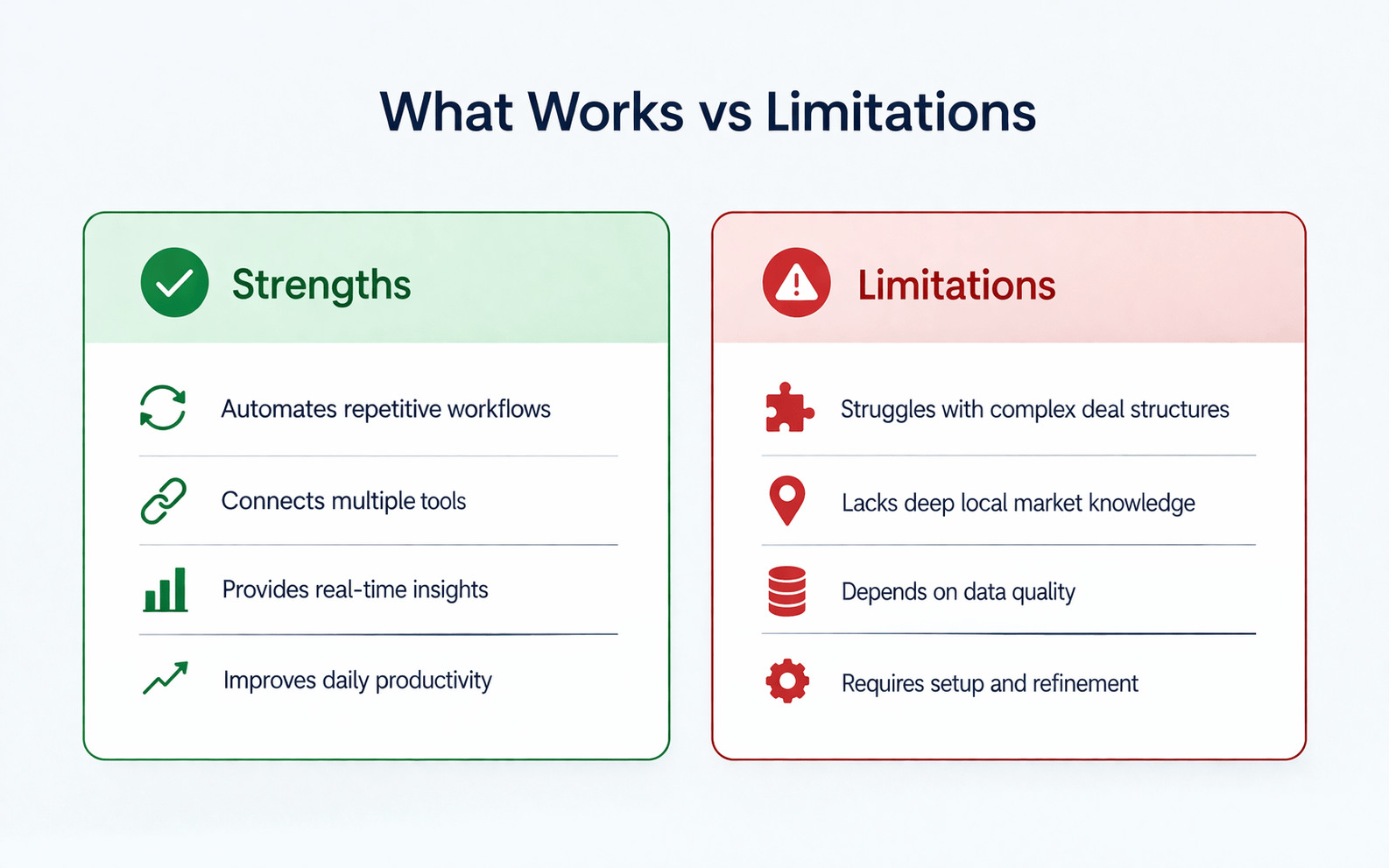
Strengths
- Automates repetitive workflows
- Connects multiple tools
- Provides real-time insights
- Improves daily productivity
Limitations
- Struggles with complex deal structures
- Lacks deep local market knowledge
- Depends on data quality
- Requires setup and refinement
Tips for Using AI CRE Agents Effectively
- Start with one workflow (daily briefing is ideal)
- Always create a context file
- Use detailed and specific prompts
- Review outputs before acting
- Continuously refine your setup
Applying these steps consistently will help you get the most value from any AI CRE agents workflow guide, especially as tools continue to evolve.
FAQs Regarding AI CRE Agents Workflow Guide
1. Do AI agents require technical skills to set up?
No, most AI agent platforms are designed for non-technical users, but some familiarity with digital tools is helpful.
- Setup involves connecting tools like email and CRM
- Prompts are written in natural language
- No coding is required for standard workflows
Conclusion: Most CRE professionals can implement AI agents without technical backgrounds.
2. How much do AI agents cost for CRE professionals?
AI agent tools typically cost between $20 and $50 per month, depending on the platform and integrations.
- Entry-level pricing is accessible
- Advanced tools may cost more
- Time savings often outweigh costs
Conclusion: AI agents provide a strong ROI for most CRE workflows.
3. Are AI agents safe for handling deal data?
Security depends on how the system is configured and the tools being used.
- Use read-only integrations when possible
- Review the data policies of platforms
- Limit access to sensitive data
Conclusion: Proper setup ensures safe usage.
4. Can AI agents replace CRE analysts or brokers?
AI agents are designed to assist, not replace professionals.
- Automate repetitive tasks
- Provide faster insights
- Support decision-making
Conclusion: AI enhances productivity rather than replacing roles.
5. What happens if my CRM data is inaccurate?
AI outputs depend entirely on the quality of your data.
- Incorrect data leads to misleading insights
- Missing updates reduce accuracy
- Clean data improves performance
Conclusion: Maintaining data quality is essential.
6. How accurate are AI-generated deal analyses?
AI-generated outputs are generally reliable for initial evaluations.
- Strong for first-pass underwriting
- May require adjustment of assumptions
- Works best with detailed inputs
Conclusion: Always validate before making decisions.
7. Can AI agents handle complex CRE deals?
AI agents can process simple and moderate deals but struggle with complex structures.
- Works well for standard acquisitions
- Limited for layered capital stacks
- Requires manual review
Conclusion: Use AI as a starting point, not a final authority.
8. How long does it take to set up AI agents?
Most setups take between one and two hours.
- Includes tool connections
- Requires prompt configuration
- Improves over time
Conclusion: Setup is quick compared to long-term benefits.
9. What is the best workflow to start with?
A daily briefing is the most effective starting point.
- Easy to implement
- Provides immediate value
- Improves organization
Conclusion: Start simple, then expand.
10. Can AI agents connect multiple CRE tools together?
Yes, integration is one of their strongest features.
- Connect CRM, email, and calendar
- Enable unified insights
- Reduce manual switching
Conclusion: Integration significantly improves efficiency.
11. Do AI agents improve over time with usage?
Yes, performance improves as workflows are refined.
- Learns preferences
- Produces better outputs
- Adapts to your workflow
Conclusion: Continuous use enhances results.
12. What determines the quality of AI outputs?
Output quality depends on input quality and configuration.
- Detailed prompts improve accuracy
- Clean data enhances results
- Context files increase relevance
Conclusion: Better inputs lead to better outputs.
Standardize Your CRE Workflow with AI Agents
Join AI for CRE, where 600+ CRE professionals are using AI agents like this to automate deal screening, streamline pipeline management, and scale their workflow with confidence.
Get access to proven setups, real workflows, and tested systems—and start turning AI into a repeatable process across your entire pipeline.
