
Claude Cowork for CRE Professionals — A First Look
I’ve been testing AI tools for commercial real estate for over a year now. ChatGPT, Claude, Gemini, and specialized platforms are changing the entire landscape. However, Claude Cowork AI for CRE workflows is the first tool that feels like we are getting close to a centralized AI workspace built specifically for real estate.
As a result, instead of juggling multiple tools, you can manage underwriting, analysis, and reporting in one place. That shift is what makes this tool worth paying attention to.
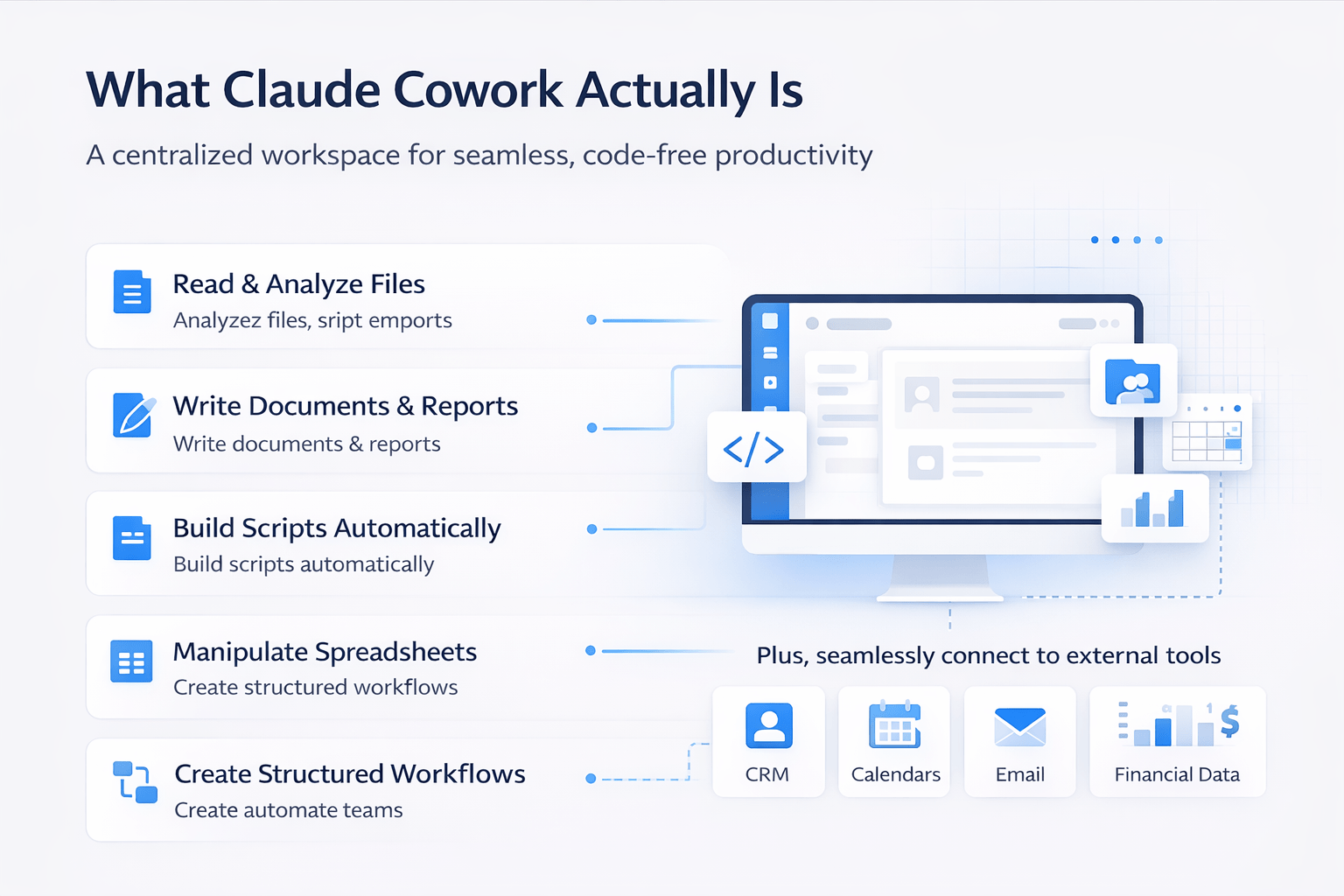
What Claude Cowork Actually Is
Claude Cowork uses the same agentic architecture as Claude Code, which is Claude’s most advanced capability. However, it packages that power into an interface that does not require coding knowledge.
Instead, you get a single workspace where you can:
- Read and analyze files
- Write documents and reports
- Build scripts automatically
- Manipulate spreadsheets
- Create structured workflows
In addition, it allows connections to external tools such as CRM systems, email, calendars, and even financial data sources. Therefore, the goal is simple: one centralized workspace instead of switching between multiple platforms.
What are Claude’s skills?
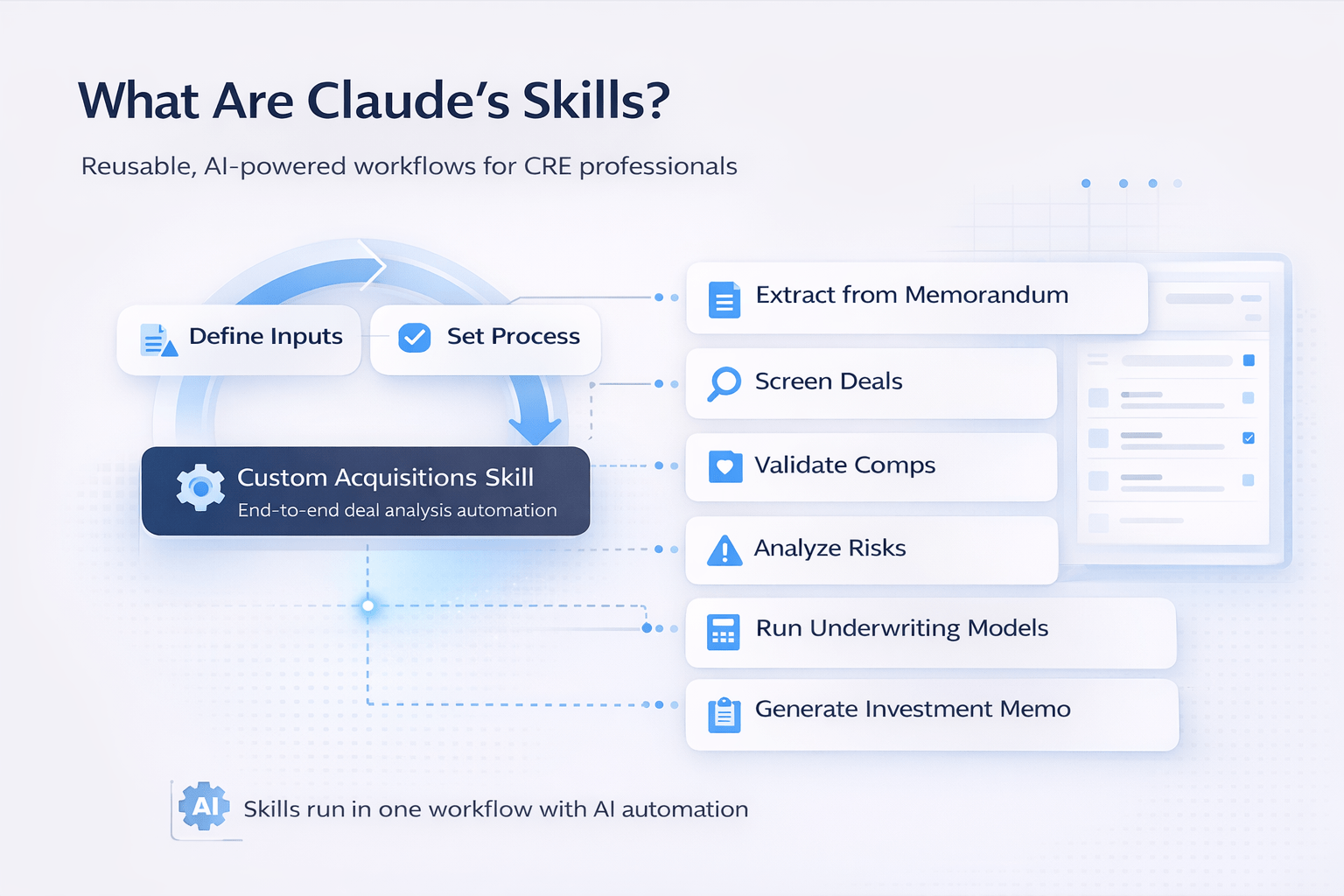
At the core of Claude Cowork AI for CRE workflows are “skills.” These are reusable workflows that run the same process every time.
Think of a skill as a highly detailed SOP that executes automatically.
How Skills Work
- Define inputs (files, prompts, commands)
- Set the process (multi-step workflow)
- Generate outputs (reports, spreadsheets, memos)
For example, a custom acquisitions skill can:
- Extract data from an offering memorandum
- Screen deals against acquisition criteria
- Validate comps
- Analyze regulatory risks
- Run underwriting models
- Generate investment memos
All of this can run in a single workflow without manual intervention.
How It Handles Real CRE Work
The best way to understand the tool is through real usage. During testing, a complete acquisition pipeline was built using a single session.
A detailed criteria file, comp data, and an underwriting model were provided. Claude then:
- Read all inputs
- Asked clarifying questions
- Built folder structures
- Generated multiple scripts
- Designed the full workflow
When tested on real deals, the system flagged pricing issues, adjusted for deal nuances, and produced full underwriting outputs.
Example Results
- Deal 1: Recommended a significantly lower purchase price due to overpricing
- Deal 2: Adjusted valuation based on rent control and buyout costs
As a result, the system did not just process data—it applied logic similar to a real analyst.
What the Outputs Look Like
Each deal produces structured, usable outputs that match real workflows.
Output Breakdown
| Output Type | Description |
|---|---|
| Underwriting Model | Excel file with full financial analysis |
| IC Memo | Word document with investment summary |
What’s Included
Underwriting Model:
- Rent roll and unit mix
- Operating expenses
- Capex projections
- Financing assumptions
- Return metrics
IC Memo:
- Investment thesis
- Market analysis
- Financial summary
- Risk factors
- Buyout analysis
Because outputs match real templates, there is no need for reformatting.
What’s Coming Next
Currently, the system relies on static files. However, the real potential lies in live integrations.
Future capabilities may include:
- Real-time comp data from APIs
- Direct connections to platforms like Yardi
- Automated financial data retrieval
- Instant market analysis via natural language
For example, instead of searching manually, you could request comps or financials directly inside the workspace. Therefore, the long-term vision is a single interface where all CRE data and workflows live together.
Who Should Pay Attention
This tool is especially valuable for professionals handling high deal volume.
Best Fit Users
- Acquisition teams screen multiple deals weekly
- Asset managers managing portfolios
- Brokers creating market reports
- Developers tracking budgets
Although setup requires time, the long-term efficiency gains are significant. As a result, workflows become faster, more consistent, and easier to scale.
Workflow Efficiency Comparison
| Task | Traditional Workflow | Claude Cowork Workflow |
|---|---|---|
| Deal Screening | Manual + fragmented tools | Automated pipeline |
| Underwriting | Analyst-driven | AI-assisted + consistent |
| Report Generation | Manual formatting | Auto-generated outputs |
| Data Management | Multiple platforms | Centralized workspace |
FAQs Regarding Claude Cowork AI for CRE Workflows
What is Claude Cowork AI?
It is an AI workspace that automates CRE workflows.
- Handles files and data
- Builds workflows
- Generates outputs
Conclusion: It centralizes CRE operations.
https://www.anthropic.com
What are Claude’s skills?
Skills are reusable automated workflows.
- Define inputs and outputs
- Execute multi-step processes
- Ensure consistency
Conclusion: They act like automated SOPs.
https://www.forbes.com
Can it replace analysts?
No, it enhances analyst productivity.
- Automates repetitive tasks
- Supports decision-making
- Improves efficiency
Conclusion: It augments, not replaces.
https://www.mckinsey.com
Does it work with real estate data?
Yes, it processes CRE-specific inputs.
- OM files
- Comp data
- Financial models
Conclusion: It adapts to real workflows.
https://www.nar.realtor
How accurate are the outputs?
Accuracy depends on input quality.
- Strong inputs = strong outputs
- Uses defined assumptions
- Improves over time
Conclusion: Quality inputs drive results.
Can it connect to external tools?
Yes, integrations are expanding.
- CRM systems
- Financial platforms
- Data providers
Conclusion: Centralization is the goal.
https://www.gartner.com
Is it difficult to set up?
Initial setup requires time.
- Build workflows
- Define inputs
- Test outputs
Conclusion: Setup effort leads to long-term gains.
https://www.techcrunch.com
Who benefits most from this tool?
High-volume CRE professionals benefit the most.
- Acquisition teams
- Asset managers
- Brokers
Conclusion: Scale-driven roles gain the most value.
Build a Centralized CRE Workflow
Join AI for CRE, where 663+ CRE professionals are already building centralized workflows using tools like Claude Cowork. Access real demos, step-by-step skill setups, and proven systems that show how to automate underwriting, standardize analysis, and eliminate fragmented workflows.
Instead of switching between tools and repeating the same processes, you can build a single system that handles everything from deal intake to final investment memo.
