
How to Build Repeatable AI Workflows in Excel with Shortcut Skills
The biggest frustration I hear from CRE professionals using AI in Excel is inconsistency. You can run the same deal twice and get completely different outputs. However, an AI underwriting skills workflow solves this by standardizing how every deal is analyzed and formatted.
Instead of unpredictable results, you get consistent models every time.
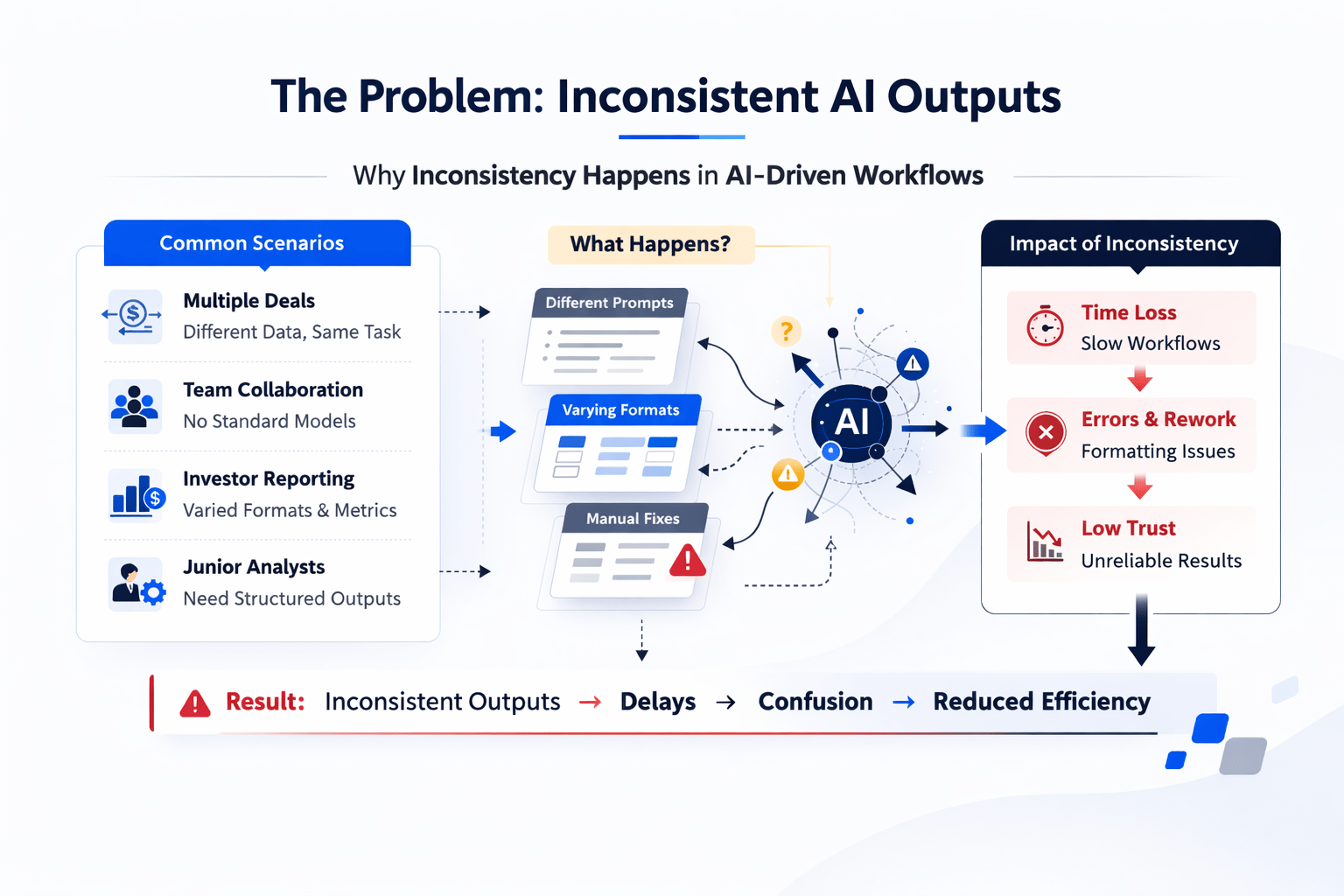
The Problem: Inconsistent AI Outputs
AI works well for quick analysis. However, inconsistency becomes a real issue when:
-
You run multiple deals weekly
-
Your team needs standardized models
-
Investors expect consistent reporting
-
Junior analysts rely on structured outputs
As a result, inconsistent formatting slows down workflows and creates confusion.
What Are Shortcut Skills?
Shortcut Skills are repeatable workflows built inside Shortcut AI.
How They Work
-
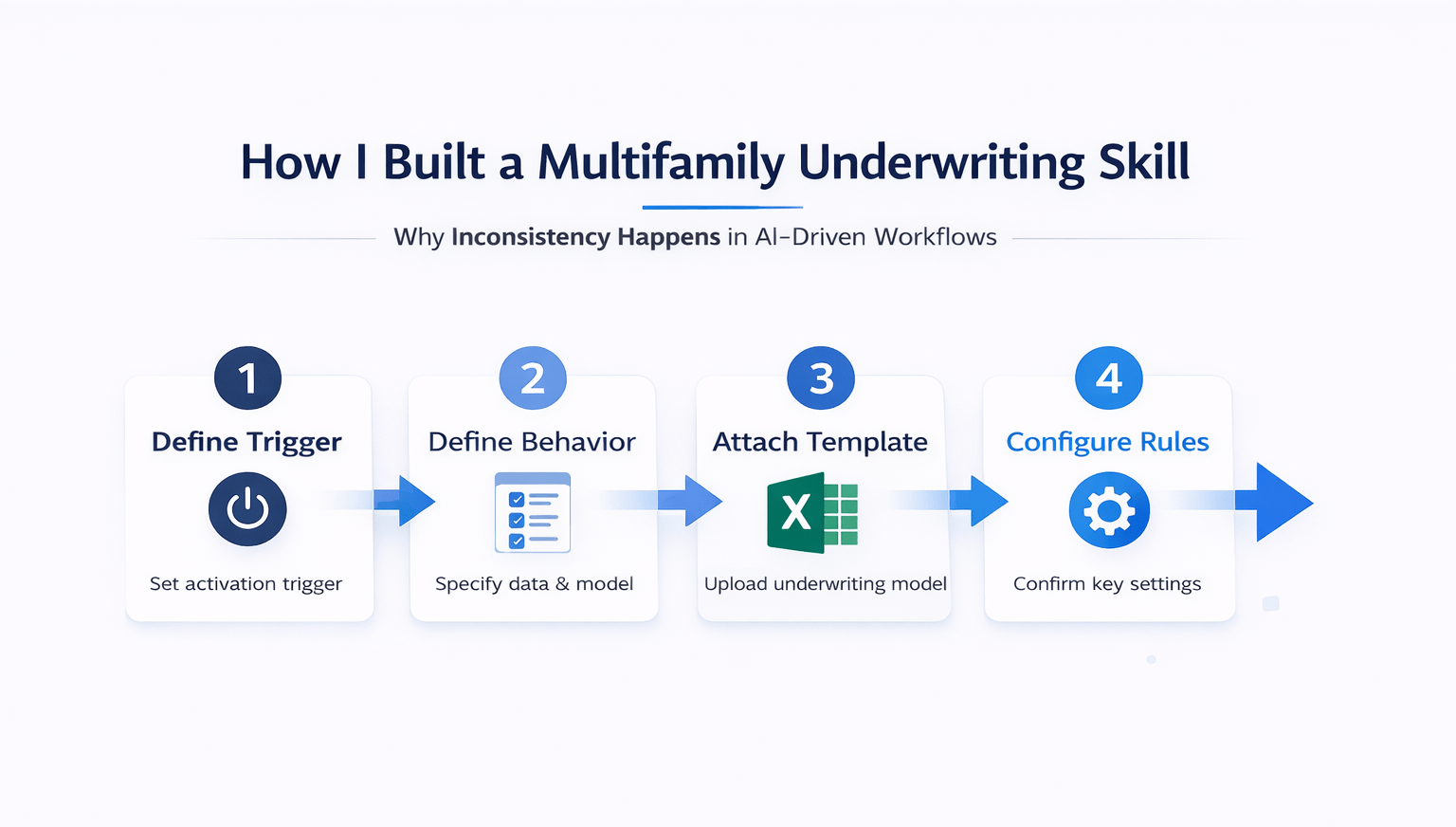
You define a trigger
-
You set the behavior
-
You attach your template
-
The system remembers everything
Once set up, the skill runs automatically when triggered. Therefore, you no longer need to rewrite prompts or explain your format each time.
Why Skills Are Different from Prompts
A normal prompt works once. A skill works every time.
-
Prompts require repetition
-
Skills store preferences
-
Prompts vary in output
-
Skills ensure consistency
As a result, skills are better suited for repeatable workflows like underwriting.
How I Built a Multifamily Underwriting Skill
The setup process was simple and took about 10 minutes.
Step 1: Define the Trigger
I set the skill to activate whenever I am asked to underwrite a multifamily deal.
Step 2: Define the Behavior
I instructed it to:
-
Extract data from an OM
-
Build the underwriting model
-
Match my exact template structure
Step 3: Attach the Template
I uploaded my Excel underwriting model. The system analyzed:
-
Deal scorecard
-
Property assumptions
-
Acquisition assumptions
-
Return metrics
-
Analyst notes
Step 4: Answer Follow-Up Questions
The system asked key questions before finalizing:
-
Should formulas be dynamic? → Yes
-
Should it solve for the max purchase price? → Yes
-
Should analyst notes always appear? → Yes
-
Use standard renovation estimates? → Yes
These questions improved the output significantly.
Testing the AI Underwriting Skills Workflow
I tested the skill on a real multifamily deal in Los Angeles.
What Happened
-
Uploaded the OM
-
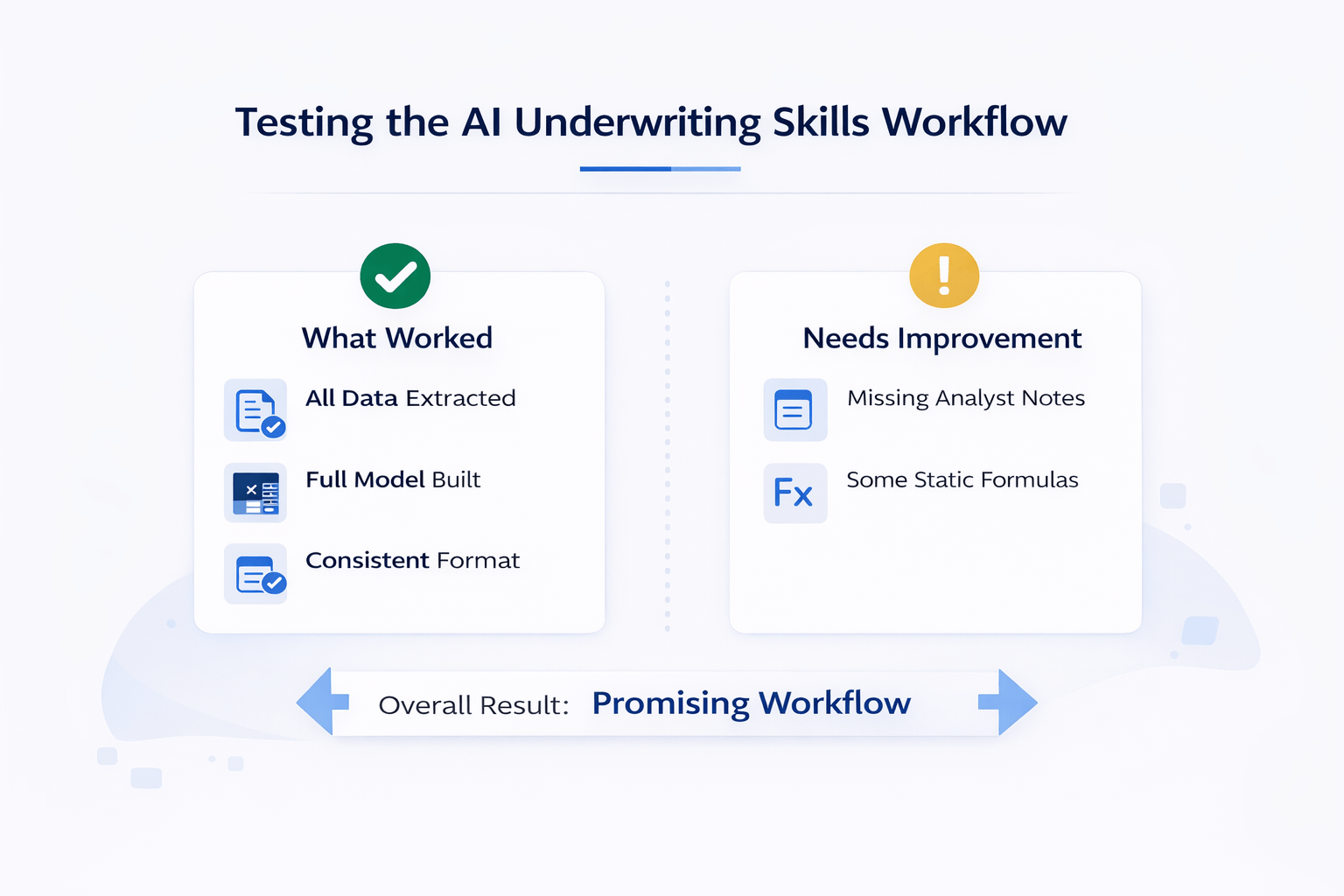
Skill extracted all data
-
Built a full model
-
Solved for max purchase price
The output closely matched my template.
What Worked Well
-
Correct structure across all sections
-
Proper placement of assumptions
-
Clean deal scorecard
-
Consistent formatting
What Needed Improvement
-
Analyst notes column was missing
-
Some formulas were not fully dynamic
Both issues can be fixed through iteration.
Standardization vs Speed
Speed is helpful. However, standardization is more important.
Without Skills
-
Different formats every time
-
Inconsistent layouts
-
Variable output quality
-
Harder team collaboration
With Skills
-
Same format every time
-
Consistent structure
-
Predictable outputs
-
Easier scaling
Standardization Impact Table
| Factor | Without Skills | With Skills |
|---|---|---|
| Output Format | Inconsistent | Standardized |
| Analyst Efficiency | Lower | Higher |
| Investor Reporting | Variable | Consistent |
| Workflow Speed | Slower | Faster |
Comparing Shortcut Skills to Other Tools
Claude for Excel
-
Strong analysis capabilities
-
No persistent workflows
-
Requires repeated instructions
Index AI
-
Workflow features available
-
Less intuitive setup
Shortcut Skills
-
Persistent workflows
-
Template-aware outputs
-
Easy to reuse
Tips for Building Your First Skill
If you want to get started, follow these guidelines:
-
Start with your most common workflow
-
Upload your real template
-
Use plan mode on the first run
-
Expect to iterate
-
Test across multiple deals
Iteration is key. Most skills improve after a few refinements.
Is It Worth Paying for a Shortcut?
It depends on your workflow.
Use Claude If:
-
You run occasional analysis
-
You don’t need standardization
-
You prefer flexibility
Use Shortcut If:
-
You process multiple deals weekly
-
You need consistent outputs
-
You want repeatable workflows
Time & Efficiency Impact
| Factor | Traditional AI Use | Skills Workflow |
|---|---|---|
| Setup Time | Repeated | One-time |
| Output Consistency | Low | High |
| Rework Needed | High | Low |
| Workflow Speed | Moderate | Fast |
FAQs Regarding AI Underwriting Skills Workflow
What are AI skills in underwriting?
They are repeatable workflows that automate deal analysis.
-
Store templates
-
Standardize outputs
-
Reduce manual work
-
Improve consistency
You can explore workflow automation concepts at Zapier (https://zapier.com/).
Why is consistency important in underwriting?
Consistency improves clarity and decision-making.
-
Easier comparisons
-
Better reporting
-
Clear structure
-
Faster reviews
Notion (https://www.notion.so/) shares insights on structured workflows.
Can skills replace manual underwriting?
No, they support but do not replace analysis.
-
Automate repetitive tasks
-
Improve speed
-
Require oversight
-
Enhance accuracy
IBM (https://www.ibm.com/) discusses AI in business workflows.
How long does it take to build a skill?
Most skills can be built in under 15 minutes.
-
Define trigger
-
Upload template
-
Set rules
-
Test output
Automation Anywhere (https://www.automationanywhere.com/) explains workflow automation basics.
Do skills work across different deals?
Yes, if tested and refined properly.
-
Handle multiple inputs
-
Adapt to deal types
-
Require testing
-
Improve over time
UiPath (https://www.uipath.com/) covers scalable automation systems.
What are the biggest limitations?
Skills may need iteration to perform well.
-
Not perfect initially
-
May miss edge cases
-
Requires refinement
-
Needs validation
For AI limitations, see DeepMind (https://deepmind.com/).
Can skills improve team workflows?
Yes, they make processes more consistent.
-
Standard templates
-
Faster onboarding
-
Better collaboration
-
Clear outputs
Slack (https://slack.com/) discusses team productivity tools.
Is this useful for small teams?
Yes, especially for lean teams handling multiple deals.
-
Saves time
-
Reduces errors
-
Improves output
-
Scales easily
Airtable (https://www.airtable.com/) provides workflow tools for teams.
Build Consistency Into Your Workflow
Join the AI for CRE Collective, where 600+ CRE professionals are using tools like this to standardize underwriting, eliminate messy outputs, and scale their deal pipeline with confidence.
Get access to real templates, step-by-step setups, and the 12-month Perplexity Pro access—and start turning inconsistent AI results into repeatable, reliable workflows.
