
Claude Cowork vs Manus — Head-to-Head Construction Doc Review
Construction document review is one of those tasks that eats weeks of project timelines. You submit plans to the city, the city finds problems, and then the revision cycle begins. However, this AI construction document review workflow shows how you can catch issues before submission.
Instead of waiting weeks, you can identify problems in minutes—saving both time and significant carrying costs.
The Problem with Traditional Plan Review
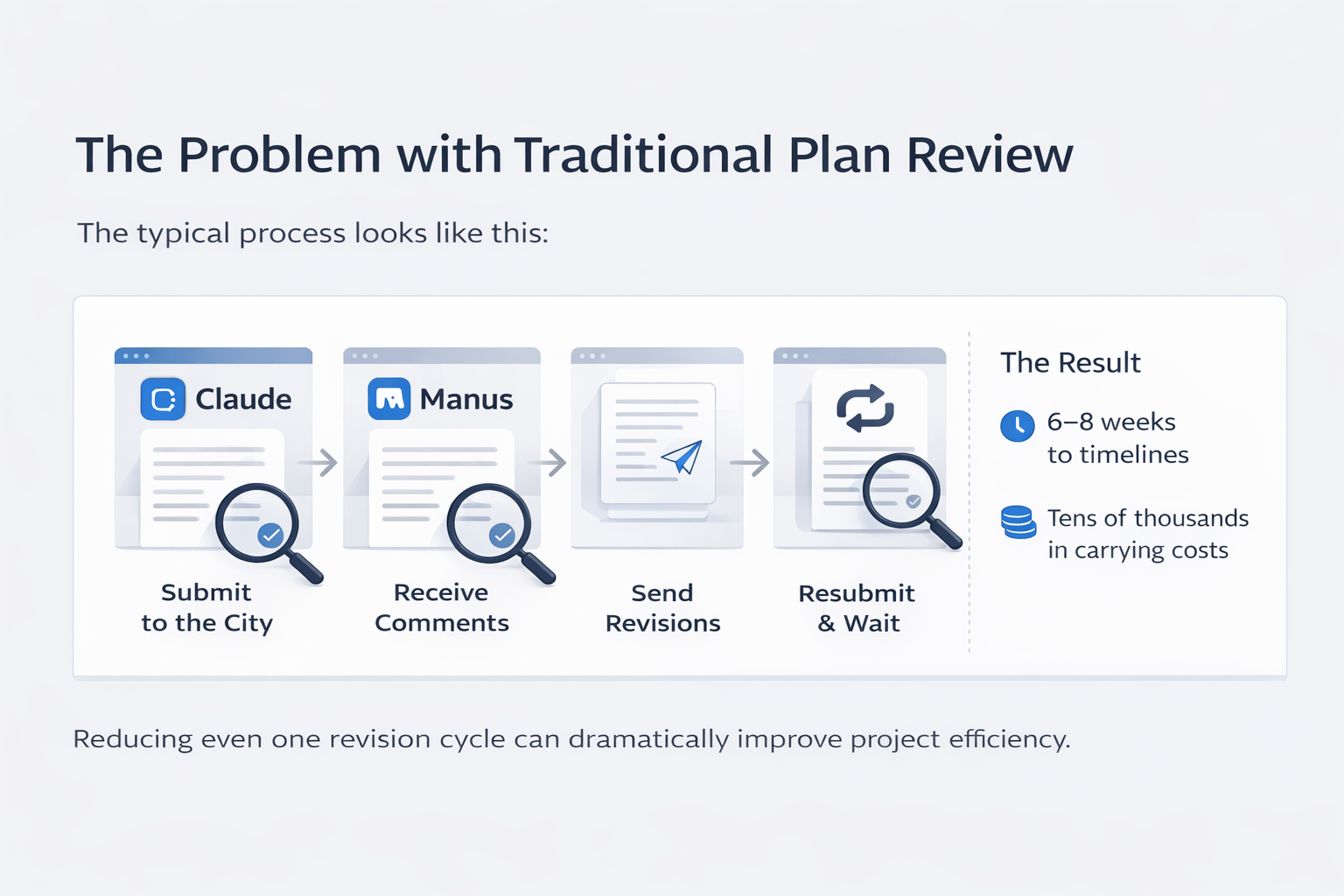
The typical process looks like this:
-
Submit plans to the city
-
Receive comments and corrections
-
Send revisions back to the architect
-
Resubmit and wait again
As a result, each round of corrections can add:
-
6–8 weeks to timelines
-
Tens of thousands in carrying costs
Therefore, reducing even one revision cycle can dramatically improve project efficiency.
Testing an AI Construction Document Review Workflow
To evaluate this, I tested two AI tools using the same dataset:
-
20 pages of construction documents
-
A real 4-unit condo project in West Hollywood
Tools Used
-
Claude Cowork (Opus 4.6)
-
Manus
Both tools received identical prompts. However, their outputs were very different.
The Prompt Framework That Made It Work
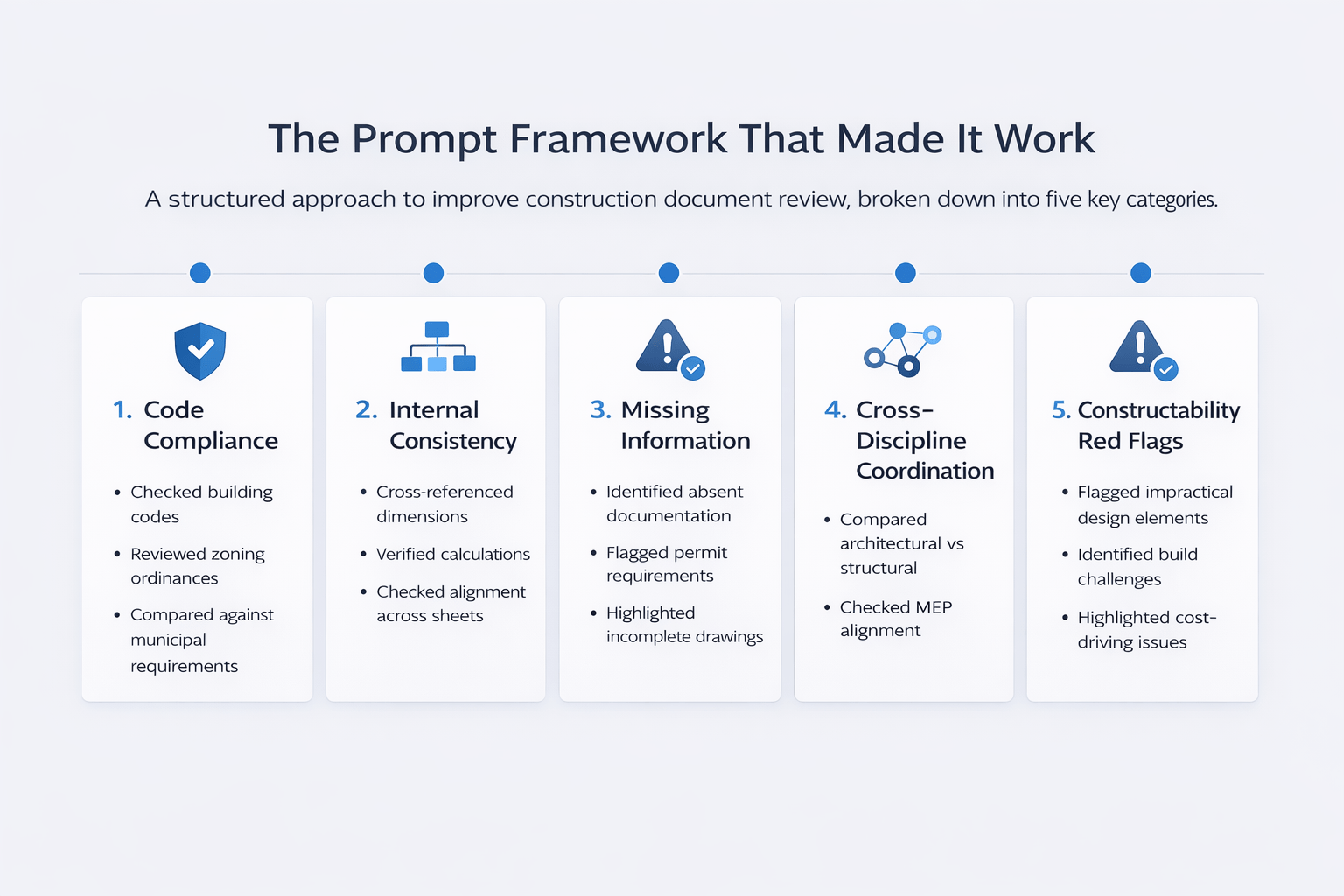
Instead of using a vague instruction, I structured the review into five categories. This approach significantly improved the quality of results.
1. Code Compliance
-
Checked building codes
-
Reviewed zoning ordinances
-
Compared against municipal requirements
2. Internal Consistency
-
Cross-referenced dimensions
-
Verified calculations
-
Checked alignment across sheets
3. Missing Information
-
Identified absent documentation
-
Flagged permit requirements
-
Highlighted incomplete drawings
4. Cross-Discipline Coordination
-
Compared architectural vs structural
-
Checked MEP alignment
-
Identified conflicts between systems
5. Constructability Red Flags
-
Flagged impractical design elements
-
Identified build challenges
-
Highlighted cost-driving issues
What Claude Found
Claude produced a clean, structured Word document organized by priority.
Critical Issues
-
Area calculations didn’t match across multiple sheets
-
The prevailing setback methodology was questionable
-
Open space transfers lacked documentation
-
Garage ramp at 20% grade (vehicles would scrape)
-
EV charging non-compliant
High Priority Issues
-
Fire separation gaps
-
Building height concerns
-
Missing structural calculations
-
Coordination issues between disciplines
-
Excavation logistics (160+ truck trips)
Key Takeaway
The output was highly actionable. In other words, an architect could immediately begin corrections.
What Manus Found
Manus took a different approach by using live browser research.
Key Differences
-
Pulled the West Hollywood municipal code
-
Verified zoning requirements in real-time
-
Cross-checked compliance externally
Additional Findings
-
Building height exceeded limits (42.2 ft vs 35 ft)
-
Referenced the outdated California Building Code
-
Flagged potential affordable housing requirements
Tool Comparison
| Category | Claude Cowork | Manus |
|---|---|---|
| Output Format | Word doc (organized) | 25-page PDF |
| Speed | Faster | Slower (browser research) |
| Research Depth | Document-only | Live code verification |
| Organization | Clean and structured | Detailed but dense |
| Unique Strength | Actionable insights | Verified compliance |
| Best Use Case | Quick review | Deep compliance analysis |
Where This Workflow Fits
This AI construction document review workflow is ideal before city submission.
Best Use Cases
-
Developers reviewing plans
-
General contractors in pre-construction
-
Architects running QA checks
-
Land use consultants verifying compliance
-
ADU builders handling permits
Time and Cost Impact
The difference is substantial.
Traditional vs AI Review
| Factor | Traditional Review | AI Workflow |
|---|---|---|
| Time Required | Several days | ~15 minutes |
| Cost | High (consultant fees) | Minimal |
| Revision Cycles | Multiple | Reduced |
| Risk of Delays | High | Lower |
Why It Matters
-
6–8 weeks saved per cycle
-
$30K–$50K/month carrying cost impact
-
Faster approvals
Therefore, even one avoided revision cycle can significantly improve project ROI.
What This Workflow Does (and Doesn’t Do)
It Replaces
-
Early-stage manual reviews
-
Initial QA checks
-
Basic compliance screening
It Does NOT Replace
-
Licensed engineers
-
Permit-ready documentation
-
Final city submissions
FAQs Regarding AI Construction Document Review Workflow
Can AI fully review construction documents?
AI can perform early-stage reviews but cannot replace licensed professionals.
-
Identifies major issues quickly
-
Flags inconsistencies
-
Lacks legal authority
-
Requires expert validation
To understand engineering standards, you can refer to the American Society of Civil Engineers (https://www.asce.org/).
How accurate is AI in code compliance checks?
AI is helpful but depends on available data and prompts.
-
Can flag potential violations
-
May miss local nuances
-
Needs verification
-
Improves with better inputs
For zoning insights, you can review the American Planning Association (https://www.planning.org/).
Which tool is better: Claude or Manus?
It depends on your goal—speed vs depth.
-
Claude is faster
-
Manus is more detailed
-
Claude is structured
-
Manus verifies codes
You can explore broader AI insights from McKinsey (https://www.mckinsey.com/).
Can this workflow reduce project delays?
Yes, it can significantly reduce revision cycles.
-
Identifies issues early
-
Reduces back-and-forth
-
Speeds up approvals
-
Improves planning accuracy
Harvard Business Review (https://hbr.org/) discusses efficiency strategies in projects.
Is this workflow suitable for small projects?
Yes, it works for both small and large developments.
-
ADUs
-
Small residential projects
-
Large developments
-
Mixed-use sites
The Urban Land Institute (https://www.uli.org/) provides useful development insights.
What documents can AI review?
Most construction-related documents can be analyzed.
-
Site plans
-
Floor plans
-
Structural drawings
-
MEP plans
The National Association of Home Builders (https://www.nahb.org/) offers guidance on documentation standards.
Does AI understand local building codes?
Partially, depending on the tool.
-
Some tools use static knowledge
-
Others access live data
-
Accuracy varies
-
Needs validation
Google Cloud AI (https://cloud.google.com/) explains how AI systems interpret data.
How much time does this workflow save?
It reduces review time from days to minutes.
-
Faster issue detection
-
Immediate feedback
-
Reduced revisions
-
Improved efficiency
Esri (https://www.esri.com/) supports data-driven workflows.
What’s Next
I mentioned InspectMine during the demo — a purpose-built tool specifically designed for construction plan review. I’ll be testing that against Claude and Manus in a future comparison.
I also walked through Claude Cowork’s connectors (Pipedrive, Granola, Yardi) and scheduled task features. These integrations are making Claude increasingly useful as a persistent AI assistant rather than a one-off tool.
