

How I Underwrite Deals by Text Message Using Manus AI
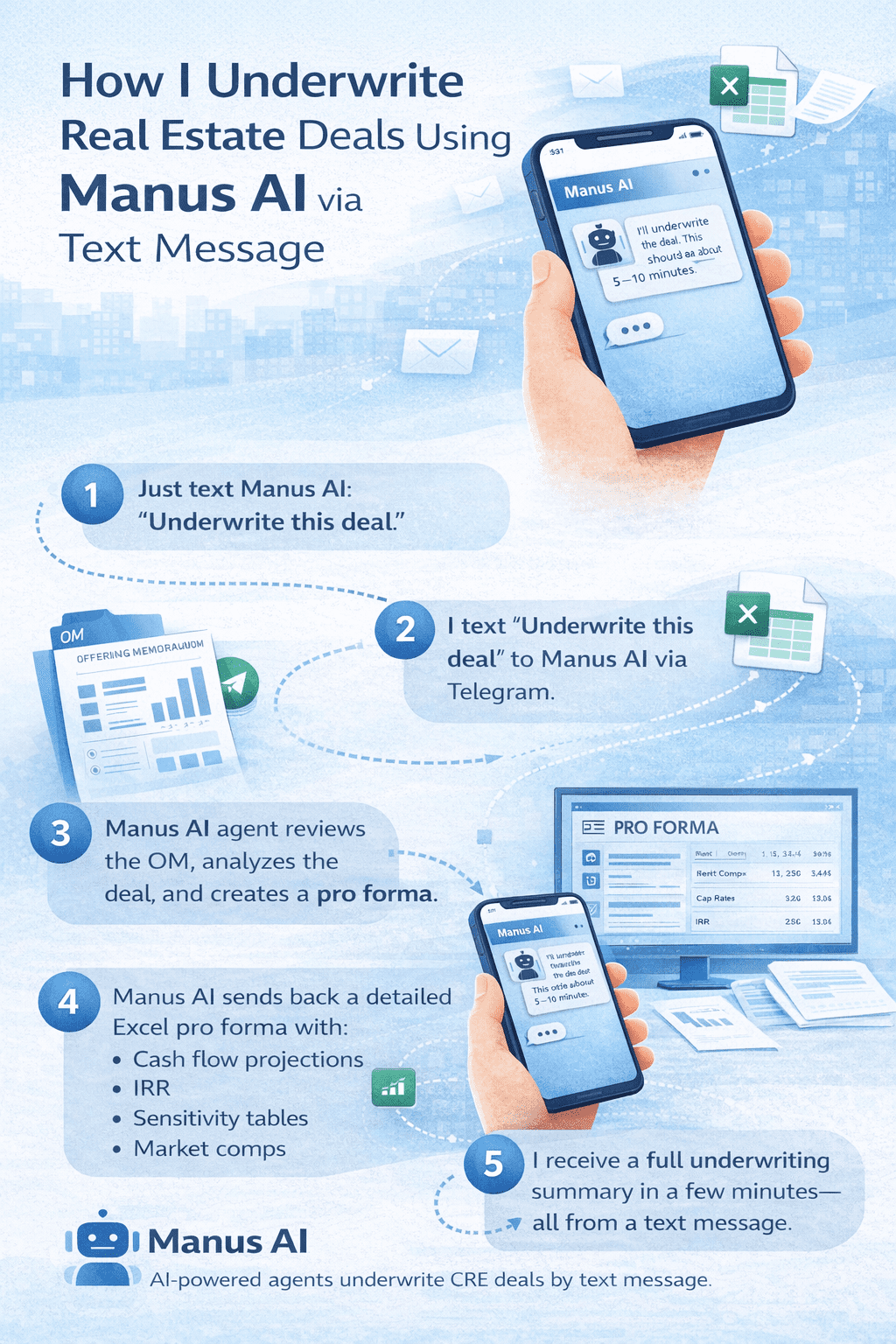
Manus AI CRE underwriting lets you analyze commercial real estate deals directly from your phone. Last week, I forwarded an OM to my AI agent on Telegram, typed “underwrite this deal,” and had a full pro forma back in 10 minutes. My exact Excel model. sensitivity tables. and my return targets. All from my phone. That’s Manus AI with two features that dropped in February 2026: Agents and Skills. Together, these features make Manus AI CRE underwriting faster and more consistent than traditional manual underwriting workflows. Agents let you text Manus through Telegram like you’d text a teammate. Skills let you train it on your exact underwriting model, ensuring standardized output every time. This is what makes Manus AI CRE underwriting reliable for repeatable deal analysis.
This guide walks through everything about how I set it up, the workflows I’ve tested, what actually works, and where it falls short. If you’re in acquisitions, brokerage, asset management, or development, there’s something here you can use this week.
Table of Contents
ToggleThe Problem With Manus AI CRE Underwriting Before Skills
I’ve been asking AI tools to underwrite deals for months. And the outputs were always different every single time. Ask Manus to “underwrite this deal” on Monday, and you get an Excel file with five tabs. Ask the same thing on Wednesday with a different OM, and you get three tabs. Different layout. assumptions. and formatting. One has sensitivity tables. The other doesn’t. One calculates IRR. The other skips it entirely. Run it 10 times, and you get 10 different structures. You can’t compare deals side by side. can’t hand these to an LP and say, “Here’s our standard analysis.” You definitely can’t build a repeatable process around outputs that look different every time.
This is the core issue with using generic AI for underwriting. The intelligence is there; the AI can extract data from an OM, make reasonable assumptions, and build a financial model. But without explicit instructions on your format, your tabs, your formulas, it just guesses at structure. And it guesses each time differently. That’s what Manus skills fix. And when you combine skills with agents, you can trigger that standardized underwriting from a text message on your phone.
What Manus AI CRE Underwriting Agents and Skills Actually Are
Two features were released in February 2026. They work independently, but the real power lies in combining them.
Agents
Agents connect Manus to Telegram. You text Manus like you’d text a colleague:
-
“Hey, underwrite this deal.”
-
“Pull rent comps for this property.”
-
“Generate a construction cost report for this market.”
You can attach files, send voice messages, and queue up multiple tasks at once. Manus works in the background and texts you when each task is done. Current limitation: Telegram only. WhatsApp and iMessage are coming, but there is no exact date yet. This is what allows Manus AI CRE workflows to run tasks like underwriting, rent comps, and market reports from a simple text message.
Skills
Skills are explicit instructions for specific tasks. You upload your template, your model, your process. Manus learns it and replicates it every time.
Think of it like writing an SOP for a new analyst, except the analyst never forgets a step, never changes the format, and works at 10x speed. Skills also get smarter over time. Manus saves “knowledge-based scenarios” from your interactions, so the more deals you run through a skill, the better it understands your preferences.
Combined: Build an underwriting skill once. Trigger it by texting your agent an OM. Get back a standardized pro forma in your exact format. From your phone, you’re doing other things.
How I Built My Underwriting Skill (Step by Step)
This took about 25 minutes. You only do it once.
What You Need Before Starting
-
Your actual Excel underwriting model (all tabs, formulas, and sensitivity tables).
-
A Manus account with skills and agents enabled.
Step 1: Start the Skill Builder
In Manus settings, go to Skills → Build with Manus.
I typed
“Help me create a skill. Anytime I ask you to underwrite a deal, use my exact model attached here. It should use this exact template with updated numbers from each deal. I will usually send you an OM and ask you to underwrite. You will go ahead and underwrite the deal and return this exact model with the updated numbers for that specific deal. Please ask me questions if you aren’t clear.”
Then I uploaded my Excel model.
Step 2: Answer Manus’s Questions
Manus returned five specific questions:
-
Sensitivity tables: Recalculate dynamically? → Yes
-
Target price solver: Implement a solver to find the maximum purchase price? → Yes
-
Analyst notes: Auto-generate notes? → Yes
-
Unit mix: Support up to six unit types? → Yes
-
Renovation premium formula: Always use the formula approach? → Yes
Step 3: Let Manus Build
Manus initialized the skill and completed tasks like:
-
Mapping every tab in the template Excel file
-
Cleaning up example files
-
Copying the model template to the skills directory
-
Creating reference documents for model specifications and OM extraction
-
Writing the full skill instructions
After 10-15 minutes, the skill appeared as “Multifamily Underwriter” in my library.
Step 4: Test With a Real OM
I attached an OM for 163 8th Place, texted:
“Please underwrite this deal using our new multifamily underwriter skill.”
The Manus AI CRE Underwriting Text Message Workflow
From my phone:
-
Attach OM in Telegram
-
Text Manus: “Please underwrite this deal for me using our new multifamily underwriter skill.”
Manus:
“I’ll underwrite 163 8th Place using the multifamily underwriting skill. This should take about 5-10 minutes.”
Behind the scenes, Manus:
-
Extracted key data from the OM
-
Researched market comps
-
Built the full pro forma in my template
-
Ran sensitivity analysis
-
Solved for the target purchase price
-
Generated analyst notes
-
Packaged everything and sent it back
Even when a subtask hit a snag, the agent self-corrected and completed the underwriting.
Result:
-
5.4% IRR at full purchase price
-
Recommendation: Pass
-
Excel model matched my exact format with all tabs, formulas, and deal-specific numbers
All from a text message while I was doing other things.
Other Manus AI CRE Underwriting Workflows I’ve Tested From My Phone
Simultaneous Market Reports
Texted:
“Prepare a report on construction costs in Los Angeles.”
“Also prepare a report for construction costs for apartments in St. Louis.”Both reports returned within minutes. Parallel execution saves hours.
Voice Message Rent Comps
Sent a voice message:
“Pull rent comps within 2 miles of 3105 Bellevue Avenue, Los Angeles.”Full Class A multifamily rent comp analysis returned as a downloadable report.
Rendering and Video From a Description
Voice message:
“5-story podium building in Silver Lake. 4 floors of residential over 1 floor podium. About 30 units.”Two minutes later: architectural rendering.
Texted:
“Can you turn that into a video?”A few minutes later: video walkthrough delivered.
What Manus AI CRE Underwriting Does Well
-
Phone-native execution: Work from properties, meetings, or driving
-
Parallel processing: Multiple tasks executed simultaneously
-
Standardized outputs through skills: Every deal returns in the same format
-
Proactive agent behavior: Self-corrects and notifies you when tasks finish
-
Voice input: Fast verbal commands instead of typing detailed prompts
Where Manus Falls Short (Honest Take)
-
Telegram only – WhatsApp/iMessage not yet available
-
Accuracy requires verification – Always review assumptions and outputs
-
Skill building takes investment – Initial setup takes time and iteration
-
Task management – Tracking multiple tasks requires attention
-
Cost scales with usage – Complex workflows consume credits
How Manus Compares to Claude and ChatGPT for CRE
| Tool | Best For |
|---|---|
| Manus | Execution, phone-native, parallel tasks |
| Claude | Deep analysis, reasoning, and mature skills |
| ChatGPT | Prompt writing, conversational questions |
Workflow: Write prompt in ChatGPT → Feed to Manus or Claude → Use Manus for phone access/parallel execution, Claude for deep analysis.
How to Get Started by Role
-
Acquisitions/Underwriting: Start with an underwriting skill
-
Brokers: Start with comp analysis and market research
-
Asset Management: Build skills for reports and budgets
-
Developers: Use rendering workflow via voice messages
-
All roles: Start simple, then scale to complex workflows
Common Mistakes When Using Manus AI CRE Underwriting
| Mistake | Why It Happens | Simple Fix |
|---|---|---|
| Skipping skill setup | Users try to automate underwriting without training Manus on their Excel model | Upload your underwriting template and create a Skill first |
| Treating AI output as final | AI generates fast results but assumptions may need verification | Always review IRR, rent comps, and purchase price assumptions |
| Building complex skills first | Beginners start with difficult workflows like development modeling | Start with simple workflows such as underwriting or comp analysis |
| Running tasks one at a time | Many users don’t realize Manus supports parallel execution | Send multiple requests simultaneously for faster results |
| Not asking Manus to clarify inputs | AI may guess assumptions if instructions are unclear | Tell Manus to ask questions when deal data is missing |
FAQs regarding Manus AI for CRE Underwriting
What is Manus AI, and how does it help with CRE underwriting?
Manus AI is an AI tool designed for commercial real estate professionals to automate underwriting and analysis.
-
Connects via Telegram for phone-native workflows
-
Uses Skills to standardize Excel models for consistent outputs
-
Can extract data from OMs, calculate IRR, and generate sensitivity tables automatically
With Manus AI, you can underwrite deals faster and more consistently than traditional methods. Learn more here.
What are Manus AI Agents and Skills?
Agents and Skills are core features of Manus AI that enable automation.
-
Agents: Allow texting Manus like a teammate to trigger tasks
-
Skills: Teach Manus your exact Excel model and workflow
-
Work together to provide standardized outputs from your phone
Together, they make CRE underwriting mobile, repeatable, and reliable. More details here.
How do I build an underwriting skill in Manus AI?
Building an underwriting skill is straightforward and only needs to be done once.
-
Upload your actual Excel model with all tabs and formulas
-
Answer clarification questions to guide Manus on assumptions and calculations
-
Test the skill with a real OM to confirm outputs
After setup, the skill can produce standardized pro formas on demand. See the step-by-step guide here.
Can I use my existing Excel models with Manus AI?
Yes, Manus AI is designed to replicate your exact model.
-
Upload your real Excel model, including formulas and sensitivity tables
-
Manus will learn the format and produce identical structured outputs
-
Skills ensure repeatable and consistent analysis for every deal
This allows you to automate without changing your current underwriting workflow. Learn how here.
Which messaging apps work with Manus AI Agents?
Currently, Manus AI Agents work via Telegram only.
-
WhatsApp and iMessage support are planned, but no launch date is confirmed
-
Telegram allows attachments, voice messages, and multiple tasks simultaneously
-
All outputs are sent directly in the chat for quick access
Using Telegram is a small setup for a huge increase in productivity. Learn more here.
How fast can Manus AI produce a pro forma?
Manus AI can generate a full pro forma in minutes once the skill is set up.
-
Typical underwriting for a multifamily deal takes 5–10 minutes
-
Includes IRR calculations, sensitivity tables, and analyst notes
-
Works in parallel with other tasks, such as market reports
This speed allows you to review multiple deals quickly and efficiently. Check timing examples here.
Does Manus AI replace a human analyst?
Manus AI complements analysts but does not replace human judgment.
-
Produces first drafts and standardized pro formas
-
Requires verification of rent comps, cap rates, and exit assumptions
-
Analysts still make final decisions and adjustments
Manus AI saves hours of setup while keeping analysts in control. Learn more here.
What type of CRE workflows can I automate with Manus AI?
Manus AI supports multiple workflows beyond underwriting.
-
Market research and construction cost reports
-
Rent comps using voice or text instructions
-
Preliminary architectural renderings and video walkthroughs
-
Portfolio or asset management reporting
These workflows let CRE professionals operate efficiently from anywhere. Explore workflows here.
How does Manus AI handle deal-specific assumptions?
Manus AI uses Skills to handle assumptions accurately.
-
Clarifies assumptions when needed to avoid guessing
-
Calculates IRR, rent growth, and renovation premiums based on your model
-
Updates sensitivity tables dynamically for each deal
This ensures that each deal output reflects accurate and consistent assumptions. More info here.
Can I run multiple tasks at the same time?
Yes, Manus AI supports parallel task execution.
-
Run underwriting, comps, and market reports simultaneously
-
Tasks continue in the background while you focus on other work
-
Telegram notifications inform you when each task completes
Parallel execution saves hours compared to sequential workflows. Learn more here.
Is Manus AI accurate for underwriting deals?
Manus AI provides solid first-draft underwriting outputs.
-
IRR, sensitivity tables, and pro formas are automatically generated
-
Rent comps, cap rates, and market assumptions should be verified
-
Outputs are consistent but require human review before investor use
Accuracy improves as you refine your Skill. Check best practices here.
Can I use voice commands to request tasks?
Yes, Manus AI supports voice input via Telegram.
-
Describe a property or request a report verbally
-
Manus transcribes and executes tasks like rent comps or market research
-
Saves time compared to typing detailed prompts
Voice commands are ideal for on-site property visits. Learn more here.
How does Manus AI compare to Claude and ChatGPT?
Each AI tool serves different CRE purposes.
-
Manus: Execution, mobile workflow, parallel tasks
-
Claude: Deep analysis, reasoning, mature skills
-
ChatGPT: Prompt writing, conversational queries
Use Manus for phone-based workflows and Claude for high-level analysis. Comparison details here.
How much does Manus AI cost for CRE workflows?
Manus AI uses a credit system for task execution.
-
Complex tasks like underwriting consume more credits
-
Track usage in the first weeks to estimate workflow costs
-
Cost is offset by time savings and productivity gains
Credit usage varies by workflow complexity. More info here.
Can I update my underwriting skills later?
Yes, Manus Skills can be updated to reflect changes in your model.
-
Upload new Excel templates or adjust formulas
-
Modify assumptions or add new tasks
-
Test the updated skill with real OMs before full deployment
Skills are flexible to match evolving CRE workflows. Learn how here.
Are sensitivity tables automatically calculated?
Yes, Manus AI can generate dynamic sensitivity tables.
-
Based on inputs from the OM or property data
-
Can be set to recalculate or use hard-coded values
-
Ensures consistent scenario analysis for every deal
Dynamic tables save time and improve comparability across deals. Details here.
How do I verify outputs from Manus AI?
Verification ensures accuracy and investor confidence.
-
Check key metrics like IRR, cap rate, rent comps
-
Compare outputs against your manual models
-
Adjust assumptions if necessary before sharing with stakeholders
Verification is simple and essential for CRE decision-making. Learn tips here.
Can Manus AI handle multi-property portfolios?
Yes, Manus AI scales for multiple deals at once.
-
Upload multiple OMs simultaneously
-
Execute underwriting and market research tasks in parallel
-
Compare results side by side using standardized templates
Portfolio-level analysis becomes fast and manageable. Guide here.
How secure is the data in Manus AI?
Manus AI ensures data security for sensitive CRE information.
-
Telegram communication is encrypted
-
Files and models are stored securely within the platform
-
Access controls limit who can view or edit Skills
Security measures comply with standard CRE industry practices. More here.
Can I integrate Manus AI with other CRE tools?
Yes, Manus AI supports workflow integration.
-
Export outputs to Excel, PDF, or reporting platforms
-
Combine with your CRM or property management software
-
Automate follow-up tasks and reporting
Integrations streamline CRE operations and reduce manual effort. Learn integration options here.
Start Underwriting Deals by Text This Week
-
Forward an OM to your Manus agent
-
Text “underwrite this.”
-
Geta standardized pro forma in 10 minutes
Build one skill this week: underwriting model, comp report, or property report template. Spend 25 minutes upfront and never manually set up that output format again.
Take Your CRE Workflow to the Next Level
Streamline underwriting, market research, and reporting from your phone with Manus AI. Join the AI for CRE Collective for advanced workflows, or subscribe to the newsletter for weekly AI playbooks you can apply to your own deals.
